EUKYX-199-2100_G5S2_Instruction_Vol2_E.pdf - 第314页
EUKYX 6-77 199-2100 (9 ) When th e ball te aching is compl ete d, check and d ata and p ress the [Fixed] but t on. F2F107 (9- 1 ) I f there is any unnece ssar y ball, press the [M odification of b all] but t on to de let…
EUKYX
6-76199-2100
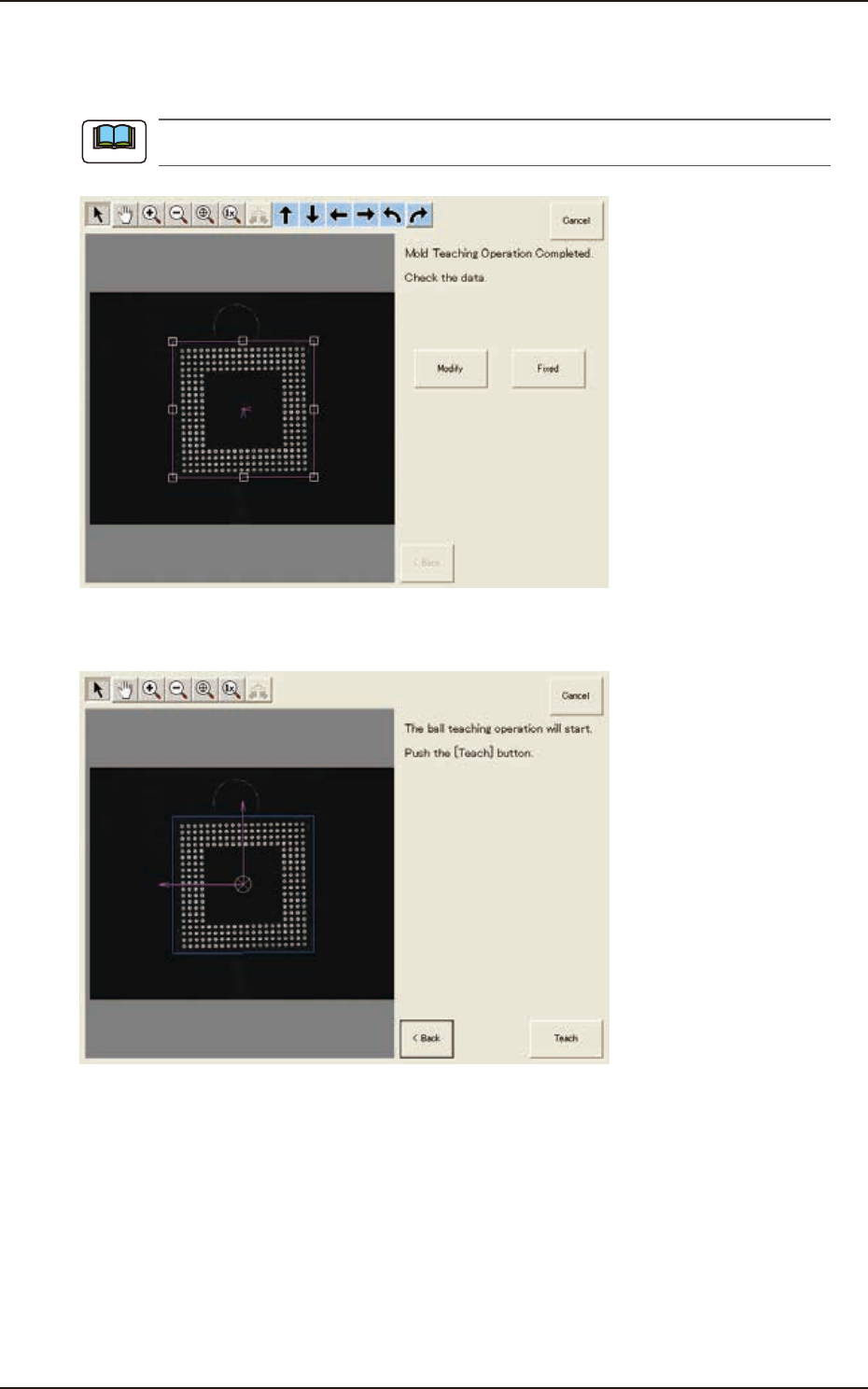
(7) When the mold teaching is completed, check the data and press the [Fixed] button.
(If the component size or angle is not correct, press the [Modify] button to correct the
graphic image.)
To turn the graphic, click the coordinate graphic and drag either one of the arrow ends.
F2F105
(8) Press the [Teach] button to start the ball teaching operation.
F2F106
Note
7.3 "COMP RCG" Test Window
EUKYX
6-77199-2100
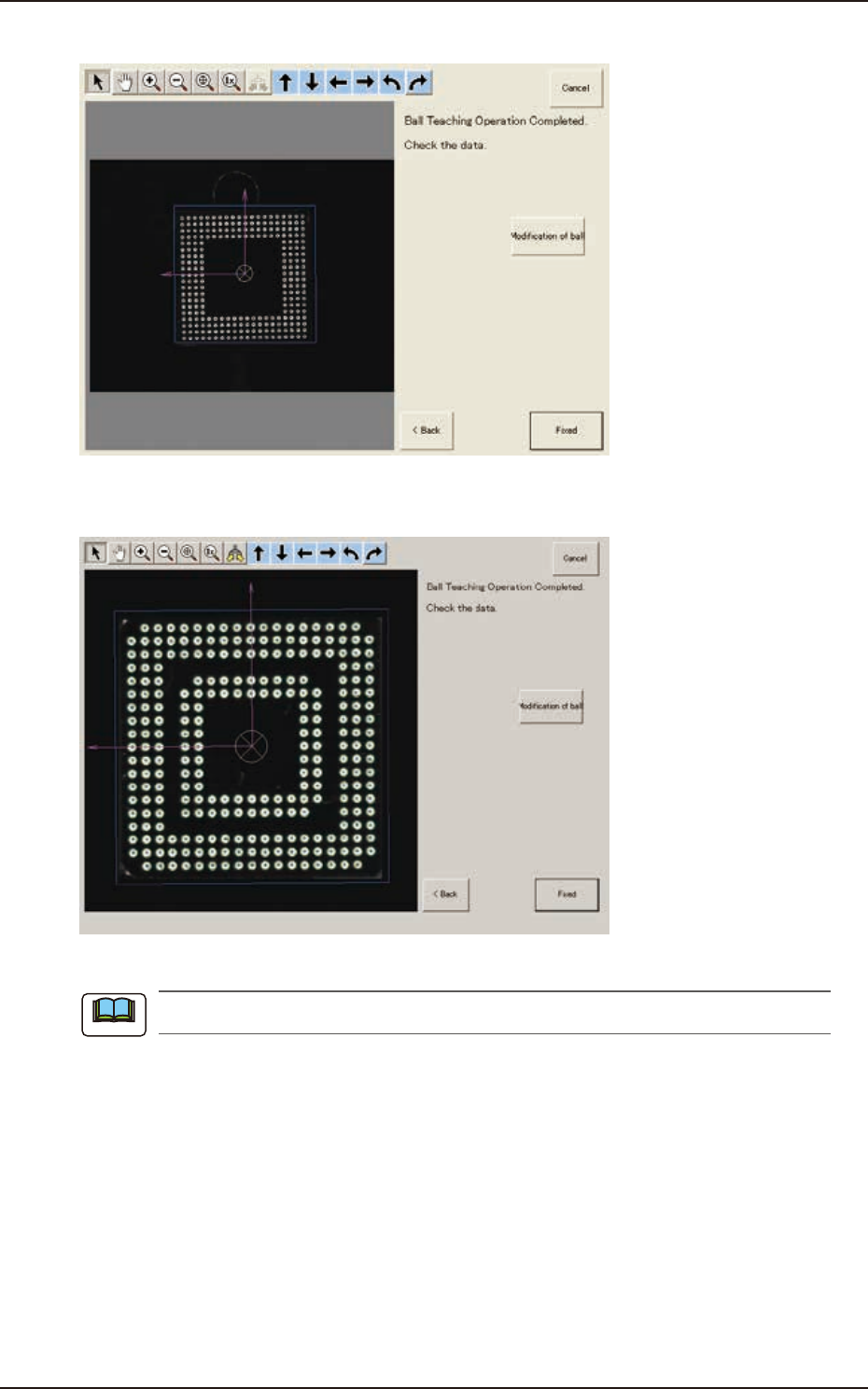
(9) When the ball teaching is completed, check and data and press the [Fixed] button.
F2F107
(9-1) If there is any unnecessary ball, press the [Modification of ball] button to delete such balls.
F2F108
When there are unrequired balls, the data may not be correctly converted to grid data.
Note
7.3 "COMP RCG" Test Window
EUKYX
6-78199-2100
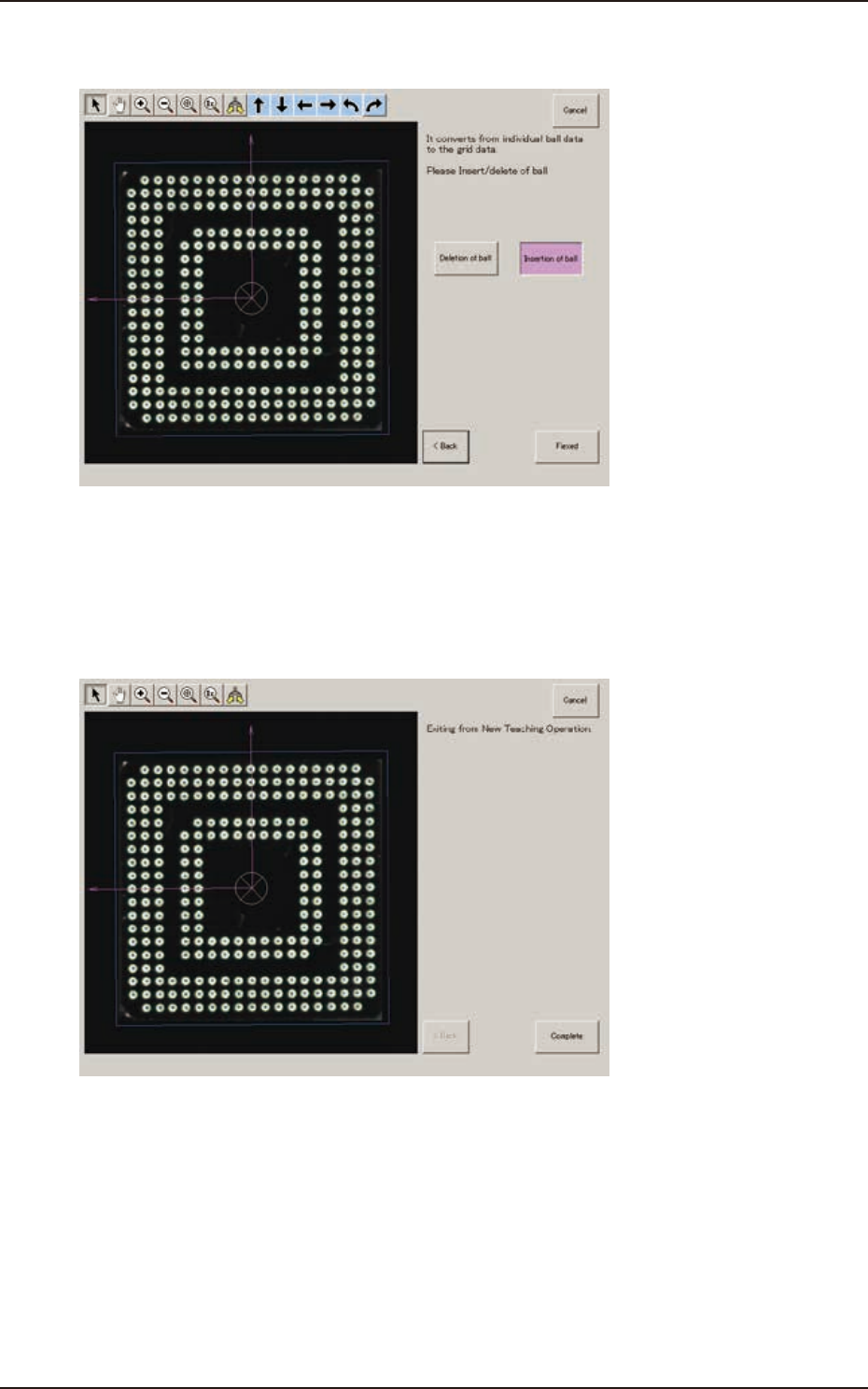
(10) When the conversion to the grid data is completed, check the data and press the [Fixed]
button.
F2F109
(10-1) If there is any unnecessary ball, after pressing the [Deletion of ball] button, specify the
range of the balls to be deleted on the image and delete such balls.
(10-2) If there is any necessary ball to be added, after pressing the [Insertion of ball] button,
specify the range of the balls to be added on the image and add such balls.
(11) When the teaching is completed, press the [Complete] button.
F2F110
7.3 "COMP RCG" Test Window