EUKYX-199-2100_G5S2_Instruction_Vol2_E.pdf - 第163页
EUKYX 2-50 199-2100 3.7 Placement (G02) Of fset When the [ Of f set] but ton is pressed in the "Pl acement" windo w , t he fol lowi ng tab sheet appears. Graphic Development F2B46 (G02 _0 1 ) Unit Cont rol Sele…
EUKYX
2-49199-2100
3.7 Placement
[2] [Edit] Button
When this button is pressed, the P-Data or O-Data is edited. When the data to be edited is selected
and the [Edit] button is pressed, the "Data Setting" window appears.
F2B44
Refer to “(G03) P-Data” or “(G04) O-Data” for each item to be set.
[3] Placement Data Group Select Button
Using this button, the placement data group is selected.
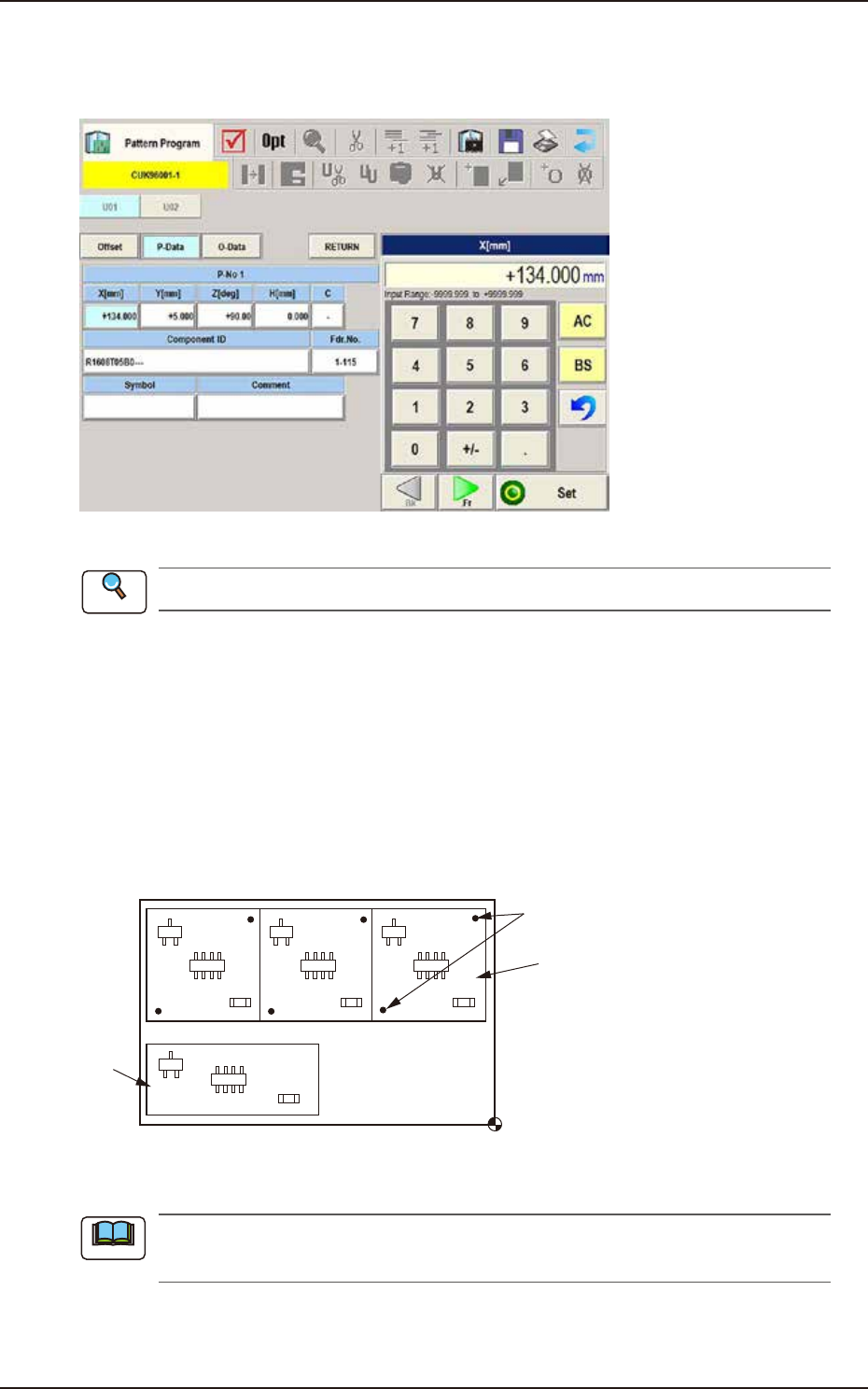
(G01_01)
Un
Select one of the following tabs (placement data groups) in one pattern program.
U01 : First Placement Data Group
U02 : Second Placement Data Group
↓
Un : Up to 99 placement data groups can be specified.
U02
U01
Placement Coordinate
Reference
Fiducial Marks
F2B45
(a) Use “U01” in normal cases.
(b) The operation and feeder location data are used commonly.
[4] Placement Data Select Button
Using this button, the placement data is selected.
Reference
Note
EUKYX
2-50199-2100
3.7 Placement
(G02) Offset
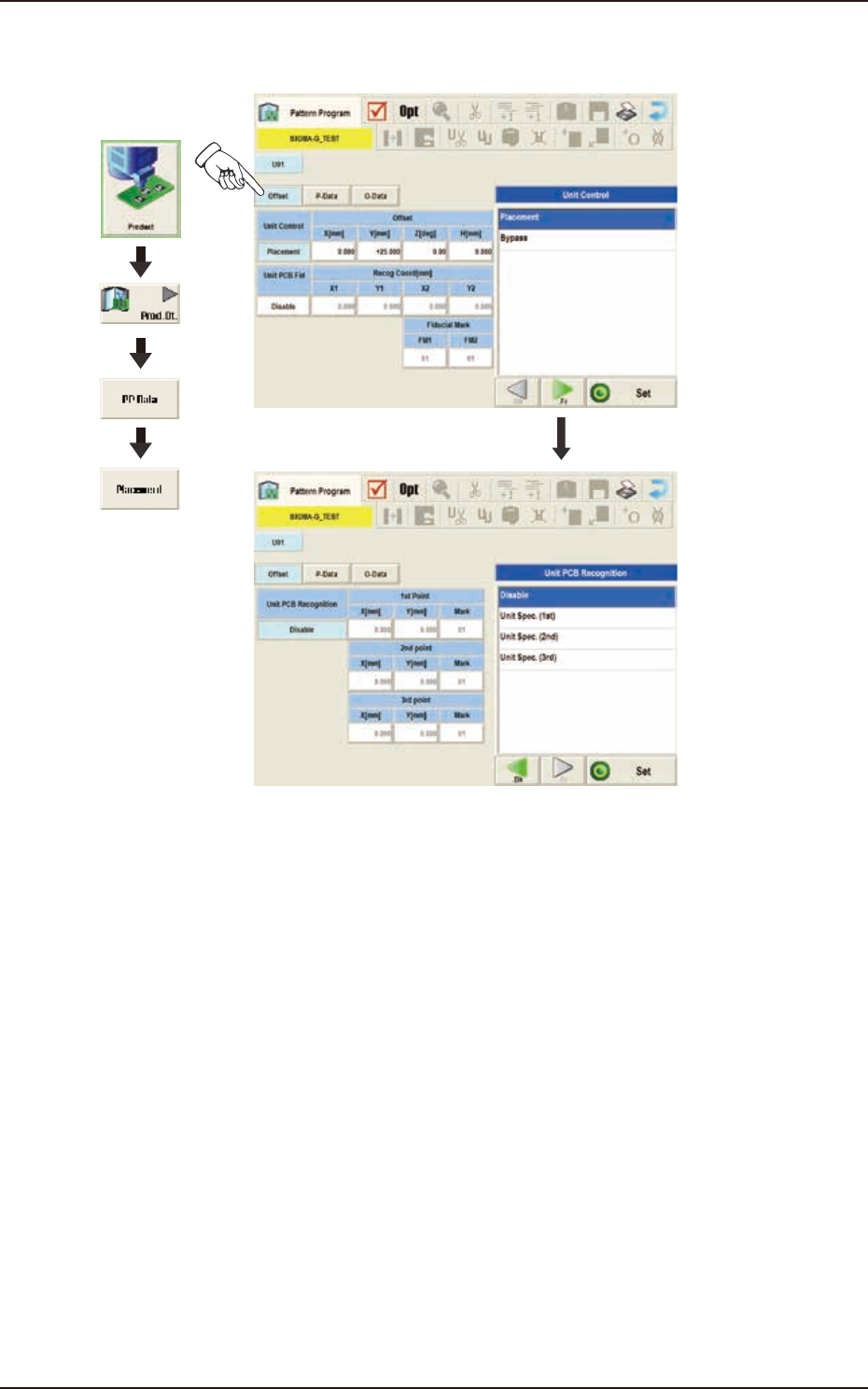
When the [Offset] button is pressed in the "Placement" window, the following tab sheet appears.
Graphic
Development
F2B46
(G02_01)
Unit Control
Select one of the following options to determine whether the selected placement data should be
used. In normal cases, select "Placement".
Placement : The placement data of the selected unit (group) becomes valid.
Bypass : The placement data of the selected unit (group) becomes invalid.
EUKYX
2-51199-2100
3.7 Placement
(G02_02)
Offset
Offset X [mm] and Offset Y [mm]
Set the offset values for all placement coordinate X and Y in the placement data (P-data) and the
image and local PEC recognition coordinates.
(a) Use "+00.00" (zero) in normal cases.
(b) Note that these offsets are not reflected on "X [mm]" and "Y [mm]" in “(C01_02) All (Zones
1 through 5)”.
Offset Z [deg]
Set the offset value for all placement angles (Z=Theta) in the placement data (P-data).
Use "0.00" in normal cases.
Offset H [mm]
Set the offset value for all placement height "H" in the placement data (P-data).
In normal cases, set "+0.000" in this text box.
(G02_03)
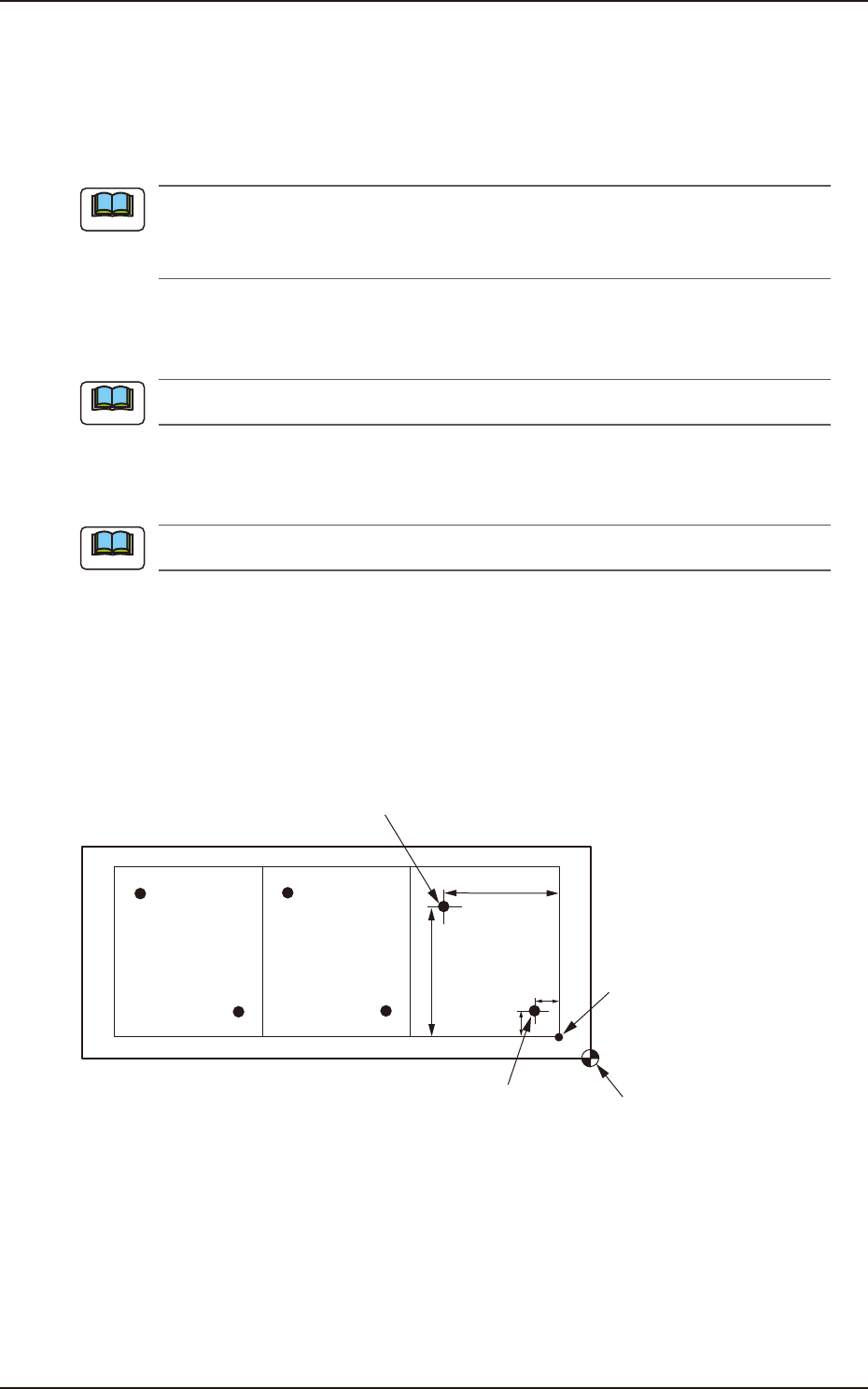
Unit PCB Fiducial
Select one of the following options to determine whether or not the unit PCB BBR function should
be used.
Disable : The unit PCB BBR function is not used.
Enable : The unit PCB BBR function (2-point recognition) is used.
Y
1
X
2
Y
2
X
1
Second Fiducial Mark
Pattern Origin
First Fiducial Mark
Placement Coordinate
Reference
F2B47
Note
Note
Note