EUKYX-199-2100_G5S2_Instruction_Vol2_E.pdf - 第257页
EUKYX 6-20 199-2100 5. "NOZ.CHG." Window [ 1 0 ] [Noz Po s T e aching Rslt] Butt on When pressed, the teach ing resu lt s for eac h no zzle posi tion are d ispla yed. F2F26 [ 1 1 ] [DEV . CONF .SCR N] Butto n W…
EUKYX
6-19199-2100
5. "NOZ.CHG." Window
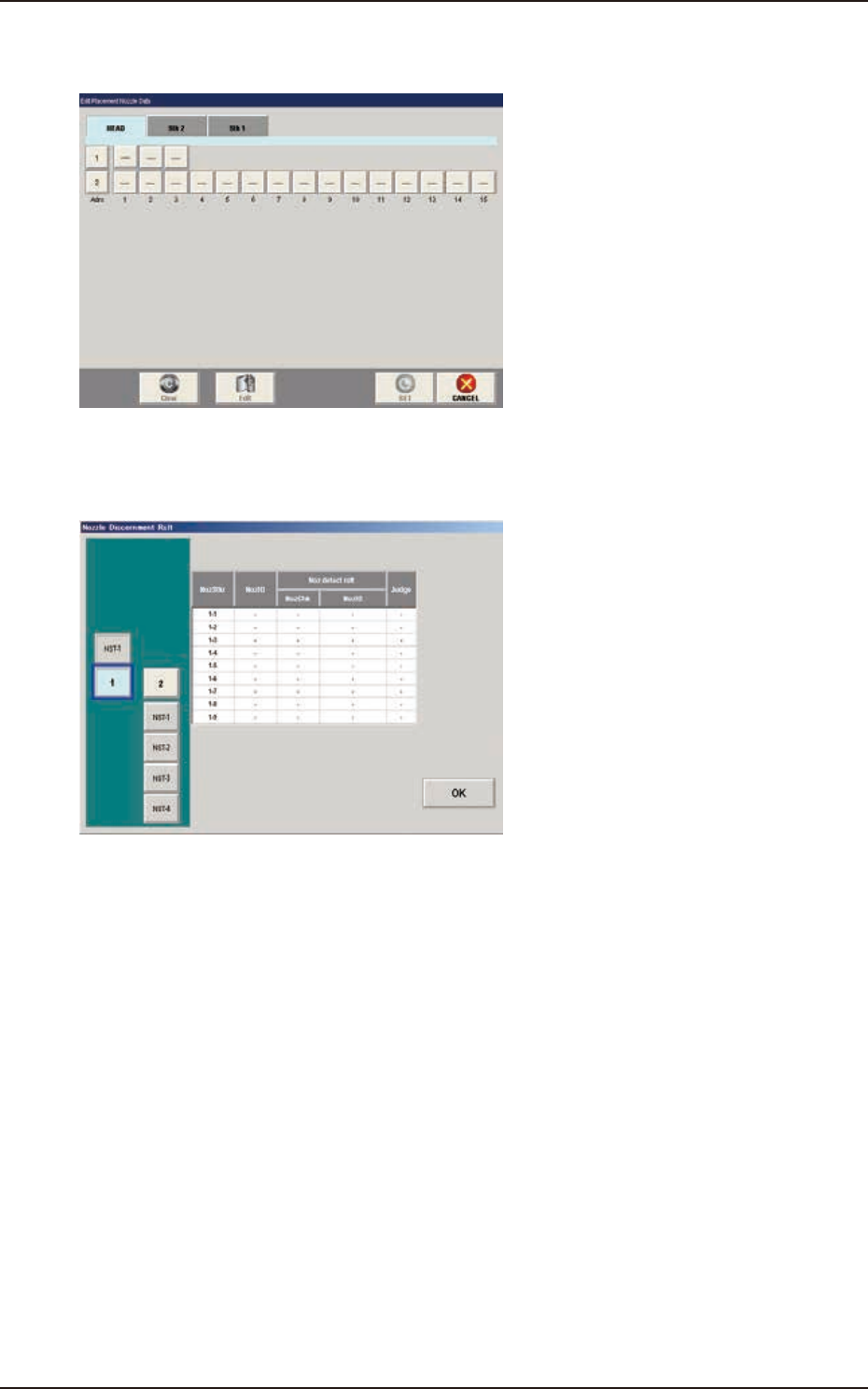
[8] [Place. Noz Edit] Button
When the [Place.Noz Edit] button is pressed, the "Edit Placement Nozzle Data" window appears.
F2F24
[9] [Nozzle Disce Rslt] Button
When the [Noz.Disce Rslt] button is pressed, the "Nozzle Discernment Rslt" window appears.
F2F25
EUKYX
6-20199-2100
5. "NOZ.CHG." Window
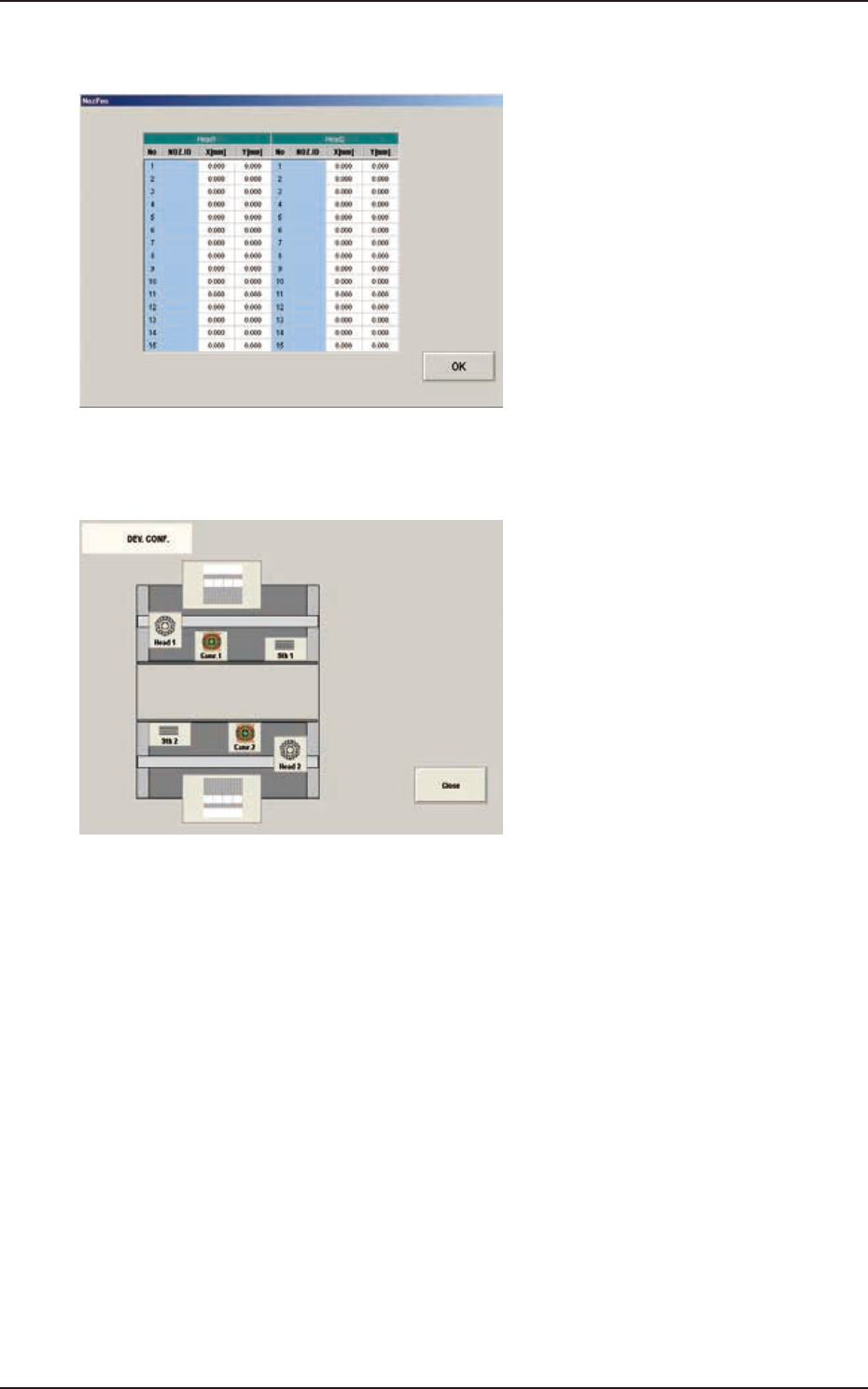
[10] [Noz Pos Teaching Rslt] Button
When pressed, the teaching results for each nozzle position are displayed.
F2F26
[11] [DEV.CONF.SCRN] Button
When pressed, the current device configuration is displayed.
F2F27
EUKYX
6-21199-2100
6. "PCB XFER" Window
6. "PCB XFER" Window
6.1 "Local" Tab Sheet
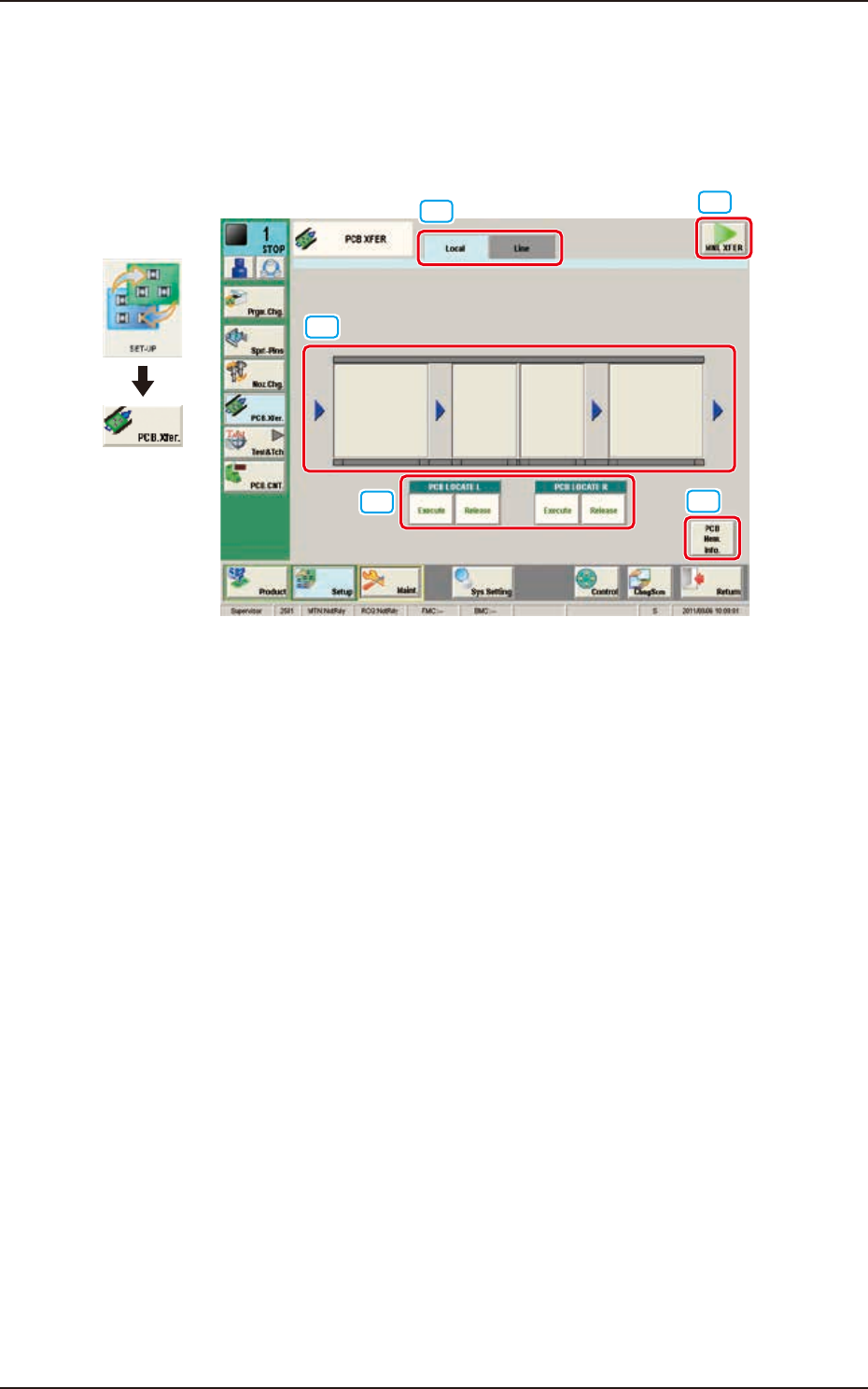
Using this function, the PCB on each block on the conveyor can be moved to the next block.
[3]
[4]
[1]
[2]
[5]
Graphic
Development
F2F28
[1] “Local/Line” Switch tab
This button switches the "Local" tab sheet and "Line" tab sheet.
[2] [MNL XFER] Button
When pressed, the PCB positioning is performed manually.
[3] Conveyor Image Display Section
Each block in the graphic image of the conveyor is provided with a button function. When the
[START] button on the operation panel is pressed within 10 seconds after pressing a conveyor block
button, the PCB is transferred to the block position.
[4] PCB LOCATE (PCB LOCATE L, R)
The PCB locating operation is performed.
When the [START] button on the operation panel is pressed within 10 seconds after pressing the
[Execute] button, the backup base of the selected stage moves up and the PCB is positioned.
When the [START] button on the operation panel is pressed within 10 seconds after pressing the
[Release] button, the backup base moves down and the PCB positioning is released.