EUKYX-199-2100_G5S2_Instruction_Vol2_E.pdf - 第189页
EUKYX 3-13 199-2100 2. "T emp Chng Comp Lib" Window 2. " T emp C hng C om p Li b " Wind o w In these t ab sheet s, the component l ibrary parameters are chan ged temporari ly . Graphic Development F2C…
EUKYX
3-12199-2100
1.3 Editing of Component Library Data
1.3.2 Saving of Component IDs
The following describes how to save a newly created file (component ID) or the edited parameters
of the component ID.
(1) Press the [
(Save)] or the [ (Save As)] icon on the toolbar.
:Save
When pressed, this saves the edited component ID (file), replacing the original component
ID (file) with the current one. However, if the component ID is protected, it cannot be
overwritten. In this case, [
(Save)] icon is not displayed.
:Save As
When pressed, this saves a newly created file (data of a new component ID) or the edited
file with another name (component ID).
(2) Press the [
(Save)] icon.
(The active component library data is saved with the current component ID name, replacing
the original program with the active one.)
(3) Press the [
(Save As)] icon. (The "List of Component ID" window appears.)
F2C15
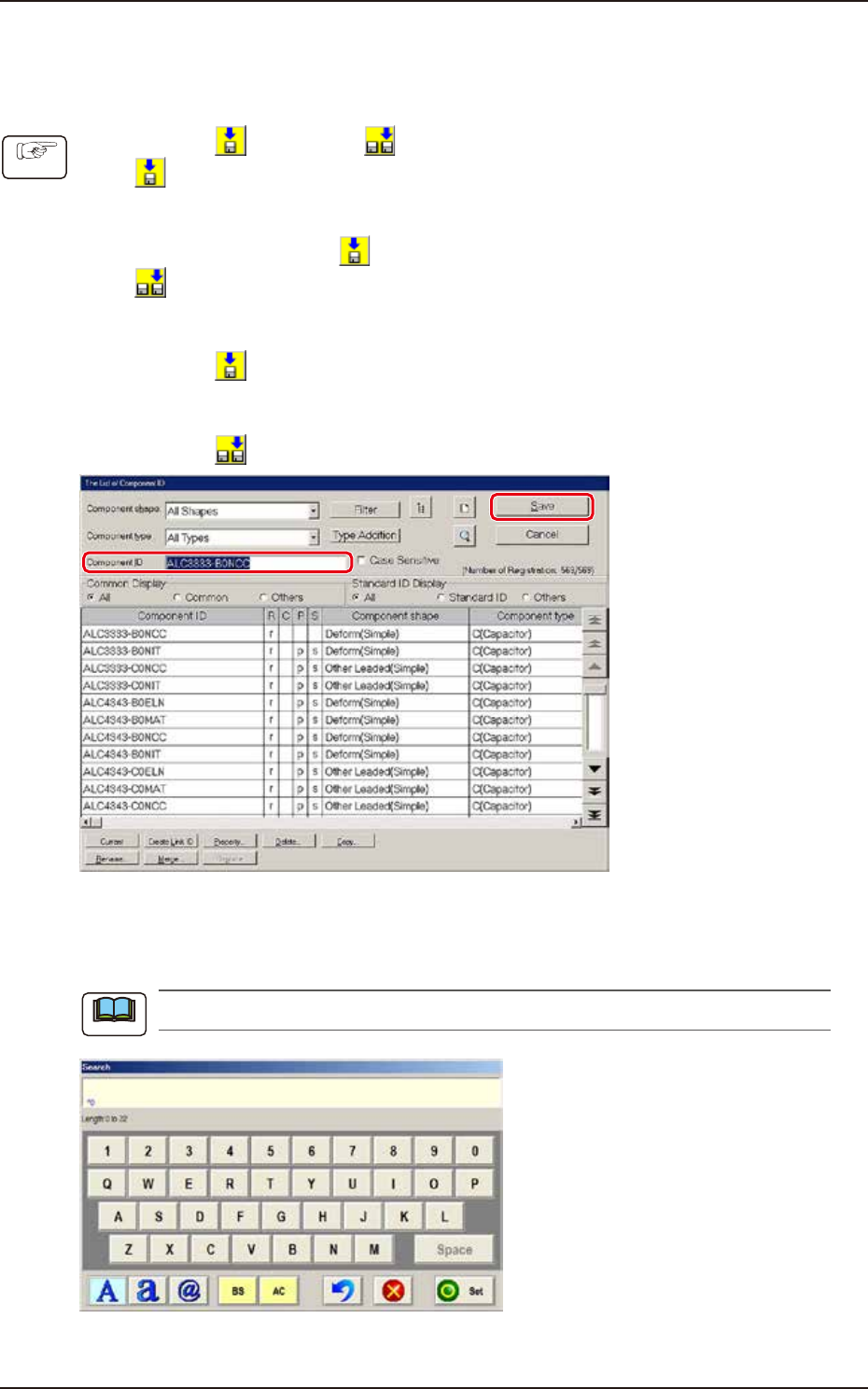
(4) Enter a new component ID name as a file name and press [Save] button in the “Save
Component Data” window.
(The data in the active edit window is saved as a file with the entered component ID name.)
Double-clicking the “Component ID:” text box opens the “Search” window.
F2C16
A component ID can be entered with the touch keypad for editing.
Procedure
Note
EUKYX
3-13199-2100
2. "Temp Chng Comp Lib" Window
2. "Temp Chng Comp Lib" Window
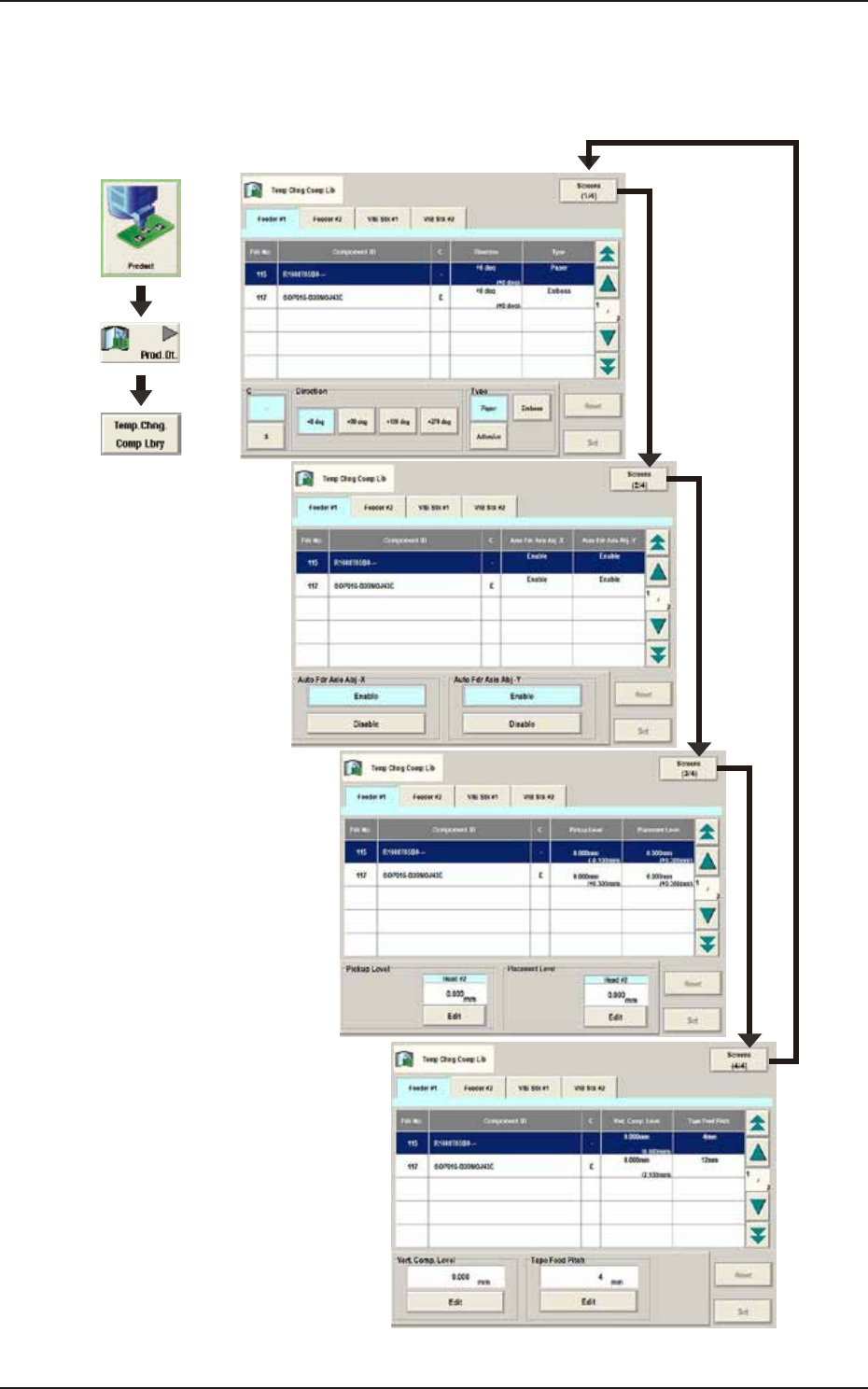
In these tab sheets, the component library parameters are changed temporarily.
Graphic
Development
F2C17
EUKYX
3-14199-2100
2.1 Temporary Change Procedure
2.1 Temporary Change Procedure
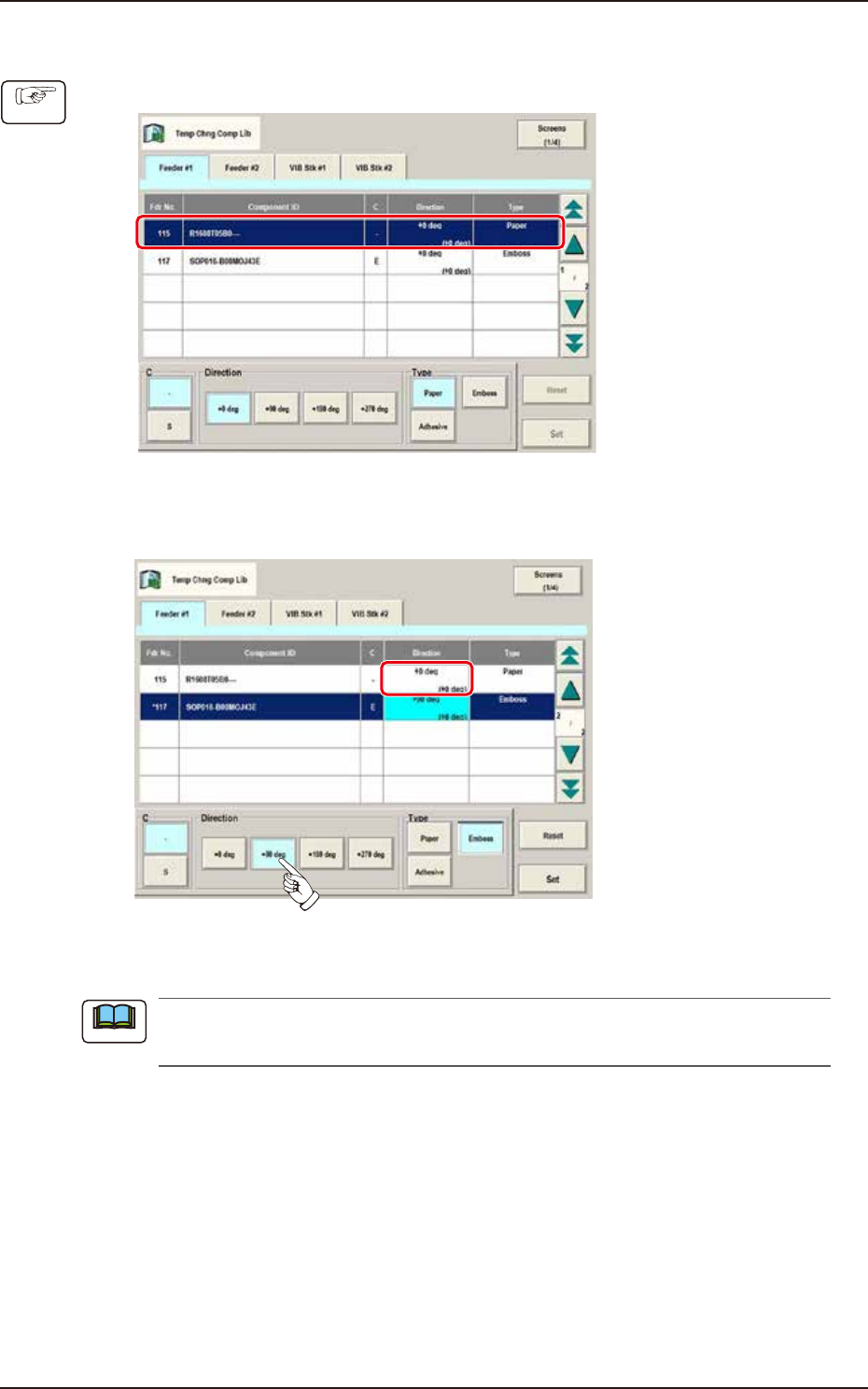
(1) Select the component ID to be changed from the Component ID List.
F2C18
(2) Select the item to be changed.
(The color of the corresponding item data box turns pale blue).
F2C19
(3) Press the [Set] button.
When the [Reset] button is pressed, the component ID unchanged condition as registered on
the component library data, is returned.
Procedure
Note