EUKYX-199-2100_G5S2_Instruction_Vol2_E.pdf - 第315页
EUKYX 6-78 199-2100 ( 1 0) When the c onversion to the grid dat a is complet ed, chec k the da ta and pres s the [Fixed] button. F2F109 ( 1 0 - 1 ) I f there is any unnec essar y ball, af ter p ressing the [De letion o f…
EUKYX
6-77199-2100
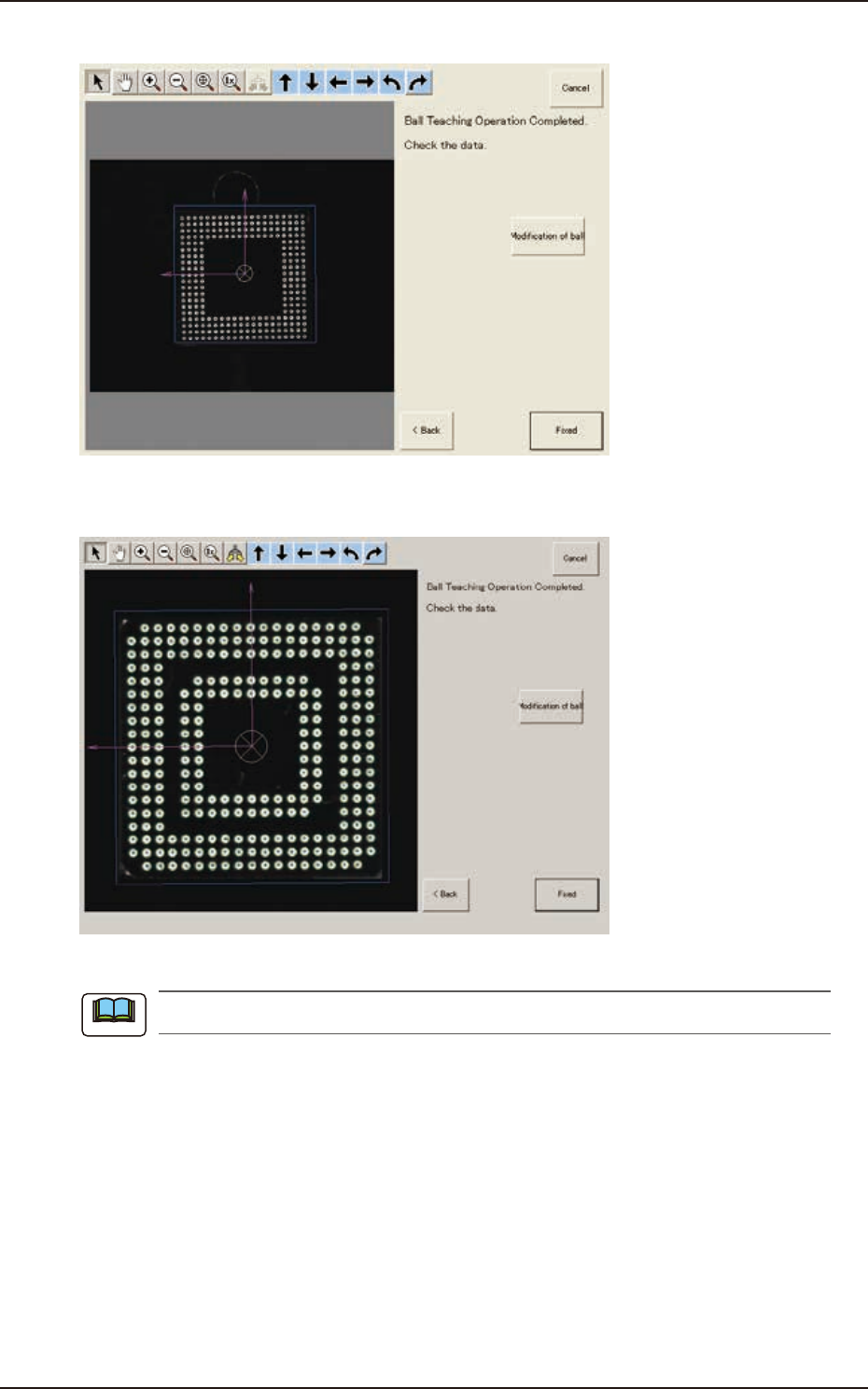
(9) When the ball teaching is completed, check and data and press the [Fixed] button.
F2F107
(9-1) If there is any unnecessary ball, press the [Modification of ball] button to delete such balls.
F2F108
When there are unrequired balls, the data may not be correctly converted to grid data.
Note
7.3 "COMP RCG" Test Window
EUKYX
6-78199-2100
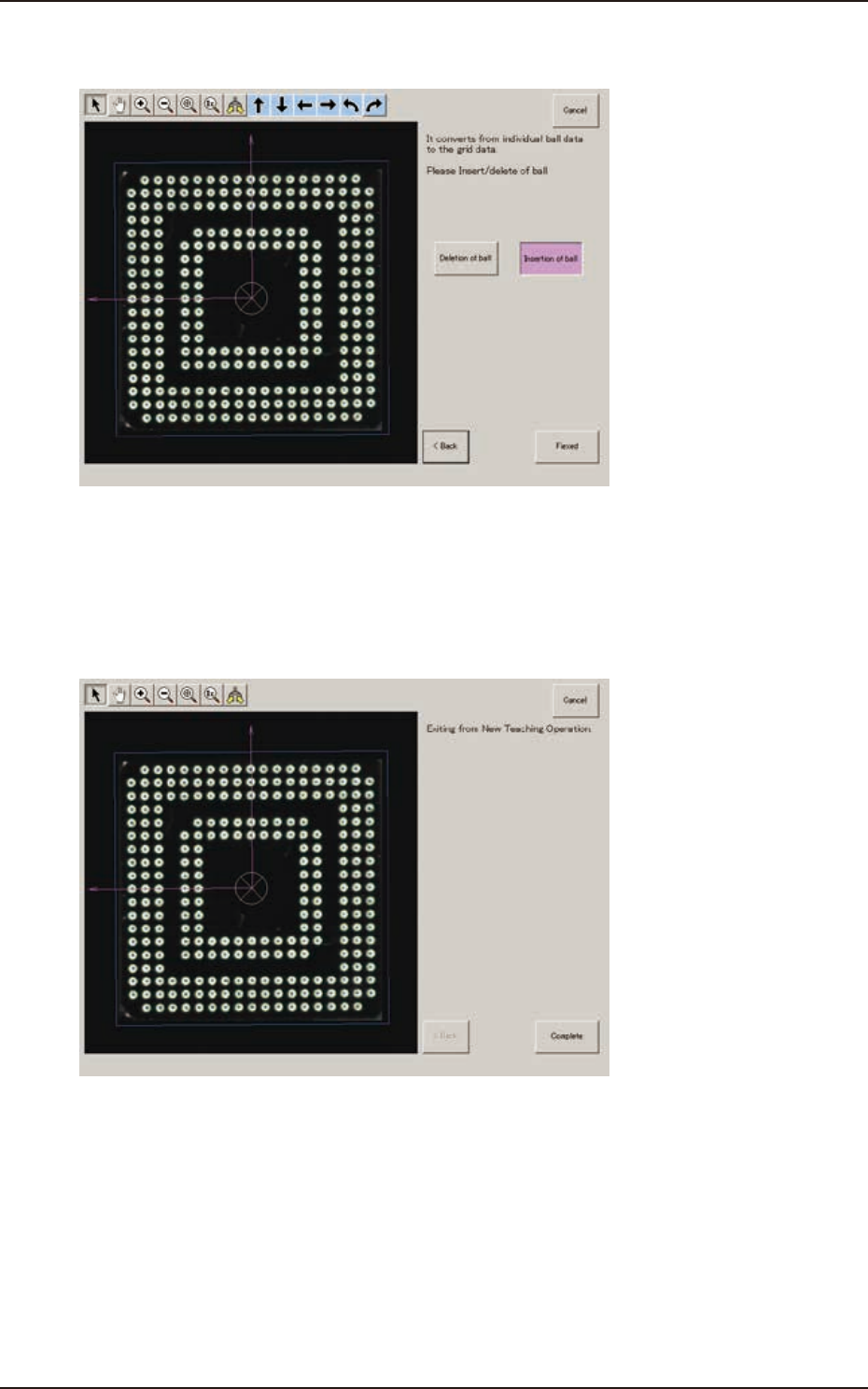
(10) When the conversion to the grid data is completed, check the data and press the [Fixed]
button.
F2F109
(10-1) If there is any unnecessary ball, after pressing the [Deletion of ball] button, specify the
range of the balls to be deleted on the image and delete such balls.
(10-2) If there is any necessary ball to be added, after pressing the [Insertion of ball] button,
specify the range of the balls to be added on the image and add such balls.
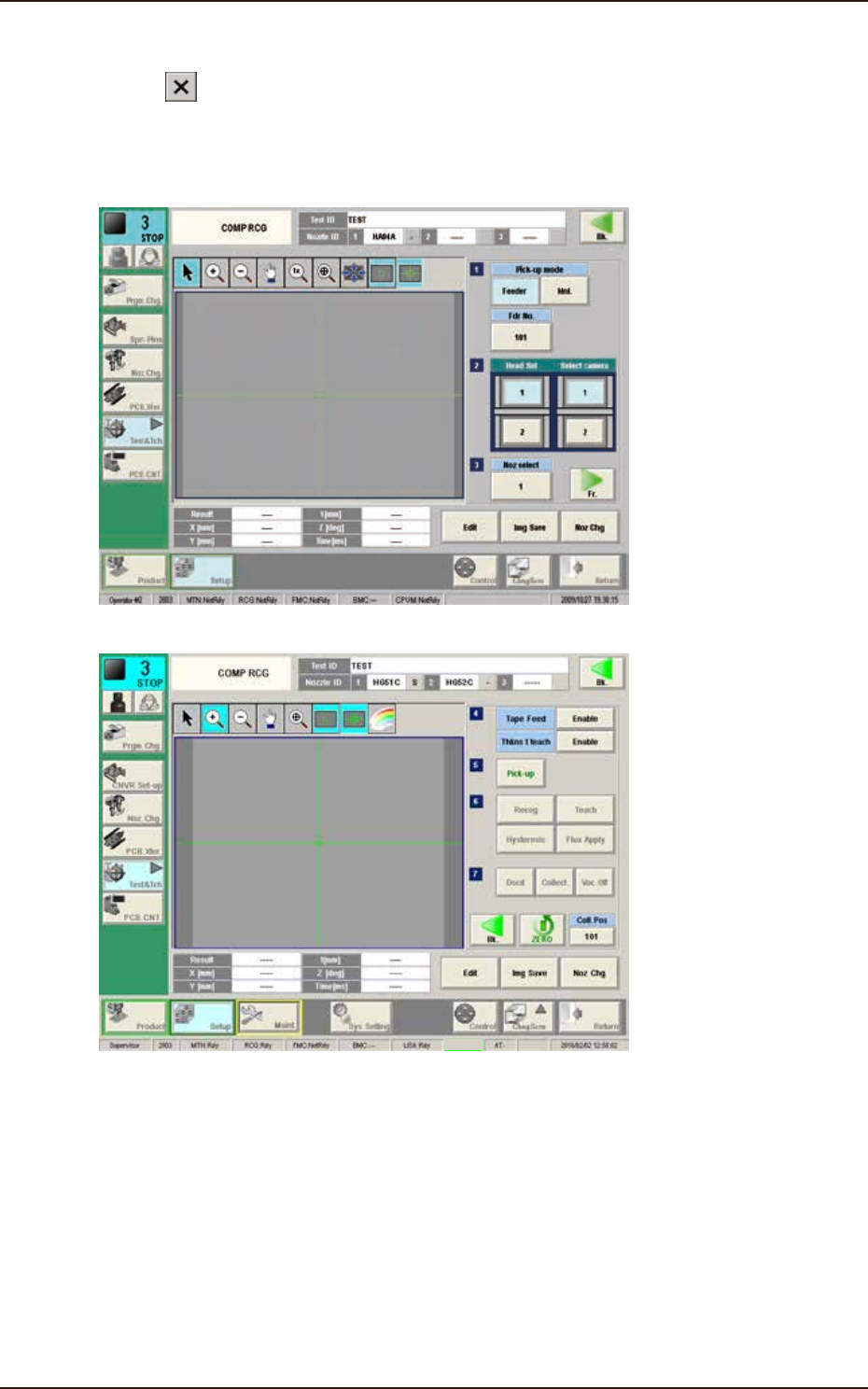
(11) When the teaching is completed, press the [Complete] button.
F2F110
7.3 "COMP RCG" Test Window
EUKYX
6-79199-2100
7.3.8 Exiting from Library Data Teaching Operation
Press the [ ] button on “Component Library Teaching” window or press the [Complete] button
on the "Create Teach" wizard. The "COMPONENT LIBRARY" (teaching operation) window appears
again.
1/2 page
2/2 page
Cover
F2F111
Pressing the [Recog] button can execute the recognition test for the created component library data.
Pressing the [Edit] button can re-edit the created component library data.
When the teaching is to be ended, after pressing the [Dscd] or [Collect.] button to discard or
collect the component, press the [Return] button.
The data saving confirming dialog is displayed.
When the created component library data is to be saved in the test library, press the [Yes] button
and when it is to be discard, press the [No] button.
7.3 "COMP RCG" Test Window