EUKYX-199-2100_G5S2_Instruction_Vol2_E.pdf - 第239页
EUKYX 6-2 199-2100 2. Setup 2. S etup [1] Graphic Development F2F2A [ 1 ] "Setup " Main Menu B ar The fol lowi ng buttons are arra nged on the "S etup" ma in men u bar . [Prgm.Chg.] Button : Opens the…
EUKYX
6-1199-2100
1. Outline of Product Change Menu
1. Outline of Product Change Menu
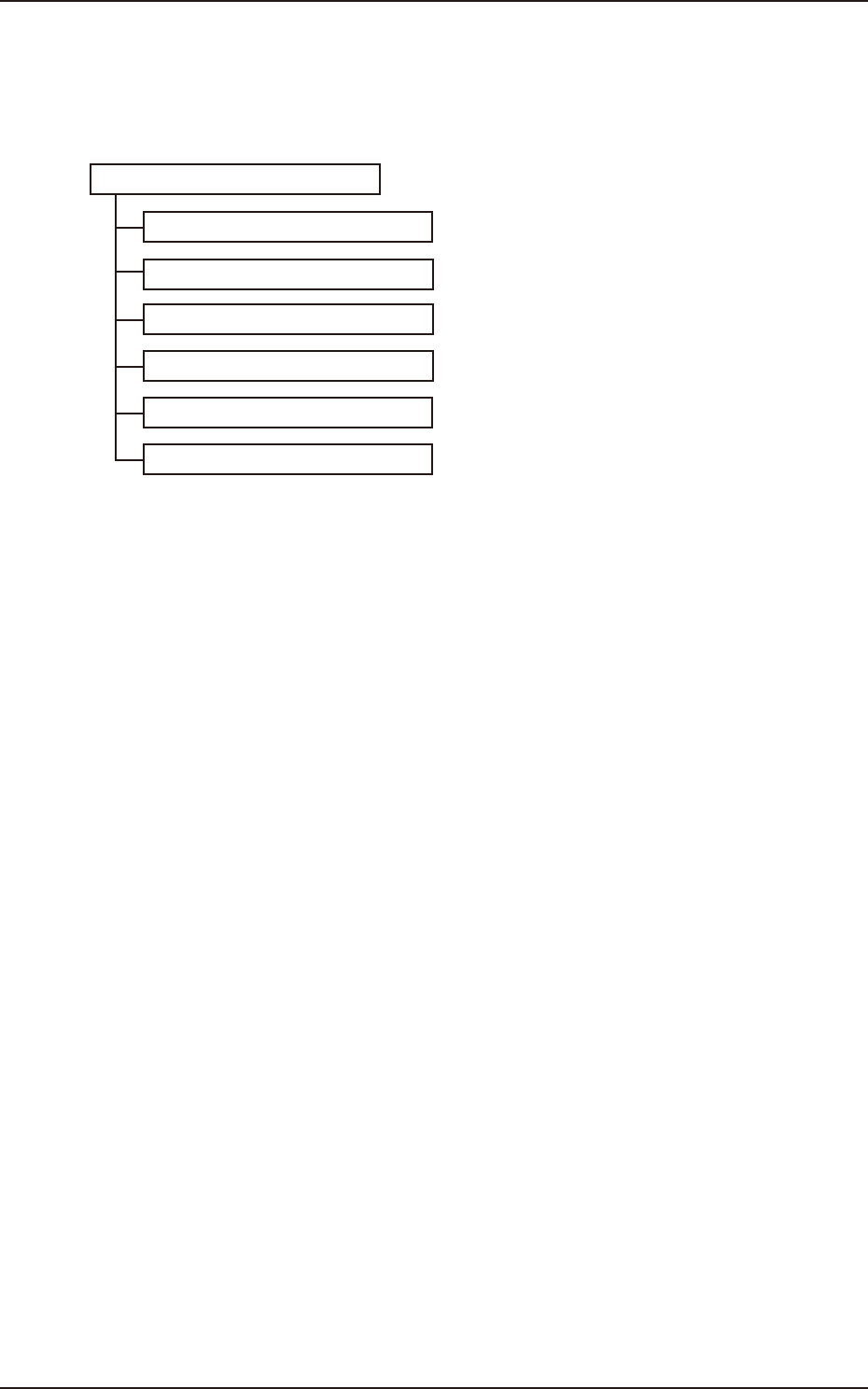
The following shows the hierarchical structure of the menus (including the submenus and windows)
for the setup operations.
Setup
Reference
Item Nos.
"PP CHANGE" Window
3
"CNVR Set-up" Window
4
"NOZ.CHG." Window
5
"PCB XFER" Window
6
"Test&Tch" Submenu
7
"PCB.CNT." Window
8
F2F1
EUKYX
6-2199-2100
2. Setup
2. Setup
[1]
Graphic
Development
F2F2A
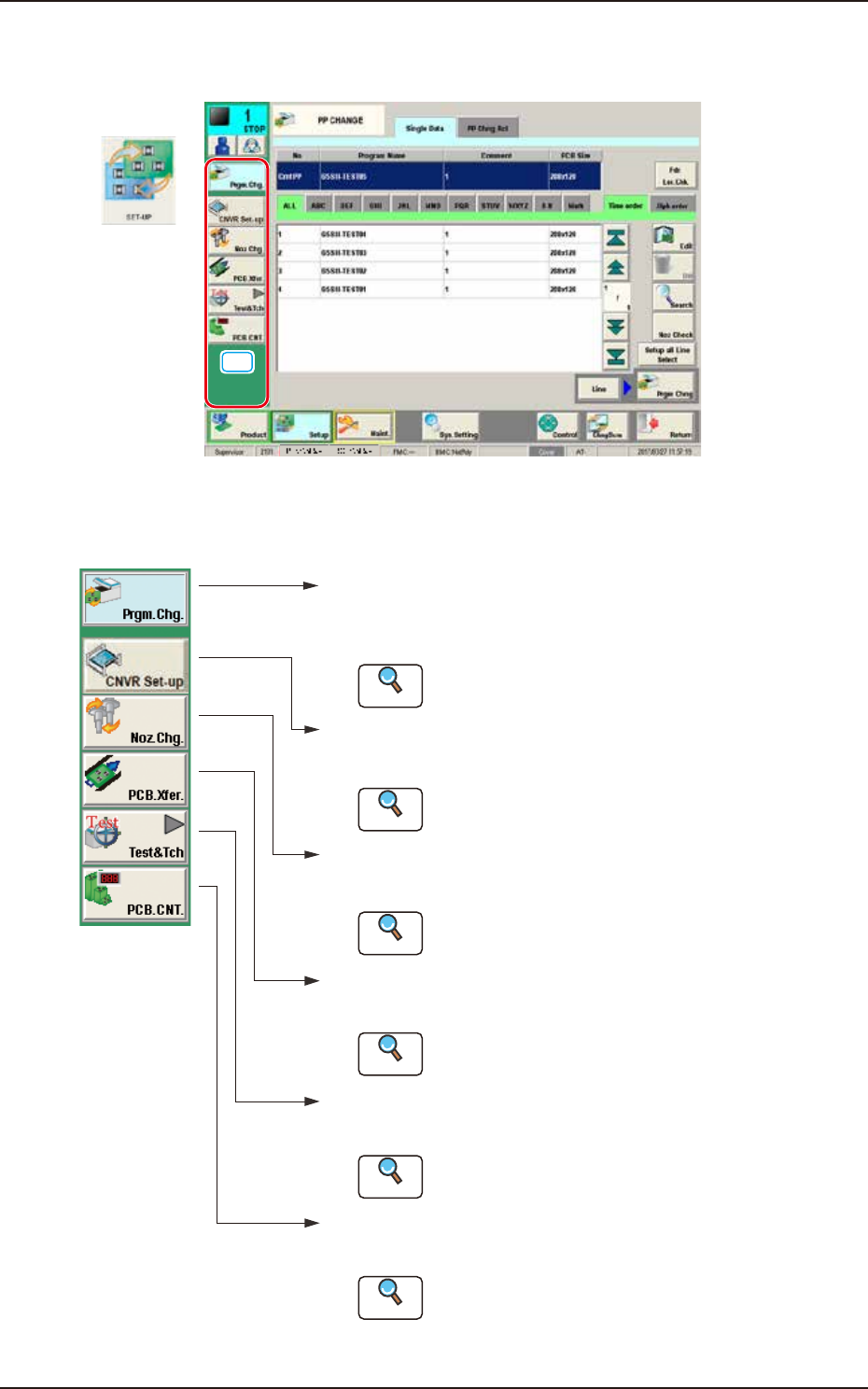
[1] "Setup" Main Menu Bar
The following buttons are arranged on the "Setup" main menu bar.
[Prgm.Chg.] Button :
Opens the "PP CHANGE" w indo w .
In normal cases, this window opens as an initial one.
[CNVR set-up] Button :
Opens the "CNVR set-up" window.
[Noz.Chg.] Button :
Opens the "NOZ.CHG." windo w .
[PCB.Xfer.] Button :
Opens the "PCB XFER" windo w .
[Test&Tch] Button :
Opens the "Test&Tch" menu.
Reference
Reference
Reference
Reference
Reference
Refer to "3. "PP CHANGE" Window"
for details.
Refer to "4. "
CNVR set-up" window for details.
Refer to "5. "NOZ.CHG." Window" for details.
Refer to "6. "PCB XFER" Window" for details.
Refer to "7. "Test&Tch" Submenu" for details.
[PCB.CNT.] Button :
Opens the "PCB.CNT." windo w .
Reference
Refer to "8. "PCB.CNT." Windo w " for details.
F2F3
EUKYX
6-3199-2100
3. "PP CHANGE" Window
3. "PP CHANGE" Window
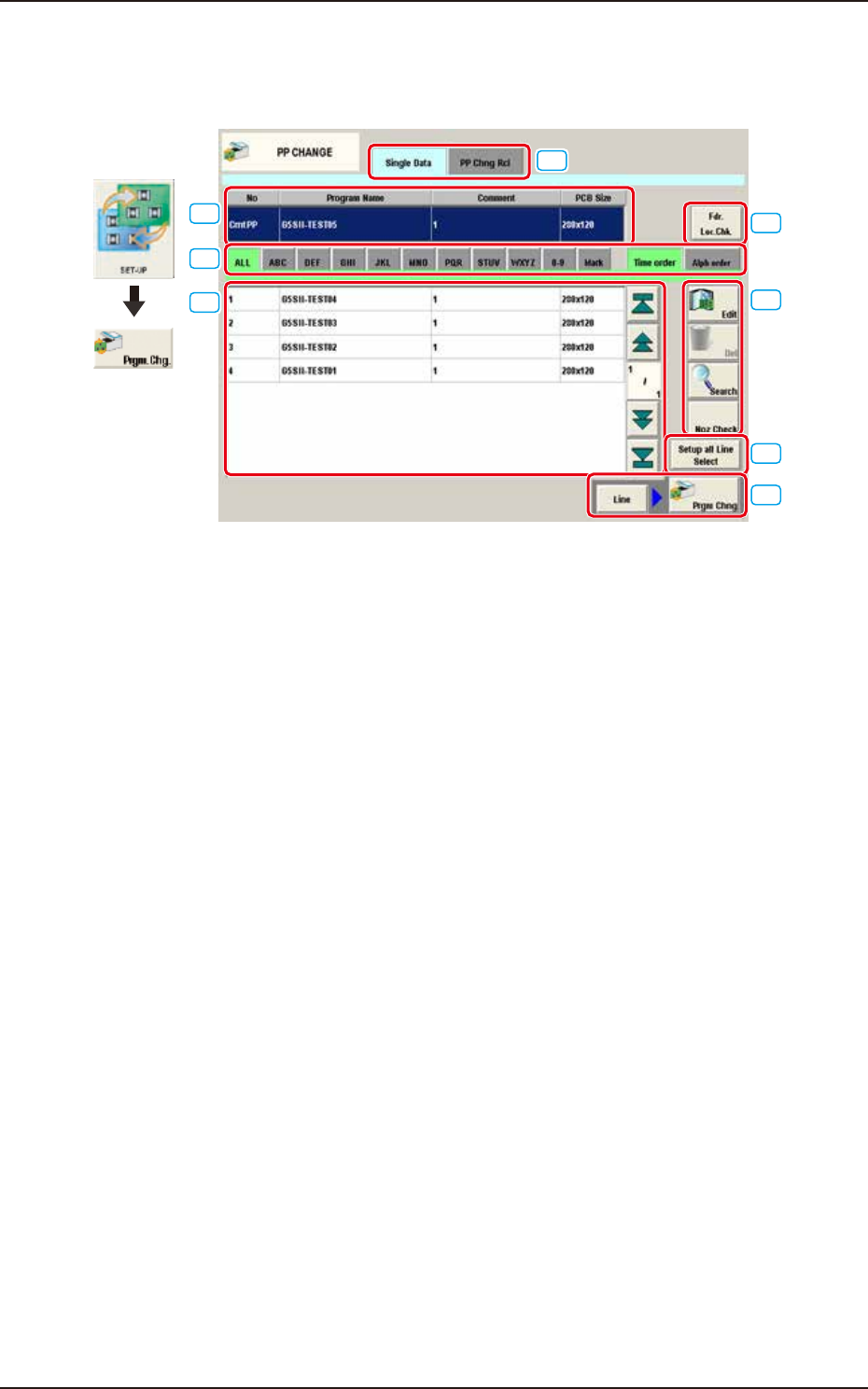
The "PP CHANGE" window appears.
[1]
[3]
[4]
[5]
[6]
[7]
[8]
[2]
Graphic
Development
F2F4A
[1] Cmt PP
The pattern program currently selected is displayed in this section.
[2] Pattern Program Select tabs
The data items displayed in "[3] Pattern Program List" are divided into the tab sheet items and
displayed.
[3] Pattern Program List
The registered pattern programs are displayed as a list.
[4] [Edit] Button, [Del] Button, [Search] Button, and [Noz Check] Button
[Edit] Button : When pressed, the pattern program selected in the "[3] Pattern Program
List" is edited.
[Del] Button : When pressed, the pattern program selected in the "[3] Pattern Program
List" is deleted.
[Search] Button : When pressed, the pattern program is searched from the Pattern Program
List.
[Noz Check] Button : When pressed, the deficient number of nozzles to be used for the
pattern program selected in the "[3] Pattern Program List" or nozzles
located on the machine are displayed.