EUKYX-199-2100_G5S2_Instruction_Vol2_E.pdf - 第190页
EUKYX 3-14 199-2100 2.1 T emporary Change Procedure 2. 1 T emporar y Change Procedure (1 ) Se lec t the co mpone nt ID to b e chang ed from t he Compon ent ID List. F2C18 (2 ) Sel ect t he item t o be chan ged. (Th e col…
EUKYX
3-13199-2100
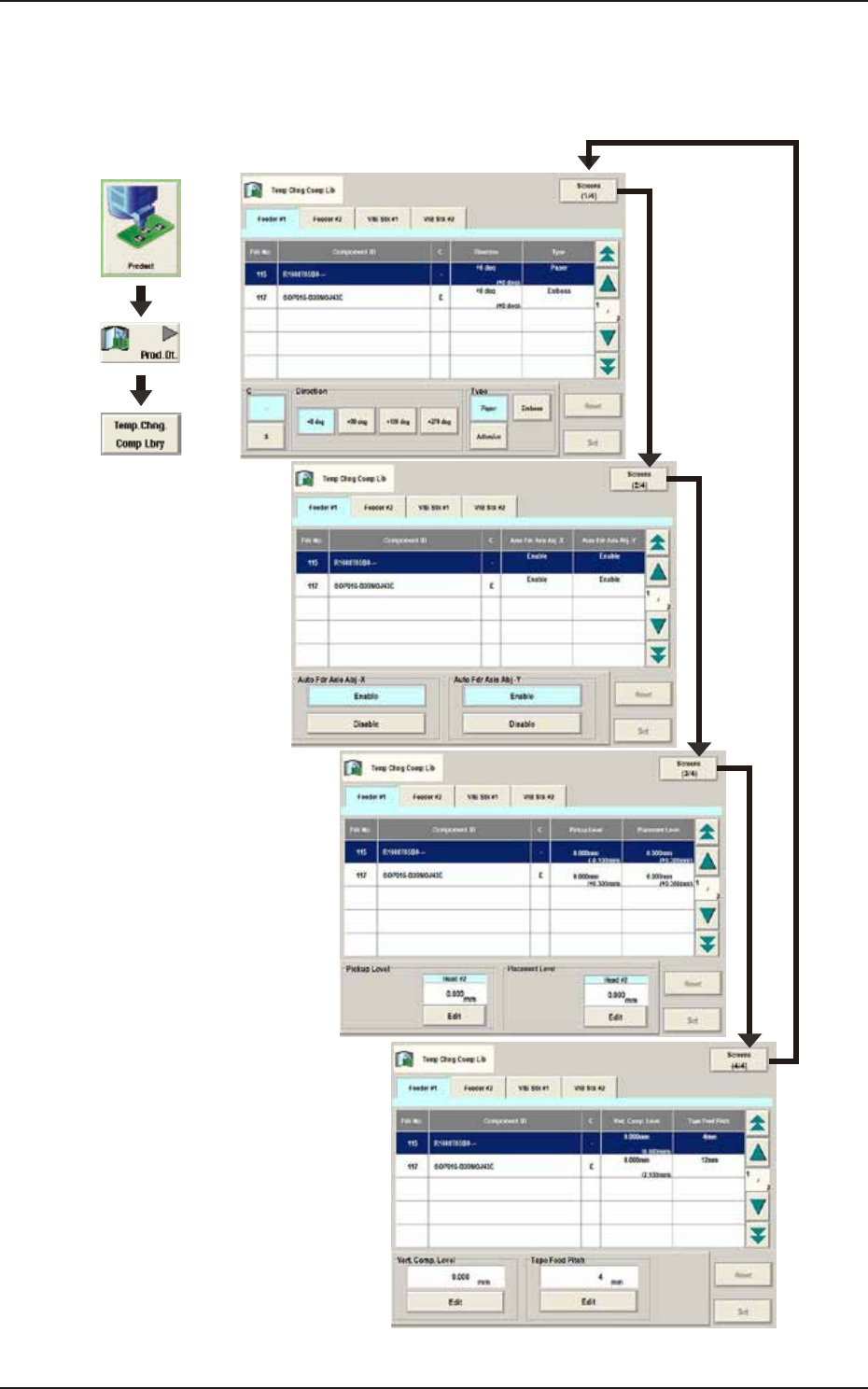
2. "Temp Chng Comp Lib" Window
2. "Temp Chng Comp Lib" Window
In these tab sheets, the component library parameters are changed temporarily.
Graphic
Development
F2C17
EUKYX
3-14199-2100
2.1 Temporary Change Procedure
2.1 Temporary Change Procedure
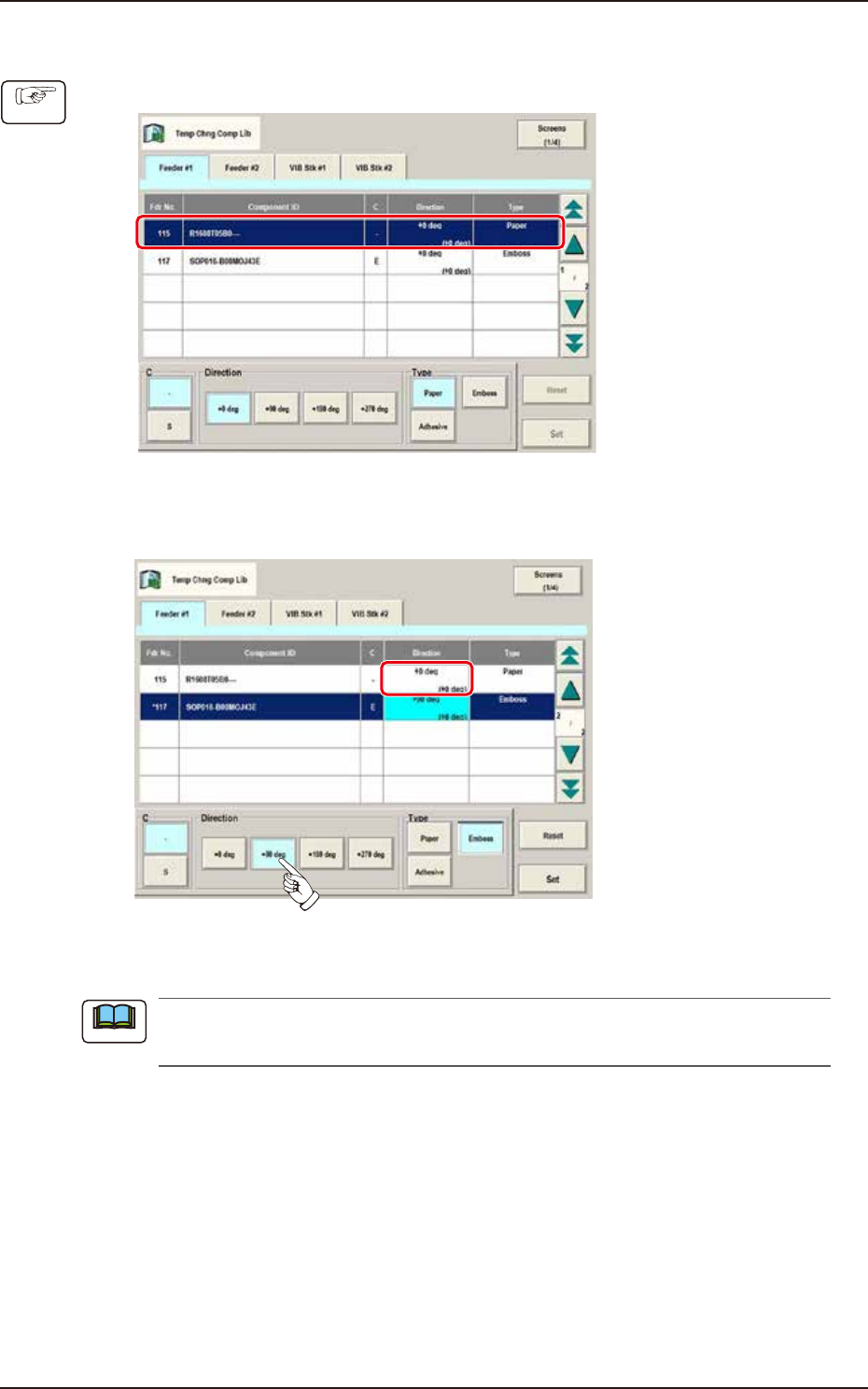
(1) Select the component ID to be changed from the Component ID List.
F2C18
(2) Select the item to be changed.
(The color of the corresponding item data box turns pale blue).
F2C19
(3) Press the [Set] button.
When the [Reset] button is pressed, the component ID unchanged condition as registered on
the component library data, is returned.
Procedure
Note
EUKYX
3-15199-2100
3. “Alt Comp ID List” Window
3. “Alt Comp ID List” Window
Refer to the Alt Comp ID List in the PP check during the pattern program change.
Check if the data of the alternative component can be replaced.
The [Alt Comp ID List] button is activated by opening [Sys. Setting] - [General] tab and select
"Enable" for "Altn Comp ID List".
[1]
[2]
Graphic
Development
F2C20
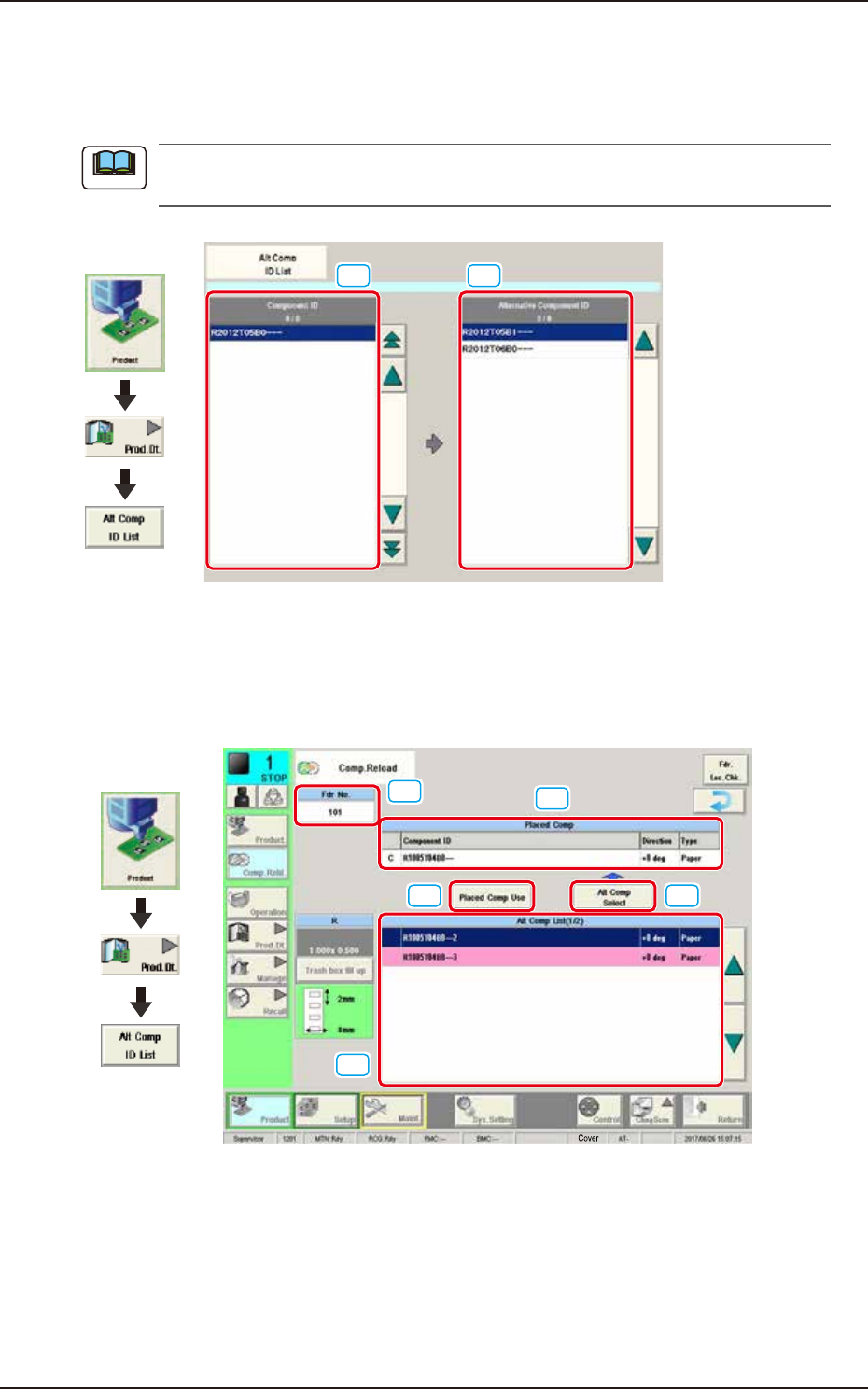
[1] Component ID
The Component ID that “Alt Comp ID List” is set is displayed in a list.
[2] Alternative Component ID
The Component ID that is set as "Alt Comp ID" is displayed in a list. When the “Alt Comp ID“ is
activated, the “Comp.Reload“ window is displayed as below during operation.
[1]
[2]
[3] [4]
[5]
Graphic
Development
F2C20A
[1] Fdr No.:
Displays the feeder No.
[2] Placed Comp:
Displays the information of the component being placed.
[3] Placed Comp Use:
Uses the component being placed continuously.
[4] Alt Comp Select:
Replaces with the component selected from the “Alternative List“.
[5] Alt Comp List:
Displays the alternative components. NG component is displayed in red and
cannot be replaced.
Note