EUKYX-199-2100_G5S2_Instruction_Vol2_E.pdf - 第313页
EUKYX 6-76 199-2100 (7) Whe n the mol d tea ching is comple ted, chec k the d ata and p ress the [Fixed] but t on. (If t he comp onent size or angle is not c orrec t , press th e [Modif y] but t on to cor rect th e grap …
EUKYX
6-75199-2100
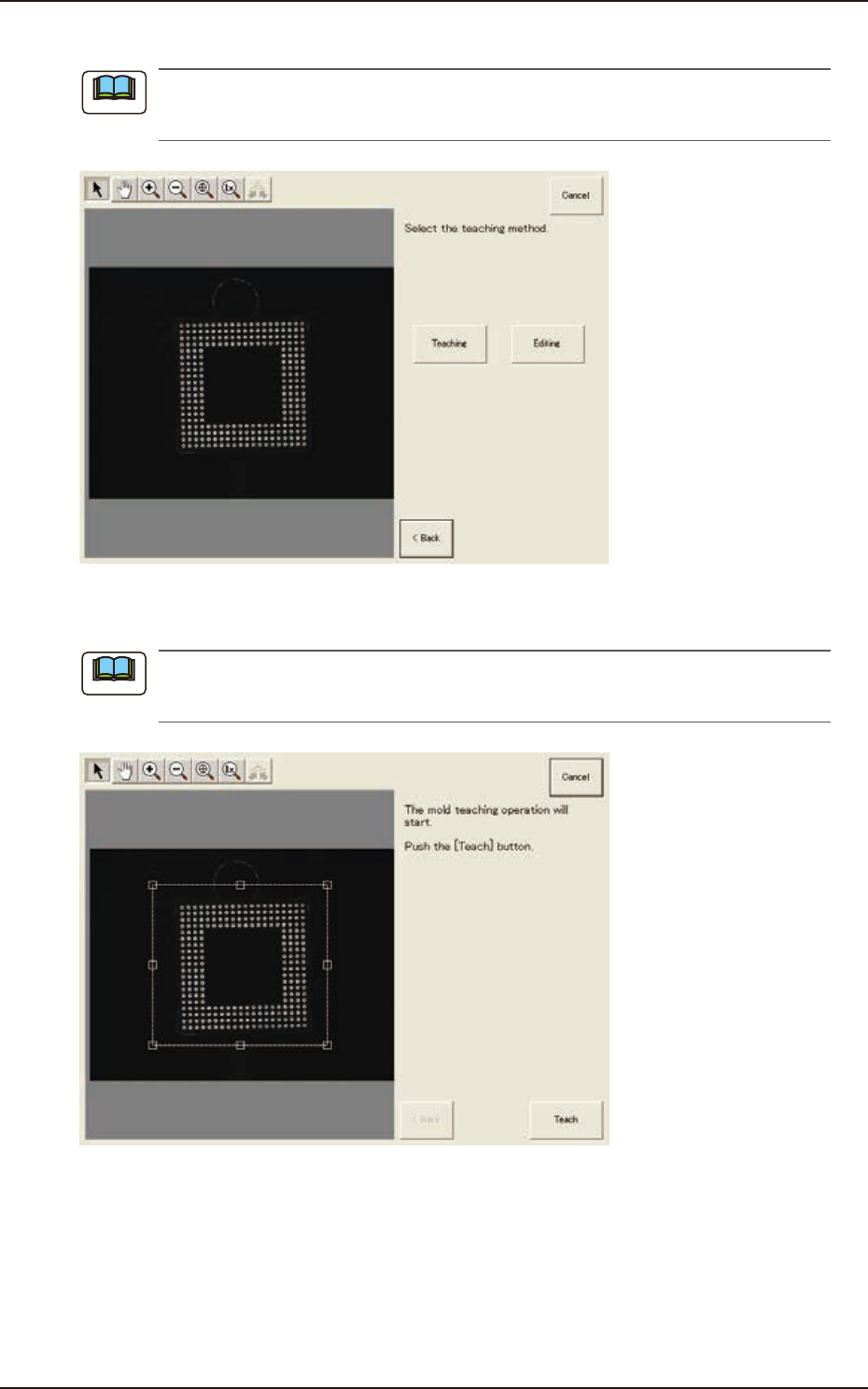
(5) Press the [Teaching] button to select the teaching method.
When the [Editing] button has been selected, the editing operation is performed based on the
sample data. Press the [Complete] button to return to the component library teaching window.
F2F103
(6) Press the [Teach] button to start the mold teaching operation.
Make sure that the component image is within the frame with dot lines. If the component is out
of the frame, adjust it again.
F2F104
Note
Note
7.3 "COMP RCG" Test Window
EUKYX
6-76199-2100
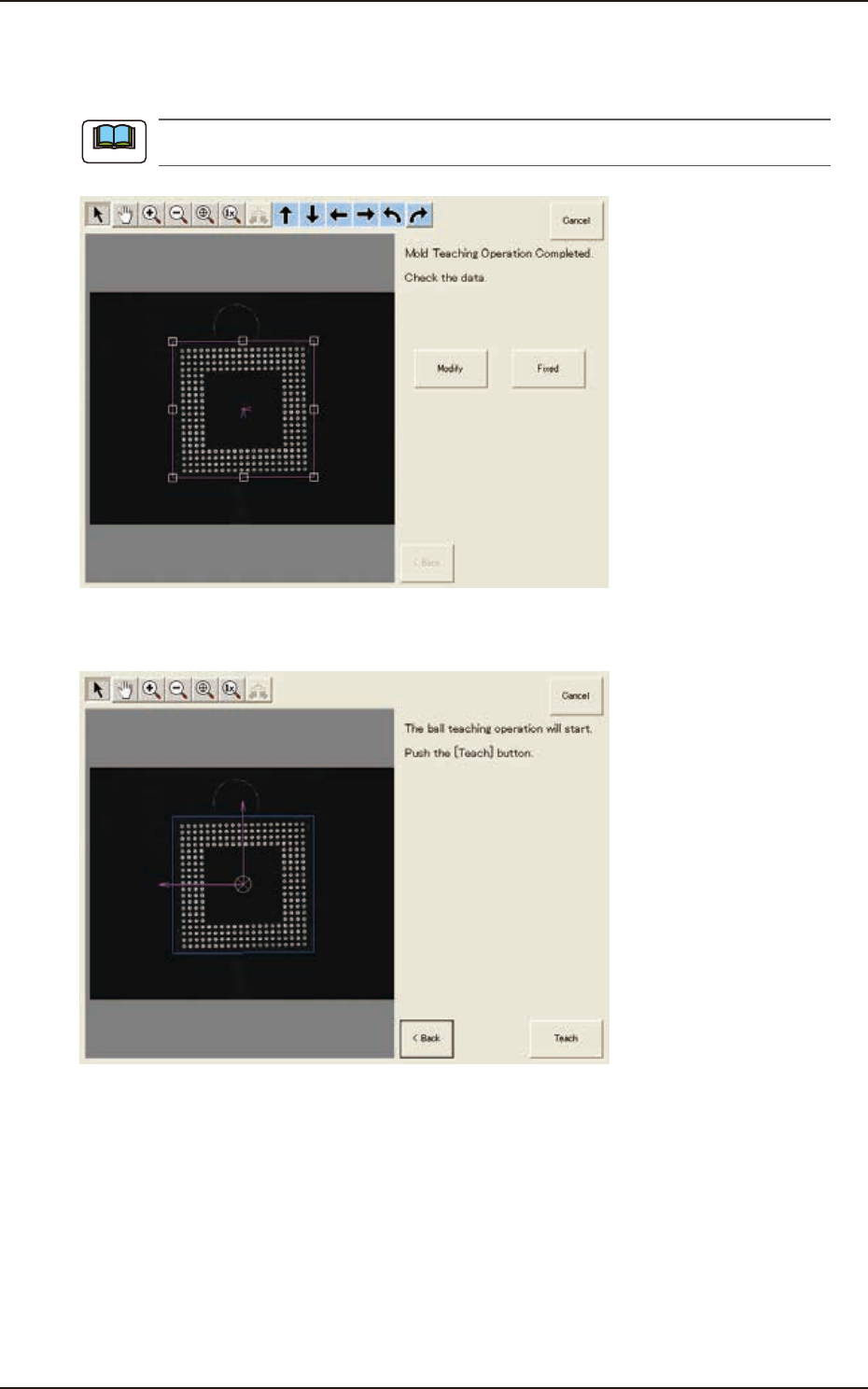
(7) When the mold teaching is completed, check the data and press the [Fixed] button.
(If the component size or angle is not correct, press the [Modify] button to correct the
graphic image.)
To turn the graphic, click the coordinate graphic and drag either one of the arrow ends.
F2F105
(8) Press the [Teach] button to start the ball teaching operation.
F2F106
Note
7.3 "COMP RCG" Test Window
EUKYX
6-77199-2100
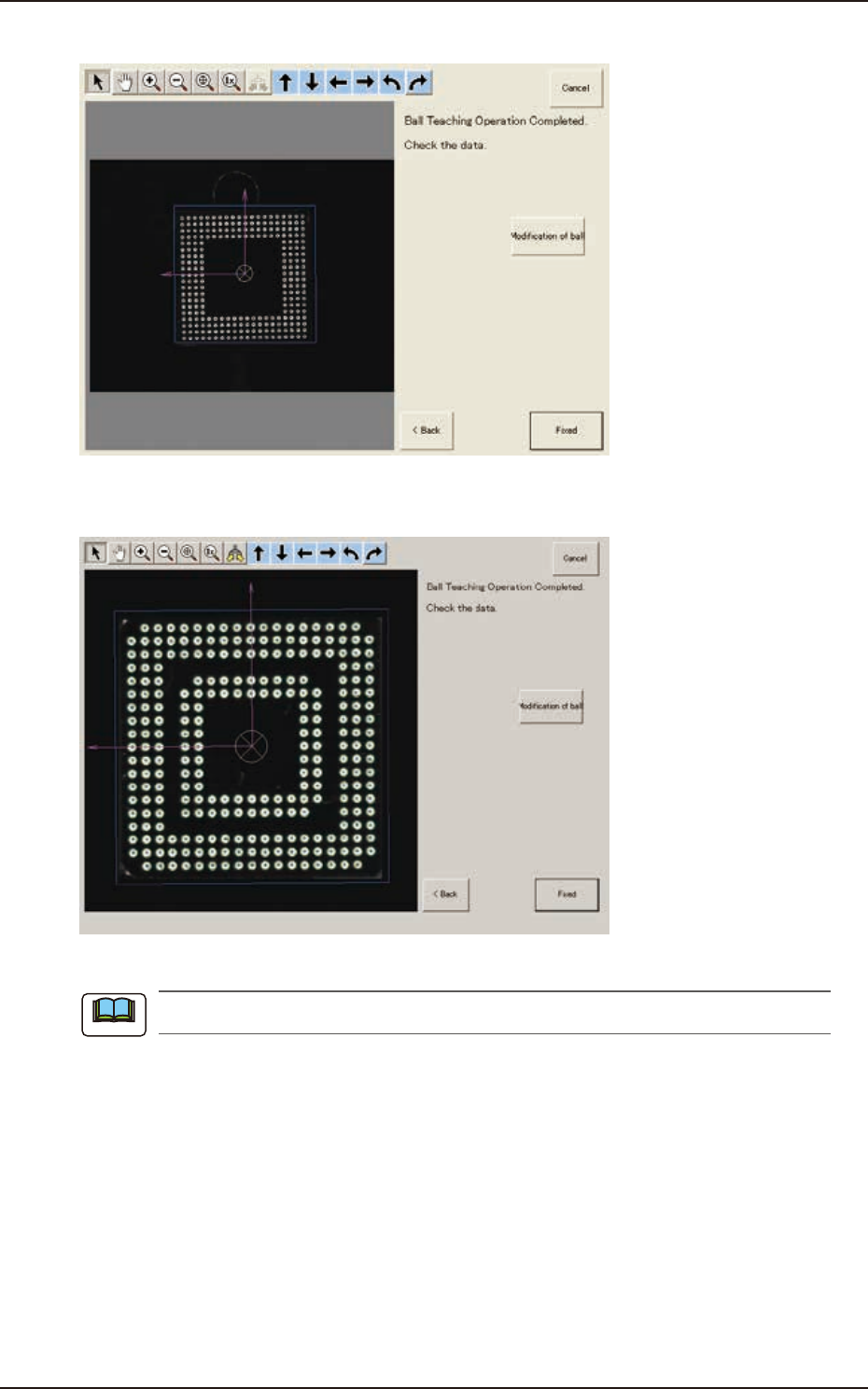
(9) When the ball teaching is completed, check and data and press the [Fixed] button.
F2F107
(9-1) If there is any unnecessary ball, press the [Modification of ball] button to delete such balls.
F2F108
When there are unrequired balls, the data may not be correctly converted to grid data.
Note
7.3 "COMP RCG" Test Window