EUKYX-199-2100_G5S2_Instruction_Vol2_E.pdf - 第305页
EUKYX 6-68 199-2100 7 .3.7 .2 Leadless Components - Resistor Networks ( 1 ) Sele ct [L eadl ess] - [Defor med] on “Create teach wizard” window. F2F86 (2 ) Confirm that t he comp onent is in the yell ow circle (frame) . W…
EUKYX
6-67199-2100
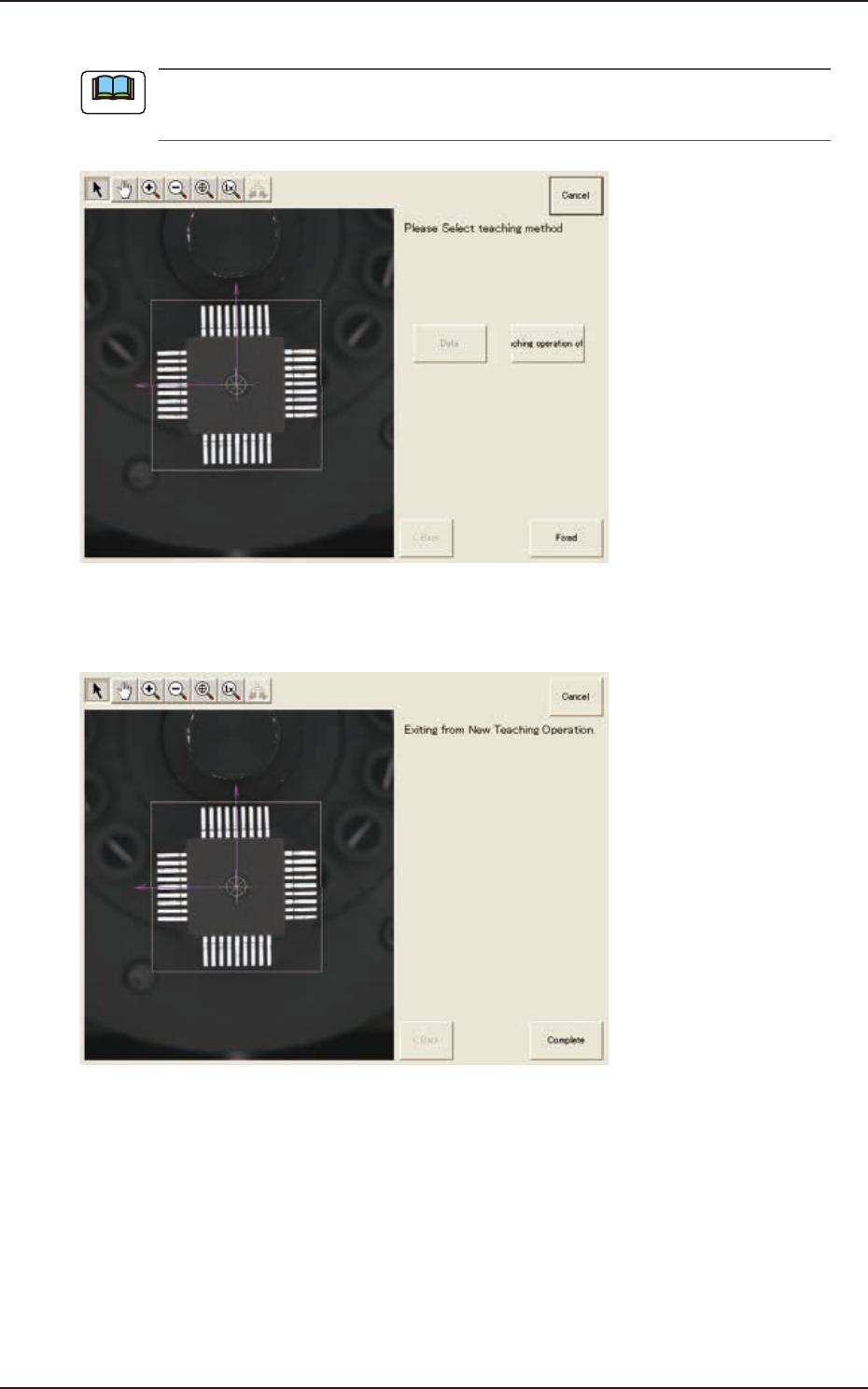
(14) The modification method selection window will appear. Press the [Fixed] button.
In the case of "QFP", because the component size is fixed on the lead root, adjustment is not
available.
F2F84
(15) The window with a message
"
Exiting from New Teaching Operation
"
will appear. Press the
[Complete] button.
F2F85
Note
7.3 "COMP RCG" Test Window
EUKYX
6-68199-2100
7.3.7.2 Leadless Components - Resistor Networks
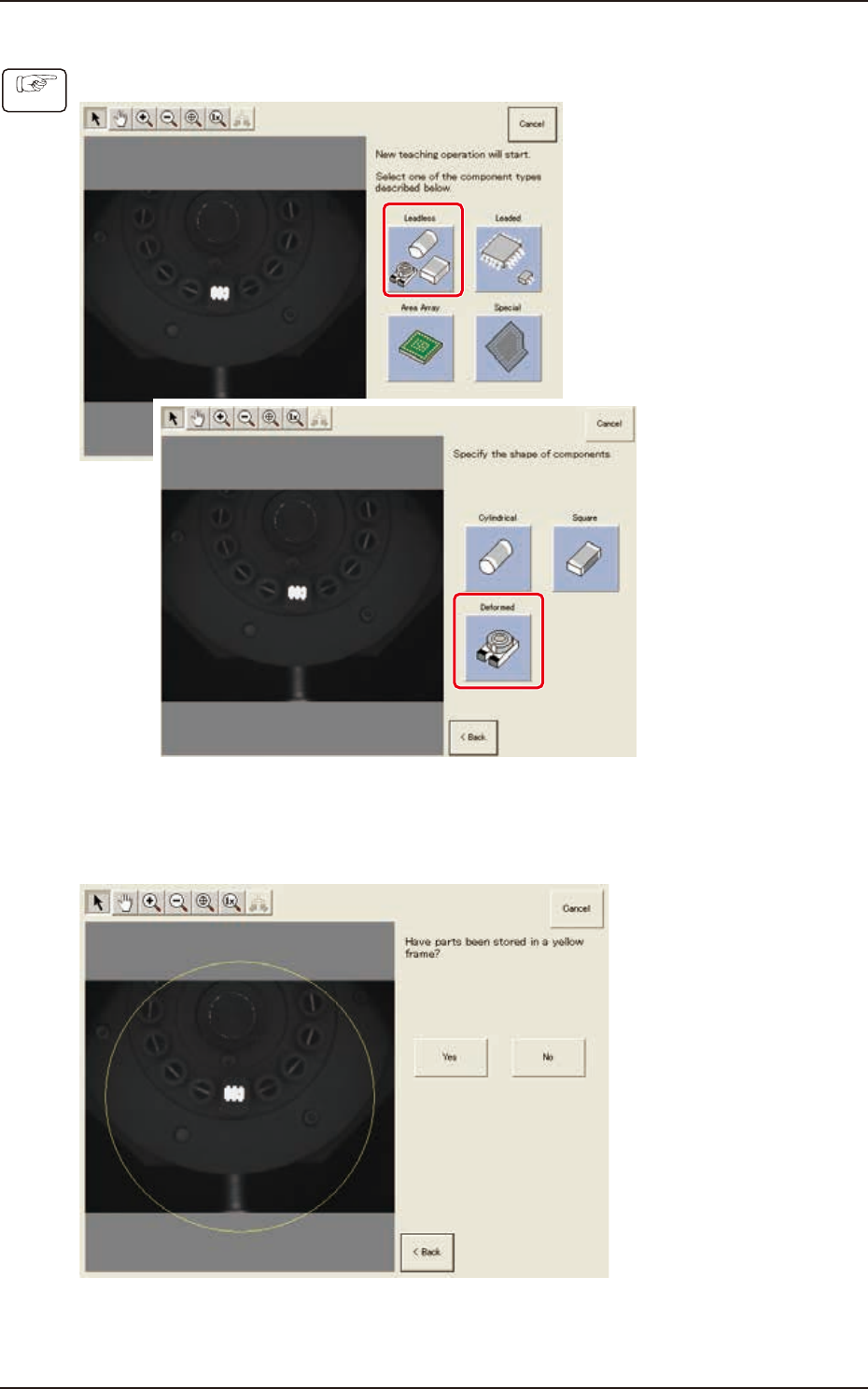
(1) Select [Leadless] - [Deformed] on “Create teach wizard” window.
F2F86
(2) Confirm that the component is in the yellow circle (frame). When it is in the circle, press the
[Yes] button. Otherwise, press the [No] button.
F2F88
Procedure
7.3 "COMP RCG" Test Window
EUKYX
6-69199-2100
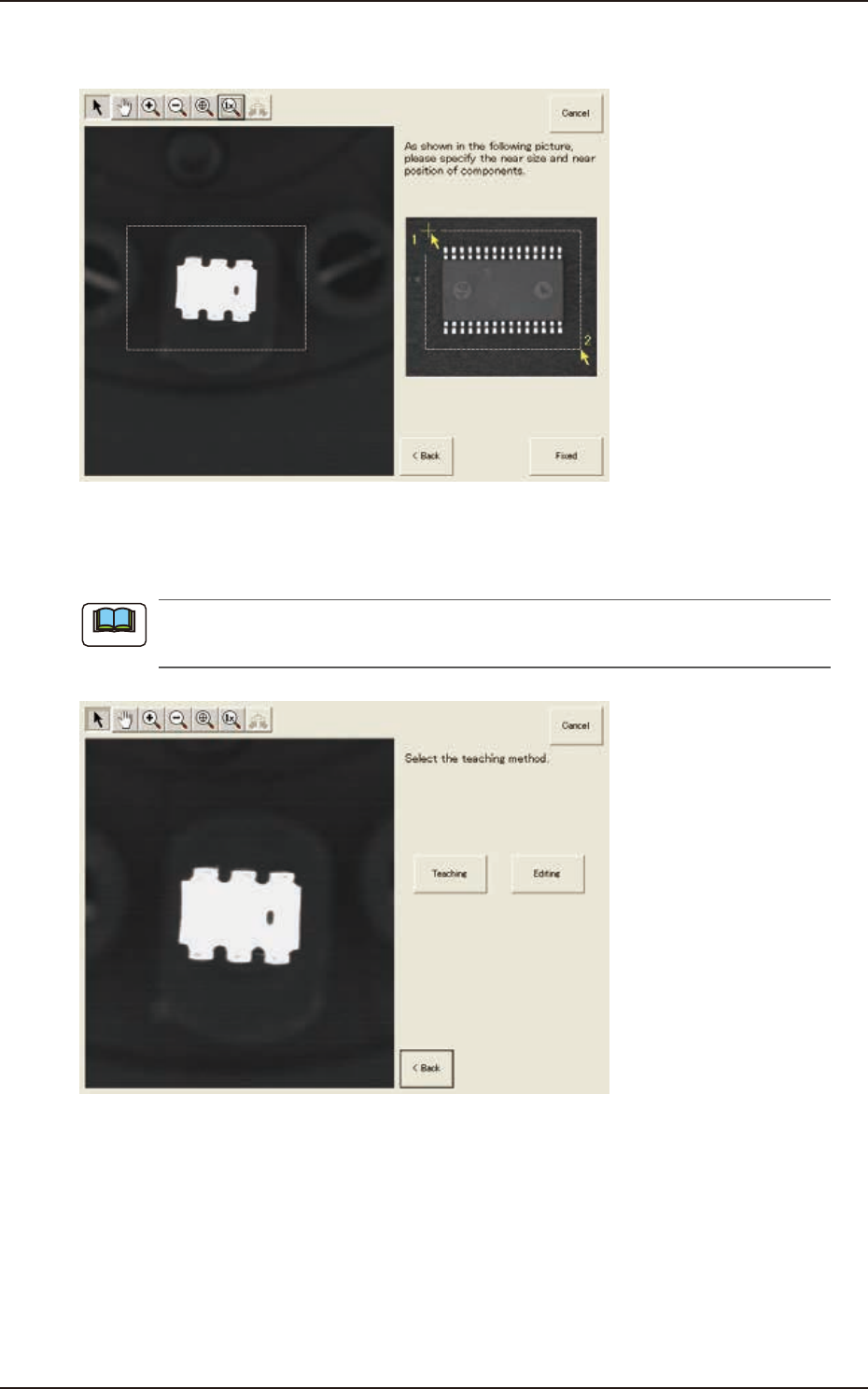
(3) After clicking the upper left of the component image, click the lower right to place the
whole component image within a frame.
F2F89
(4) Make sure that the whole image is within the frame and press the [Fixed] button.
(5) Press the [Teaching] button to select the teaching method.
When the [Editing] button has been selected, the editing operation is performed based on the
sample data. Press the [Complete] button to return to the component library teaching window.
F2F90
Note
7.3 "COMP RCG" Test Window