1OM-1050-002.pdf - 第102页
Section 3 Scope of Automatic Operation 0307-003 3 -A AFO01EOPP This section outlines the items to be prepared and con- firmed before automatic operation and how to start or end the operation.
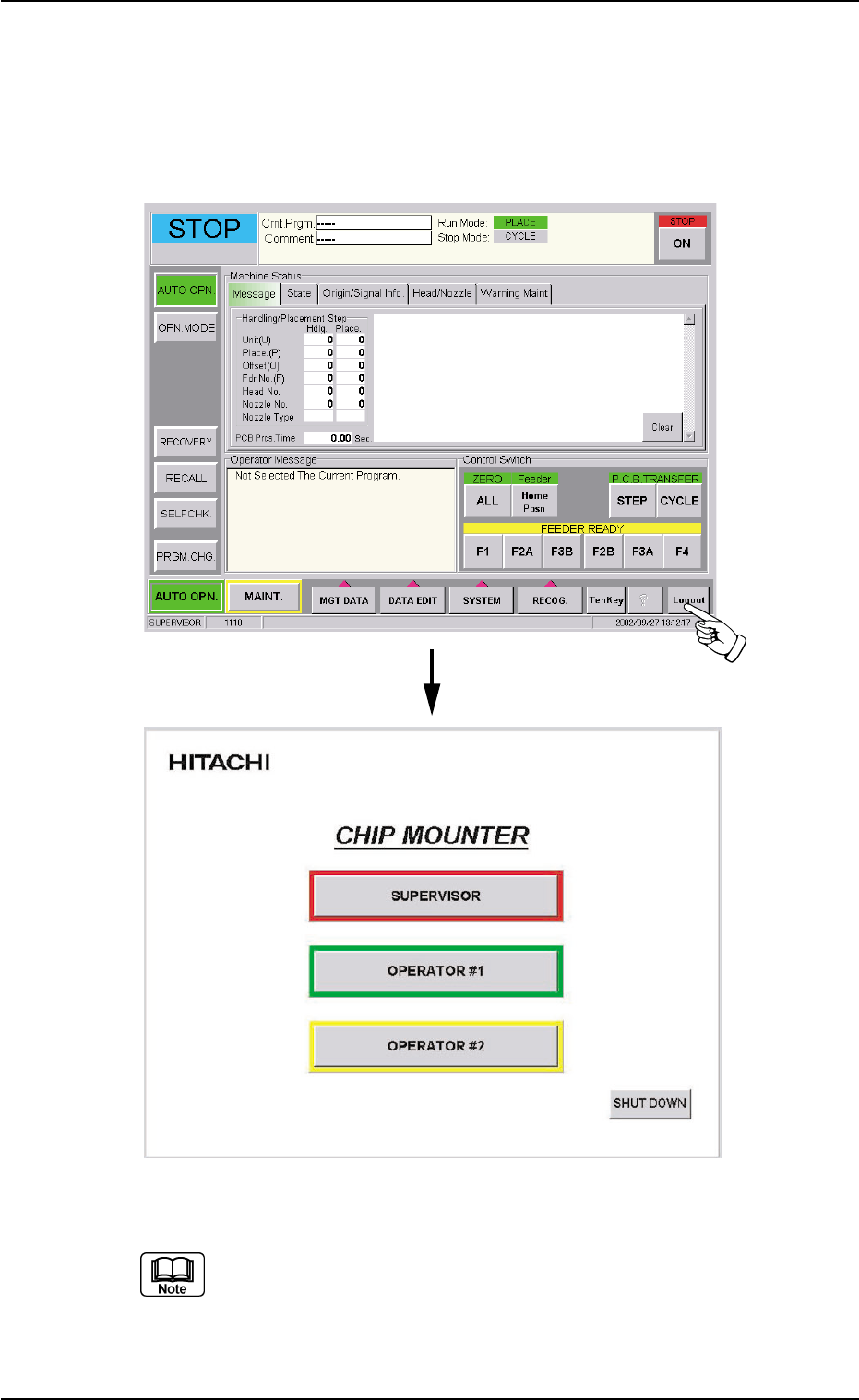
2.3 Exiting from Operation Window
(1) To exit from the "AUTO OPN." window or the "MAINT." window, just
press the [Logout] button on the main menu bar. The "Login Type
Selection" window opens.
Fig. 1B5
Whenever an edit window such as the "Pattern Program Data"
window is active, follow the specified steps to close the window
beforehand.
2.3 Exiting from Operation Window
0304-005 2-8 AFO01EOPP

Section 3
Scope of Automatic Operation
0307-003 3-A AFO01EOPP
This section outlines the items to be prepared and con-
firmed before automatic operation and how to start or end
the operation.

0102-002 3 - B AFO01EOPP