1OM-1050-002.pdf - 第64页
2.3 Operational Measures 2.3.1 Power Breaker Fig. 1A9 The power breaker is provided to supply or shut off power to the machine. The power breaker can be locked with a padlock. Refer to "1.7.2 Locking the Power Break…

(a) Unless the lamp of the [FEEDER READY] button illumi-
nates, the automatic operation cannot be started. While
the lamp of the [FEEDER READY] button is ON, the feeder
work area safety door is locked and cannot be opened.
(b) When the [FEEDER READY] button is pressed right after
the feeder work area safety door is closed, the lamp may
not illuminate soon. This is not trouble. In this case, just
press the [FEEDER READY] button again.
(c) When a component shortage error occurs during automatic
operation, the feeder carriage moves to the work area and
the lamp of the [FEEDER READY] button related to the
error-caused feeder carriage extinguishes.
After completion of feeder replacement or component sup-
ply replenishment, press the [FEEDER READY] button to
set the feeder carriage ready for use.
2.2 Safety Devices
0102-002 1-9 AFO01EOPP
2.3 Operational Measures
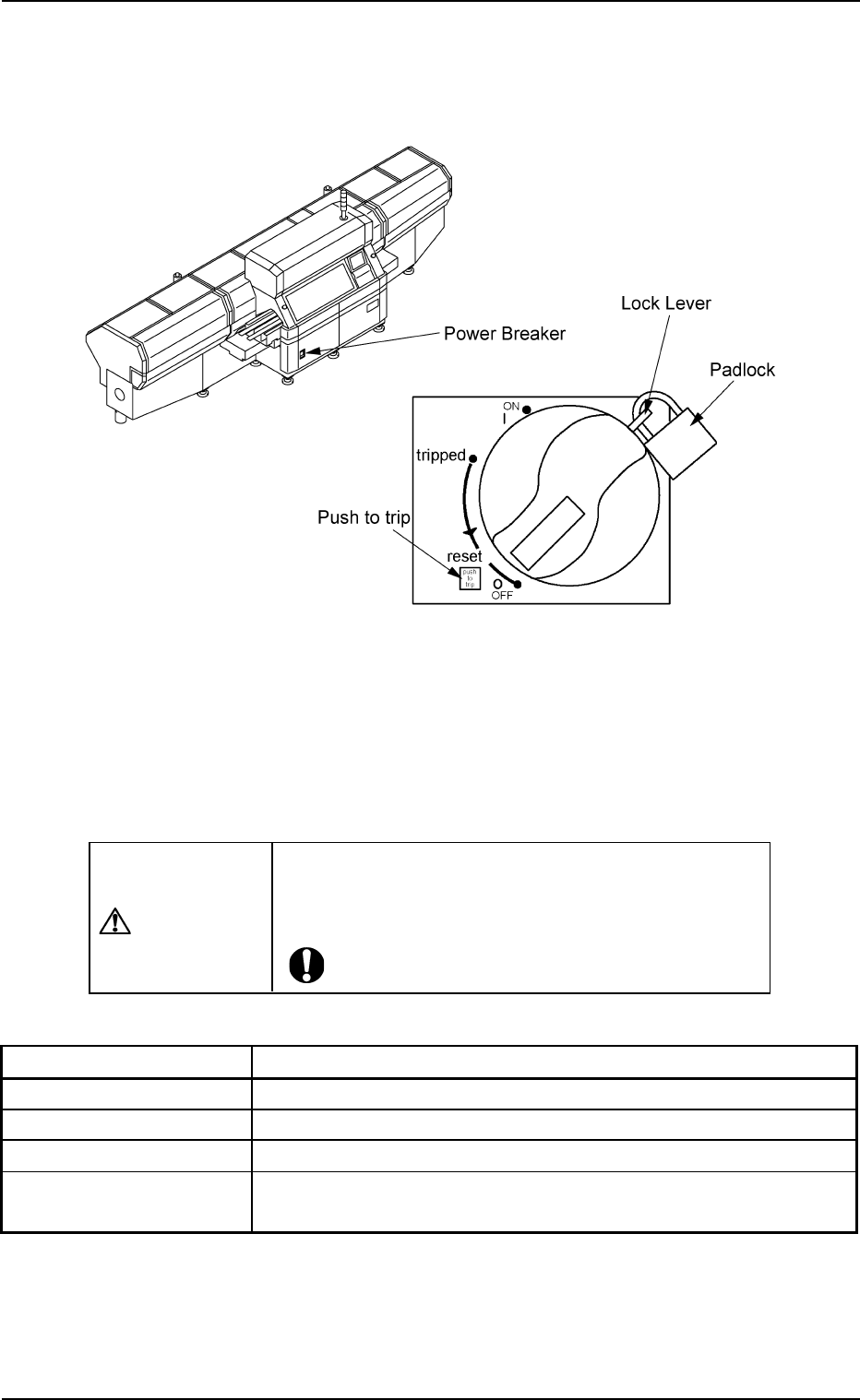
2.3.1 Power Breaker
Fig. 1A9
The power breaker is provided to supply or shut off power to the machine.
The power breaker can be locked with a padlock.
Refer to "1.7.2 Locking the Power Breaker with the Padlock" in "Section
3 Scope of Automatic Operation" of "Volume 1: Operation (Operator)"
for the procedure to lock the breaker.
CAUTION
Before maintenance, etc., be sure to turn off the power
breaker and lock it with the padlock for safety pur-
poses.
Table 1A1
Symbols/Names Functions
|(OFF) Power OFF (Fig. 1A9)
tripped Power Interception due to Overcurrent
|(ON) Power Supplied
Push to trip Test Button for Power Interception (caused by
overcurrent)
2.3 Operational Measures
0207-004 1-10 AFO01EOPP
2.3.2 Light Tower
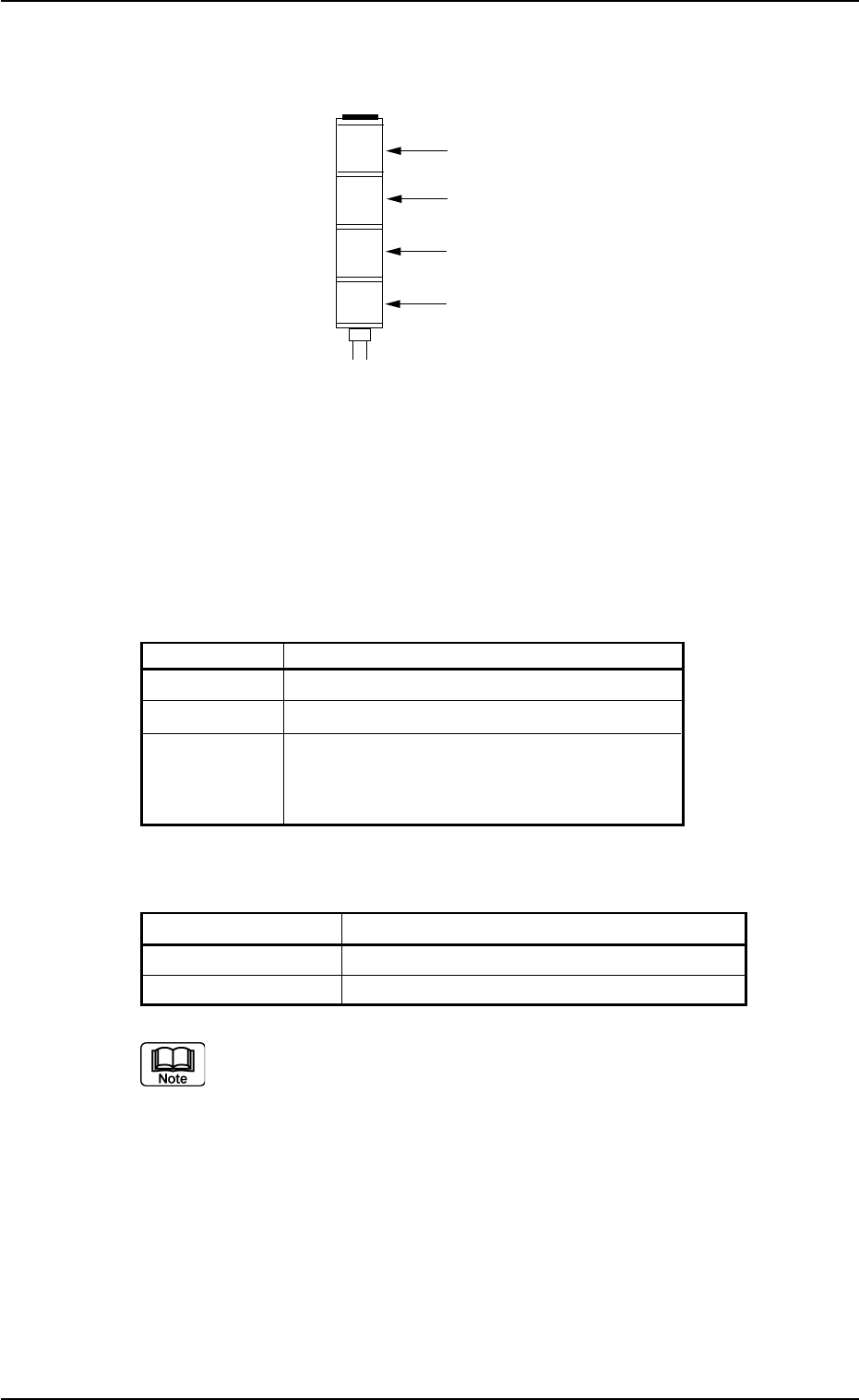
Fig. 1A10
The light tower indicates the condition of the machine with the lamps
and buzzer sounds.
Lamp Colors
The machine is factory-adjusted upon shipment.
Table 1A2
Lamp Colors Machine Condition
Red Error (Machine Stop)
Yellow Component Shortage (Warning)
Green Automatic Operation
Note: When the machine is in the standby
mode, this lamp flashes.
Buzzer
Table 1A2-1
Buzzer Machine Condition
Continuous Sound Emergency Stop
Intermittent Sound Error Occurrence
The condition of the machine corresponding to the parameters
specified for each lamp color and buzzer sound can be changed
in the "Configuration Setup" tab sheet.
Refer to "3.4 "Configuration Setup" Tab" in "Section 5" of "Vol. 3
Programming and Machine Data" for details.
2.3 Operational Measures
0207-003 1-11 AFO01EOPP
Red
Yellow
Green
Buzzer