1OM-1050-002.pdf - 第135页
0102-002 4 - B AFO01EOPP

Section 4
Remedy of Simple Trouble
0307-004 4-A AFO01EOPP
This section describes how to troubleshoot simple problems
that can be solved by the machine operator.
When the operator cannot solve a problem, he/she should
get in contact with the supervisor (a person in charge of
machine management).

0102-002 4 - B AFO01EOPP
1. Power Operation Impossible
Table 1D1
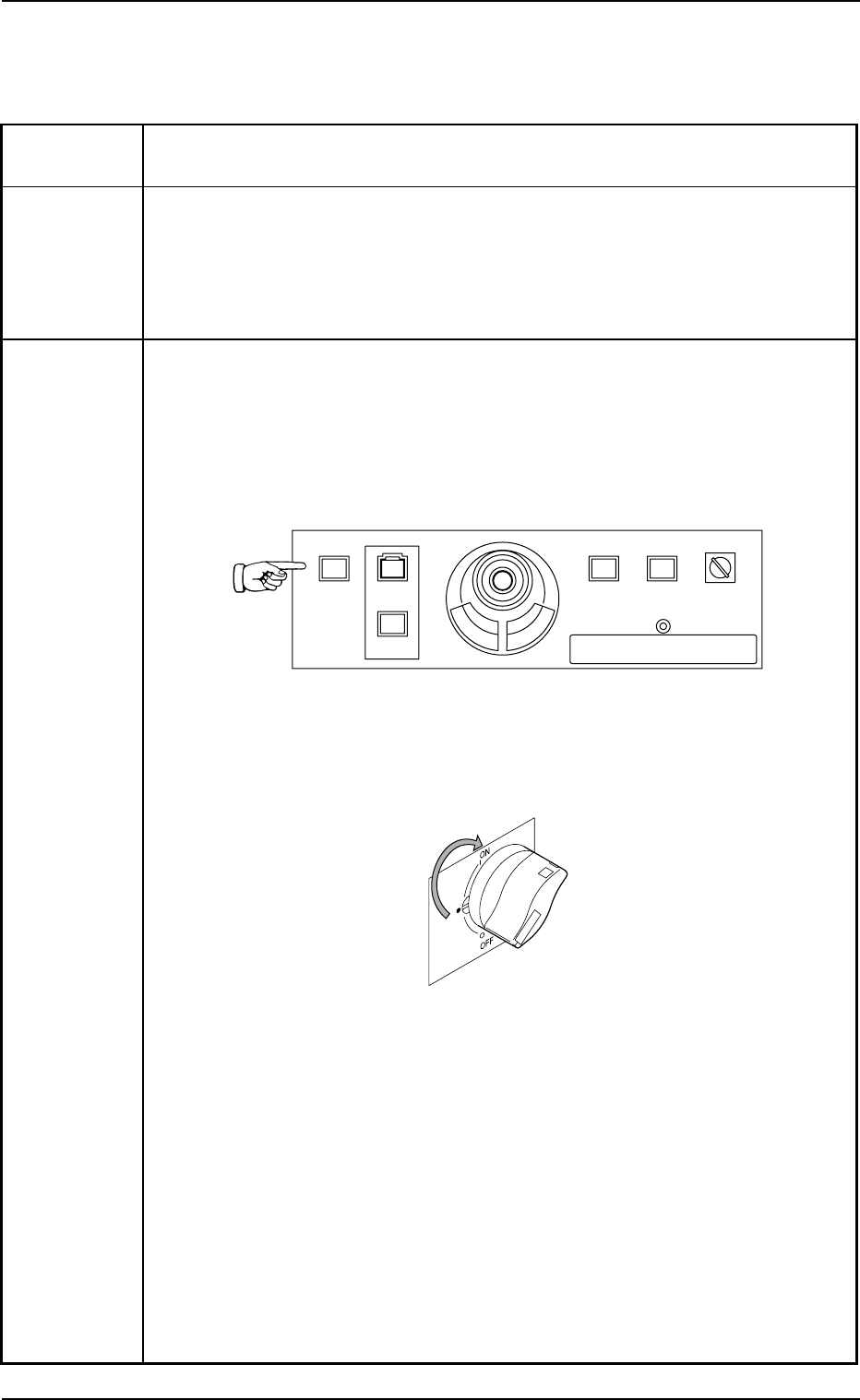
Symptom When the [POWER ON] button on the operation panel is pressed, the ma-
chine is not powered.
Cause (Cause 1) The [POWER ON] button on the operation panel is not held down
for more than one second.
(Cause 2) The power breaker is set to "OFF".
(Cause 3) The lamp of the [POWER ON] button on the operation panel illumi-
nates in red.
Remedy (Remedy 1) Hold down the [POWER ON] button on the front or the rear
operation panel for more than one second.
When the LED of the [POWER ON] button illuminates in yel-
lowish green, it indicates that the power is supplied to the ma-
chine.
Fig. 1D1 Front Operation Panel
(Remedy 2) Set the power breaker to "ON".
Fig. 1D2
(Remedy 3)
• Wait until the program is started completely.
• Cancel the "Emergency Stop" mode to reset the machine to its normal
condition.
Refer to "3.1 [EMERGENCY STOP] Switch Pressed" for details.
• Close the front safety door.
• Set the main air pressure to "0.45 MPa (4.6 kgf/cm
2
)".
Refer to "1.1.1 Confirmation of Power Supply and Air Pressure" in "Section
3" of "Vol. 1" for details.
1. Power Operation Impossible
0307-004 4-1 AFO01EOPP
219'410
5612
56#46 '0#$.'
4705'672
12'4#6+10
.1%-
20.%*#0)'