1OM-1050-002.pdf - 第74页
When temperature is low at power-up, the brightness of the back light drops. The deterioration is not abnormal. The brightness resumes normal after a few minutes. When the back light is turned on or off repeatedly at low…
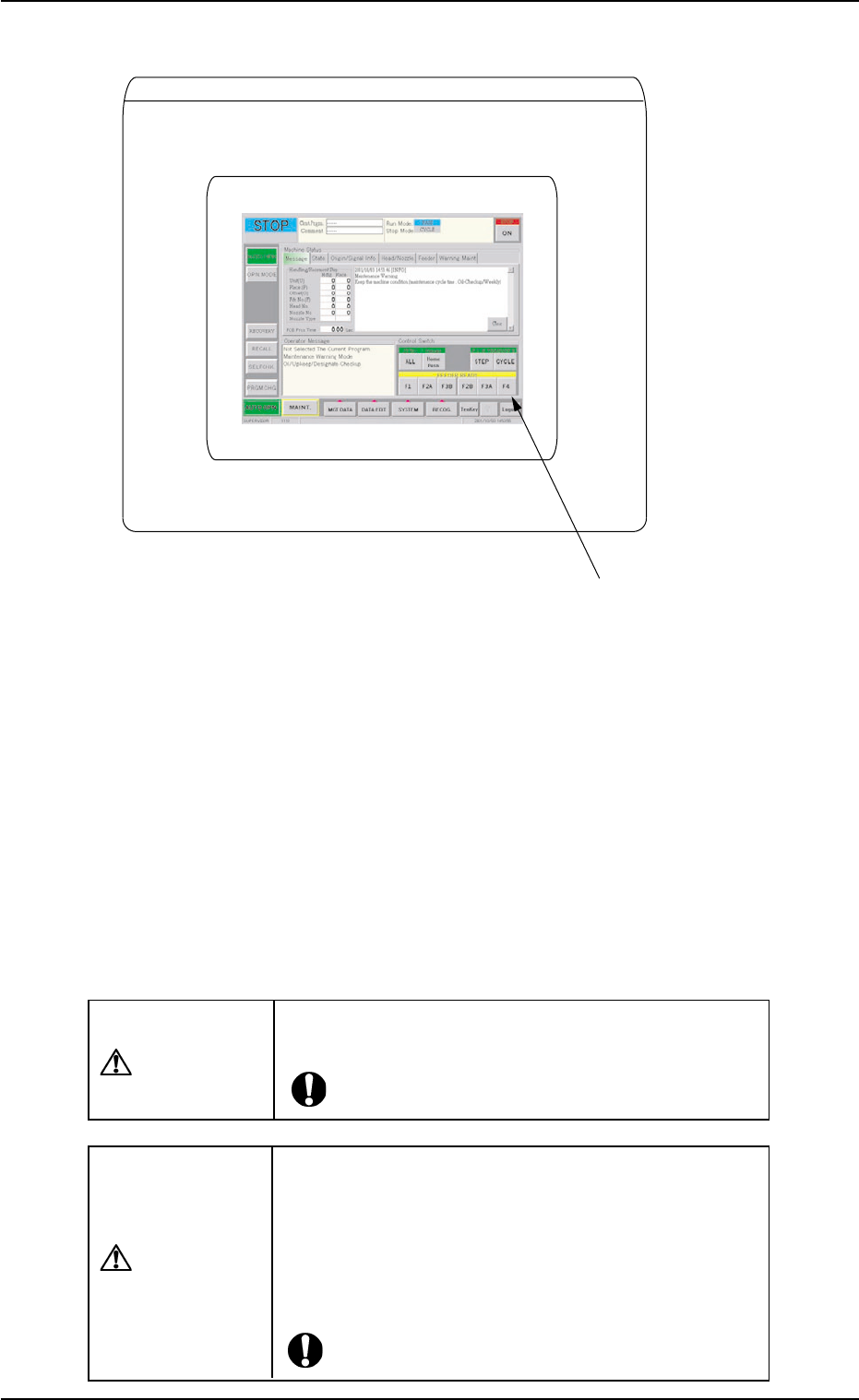
Front Touch Screen
*11 Front Touch Screen
Fig. 1A14
The operation windows will be displayed on the front touch screen.
Various types of operations become available by touching the operation
buttons and tabs on the screen.
Since the touch screen uses the molecules in liquid crystals, handle it
like glass.
Do not apply strong pressure to the touch screen. Try not to touch the
screen except for input operations.
The touch-sensitive regions of the touch screen reacts to a force of
0.78 Ncm
2
(approx. 80 gf/cm
2
) or less.
Do not press the screen with an excessive force.
CAUTION
The surface of the touch screen is fragile. Do not rub
the surface or touch it with a pen, a screwdriver, etc.
CAUTION
The machine is not a water-proof and encapsulated
type.
Avoid dust, water droplet, oil droplet, and metal pieces.
Especially, when metal pieces or combustible mate-
rial is mixed into the machine, it may lead to fire igni-
tion.
2.3 Operational Measures
01 10-003 1-16 AFO01EOPP

When temperature is low at power-up, the brightness of the back light
drops. The deterioration is not abnormal.
The brightness resumes normal after a few minutes.
When the back light is turned on or off repeatedly at low temperature,
the life will be shortened.
Refer to "1.2.2 Notes on Handling Touch Screens" in "Section
2" for the detailed information on how to clean the touch screens.
0207-003 1-17 AFO01EOPP
2.3 Operational Measures
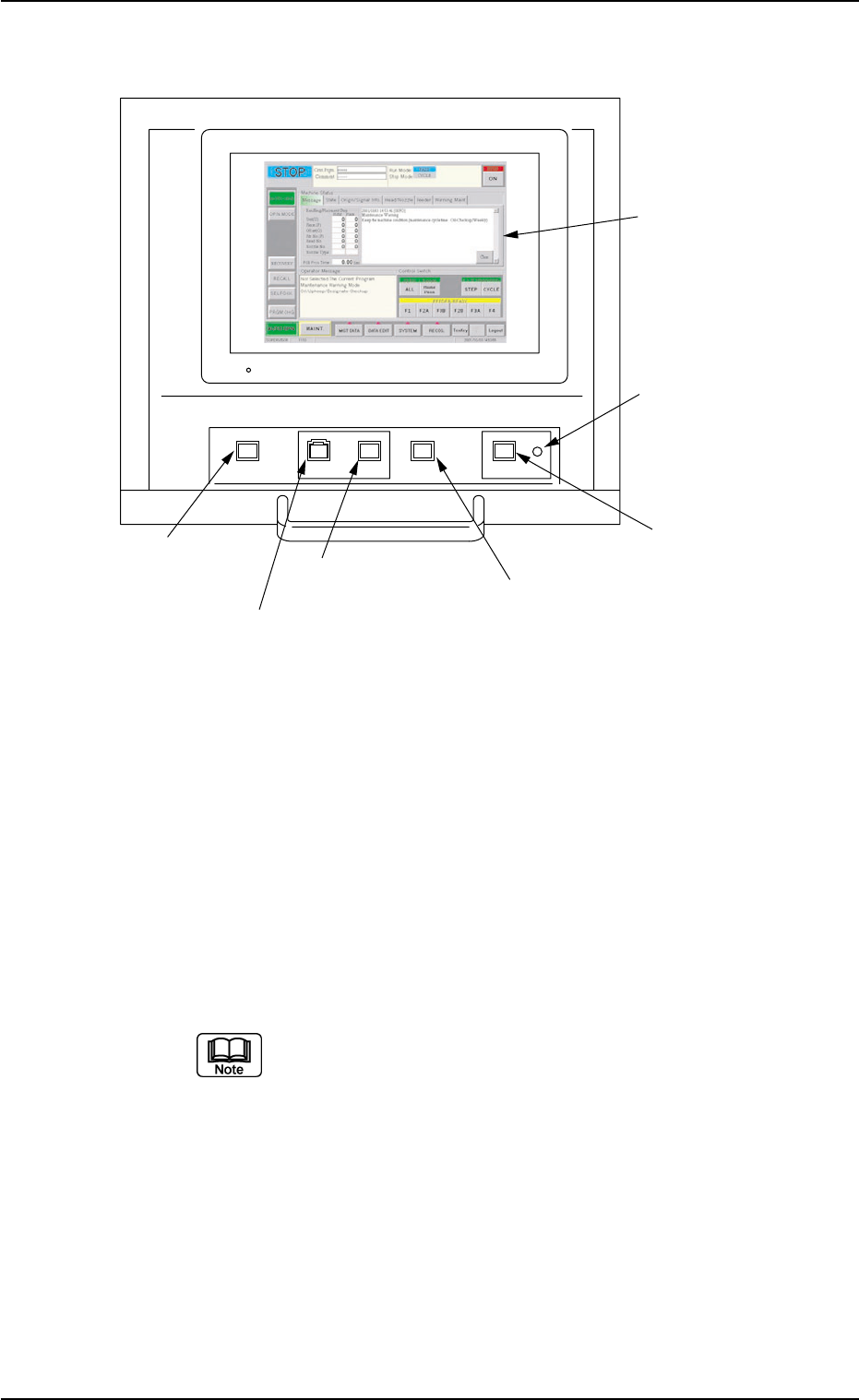
2.3.4 Rear Operation Panel
Fig. 1A15
*1 [POWER ON] Button
• This button is used to turn on the power for operations.
*2 [START] Button
• This button is used to start the automatic operation.
The automatic operation can be started only when the lamp is flickering.
• While the lamp of this button is ON, it indicates that the machine is running
automatically.
When the [STOP] button is pressed during automatic operation, the LED
of this button extinguishes.
The lamp is kept ON while each device is being zeroed.
*3 [STOP] Button
• This button is used to stop the automatic operation.
• When this button is pressed during X/Y table test, the test operation stops.
• When this button is pressed during zeroing operation, the zeroing opera-
tion of each device is interrupted, excluding the P.C.B. transfer.
0207-004 1-18
AFO01EOPP
POWER ON START STOP
ENABLE
PNL CHANGE LOCK
*1 [POWER ON] Button
*2 [START] Button
*3 [STOP] Button
*4 [ENABLE] Button
*5 [PNL CHANGE] Button
*6 [LOCK] Lamp
*7 Rear Touch Screen
2.3 Operational Measures