1OM-1050-002.pdf - 第125页
(2) The "Login T ype Selection" window opens. Fig. 1C25-1 (3) When the [SHUT DOWN] button is pressed in the "Login T ype Se- lection" window , the "SHUT DOWN" dialog box opens for the confir…
1.7 Shut-Down Operation
1.7.1 Shut-Down Procedure
The following explains how to shut down the power to the machine.
CAUTION
Be sure to log out from an operation window to open
the "Login Type Selection" window and go through
the shutdown procedure by pressing the [SHUT
DOWN] button before turning off the power to the
machine.
• When the power is shut down at a window other
than the "Login Type Selection" window, the saved
data (the management data, various data on the
hard disk, etc.) may be deleted.
Operation Procedure
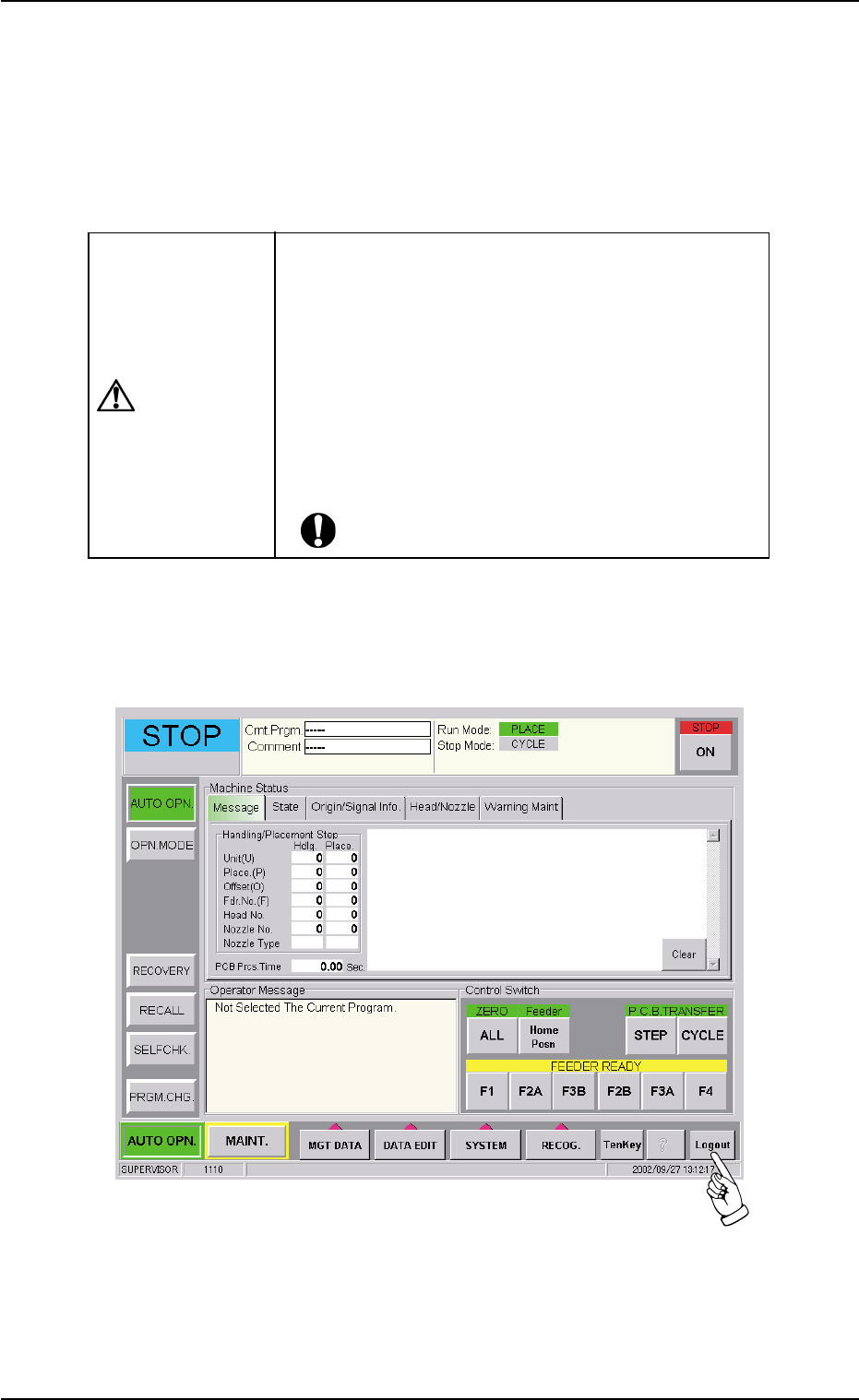
(1) Press the [Logout] button on the main menu bar.
Fig. 1C25
0210-005 3-19
AFO01EOPP
1.7 Shut-Down Operation
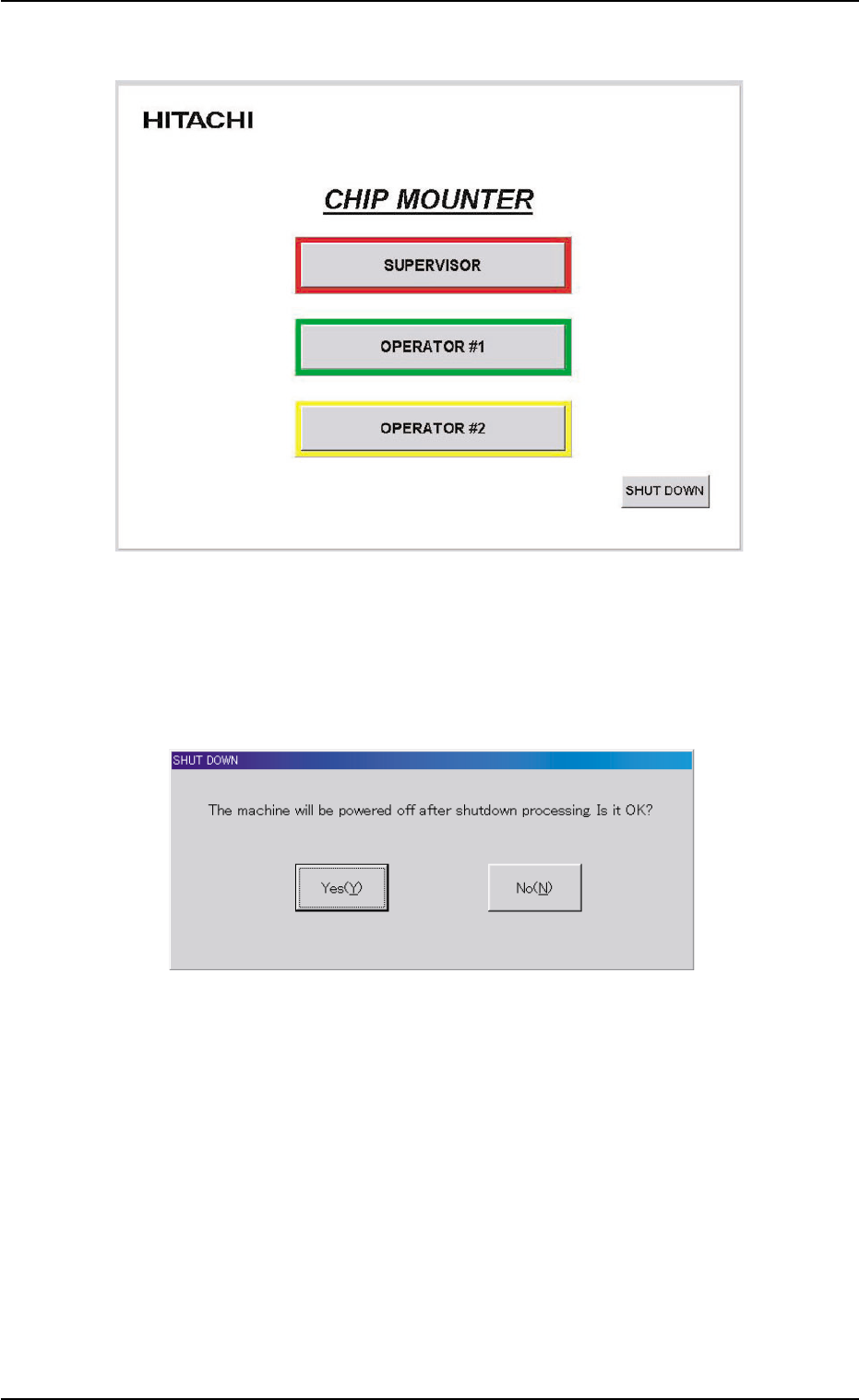
(2) The "Login Type Selection" window opens.
Fig. 1C25-1
(3) When the [SHUT DOWN] button is pressed in the "Login Type Se-
lection" window, the "SHUT DOWN" dialog box opens for the confir-
mation.
Fig. 1C25-2 "SHUT DOWN" Dialog Box for Confirmation
(4) When the [Yes(Y)] button is pressed, the power to the machine is
turned off.
When the [No(N)] button is pressed, the shut-down operation is
canceled.
0307-003 3-20
AFO01EOPP
1.7 Shut-Down Operation

(5) Set the lever of the power breaker to the "OFF" position.
0102-002 3-21 AFO01EOPP
1.7 Shut-Down Operation