1OM-1050-002.pdf - 第120页
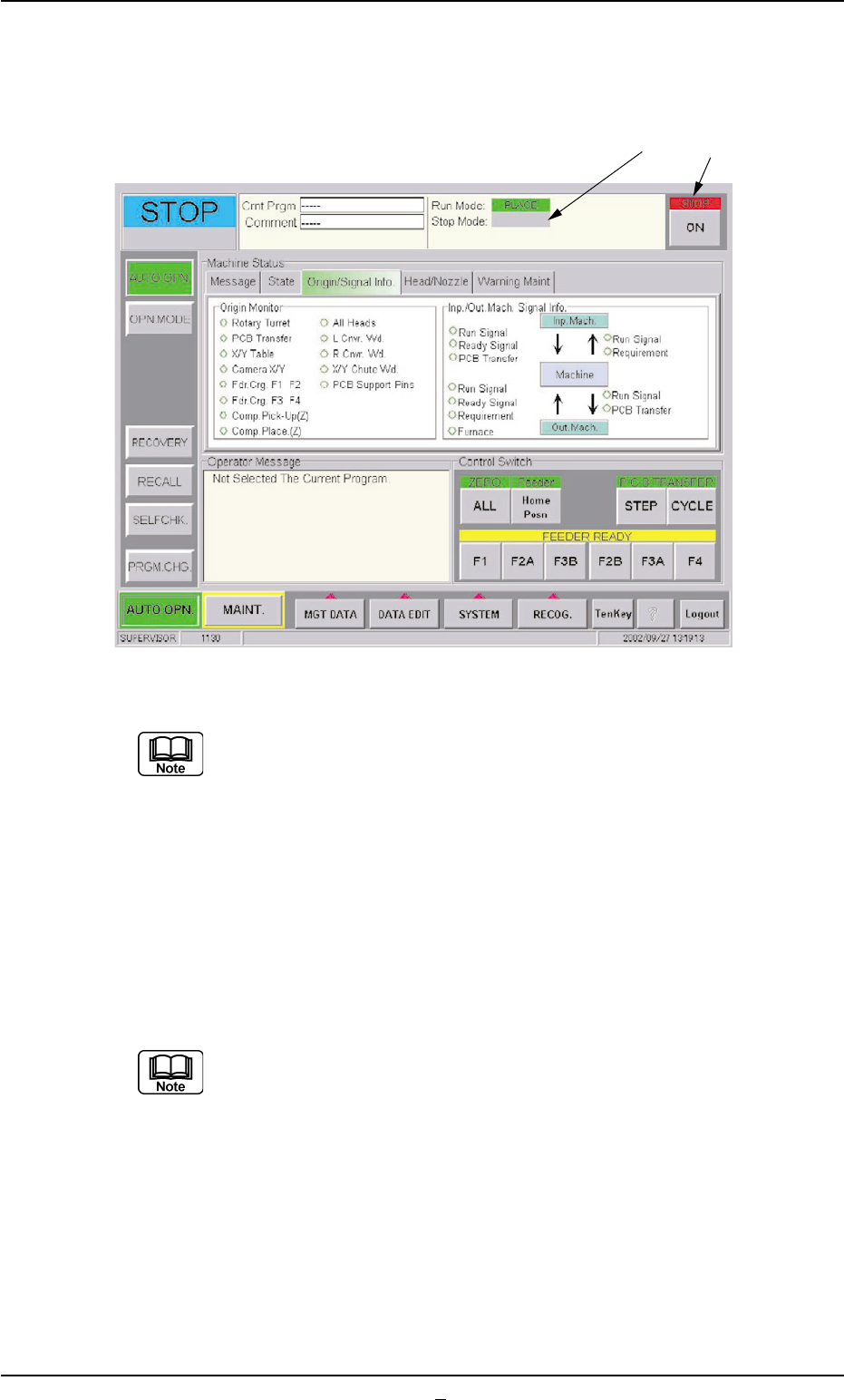
• • • • • T emporary Stop (Pause) with [ON] Button (entitled "STOP") When "STEP" is set as "Stop Mode" (*1) and the [ON] button (*2, en- titled "STOP") is pressed, the automatic op…
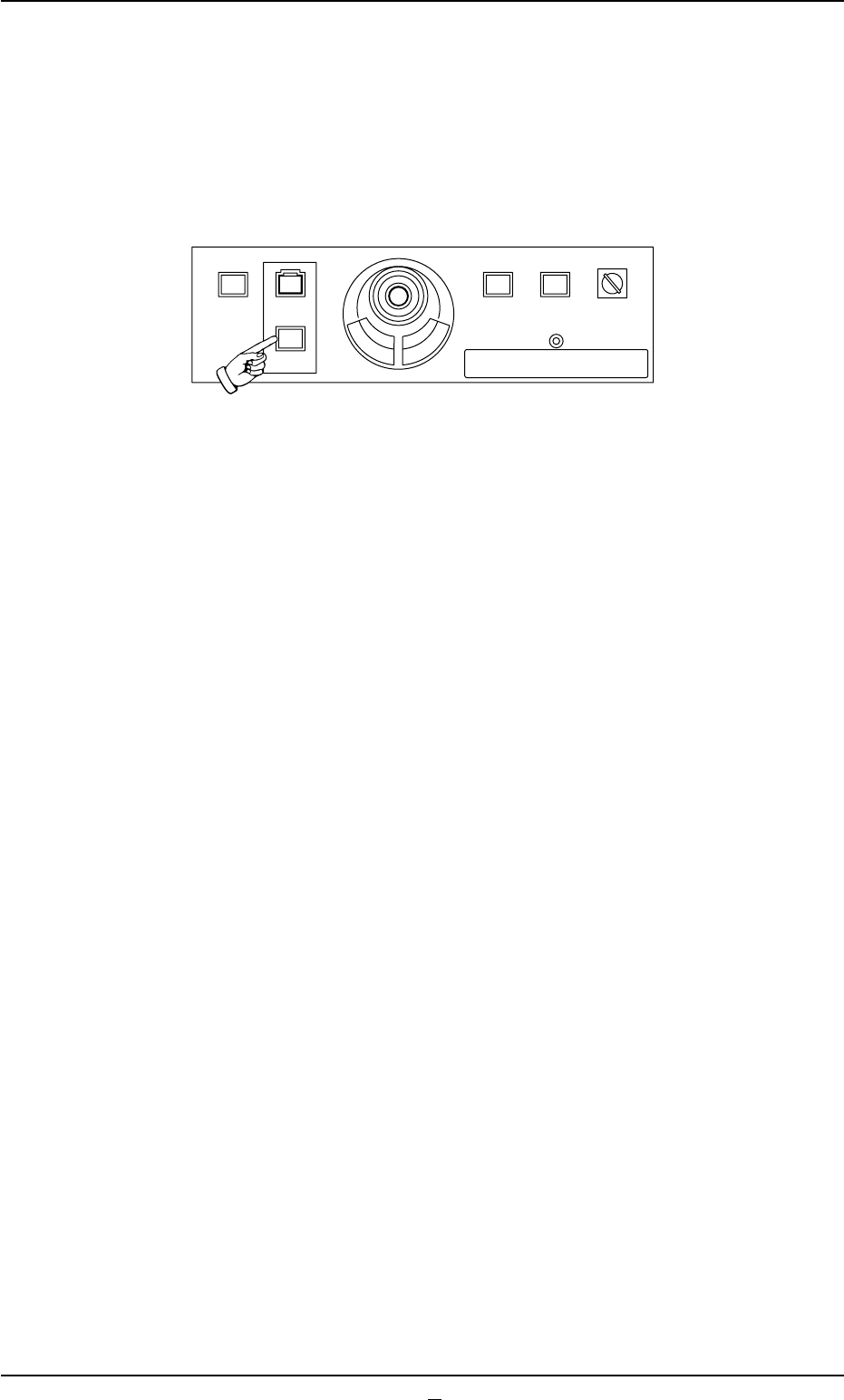
1.4.2 Temporary Stop with [STOP] or [ON] (entitled "STOP") Button
••
••
• Temporary Stop (Pause) with [STOP] Button
Press the [STOP] button to temporarily stop the automatic operation
whenever it is found that a wrong production model is applied or the
placement condition should be checked after the machine has started
the automatic operation.
Fig. 1C23
(1) When the [STOP] button is pressed, the automatic operation stops
temporarily.
(2) When the [START] button is pressed after the placement condition
is checked, the automatic operation re-starts.
(3) When a wrong pattern program is specified as the current one (pro-
duction model), press the [STOP] button to temporarily stop the
automatic operation and follow the instructions described in "1.5
Interruption of Automatic Operation" to interrupt the automatic op-
eration.
1.4 Temporary Stop and Restart of Automatic Operation
0307-007 3-16 AFO01EOPP
219'410
5612
56#46 '0#$.'
4705'672
12'4#6+10
.1%-
20.%*#0)'
••
••
• Temporary Stop (Pause) with [ON] Button (entitled "STOP")
When "STEP" is set as "Stop Mode" (*1) and the [ON] button (*2, en-
titled "STOP") is pressed, the automatic operation stops temporarily.
Fig. 1C23-1
When "CYCLE" is set as "Stop Mode" (*1), select the [STEP]
button (entitled "STOP") in the "Run Mode" tab sheet ("OPN.
MODE" submenu window).
1.4.3 Stop Operation by Selection of "Auto Stop Mode"
Stop the input machine.
After all P.C.B.’s on the system line are processed and discharged, the
input machine automatically stops running.
(a) This function works only when "Enable" is set in the "Auto
stop mode" text box of the "P.C.B. Transfer Mode Setup"
tab sheet. (Operation Procedure: [SYSTEM] Button on Main
Menu Bar [SYS DATA] Button "Auto Operation" Tab
"P.C.B. Transfer Mode Setup" Tab Sheet)
(b) When a machine of another brand is connected to the sys-
tem line, this function may not work.
0307-002 3-16-1 AFO01EOPP
*1 *2
STEP
1.4 Temporary Stop and Restart of Automatic Operation
1.5 Interruption of Automatic Operation
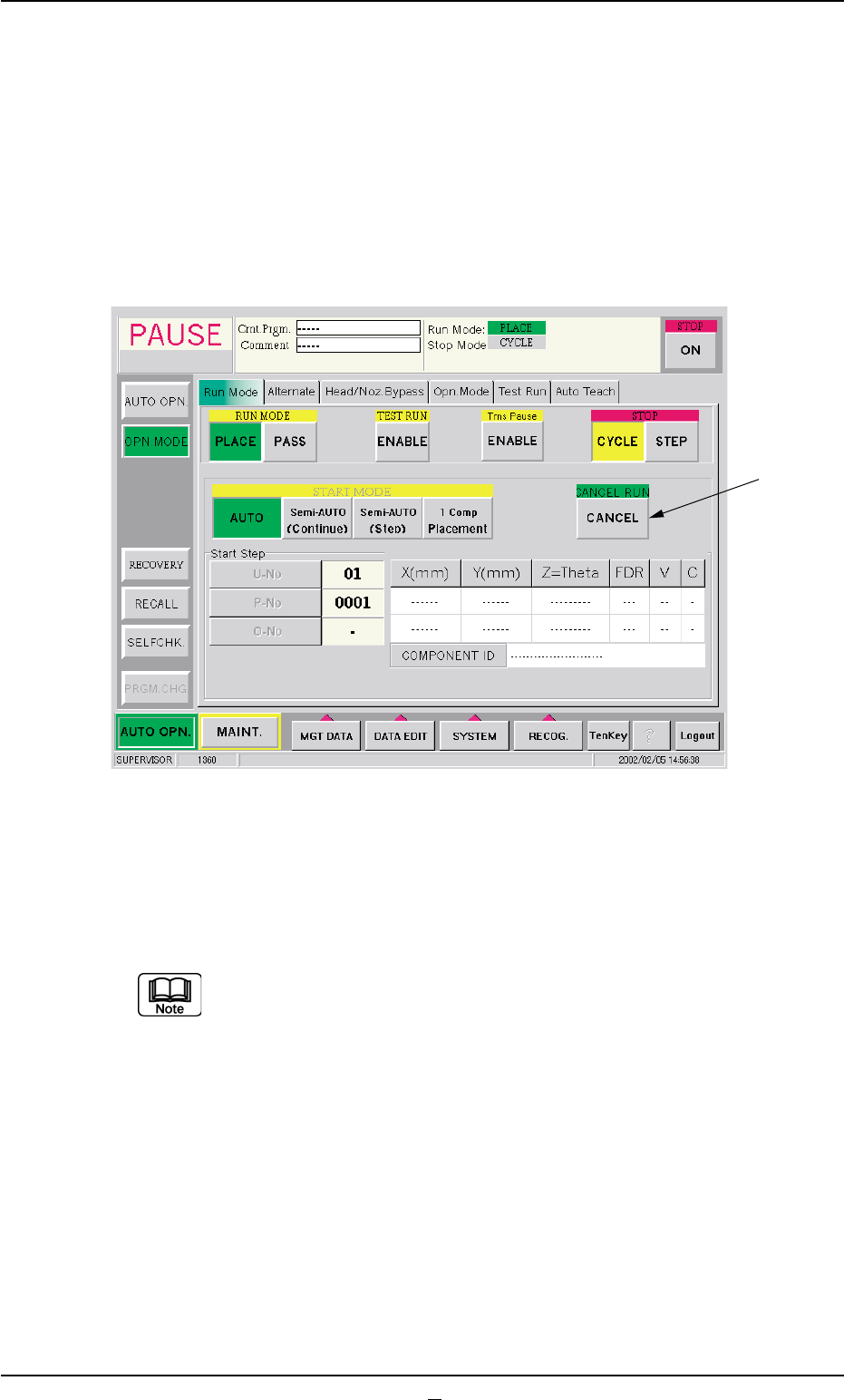
1.5.1 Interruption of Automatic Operation with [CANCEL] Button
Interrupt the automatic operation to discontinue the production when a
wrong pattern program or P.C.B. is used.
(1) Press the [STOP] button on the front operation panel.
Fig.1C23-2 "Run Mode" Tab Sheet
(2) When the [CANCEL] button (*1, entitled "CANCEL RUN") is pressed
after the "Run Mode" tab ("OPN. MODE" submenu window), the
automatic operation is interrupted.
To continue the automatic operation after the interruption, refer
to "Step (8)" and the subsequent items in "3.1 [EMERGENCY
STOP] Switch Pressed" in "Section 4" for details.
0301-005 3-17 AFO01EOPP
1.5 Interruption of Automatic Operation
*1