1OM-1050-002.pdf - 第118页
• • • • • Countermeasures against Shortage of P .C.B.’ s When the machine gets short of P .C.B.’s during automatic operation, the input machine issues an error alarm or the machine stops auto- matically . When the input …
••
••
• Intentional Component Replenishment during Automatic
Operation
(1) Press the [STOP] button on the front operation panel to stop the
machine temporarily.
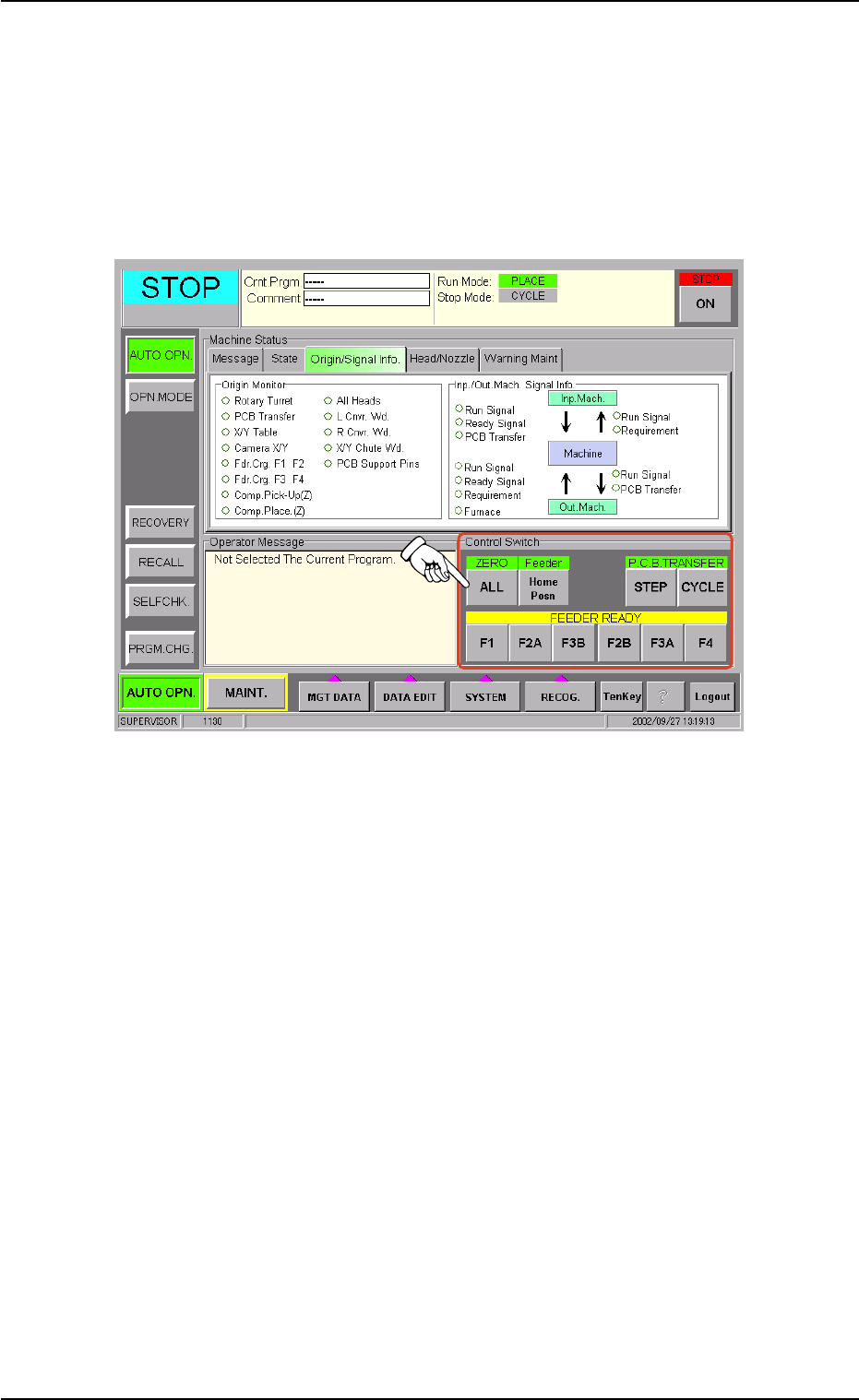
(2) Press the [ALL] button (entitled "ZERO") in the "Control Switch" group
box of the "AUTO OPN." window (submenu) to zero the devices.
Fig. 1C22
(3) Open the feeder work area safety door and detach the tape feeder
in component shortage.
(4) Load the tape feeder with new components and install it on the feeder
carriage.
(5) Press one of the buttons (entitled "FEEDER READY") related to the
pertinent tape feeder in the "Control Switch" group box in the "AUTO
OPN." submenu window.
(6) Close the feeder work area safety door and press the [READY] and
[START] buttons. The automatic operation re-starts.
0210-005 3-14 AFO01EOPP
1.4 Temporary Stop and Restart of Automatic Operation

••
••
• Countermeasures against Shortage of P.C.B.’s
When the machine gets short of P.C.B.’s during automatic operation,
the input machine issues an error alarm or the machine stops auto-
matically.
When the input machine has issued an error alarm, follow the step
below.
(1) Replenish the input machine with P.C.B.’s and re-start the auto-
matic operation.
When the machine has stopped automatically, it indicates the fol-
lowing.
(1) The input machine has stopped automatically in a normal condition.
In normal cases, it means that the production is completed.
0110-003 3- 15
AFO01EOPP
1.4 Temporary Stop and Restart of Automatic Operation
1.4.2 Temporary Stop with [STOP] or [ON] (entitled "STOP") Button
••
••
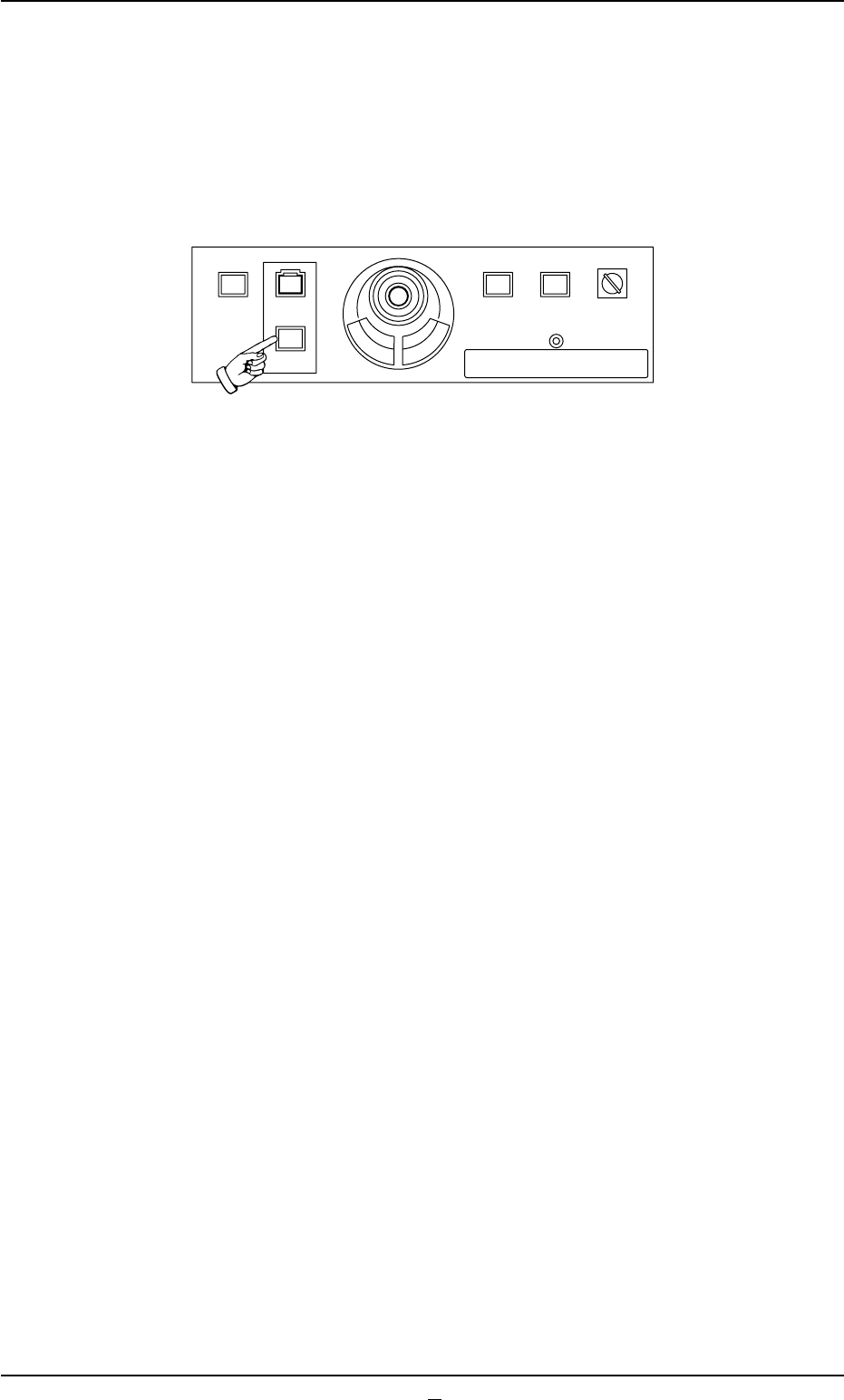
• Temporary Stop (Pause) with [STOP] Button
Press the [STOP] button to temporarily stop the automatic operation
whenever it is found that a wrong production model is applied or the
placement condition should be checked after the machine has started
the automatic operation.
Fig. 1C23
(1) When the [STOP] button is pressed, the automatic operation stops
temporarily.
(2) When the [START] button is pressed after the placement condition
is checked, the automatic operation re-starts.
(3) When a wrong pattern program is specified as the current one (pro-
duction model), press the [STOP] button to temporarily stop the
automatic operation and follow the instructions described in "1.5
Interruption of Automatic Operation" to interrupt the automatic op-
eration.
1.4 Temporary Stop and Restart of Automatic Operation
0307-007 3-16 AFO01EOPP
219'410
5612
56#46 '0#$.'
4705'672
12'4#6+10
.1%-
20.%*#0)'