1OM-1050-002.pdf - 第21页
• When a component pick-up error has occurred and the machine has stopped, be sure to remove the mispicked component from the tape feeder and then start the automatic operation. 0102-002 2 0 AFO01EOPP Fig. 1X23 2.4 Preca…
2.4 Precautionary Items during Operation
2.4 Precautionary Items during Operation
0207-004 19 AFO01EOPP
• When the tower light (green) is ON or flickering, it shows that the static
machine is in the "automatic" mode (awaiting mode).
CAUTION
WARNING
• When there is a problem with the machine, locate the cause and assess
the condition. After the problem has been rectified, turn off power supply
(if required) and follow reset procedures.
Refer to "Volume 4: Maintenance and Troubleshooting" for details.
Fig. 1X22
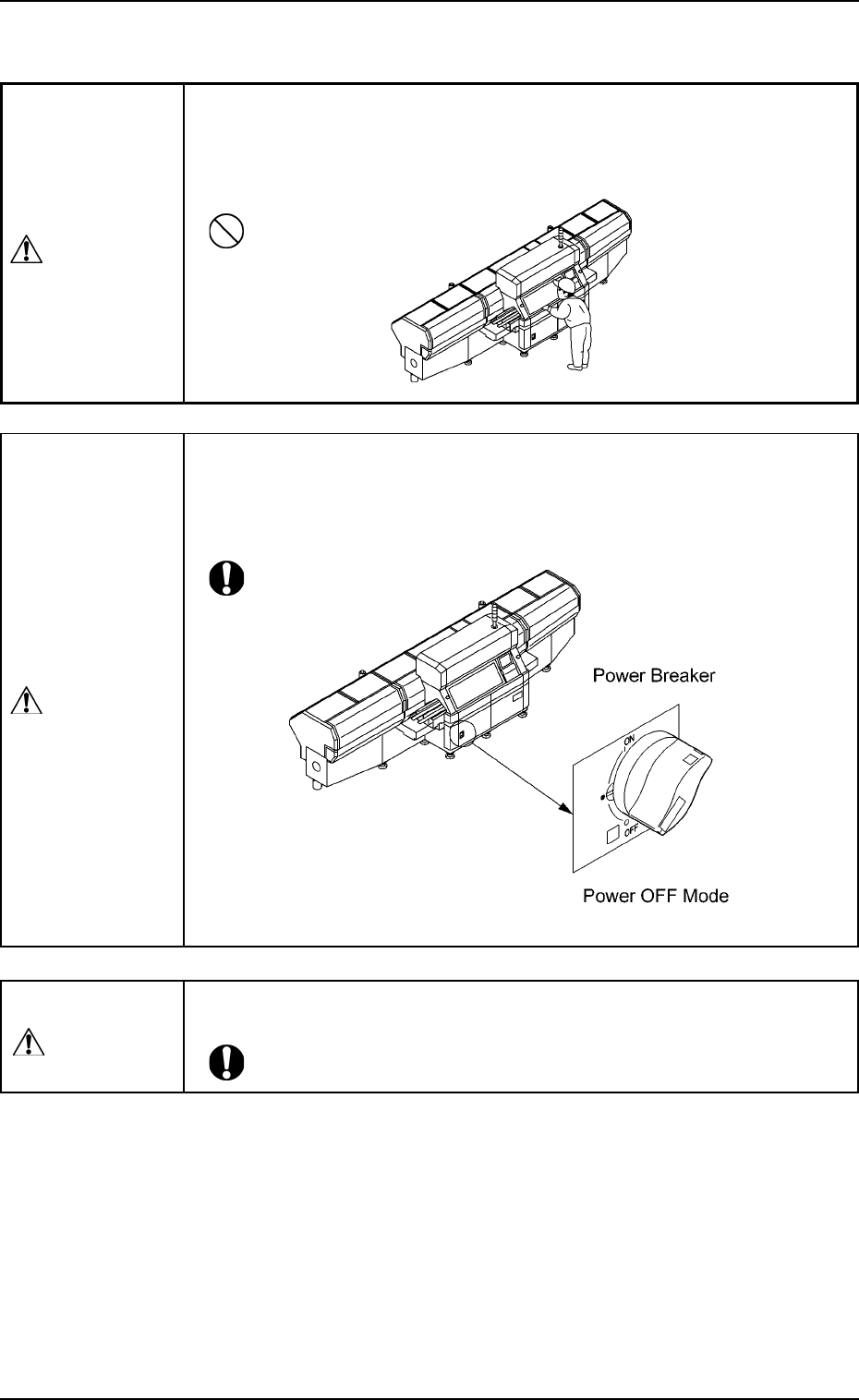
• Ensure personnel (part of body and clothes) and foreign objects remain
clear of the moving parts of the machine.
• Keep your face and hands away from any moving parts of the machine
during operation.
WARNING
Fig. 1X21
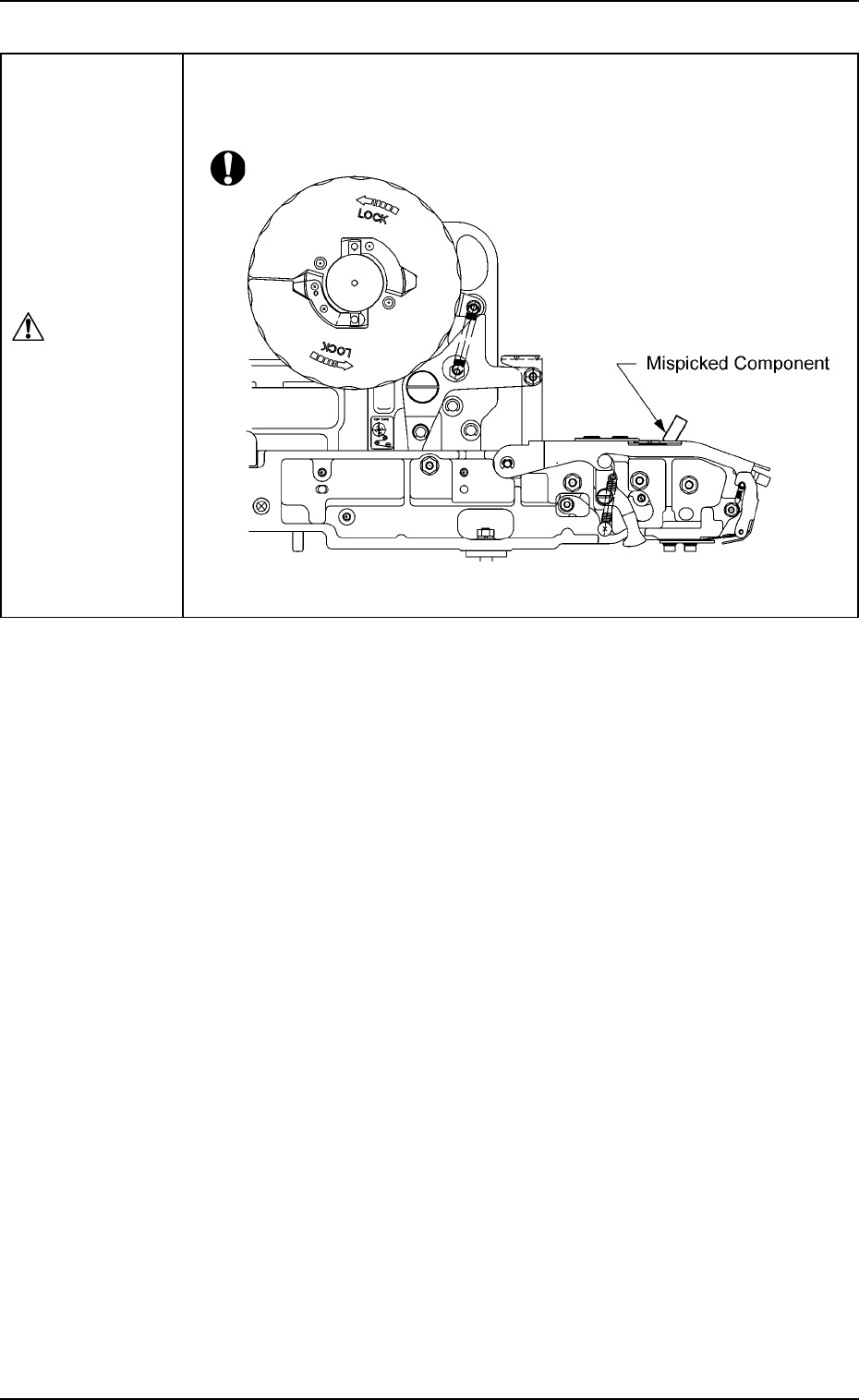
• When a component pick-up error has occurred and the machine has
stopped, be sure to remove the mispicked component from the tape
feeder and then start the automatic operation.
0102-002 20
AFO01EOPP
Fig. 1X23
2.4 Precautionary Items during Operation
CAUTION
2.5 Precautionary Items during Maintenance
2.5 Precautionary Items during Maintenance
• Only qualified personnel should perform maintenance work carefully in
compliance with the specified procedures.
0207-004 21
AFO01EOPP
WARNING
Air Source Section
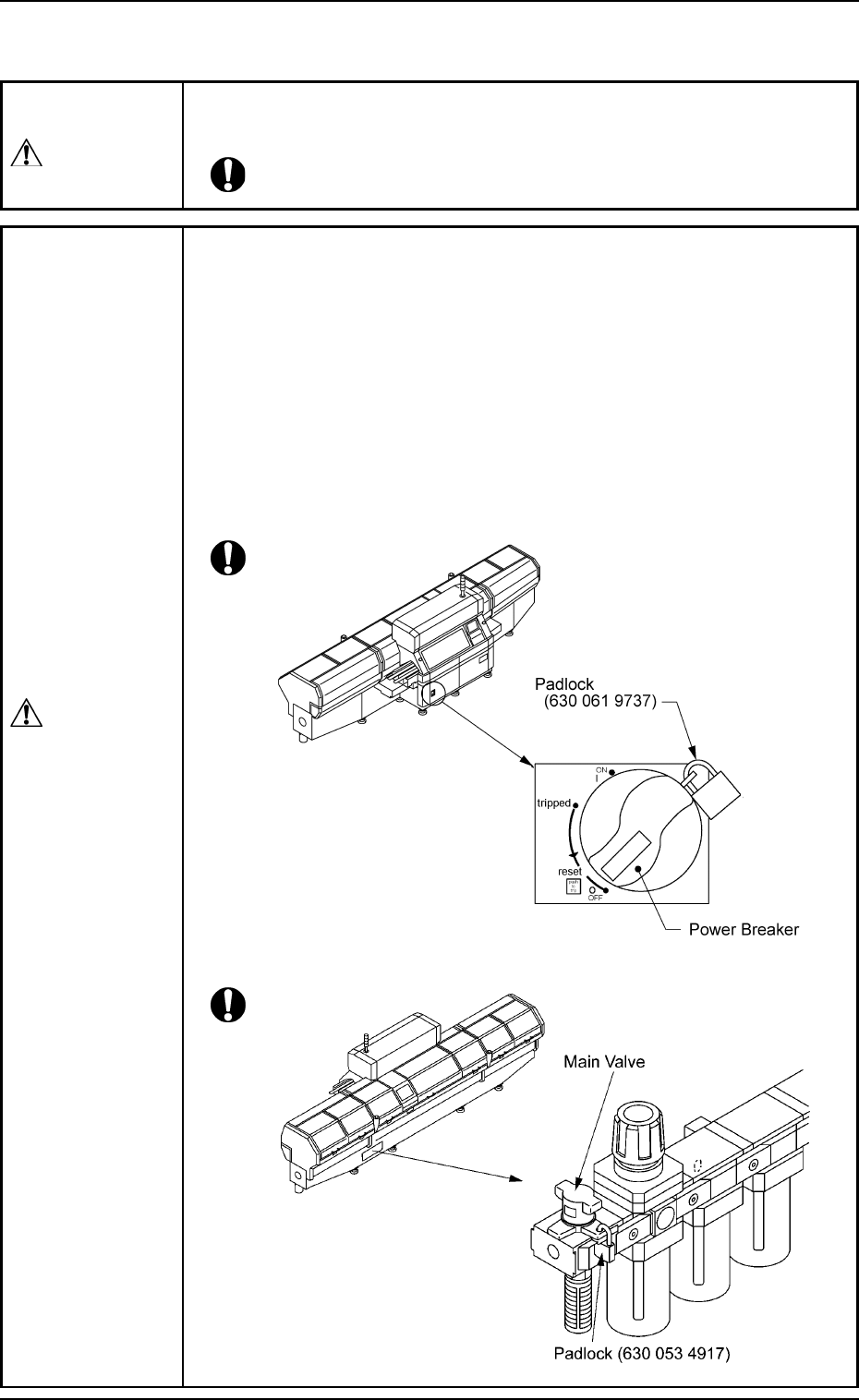
• Before maintenance work, be sure to lock the power breaker
and the main valve section (air source) with padlocks.
Power Breaker: Set the power breaker to the "OFF" side and lock
it with a padlock.
Air Source: Set the main valve to the "EXH." side and lock it
with a padlock.
• Designate a person who can have charge of the padlock key.
• If the provided padlock is lost or damaged, purchase its sub-
stitute.
Power Supply Section
Fig. 1X24
Fig. 1X25
WARNING