1OM-1050-002.pdf - 第12页
2.1 Basic Precautions 0301-004 1 1 AFO01EOPP • Never modify any part of the main body such as [EMERGENCY STOP] switches and the front safety door for safety purposes. W ARNING Fig. 1X10 CAUTION • Do not use the floppy di…
2. Safety Requirements
2. Safety Requirements
Refer to "2.1 Basic Precautions", "2.2 Precautionary Items on Feeder
Carriage Section", "2.3 Precautionary Items before Operation", "2.4 Pre-
cautionary Items during Operation", "2.5 Precautionary Items during
Maintenance", and "2.6 Pre-Installation Checks" for details.
2.1 Basic Precautions
0110-003 10 AFO01EOPP
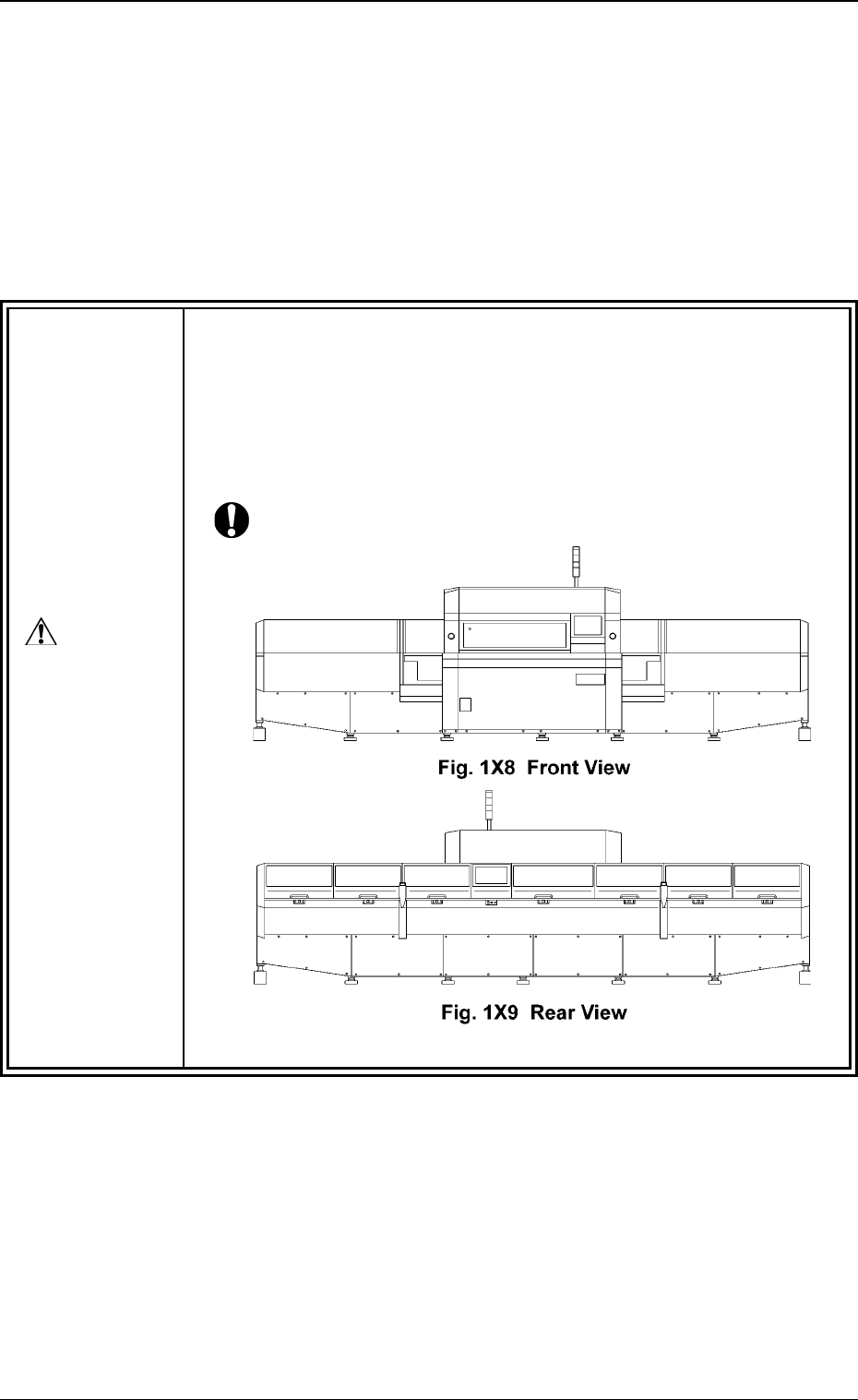
• The machine must be used with the covers being attached.
Each cover is provided to protect people and objects from any injuries
and damages that might be caused by any moving and high-voltage
areas.
Confirm that no covers are disengaged before operating the machine.
Otherwise, be sure to attach them in place.
DANGER
2.1 Basic Precautions
0301-004 11 AFO01EOPP
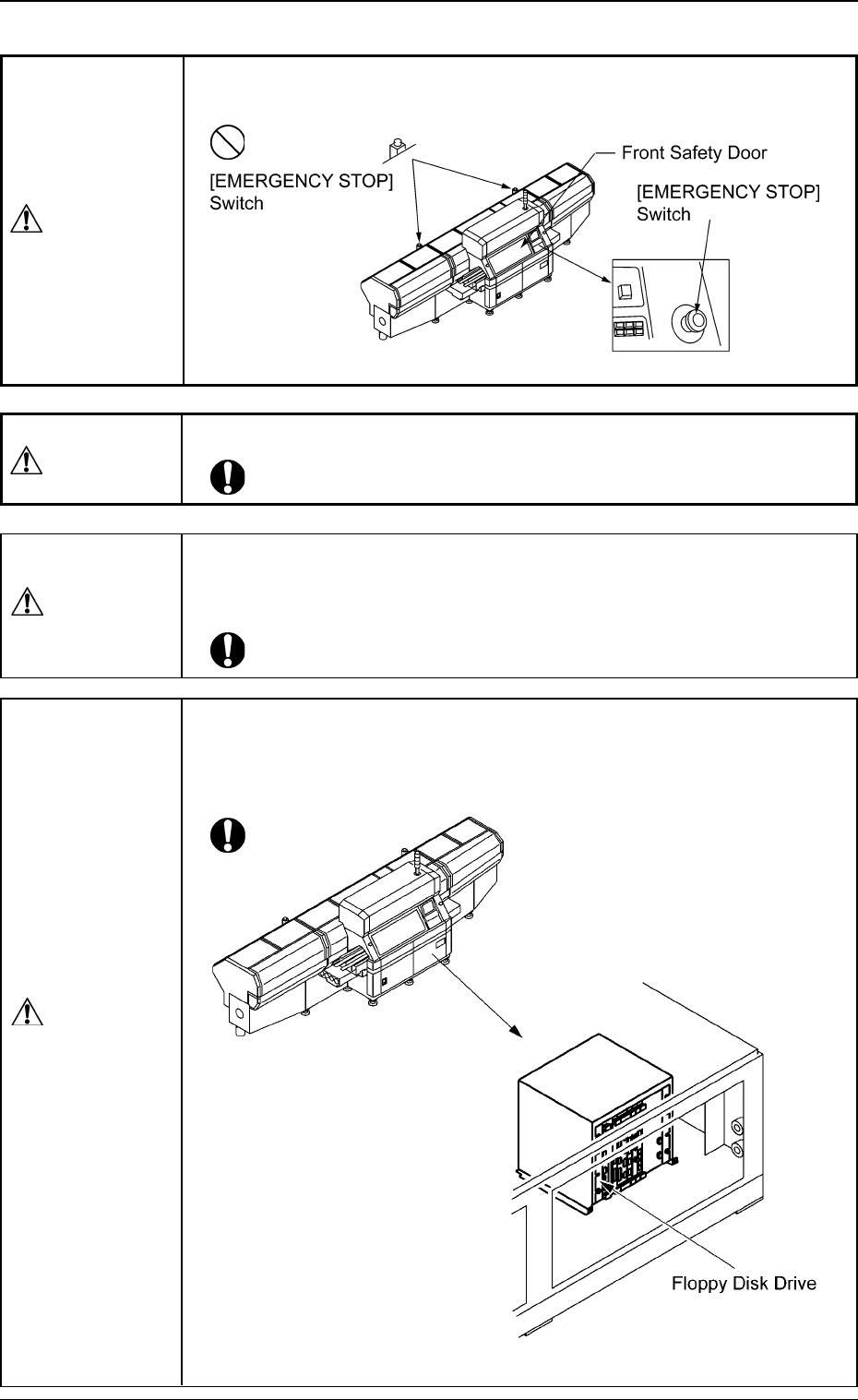
• Never modify any part of the main body such as [EMERGENCY
STOP] switches and the front safety door for safety purposes.
WARNING
Fig. 1X10
CAUTION
• Do not use the floppy disk drive in the control box.
Otherwise, the machine may break down because the program may be
corrupted due to computer viruses or worms or may be changed in the
hard disk drive of the machine.
Fig. 1X10⁻¹ Floppy Disk Drive in Control Box
WARNING
• Only qualified (well-trained) personnel should operate the machine.
CAUTION
• In case of earthquake, windstorm, fire, or lightning, stop the machine
immediately, turn off power switches and cut the power supply to the
machine.
2.2 Precautionary Items on Feeder Carriage Section
0110-003 12 AFO01EOPP
2.2 Precautionary Items on Feeder Carriage Section
2.2.1 General Precautions (Feeder Carriage Section)
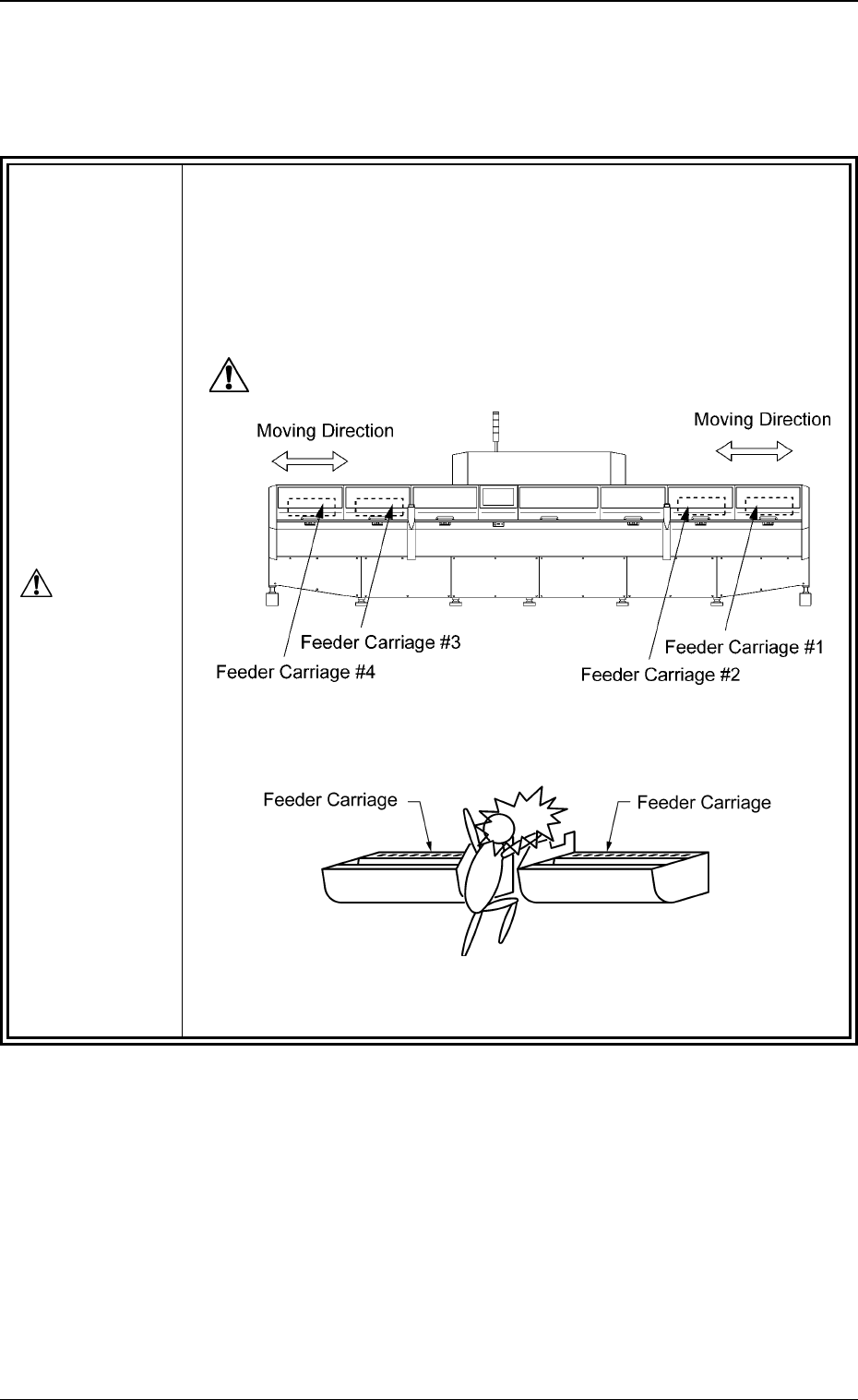
• If a person or an object comes in contact with the feeder car-
riage, a major injury or damage will result.
The feeder carriages are driven by strong motors and move right and
left at high speed.
Keep you or any object away from the moving areas during automatic,
setup, maintenance operations, etc.
Fig. 1X11 Rear View
Fig. 1X12
DANGER