1OM-1050-002.pdf - 第70页
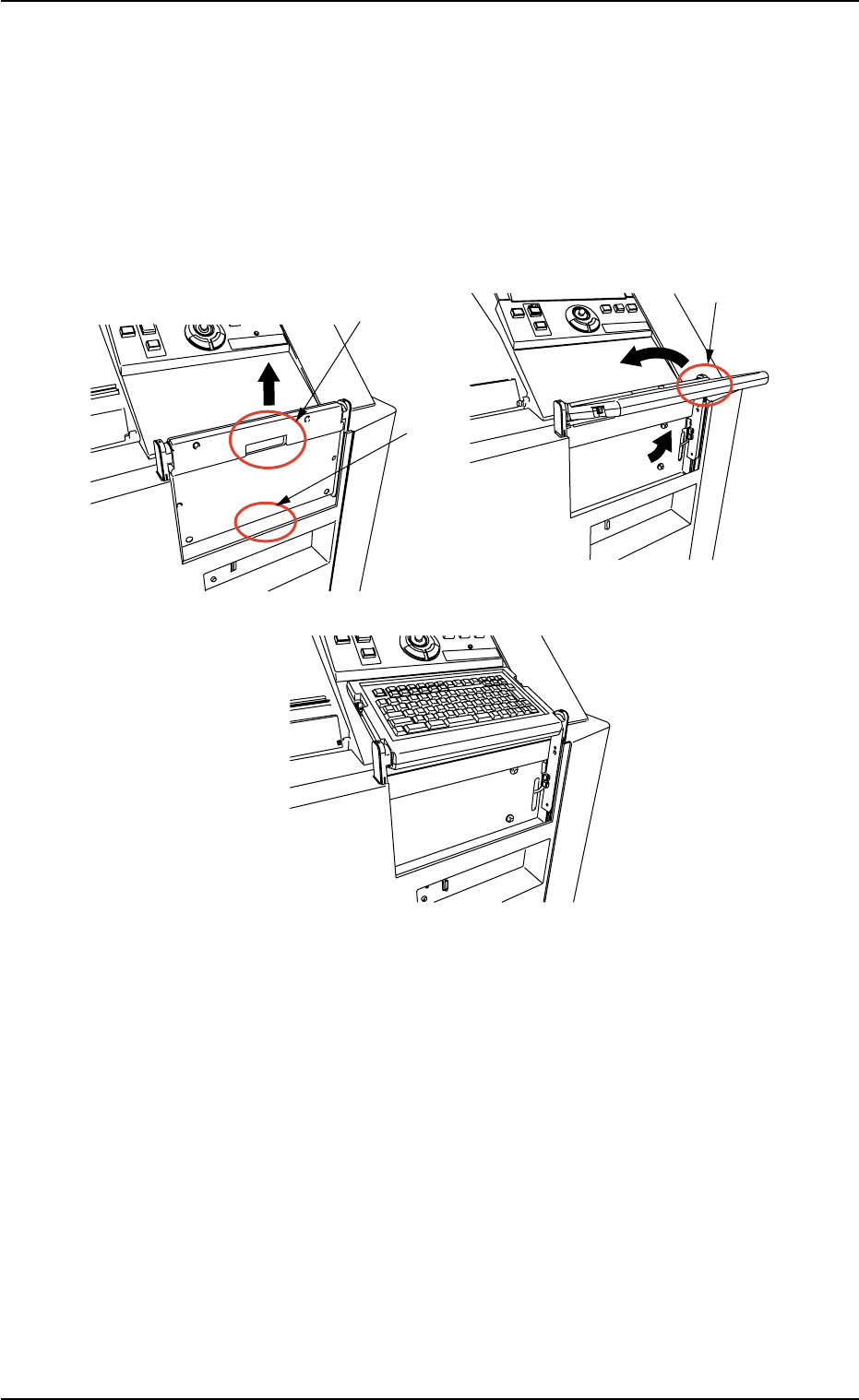
How to set up and store the keyboard • Setup Procedure (1) Hold the A-marked area and lift it up until it clicks. (2) Hold the B-marked area and turn it in the C-marked arrow direction. Fig. 1A12-1 A B B C 2.3 Operationa…

*8 [EMERGENCY STOP] Switch
• This button is used to stop the machine immediately in an emergency.
• When this button is pressed, the power is turned off and the machine stops
immediately.
When the power is turned off, the LED of the [POWER ON] button on the
operation panel illuminates in red.
*9 Keyboard
Fig. 1A12
This keyboard can be used to enter alphanumeric characters in edit
windows for pattern programs and component data.
To enter numerals in one of the windows that belong to "AUTO
OPN." or "MAINT.", the edit window on the screen can be used.
2.3 Operational Measures
0307-005 1-15 AFO01EOPP
How to set up and store the keyboard
• Setup Procedure
(1) Hold the A-marked area and lift it up until it clicks.
(2) Hold the B-marked area and turn it in the C-marked arrow direction.
Fig. 1A12-1
A
B
B
C
2.3 Operational Measures
0307-001 1-15-1 AFO01EOPP
2.3 Operational Measures
0307-001 1-15-2 AFO01EOPP
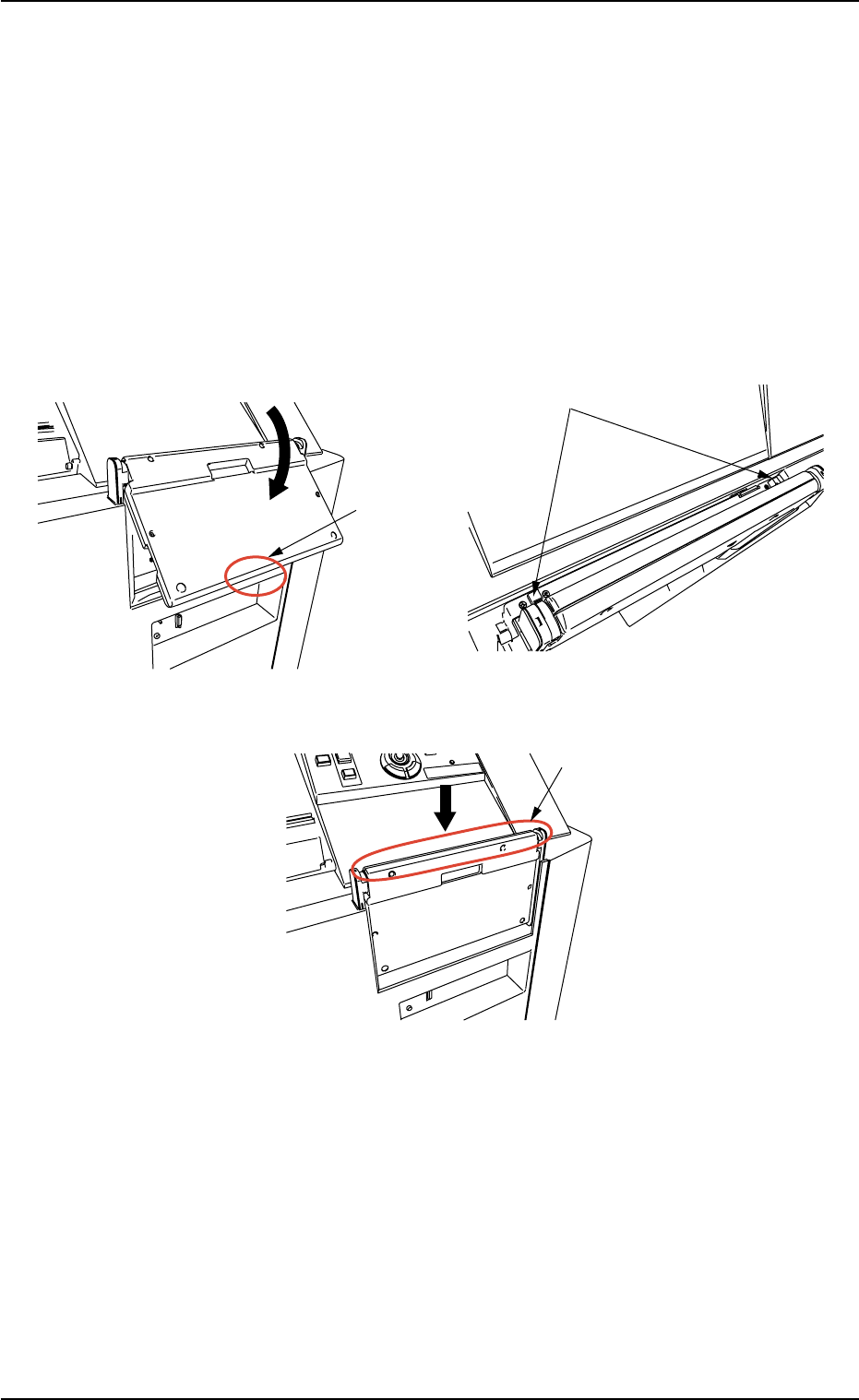
• Storage Procedure
(1) Hold the B-marked area and turn it in the D-marked arrow direction
until it clicks.
Note: Be sure to turn it until it clicks. Otherwise, the keyboard will
be damaged when stored.
(2) Press the E-marked two buttons at the same time.
(3) Push down the F-marked area.
Fig. 1A12-2
B
D
E
F