1OM-1050-002.pdf - 第17页
2.2.4 Precautionary Items on Feeder Carriage Section during Main- tenance 0207-004 1 6 AFO01EOPP 2.2 Precautionary Items on Feeder Carriage Section • Before maintenance work, be sure to lock the power breaker and the mai…
0301-004 15 AFO01EOPP
2.2 Precautionary Items on Feeder Carriage Section
2.2.3 Precautionary Items on Feeder Carriage Section during Setup
Operation
• A tape feeder or a bulk feeder must be installed or replaced
with another one at the feeder work area safety door.
Otherwise, you or an object may come in contact with the moving
feeder carriage and a major injury or a damage will result.
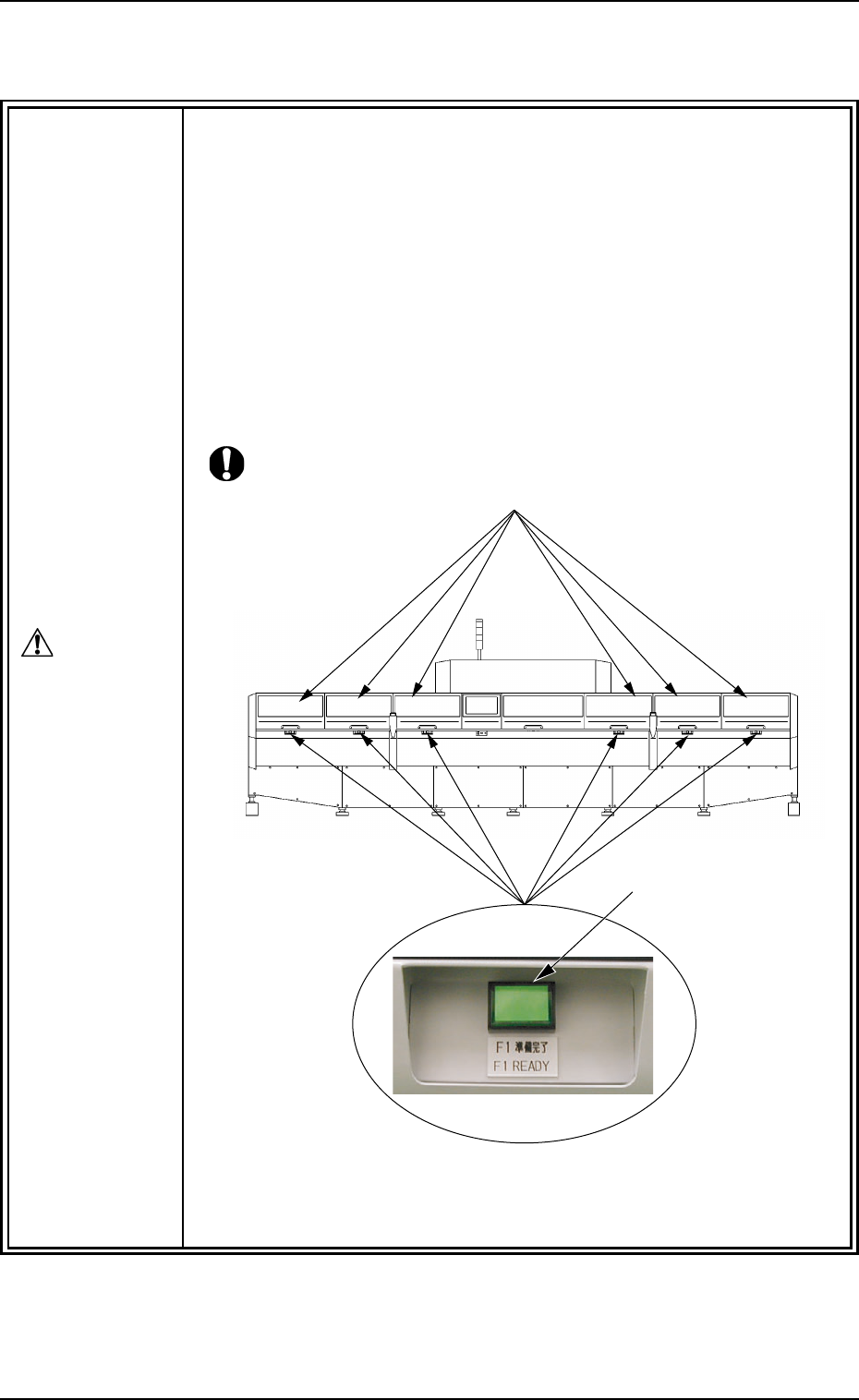
• Do not open any of the feeder work area safety doors while
the lamp of the [FEEDER READY] button is ON.
If you open any of the doors forcibly with the [FEEDER READY] button
ON, the button will be damaged.
Note: Each feeder work area safety door is provided with a [Feeder
Work Area Safety Door] button inside.
DANGER
Feeder Work Area Safety Doors
[FEEDER READY] Buttons
Magnified View
Fig. 1X16 Rear View
2.2.4 Precautionary Items on Feeder Carriage Section during Main-
tenance
0207-004 16 AFO01EOPP
2.2 Precautionary Items on Feeder Carriage Section
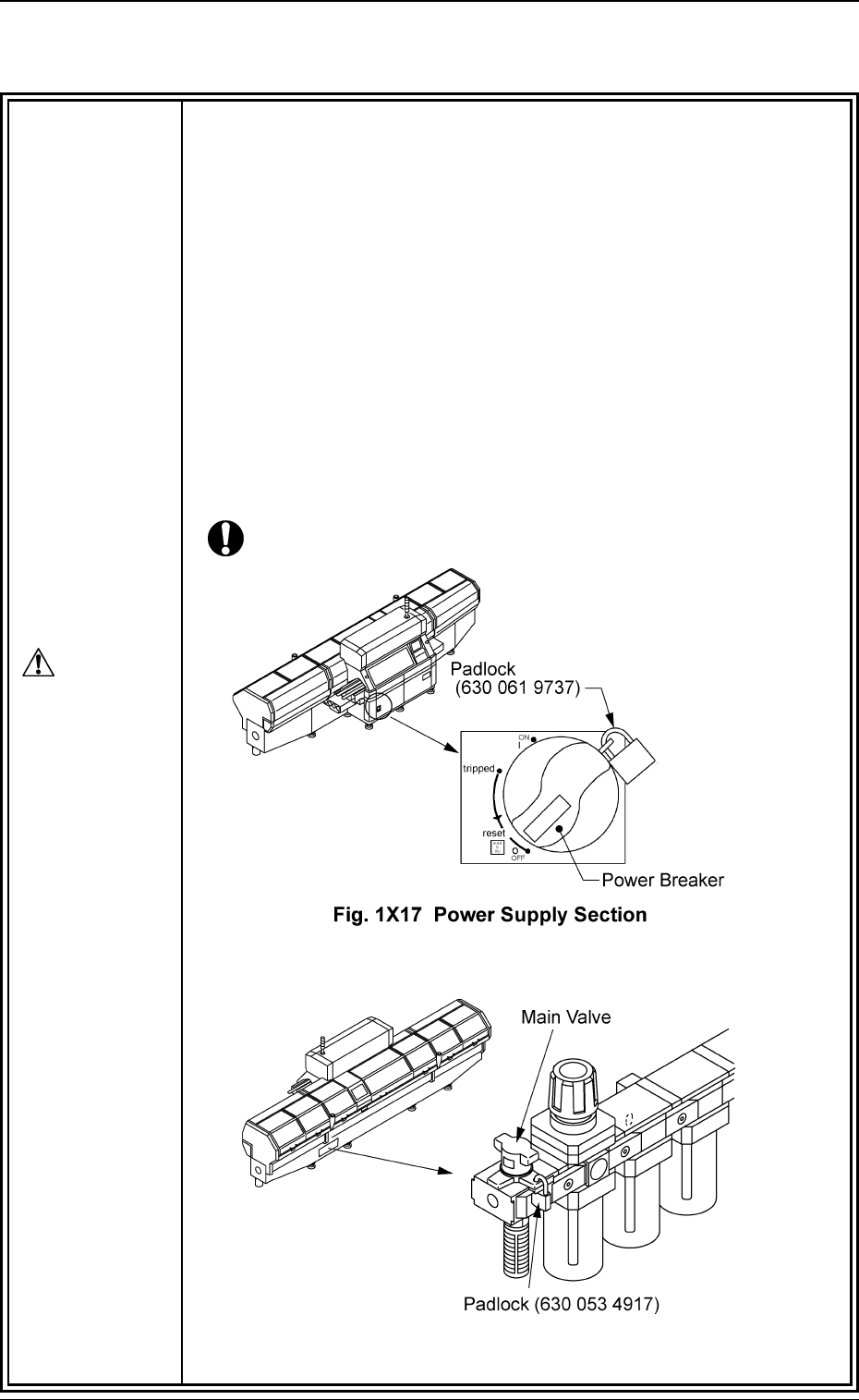
• Before maintenance work, be sure to lock the power breaker
and the main valve section (air source) with padlocks.
If maintenance work is performed with the machine powered, a major
injury or a damage might be caused due to a malfunction of the ma-
chine or an unexpected operation by the third party.
After the end of maintenance work, be sure to attach the machine cover.
Power Breaker : Set the power breaker to the "OFF" side and
lock it with a padlock.
Air Source : Set the main valve to the "EXH." side and lock
it with a padlock.
• Designate a person who can have charge of the padlock key.
• If the provided padlock is lost or damaged, purchase its sub-
stitute.
Fig. 1X18 Air Source Section
DANGER
2.3 Precautionary Items before Operation
2.3 Precautionary Items before Operation
WARNING
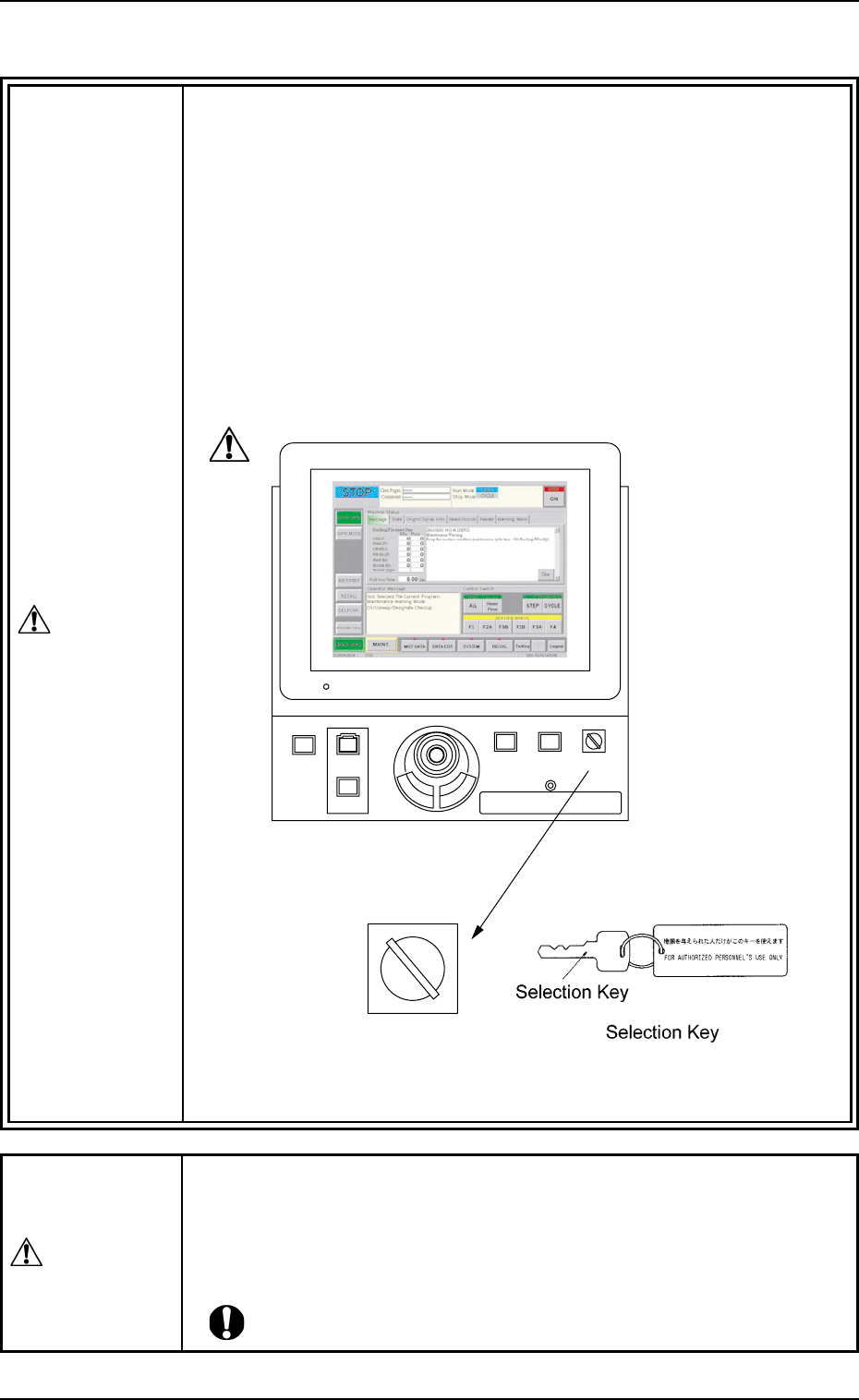
• Remove the selection key of the [OPERATION] switch before
operating the machine automatically.
The selection key must be used to set the [OPERATION] switch to the
"SETUP" mode and kept by the person in charge. In other cases, the
key should not be kept inserted.
• Do not set the [OPERATION] switch to the "SETUP" side un-
less any setup operations are performed.
When the [OPERATION] switch is set to the "SETUP" side, setup op-
erations become possible with the front safety door being open. It is
very dangerous to operate the machine without safety check. Be sure
to pay a special caution while operating the machine.
0307-004 17
AFO01EOPP
219'410
5612
56#46
'0#$.'
4705'672
12'4#6+10
.1%-
20.%*#0)'
Front Operation Panel
RUN SETUP
OPERATION
[OPERATION] Switch
Fig. 1X19
• Make certain that no one (or only part of body and clothes) or foreign
objects remain within the moving parts of the machine. Check safety
and power up the machine to start operating the machine.
Do not start the machine unless those working in the immedi-
ate area of the machine are aware of hazards from moving parts.
WARNING