1OM-1050-002.pdf - 第127页
1.7.2 Locking the Power Breaker with the Padlock When the machine is not used for a long period of time, lock the power breaker using the padlock. (1) Pull out the lock lever of the power breaker in the A direction. See …

(5) Set the lever of the power breaker to the "OFF" position.
0102-002 3-21 AFO01EOPP
1.7 Shut-Down Operation
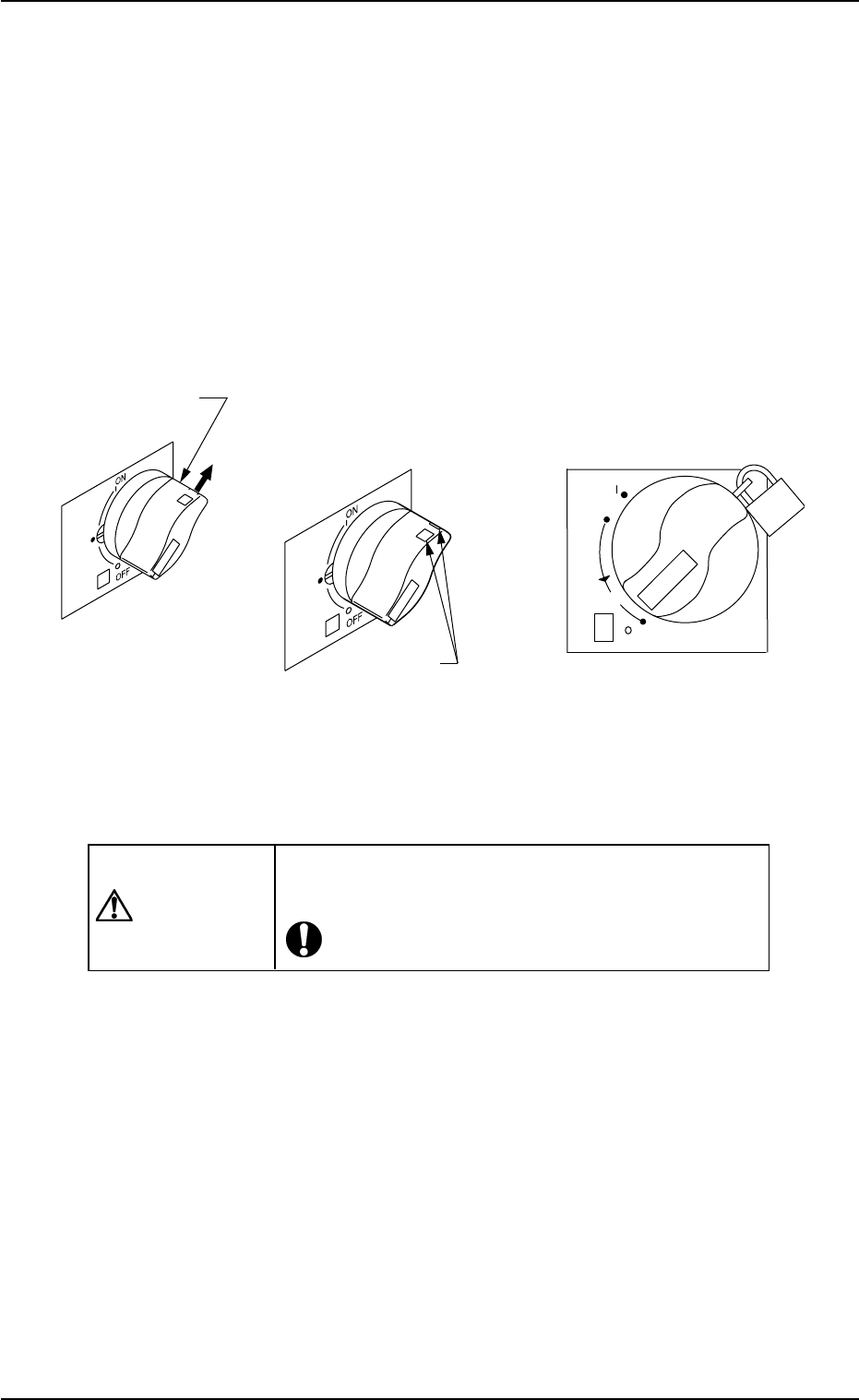
1.7.2 Locking the Power Breaker with the Padlock
When the machine is not used for a long period of time, lock the power
breaker using the padlock.
(1) Pull out the lock lever of the power breaker in the A direction. See
the figure below.
Keep holding the lock lever. Otherwise, the lever will pull back.
(2) Engage the shackle of the padlock through the lock slots and lock
the crank.
Fig. 1C26
CAUTION
Keep the padlock key inaccessible to any person ex-
cept for the person in charge of maintenance.
0110-003 3- 22
AFO01EOPP
reset
OFF
ON
tripped
push
20
Lock Slot
Lock Lever
(
Before Padlockin
g) (
Padlock
)
A
1.7 Shut-Down Operation
2. "PASS" Mode
When the machine is set in the "PASS" mode, it just carries the P.C.B.
(input conveyor P.C.B. positioning section output conveyor) to the
output conveyor without placing any components on the P.C.B.
When the machine must transfer P.C.B.’s to the output machine with-
out placing any components, follow the steps below.
2.1 Start of "PASS" Operation
(1) Ensure the safety around the front safety door and the feeder car-
riage sections.
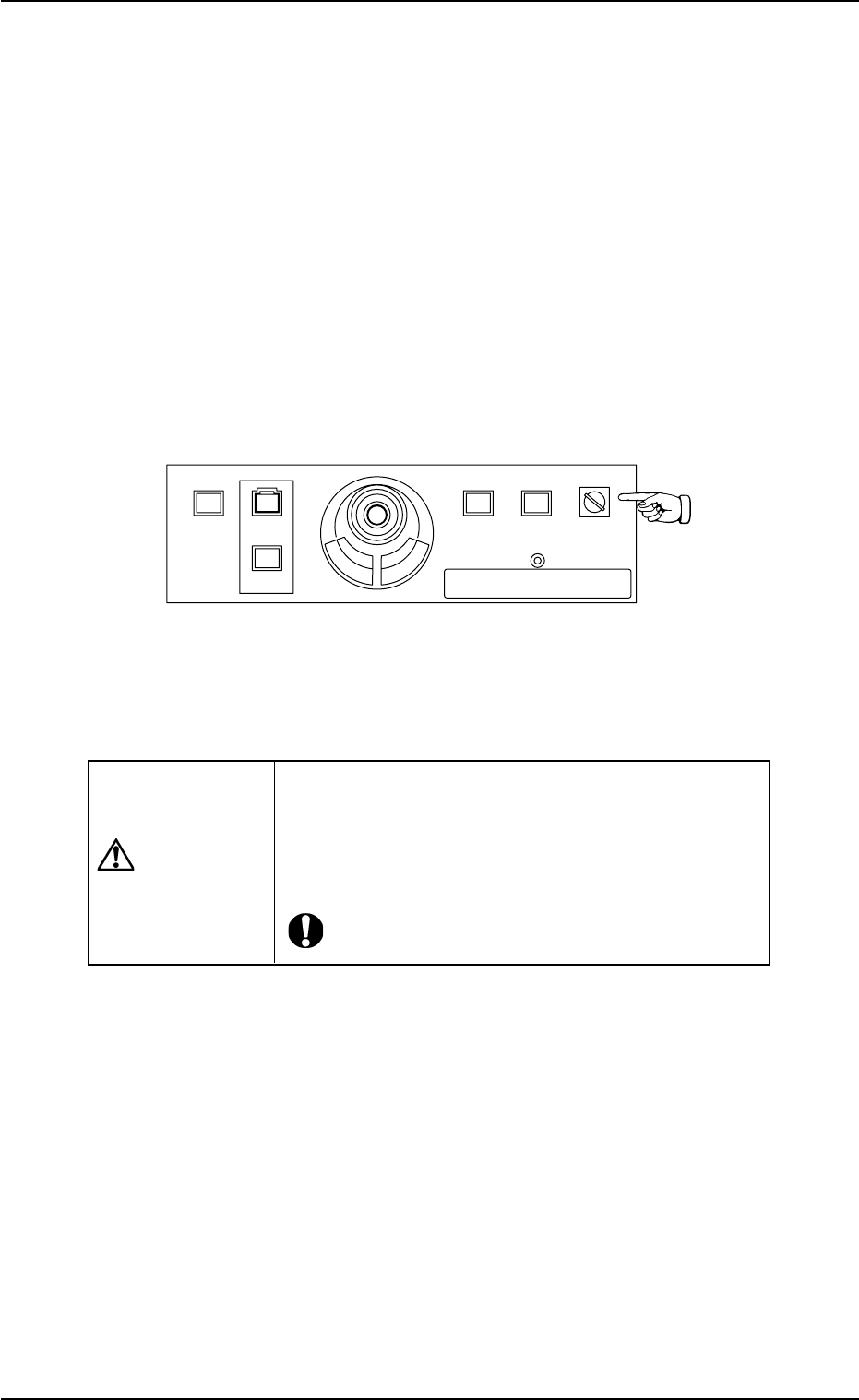
(2) Set the [OPERATION] switch on the front operation panel to "RUN".
Be sure to remove the key from the machine.
Fig. 1C27
(3) Check the surroundings of the machine and confirm safety before
starting the "PASS" operation.
CAUTION
Check carefully that there is no person around the
moving mechanisms of the machine. (Especially, the
other side of machine operation).
Make sure that no objects (tools, parts, etc.) remain
within the moving mechanisms of the machine.
0307-004 3-23
AFO01EOPP
2. "PASS" Mode
219'410
5612
56#46 '0#$.'
4705'672
12'4#6+10
.1%-
20.%*#0)'