1OM-1050-002.pdf - 第126页
(5) Set the lever of the power breaker to the "OFF" position. 0102-002 3 - 2 1 AFO01EOPP 1.7 Shut-Down Operation
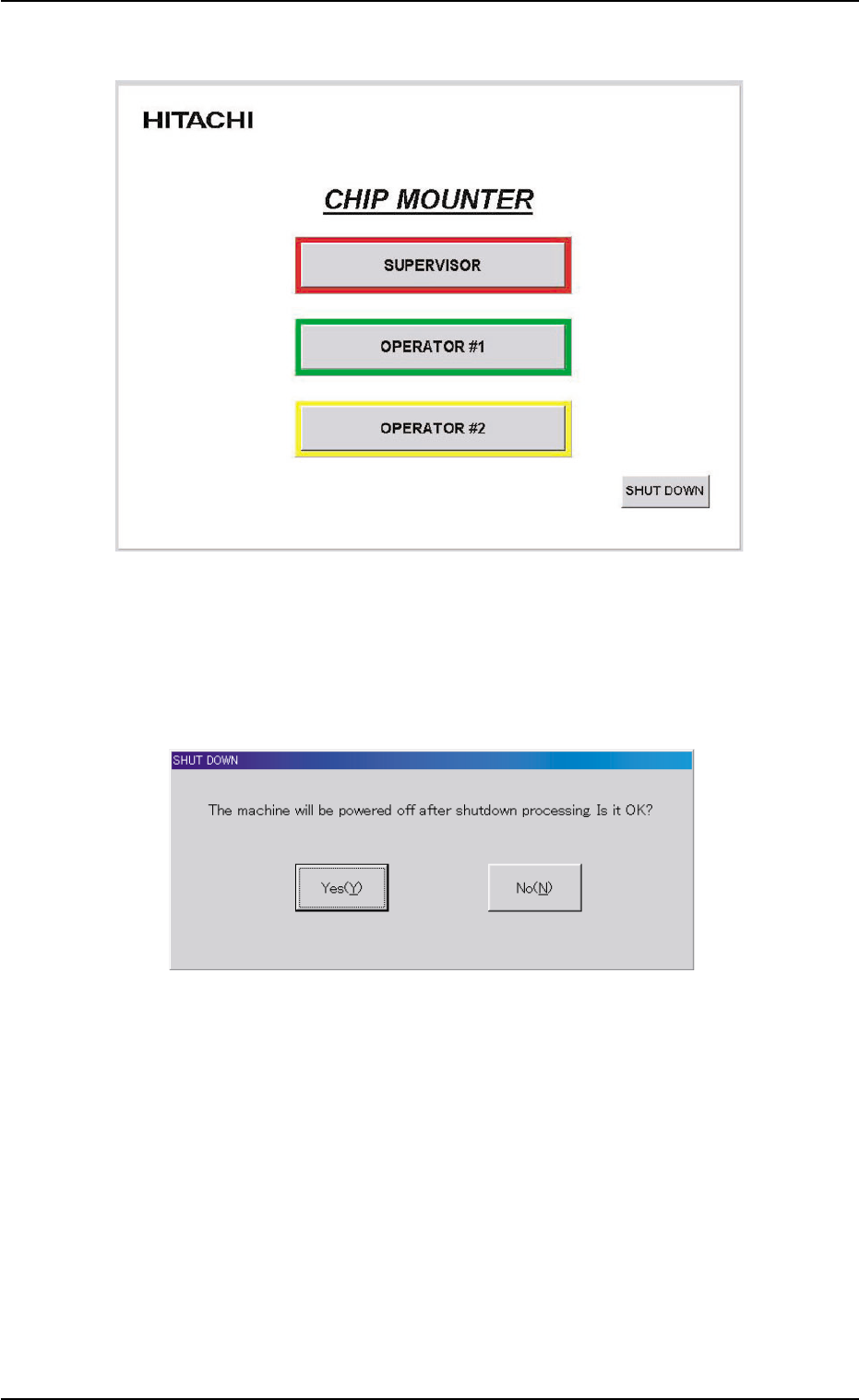
(2) The "Login Type Selection" window opens.
Fig. 1C25-1
(3) When the [SHUT DOWN] button is pressed in the "Login Type Se-
lection" window, the "SHUT DOWN" dialog box opens for the confir-
mation.
Fig. 1C25-2 "SHUT DOWN" Dialog Box for Confirmation
(4) When the [Yes(Y)] button is pressed, the power to the machine is
turned off.
When the [No(N)] button is pressed, the shut-down operation is
canceled.
0307-003 3-20
AFO01EOPP
1.7 Shut-Down Operation

(5) Set the lever of the power breaker to the "OFF" position.
0102-002 3-21 AFO01EOPP
1.7 Shut-Down Operation
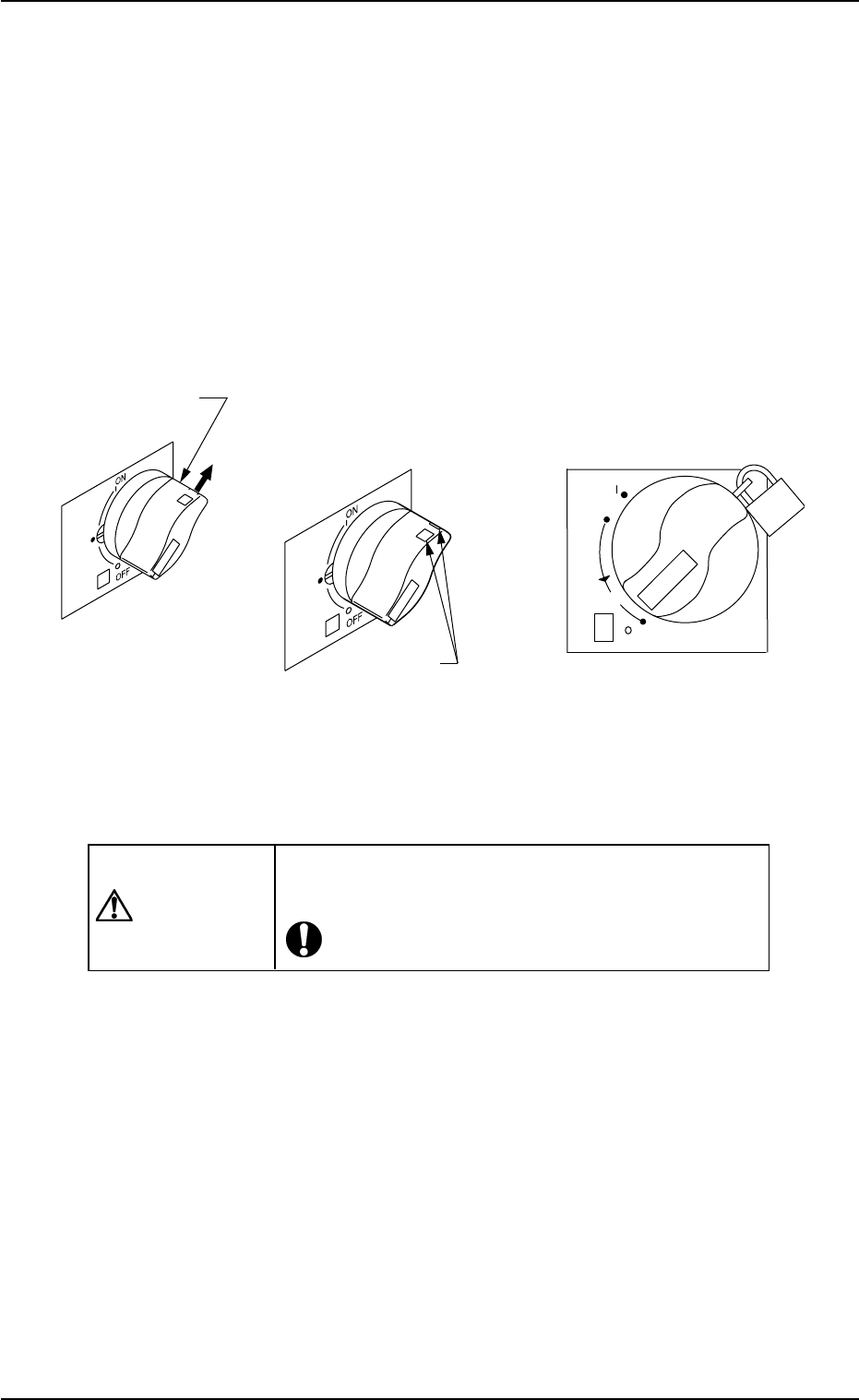
1.7.2 Locking the Power Breaker with the Padlock
When the machine is not used for a long period of time, lock the power
breaker using the padlock.
(1) Pull out the lock lever of the power breaker in the A direction. See
the figure below.
Keep holding the lock lever. Otherwise, the lever will pull back.
(2) Engage the shackle of the padlock through the lock slots and lock
the crank.
Fig. 1C26
CAUTION
Keep the padlock key inaccessible to any person ex-
cept for the person in charge of maintenance.
0110-003 3- 22
AFO01EOPP
reset
OFF
ON
tripped
push
20
Lock Slot
Lock Lever
(
Before Padlockin
g) (
Padlock
)
A
1.7 Shut-Down Operation