1OM-1050-002.pdf - 第112页
1.2.3 Preparation for Components and P .C.B.’ s • • • • • Installation of T ape Feeders (1) Open the feeder work area safety door of the feeder carriage where the tape feeders should be installed. Fig. 1C14 (2) Check whi…
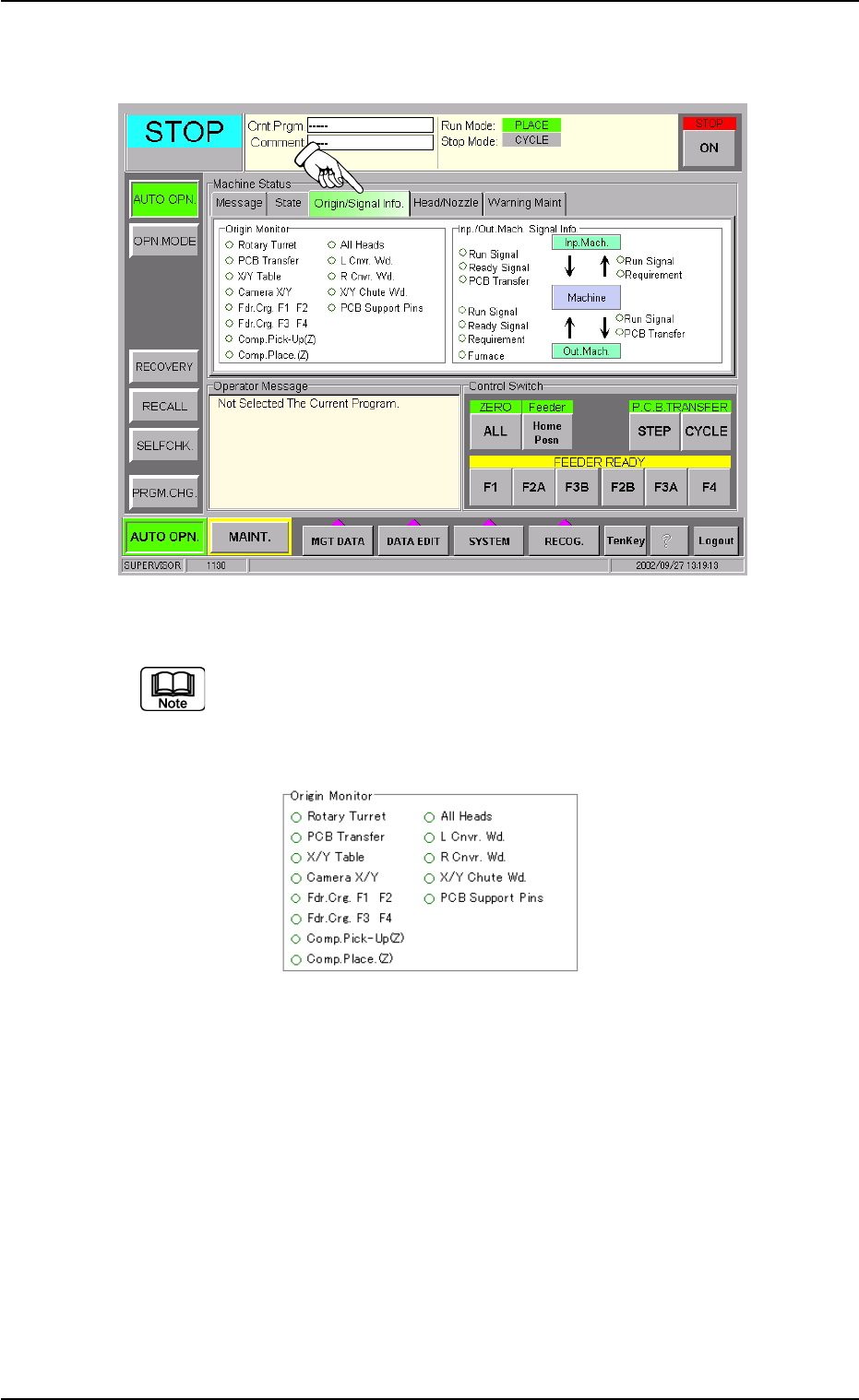
(2) Press the [Origin/Signal Info.] tab to open the "Origin/Signal Info."
tab sheet and perform the zeroing operations.
Fig. 1C12
When the origin marks "
•
" are not displayed for all devices ex-
cept "L Cnvr. Wd.", "R Cnvr. Wd.", "X/Y Chute Wd.", and "PCB
Support Pins" in the "Origin Monitor" group box of the "Origin/
Signal Info." tab sheet, the automatic operation cannot be started.
Fig. 1C13
When the origin mark "
•
" does not appear before any device other than
"L Cnvr. Wd.", "R Cnvr. Wd.", "X/Y Chute Wd.", and "PCB Support Pins",
follow the steps below to perform the zeroing operation.
Operation Procedure
1. Confirm that the machine is set in the "STOP" mode.
2. Confirm that the front safety door, the feeder work area safety doors,
and the feeder carriage covers are closed.
3. When the [ENABLE] button on the operation panel is pressed in two
seconds after the [ALL] button (entitled "ZERO"), all devices except
"L Cnvr. Wd.", "R Cnvr. Wd.", "X/Y Chute Wd.", and "PCB Support
Pins" are zeroed.
0210-005 3 - 8 AFO01EOPP
1.2 Preparation before Automatic Operation
1.2.3 Preparation for Components and P.C.B.’s
••
••
• Installation of Tape Feeders
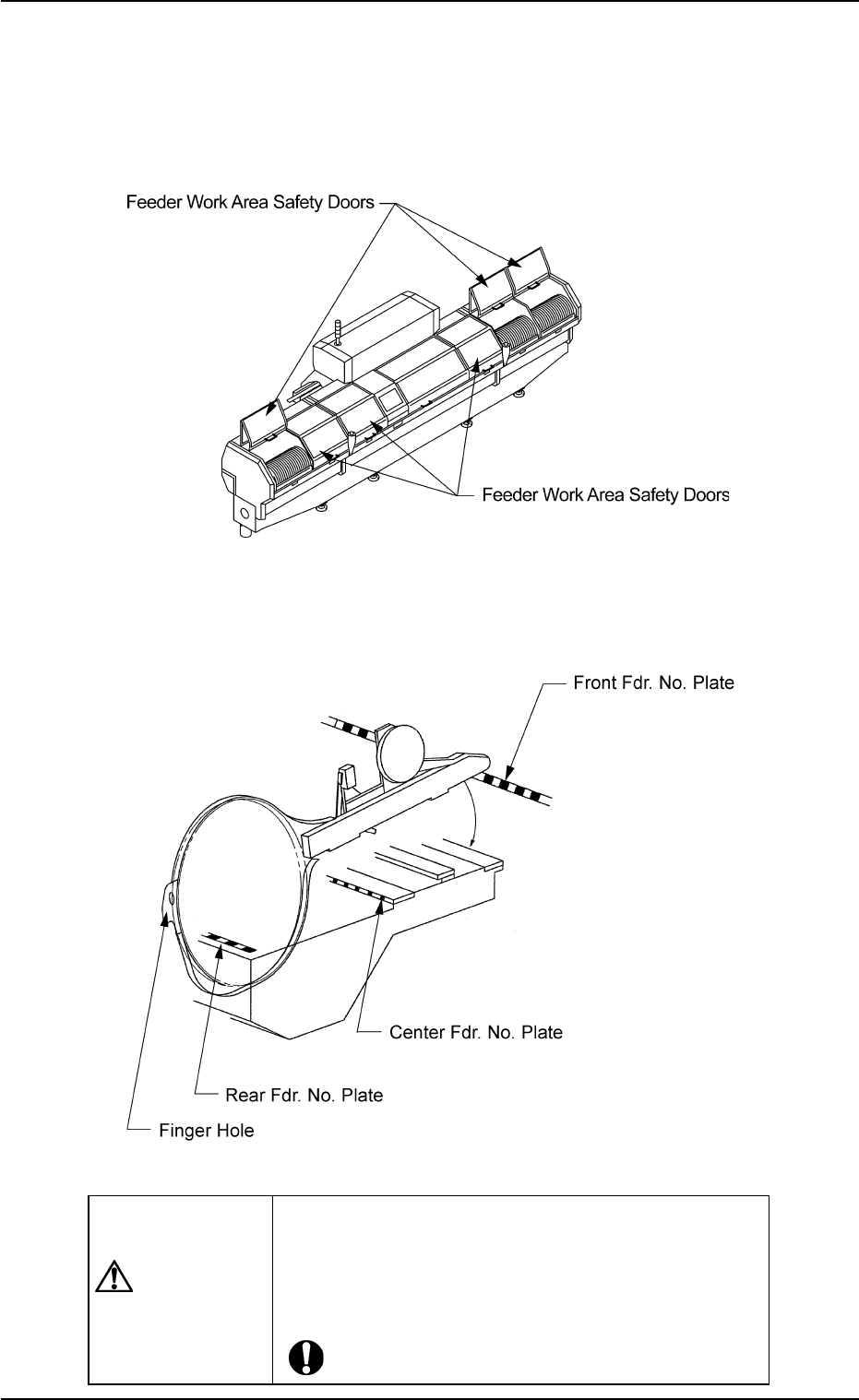
(1) Open the feeder work area safety door of the feeder carriage
where the tape feeders should be installed.
Fig. 1C14
(2) Check which type of the tape feeder should be installed in which
slot No. (Fdr. No.). After that, install the tape feeders correctly.
Fig. 1C15
CAUTION
The tape feeders should be seated securely.
Otherwise, they may collide with the feeder installa-
tion error detection sensors or pick-up errors will oc-
cur.
0110-003 3 - 9
AFO01EOPP
1.2 Preparation before Automatic Operation
Refer to "Attachment and Detachment of Tape Feeders to Feeder
Carriage" in the instruction manual of tape feeders for details.
(3) After the tape feeder has been attached, close the feeder work
area safety doors.
Press the [FEEDER READY] buttons and check that the lamps
of these buttons are ON.
••
••
• Preparation for P.C.B.’s
In the case of normal automatic operation, confirm that P.C.B.’s are
prepared in the input machine.
When this machine is operated singly (actual placement test,
etc.), follow the steps below.
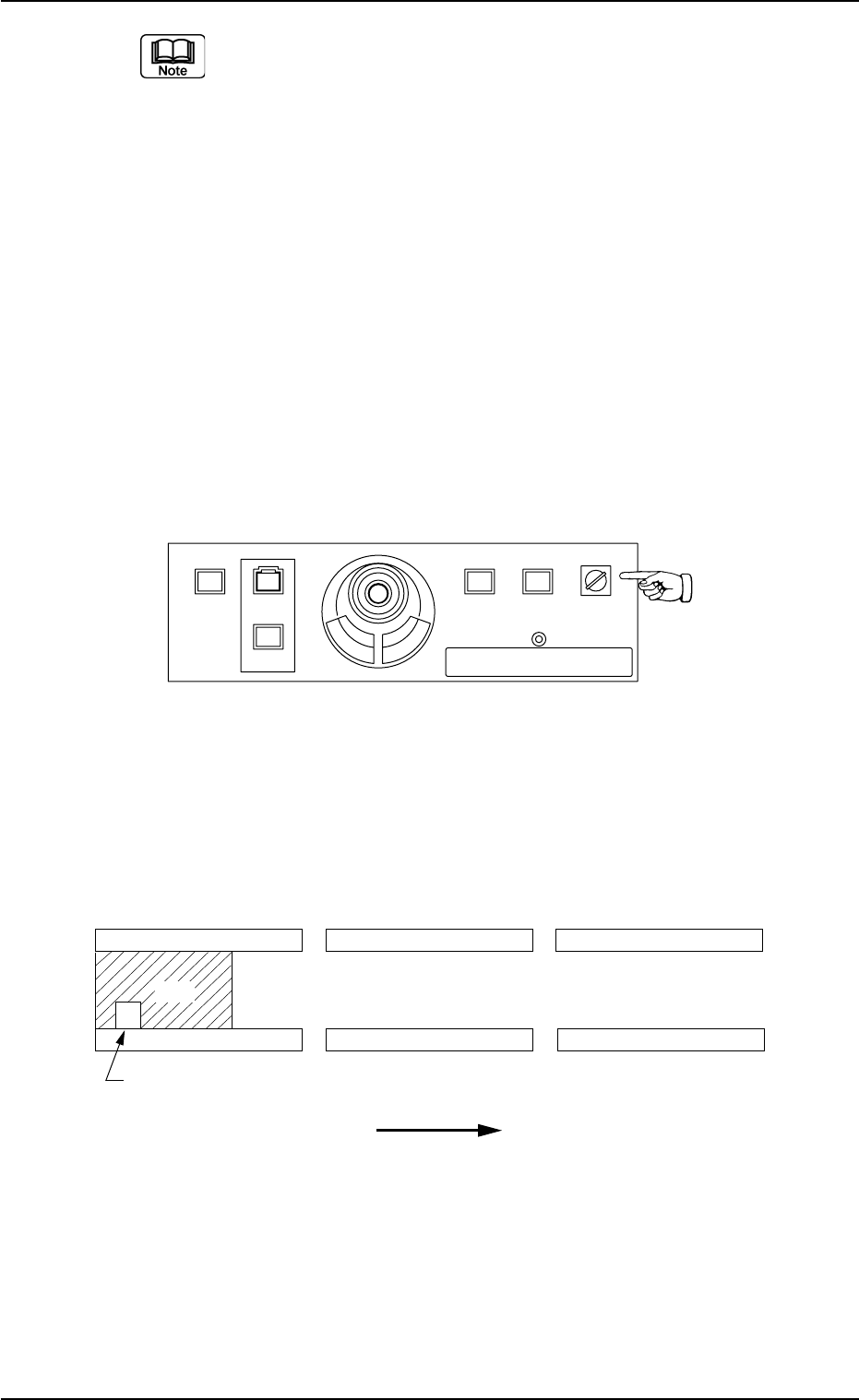
(1) Set the [OPERATION] switch to the "SETUP" side and open the
front safety door.
Fig. 1C16
(2) Set a P.C.B. on the L conveyor (input conveyor) such that the
P.C.B. detection sensor is turned on (the red LED of the sensor
illuminates).
Fig. 1C17 P.C.B. Flow Direction: From Left to Right
1.2 Preparation before Automatic Operation
0307-004 3-10 AFO01EOPP
L Conveyor
(Input Conveyor) (P.C.B. Positioning Section)
R Conveyor
(Output Conveyor)
L Conveyor P.C.B. Detection L Sensor
P.C.B. Flow Direction
2%$
219'410
5612
56#46 '0#$.'
4705'672
12'4#6+10
.1%-
20.%*#0)'