00195193-02 SG D4 FSE en (1).pdf - 第169页
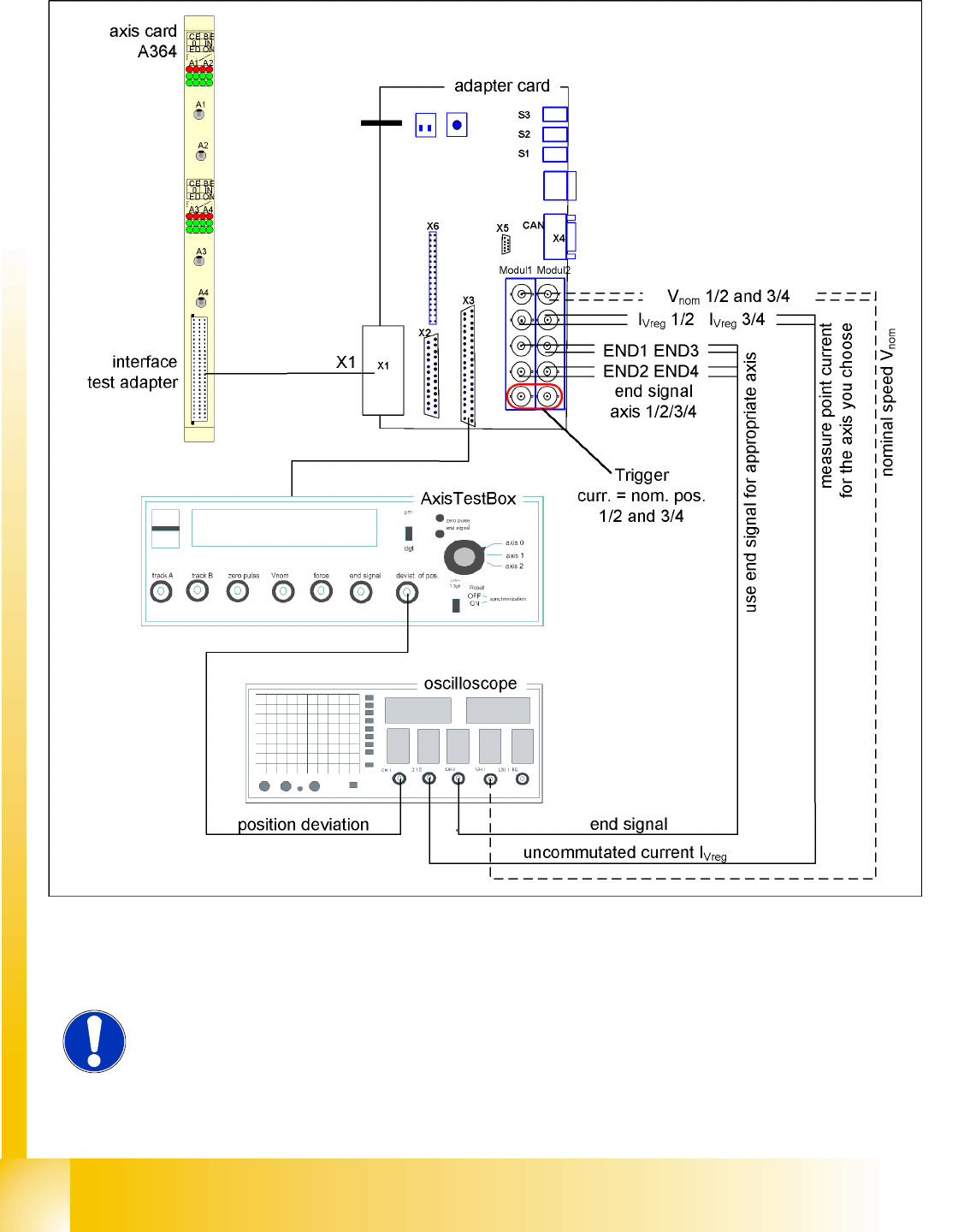
Axis dynamic Axis control gantry Check dynamic X-axis S tudent Guide SIPLACE D4 (FSE) Axis dynamic EN 09/2006 156 7.4.2.1 T est setup with axis testbox 7.4 - 5: Test setup with axis testbox Additional connectio n at ch…
Axis dynamic
Check dynamic X-axis Axis control gantry
Student Guide SIPLACE D4 (FSE)
EN 09/2006 Axis dynamic
155
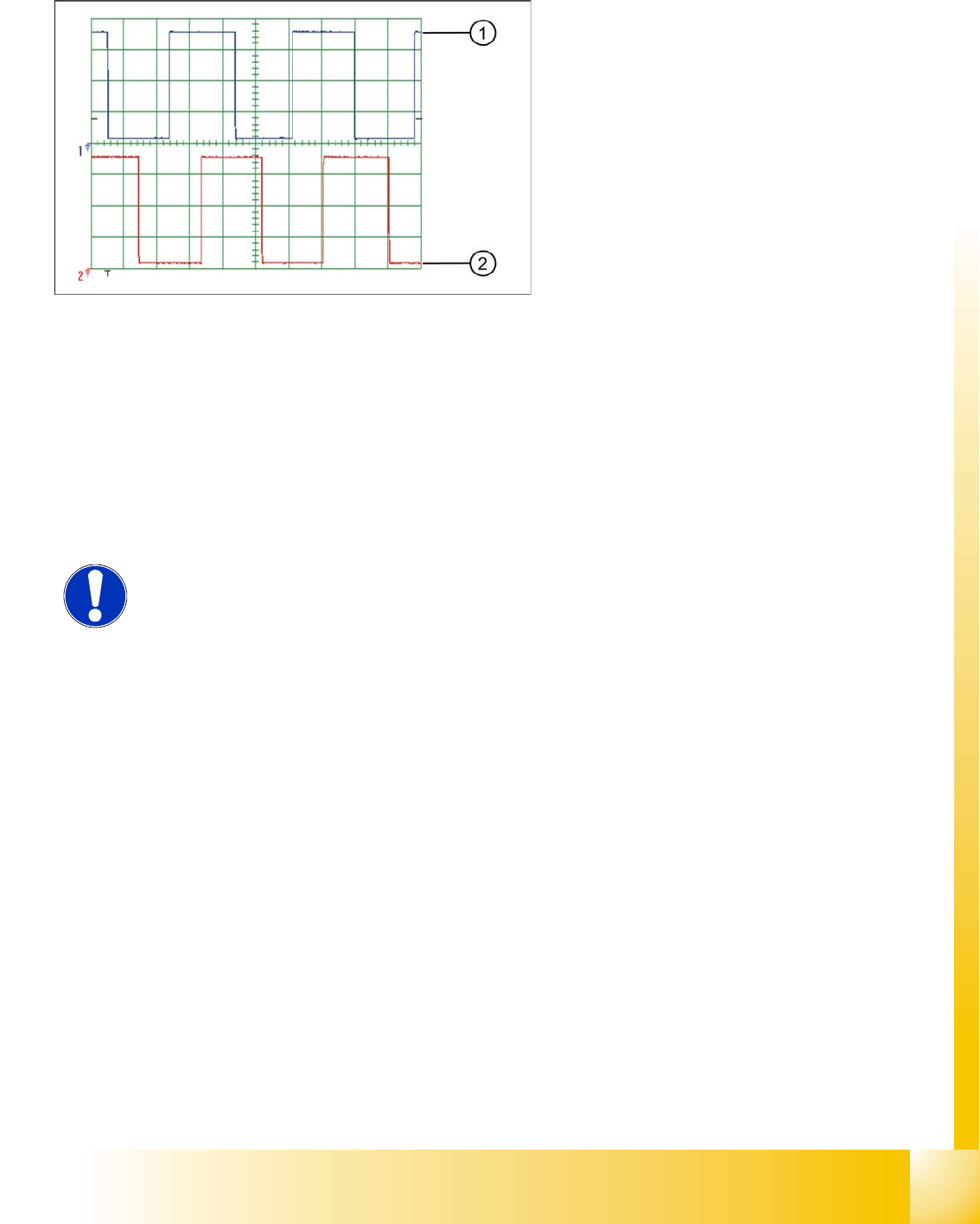
7.4.1.2.4 Digital Track signals
7.4.2 Check dynamic X-axis
The inspection of dynamics occurs with the following signals:
Deviation of position
Uncommutated target current value
Vnom. – speed signal
End signal ( Adapter board Axis in target position)
Actual position = target position signal (upstream end position signal)
Legend:
1. Track A
2. Track B
To check the digital track signals, connect the
track signal tester and the oscilloscope. (see Sec-
tion 7.4.1.1.2 Measuring the Digital Zero Pulse Si-
gnal [J 152]).
The measurement procedure is identical as that
described at Point 7.4.1.2.3 Analog track signals
[J 154] .
NOTE:
For detailed information about checking the dynamics, refer to the settings
instructions.
Before adjusting the axes, ensure that the machine has reached its operating
temperature. Switch the machine on at least 30 minutes before you begin work.
Axis dynamic
Axis control gantry Check dynamic X-axis
Student Guide SIPLACE D4 (FSE)
Axis dynamic EN 09/2006
156
7.4.2.1 Test setup with axis testbox
7.4 - 5: Test setup with axis testbox
Additional connection at channel 4 could be the actual position = target position signal from trigger
m1/2 of the adapter board or the speed signal Vreg (Vnom.).
NOTE:
Use an RC - filter to record the "uncommutated motor current target value"
(current signal).
Axis dynamic
Check dynamic X-axis Axis control gantry
Student Guide SIPLACE D4 (FSE)
EN 09/2006 Axis dynamic
157
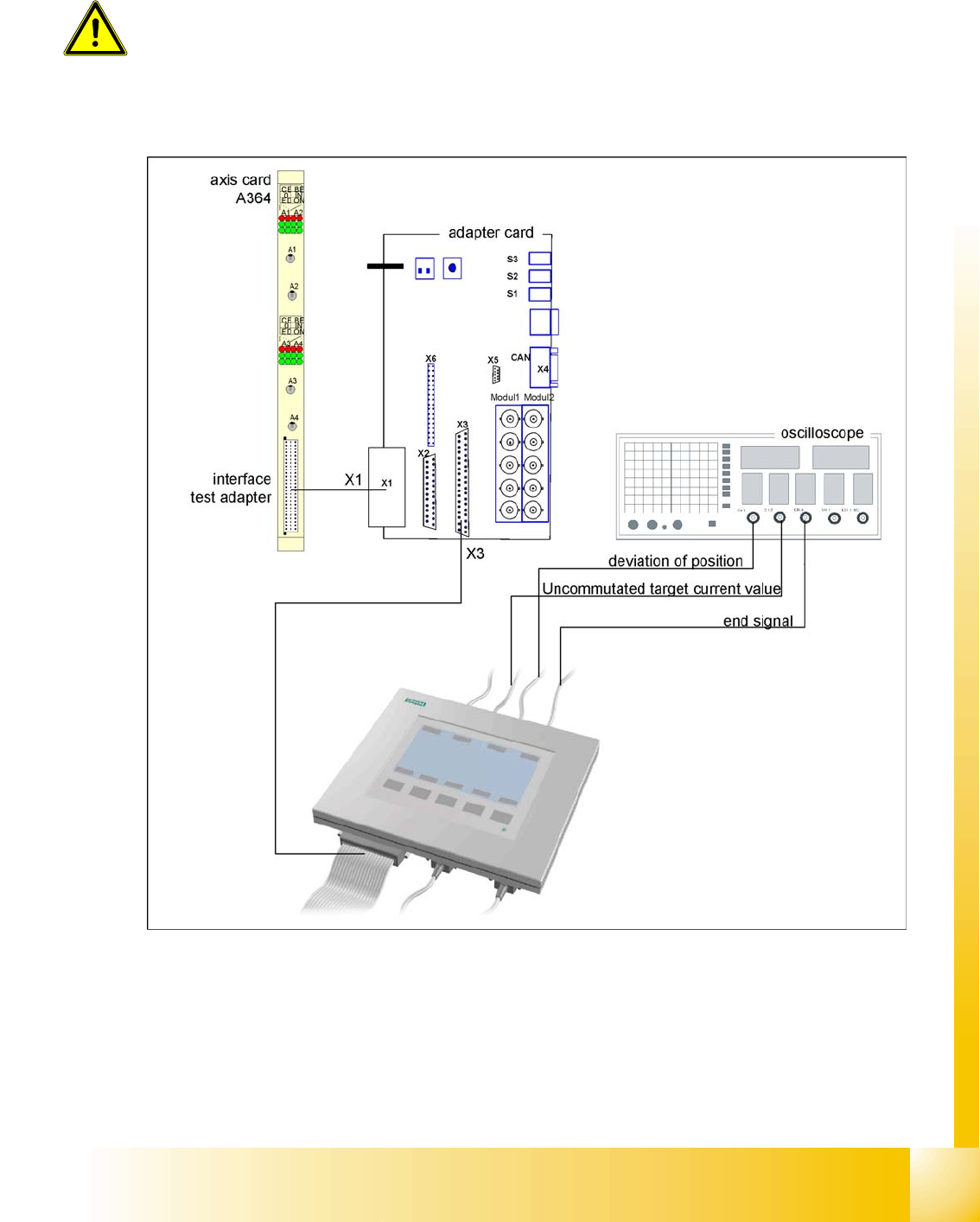
7.4.2.2 Measurement Setup with SAT Box
7.4 - 6: Measurement setup with SAT box
ATTENTION:
When checking the dynamics, it may be sufficient if you check the travel times
and overshoot behavior of the axis with the SIPLACE axis tester display and the
values in the settings tables.
However, when checking for errors, you will need to use a suitable oscilloscope
for the dynamic analysis.