00195193-02 SG D4 FSE en (1).pdf - 第294页
Modular conveyor Conveyor Control Transport control board TSP 301 with Siemens interface(Optio n) S tudent Guide SIPLACE D4 (FSE) Modular conveyor EN 09/2006 278 1 1.4.2 T ransp ort control board T SP 301 with Siemens in…
Modular conveyor
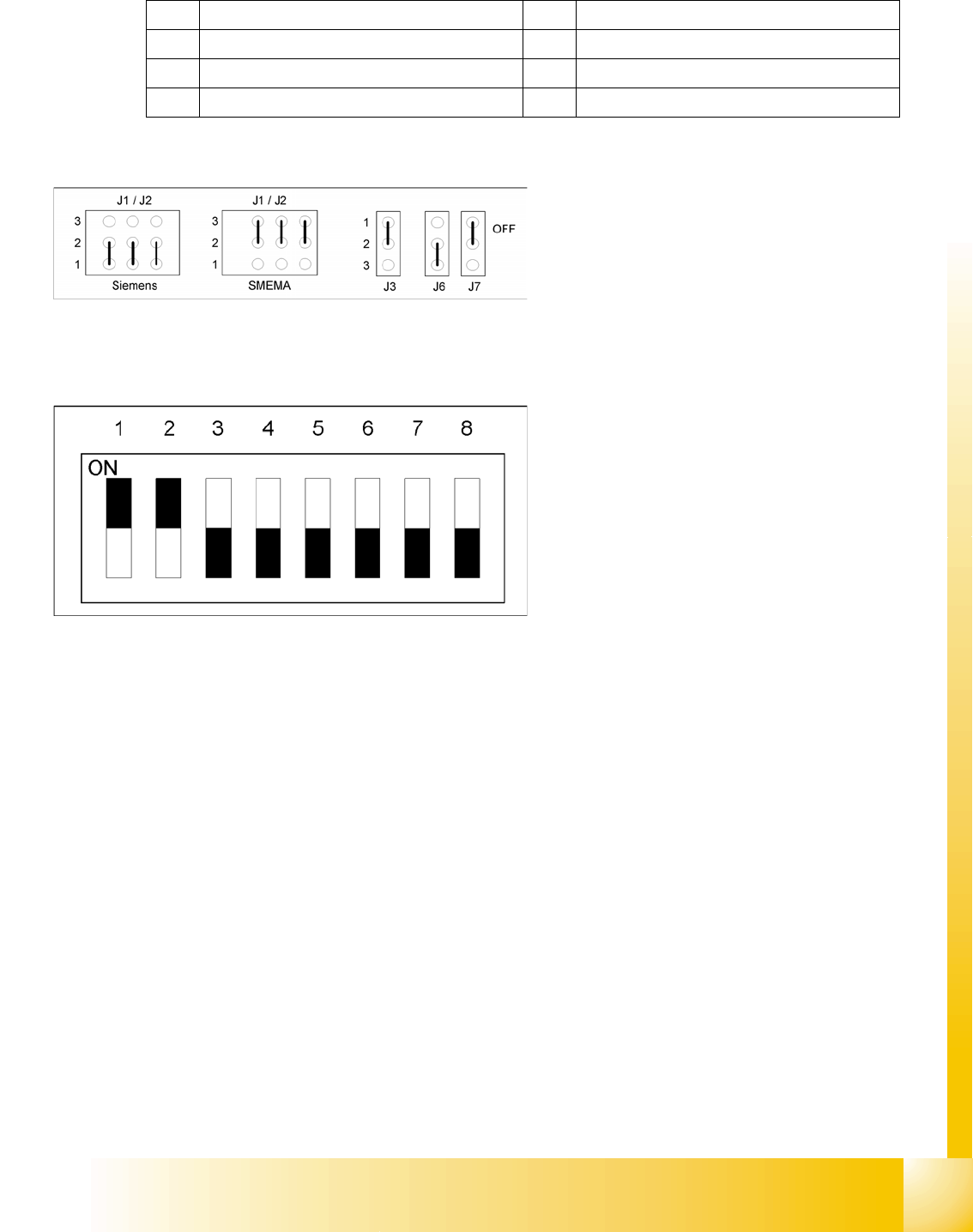
Jumper Settings for Conveyor Control TSP 301 Conveyor Control
Student Guide SIPLACE D4 (FSE)
EN 09/2006 Modular conveyor
277
Legend
1 J7 CAN bus 1 terminating resistor 5 J6 CAN bus 2 terminating resistor (not used)
2 F6 Main Fuse TSP 301 6 J2, J1 successor/predecessor station
3 F1 - F5 Fuses for the conveyor motors 7 S4 DIL switch
4 J3 interference loop
Legend:
J1 predecessor station
J2 successor station
J3 interference loop
J6 CAN bus 2 terminating resistor (not used)
J7 CAN bus 1 terminating resistor
Legend:
1-2: This DIP switch sets the hardware ID 5 for
the SIPLACE D machine conveyors.
3: . (This DIP switch is for disabling/enabling
the clamping sensor.)
4-8: .
Modular conveyor
Conveyor Control Transport control board TSP 301 with Siemens interface(Option)
Student Guide SIPLACE D4 (FSE)
Modular conveyor EN 09/2006
278
11.4.2 Transport control board TSP 301 with Siemens interface(Option)
WARNING: Destruction of the TSP
board!
The 10 pin Locking clip plug of
SMEMA connections must be
disconnected from the TSP 301!
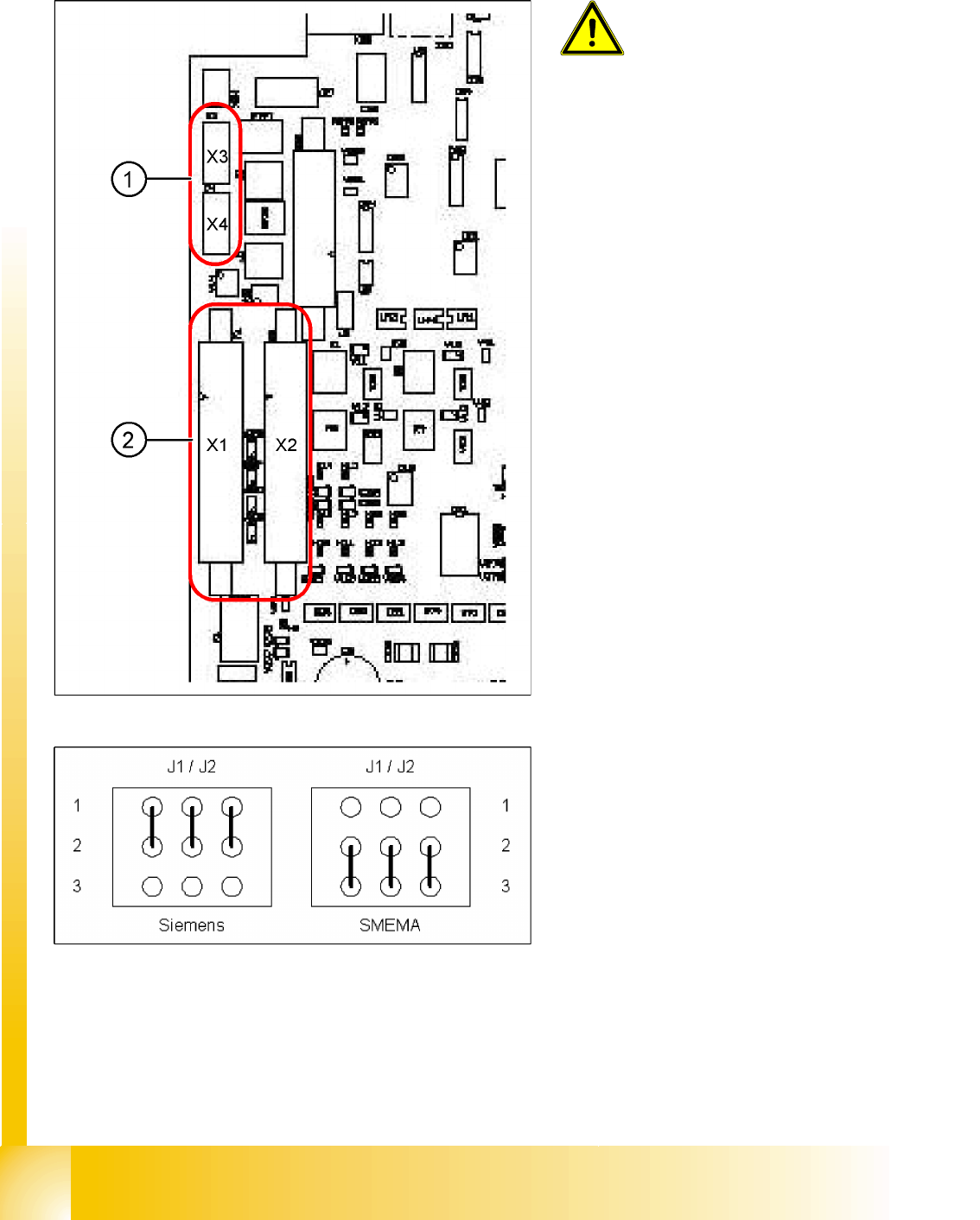
Application: no modification.
Following modification are necessary for using the
Siemens interface:
X JumperJ1 / J2: need to be moved (see
following diagram).
X Disconnect the connector X3 and X4 on the
TSP 301!
X Connect the Siemens interface cable on the
connector X1 and X2.
Legend:
1. 10-pin plug for SMEMA interface
X3: predecessor station
X4: successor station
2. Connection for Siemens interface
X1: predecessor station
X2: successor station
Modular conveyor
LED display on the TSP 301 conveyor control Conveyor Control
Student Guide SIPLACE D4 (FSE)
EN 09/2006 Modular conveyor
279
11.4.3 LED display on the TSP 301 conveyor control
11.4.4 Assignment table: LEDs on the TSP 301 conveyor control
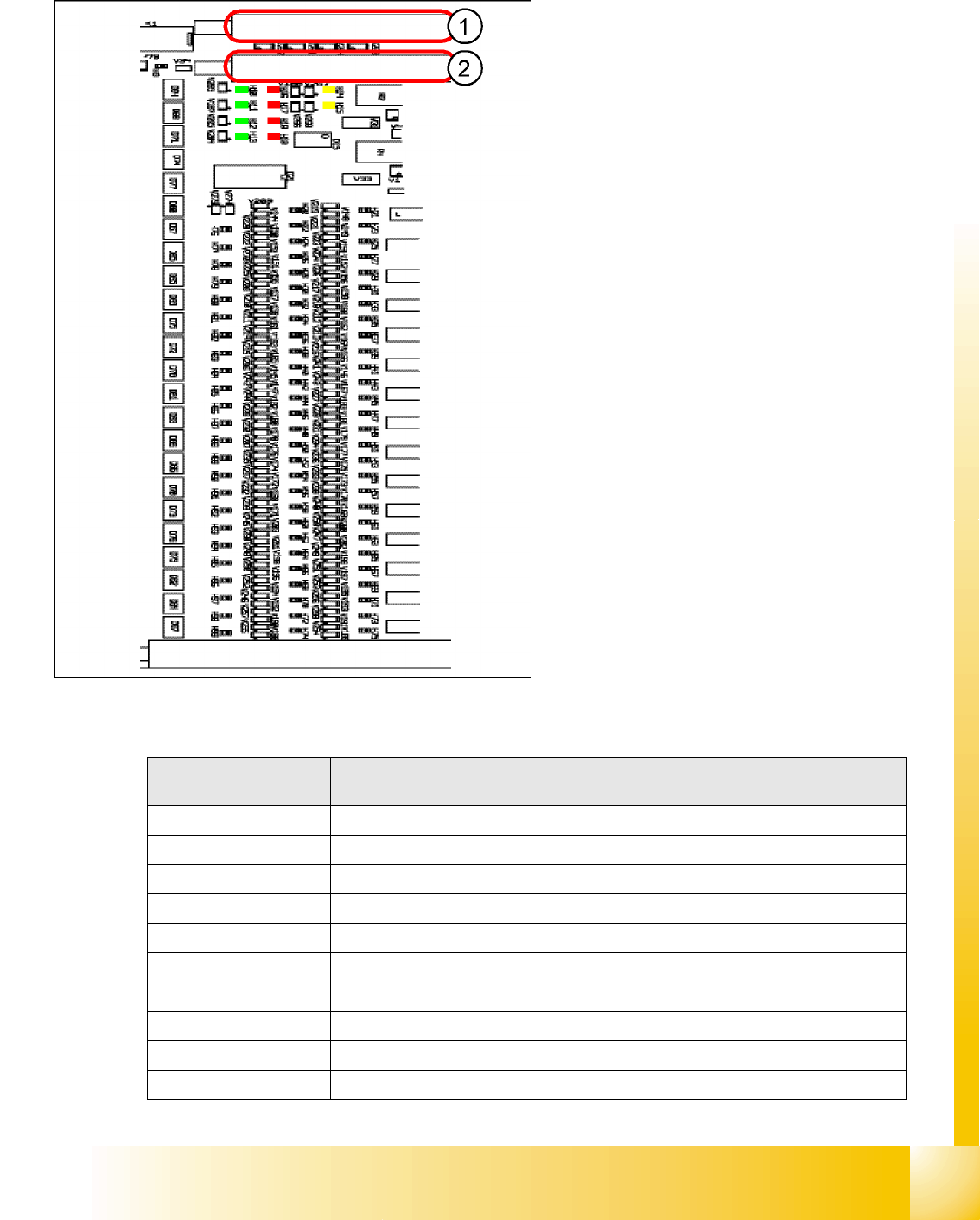
Legend:
1. PCB-Handling interface previous station
track1 with diagnosis LED’s PCB-handling
2. PCB-Handling interface following station
track1 with diagnosis LED’s PCB-handling
The "Siemens board handling interface for the
predecessor station of lane 2 with corresponding
LEDs for board handling" plug and the "board
handling interface for the successor station of lane
2 with corresponding LEDs for board handling"
plug are located on the extension board (similar
layout).
Display
/Display
I / O LED assignment
H1 / F1-F5 Fuse F1-F5, Power supply 40 V
H2 / F6 Fuse F6 Power supply 24V
H4(ao) Initializing / control error
H5(ao) CAN bus 1, active
H6(ao) Flashing: Program running
H7(ao) CAN bus 2, active (optional)
H9 Out Interference loop
H14 IN Siemens interface for upstream station
H15 IN Siemens interface for downstream station
H20 IN Lifting table, placement area 1: Fork light barrier A