00195193-02 SG D4 FSE en (1).pdf - 第72页
Communication and Control Check the network addresses Networ k Student Guide SIPLACE D4 (FSE) EN 09/2006 Communica tion and Control 71 4.2.1.2 Machine controller Check the internal TCP/ IP address for the machine cont ro…
Communication and Control
Network Check the network addresses
Student Guide SIPLACE D4 (FSE)
Communication and Control EN 09/2006
70
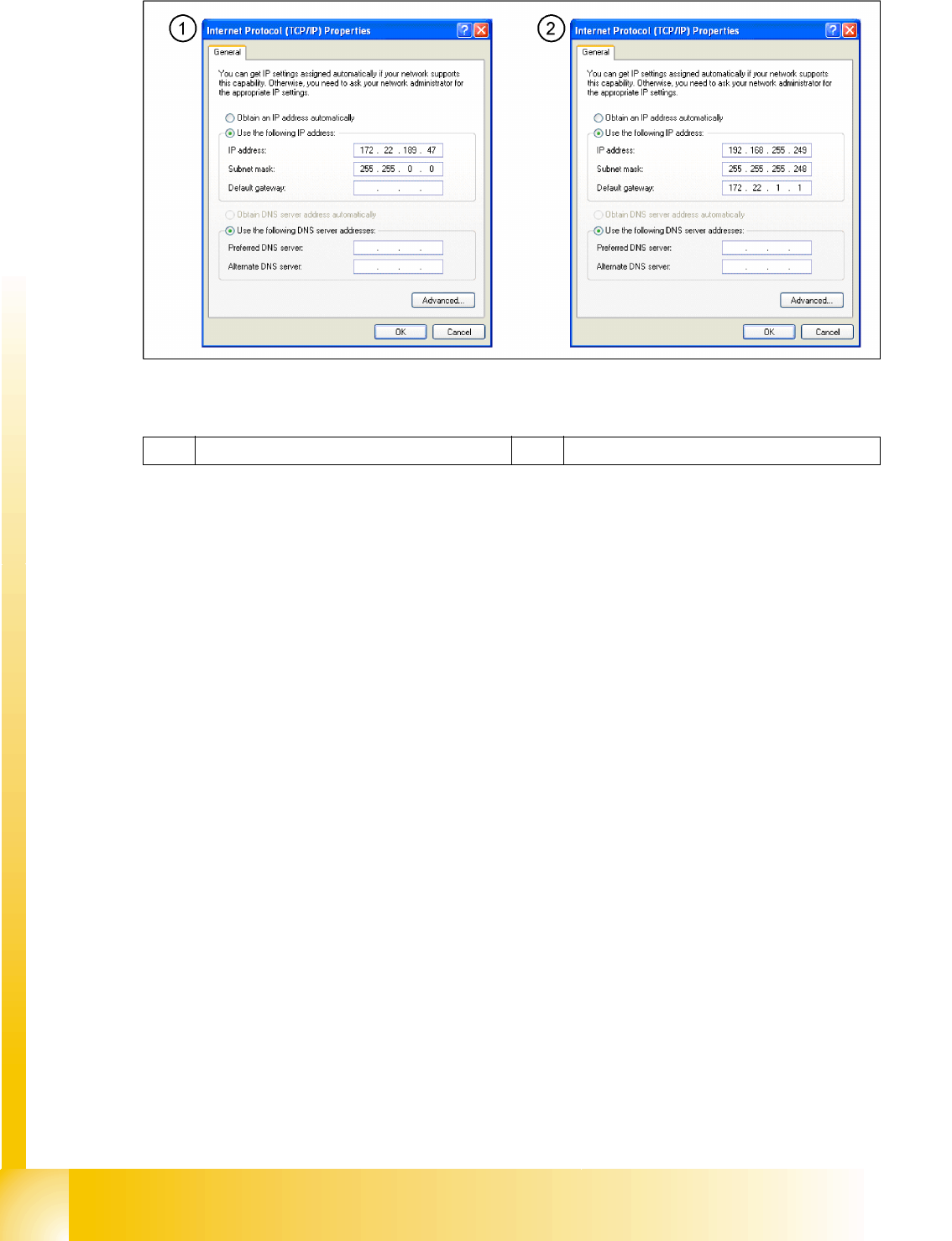
4.2 - 1: Network cards in the station computer
Legend
1 External IP address for SR 2 Internal IP address for SR
Communication and Control
Check the network addresses Network
Student Guide SIPLACE D4 (FSE)
EN 09/2006 Communication and Control
71
4.2.1.2 Machine controller
Check the internal TCP/ IP address for the machine controller
Put the keyboard to the MC and switch the multiplexer on the MC
Switch ON the machine.
Switch over to console 4 (press
F4
), enter
sc
and press
Enter
.
Go to the folder
ETC
and press
Enter
.
On the right-hand side of your screen, select the
host
file.
Press
V
to open the file. Check the entries. Close it with
ESC
.
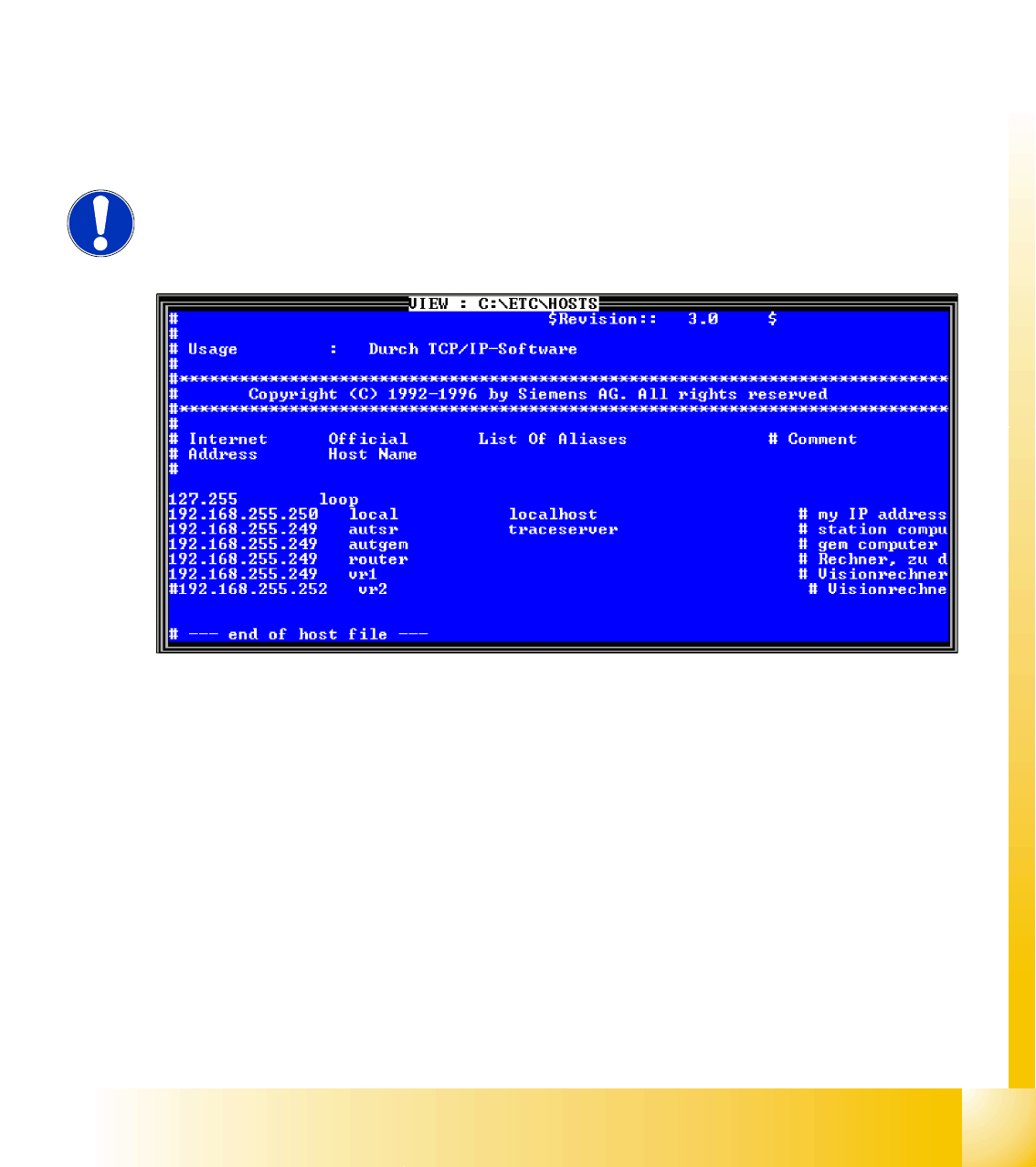
The internal network address for the machine computer is a fixed local area network address don‘t
change this address.
Machine controller: 192.168.255.250
4.2 - 2: Entries in the hostfile
NOTE:
The MC remote connection can also be used to check and edit entries from the
station computer.
Communication and Control
Network Computer at the LAN Network
Student Guide SIPLACE D4 (FSE)
Communication and Control EN 09/2006
72
4.2.2 Computer at the LAN Network
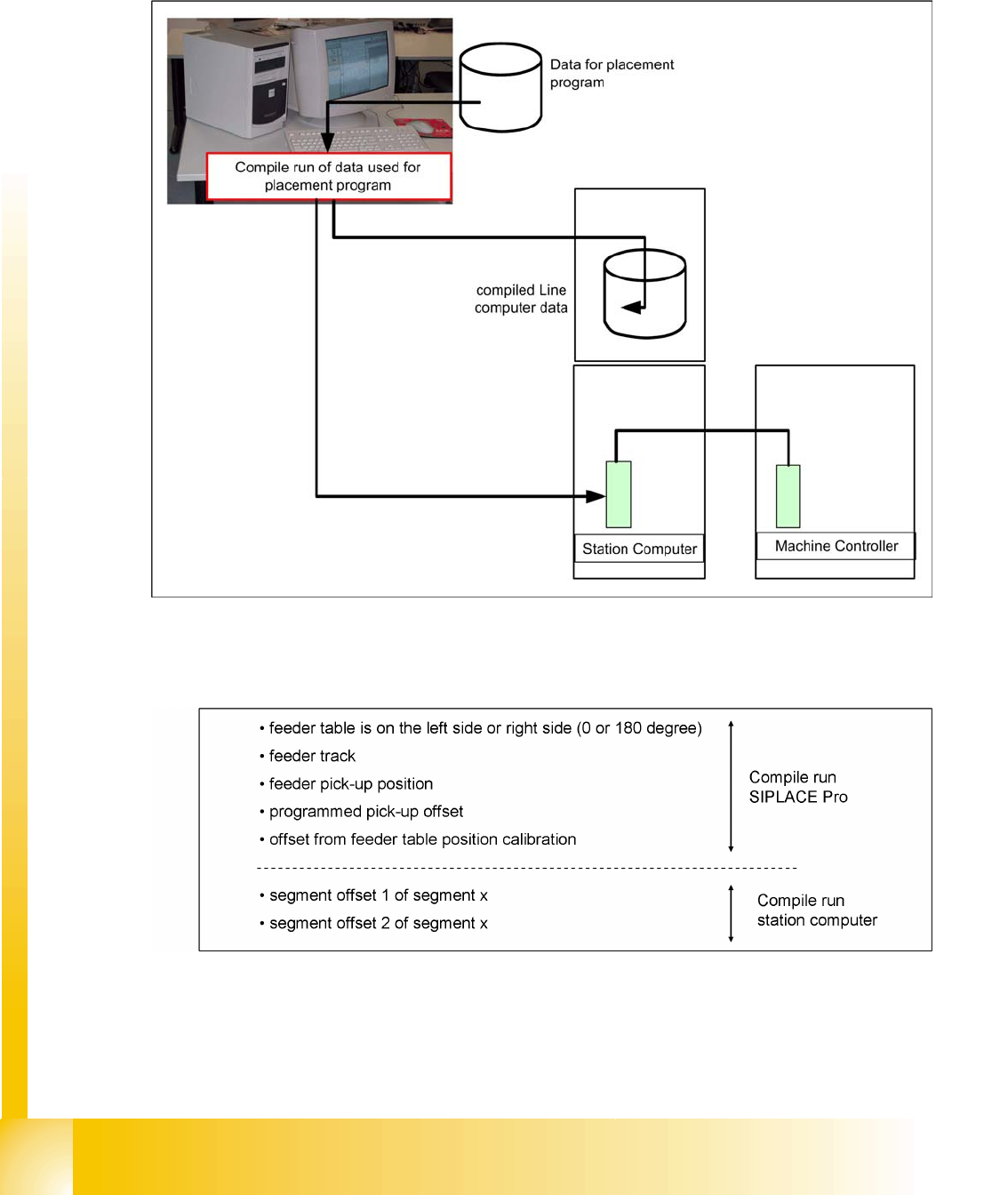
The SIPLACE Pro programming computer reads the data, required for production by the SIPLACE
machine, from the database and compiles it. The compile run creates the required data format and send
it to the station computer. This data files are then saved on the hard drive at the station.
4.2 - 3: Computer at LAN network
4.2.2.1 Compiling the pickup position (X/Y coordinates and angle)
The following values are taken into account during calculation of the theoretical pickup position: