YesAX V3.1.2 - Software User Manual.pdf - 第108页
10 - 14 General Inspecti on Methodolo gy 10.3.3 Lead Bank Alignment Select Align.. from the Lead Bank pop-up menu to open the Lea d Bank Alignment dialog. Use this dialog to move and size the Lead Inspection box. The Ali…
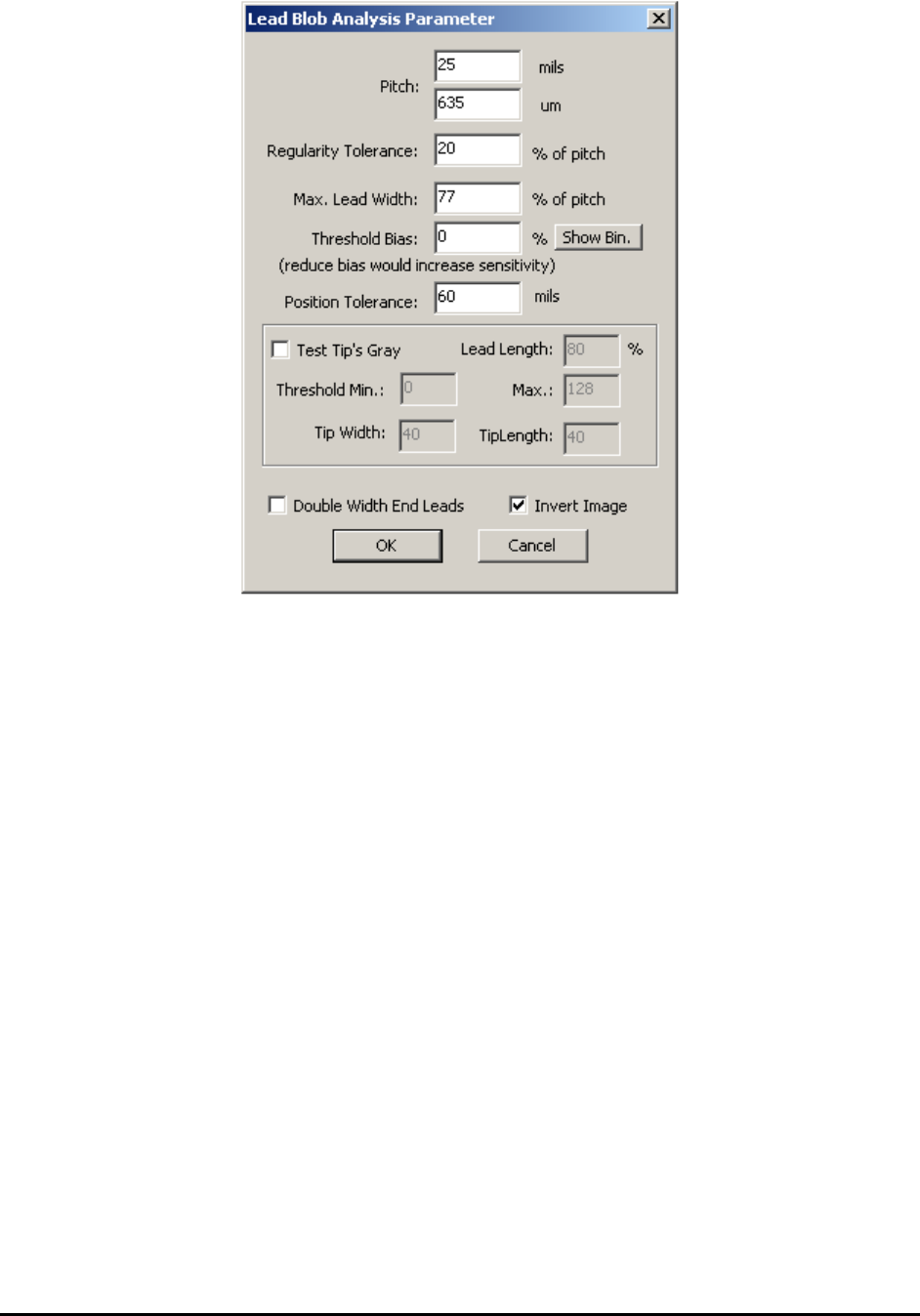
General Inspection Methodology 10-13
Pitch is the separation from one lead to the next. It can be in mils or microns. (Typical values are
20 mils, 25 mils, 50 mils)
Regularity Tolerance means the lead to lead separations are the same from lead to lead. Set this
tolerance to detect bent leads or missing leads. A value of 10% is typical for this parameter. It
can range from 5 to 50%.
Max. Lead Width defines the maximum apparent width of a lead. Set this parameter to detect
bridging or lead off pad conditions. A value of 65% is typical for this parameter. It can range
from 50 to 95%.
Threshold Bias can be used to increase or decrease the inspection sensitivity. Reducing the
Threshold Bias e.g. – 10% will increase the sensitivity of the detection. The Show Bin button
displays the binarized image.
Position Tolerance checks for lead position shift.
Test Tip’s Gray checks the brightness level on the tip of the lead pad to detect for lifted pin
defect conditions. Normally a lead solder is wetted up to the lead’s heal and toe so there should
be little or no solder on the tip of the pad. Amble solder on the tip of the pad indicates a lifted
condition.
On some board layouts the end pad is made twice the width of the other lead pad. The Double
Width End Leads checkbox informs the software of such layout.
Invert Image checkbox will invert the pixel value of the image before performing the analysis.
10-14 General Inspection Methodology
10.3.3 Lead Bank Alignment
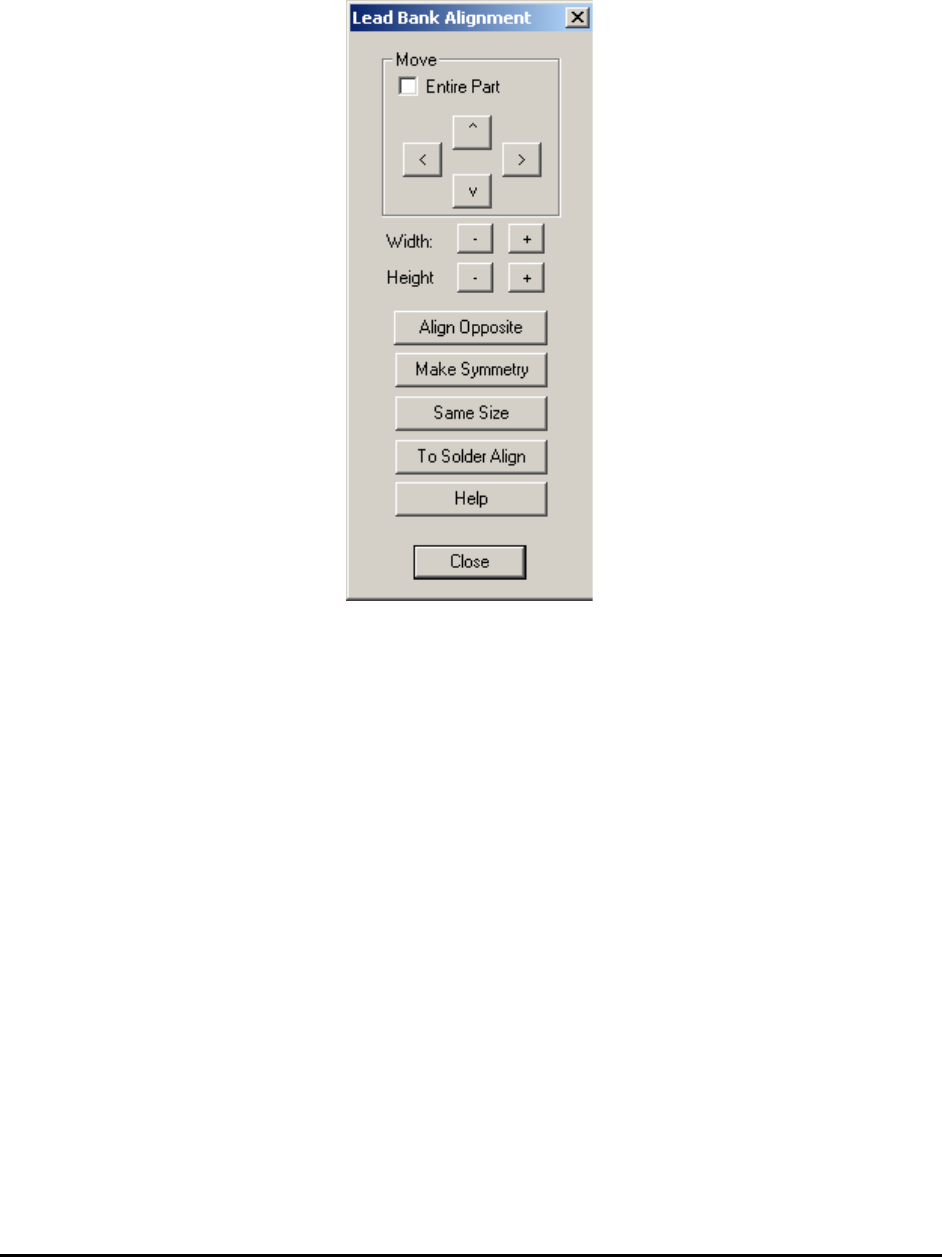
Select Align.. from the Lead Bank pop-up menu to open the Lead Bank Alignment dialog.
Use this dialog to move and size the Lead Inspection box.
The Align Opposite button aligns or create the lead inspection on the opposite side of the part.
The Make Symmetry button moves the lead box so that it is symmetrical with respect to the
centroid of the part.
The Same Size button makes all the lead boxes the same size.
The To Solder Align button brings user from Lead Bank Alignment dialog box to Solder
Alignment dialog box with one click.
The Help button launches the help topic about this dialog.
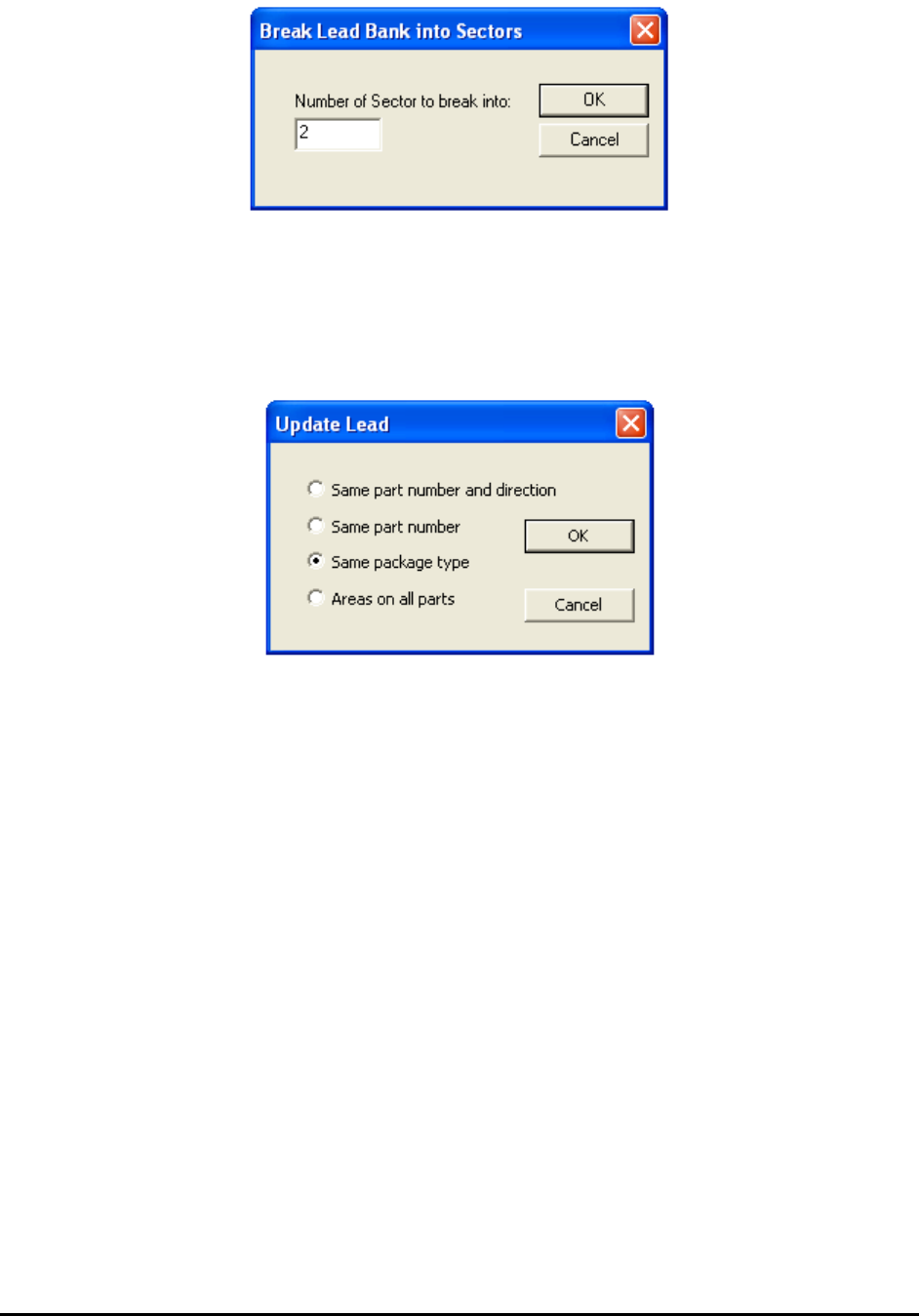
10.3.4 Break Lead Bank into Sectors
Select Break into sectors.. from the Lead Bank pop-up menu to open the Break Lead Bank into
Sectors dialog.
General Inspection Methodology 10-15
When reviewing a defect that is on the edge of a long lead bank, depending on the viewing zoom
level, the defect could be outside the video view window. Breaking the lead bank into smaller
sectors ensures the lead defect be shown on the screen during review.
10.3.5 Update Lead
Select Update from the Lead Bank pop-up menu to open the Update Lead dialog.
10.3.6 Bond Wire Params..
The Bond Wire Sweep algorithm is exclusively designed for bond wire components. It can detect
wire bond locations, bond wire exit angles and bond wire displacement. To use this algorithm,
the Bond Wire Sweep needs to be selected as decision algorithm inside the Edit Lead Bank
Parameters dialog. Also the number of lead needs to be set to 1. After that select the Bond Wire
Params.. menu item inside lead bank popup menu will launch the following dialog.