YesAX V3.1.2 - Software User Manual.pdf - 第231页
Optional A ccessories 19 -1 19 - Optional Accessories To satisfy the needs of different customers Nordson YESTECH offers optional accessories for purchase to enhance the capabilities of the inspection machines. Afte r in…
18-4 Defect and Board Documentation
Optional Accessories 19-1
19 - Optional Accessories
To satisfy the needs of different customers Nordson YESTECH offers optional accessories for
purchase to enhance the capabilities of the inspection machines. After installing an option, you
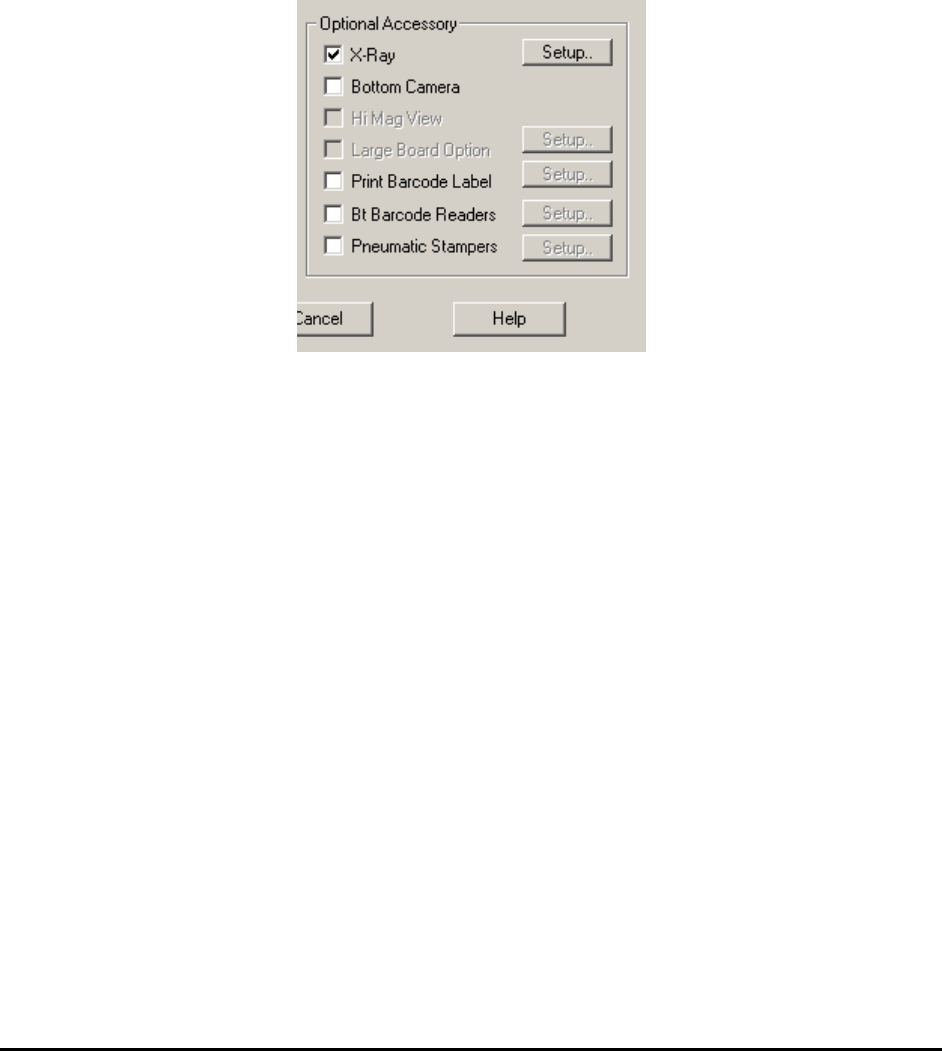
need to enable the software interface from the System Options dialog, accessible by selecting
System>Options from the main menu in Recipe Programmer mode.
19.1 X-Ray
The X-ray option should always be enabled for X2/X3 AXI system.
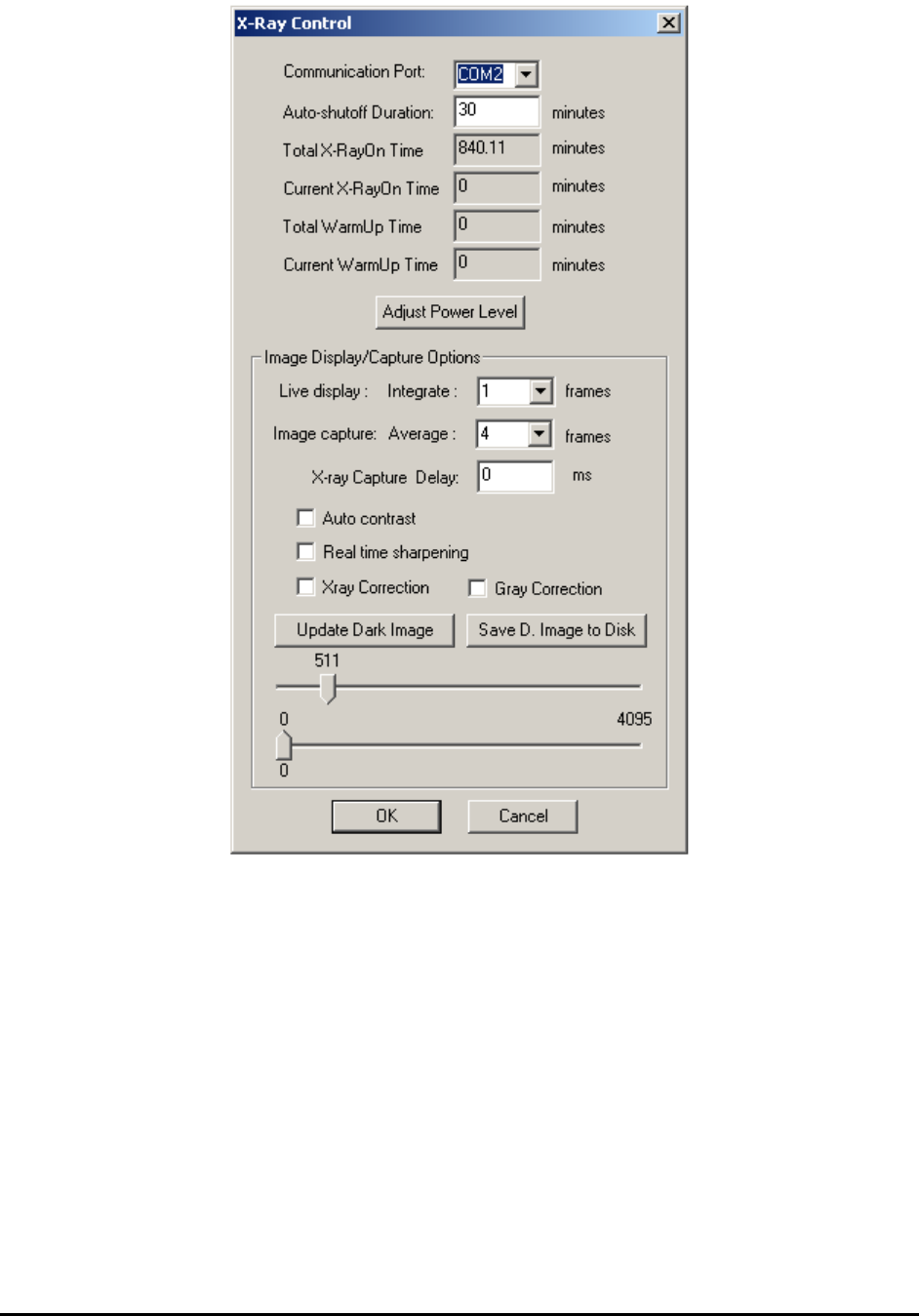
Click the Setup button right next to the X-Ray checkbox in the System Options dialog to launch
the X-Ray Control dialog.
19-2 Optional Accessories
Communication Port is always set to COM2 for X2/X3. The external X-Ray controller is
connected to the computer through a serial port. For X2/X3, COM1 is normally setup for the
conveyor width-adjust motor.
Auto-shutoff Duration specifies how long till the X-ray is turned off once the system is on idle.
Setting up this parameter will extend the life of X-Ray tube as well as X-Ray cameras.
Total X-Ray On Time, Current X-Ray On Time, Total Warm Up Time and Current Warm
Up Time show the information about how long the X-Ray’s been turned on and warmed up.
Adjust Power Level launches the Adjust Power Level dialog. The current, voltage and spot size
of each power level is displayed.
The Image Display/Capture Options group shows the available options for X-Ray cameras.
Since X2 and X3 use different X-Ray cameras, some options may be different for these two
systems.