YesAX V3.1.2 - Software User Manual.pdf - 第32页
3-2 Unpacking and Installatio n 3.5 Install the LCD Monitor To prevent damage during shipment, the LCD monitor is removed from the machine and shippe d in its own protective package. When the X2/X3 AXI System leaves the …
Unpacking and Installation 3-1
3 - Unpacking and Installation
Nordson YESTECH typically sends field service engineers to install the X2 / X3 AXI Systems and
to provide training to the new customers. However, it is not difficult to install and tune a newly
arrived X2/X3 AXI system. This section describes the steps.
3.1 Safety First
Operation of your X2/X3 AXI System involves, air pressure, electrical power, and mechanical
devices. It is essential that every person servicing or operating the X2/X3 AXI System fully
understands all hazards, risks, and safety precautions. Refer to Section 2 - Safety for additional
information.
WARNING! CAUTION!
To ensure optimal performance and safety, it is necessary to install the X2/X3 AXI
System in a facility that meets the necessary requirements listed in Section 29 -
Specifications.
If you have any questions, please contact Nordson YESTECH Technical Support.
3.2 Facility Requirements
To ensure optimal performance and safety, it is necessary to install the X2/X3 AXI System in a
facility that meets the requirements. If you have any questions about facility requirements, please
contact Nordson YESTECH Technical Support. See 29.2 Facility Requirements for detailed
information.
WARNING! CAUTION!
Make sure that your facility meets all requirements listed in 26.2 – Facility
Requirements. Failure to meet these requirements could result in serious bodily
injury to personnel and damage to the AXI system.
3.3 Unpack
After unloading the machine from the truck, remove all the packaging material. Use a power
fork-lift to lift the machine off the wooden pallet. The X2/X3 AXI System weighs about 5000 lbs.
The best place to insert the fork is from the back of the machine under the base frame.
All X2/X3 AXI System have castors allowing them to be wheeled around by 2 to 4 people once on
level ground. After moving the machine to the desired position, lower its four leveling pads so
that they lift the wheels up and support the entire weight of the system.
3.4 Remove Shipping Bracket
There is a red colored shipping bracket that holds the XY stage in place for shipping. It must be
removed before operation.
3-2 Unpacking and Installation
3.5 Install the LCD Monitor
To prevent damage during shipment, the LCD monitor is removed from the machine and shipped
in its own protective package. When the X2/X3 AXI System leaves the factory, the monitor arm
assembly is attached to the left side of the machine. However, the monitor arm assembly can be
attached to either the left or the right side of the machine. During installation you would decide
which side would be the most appropriate for attaching the monitor arm assembly.
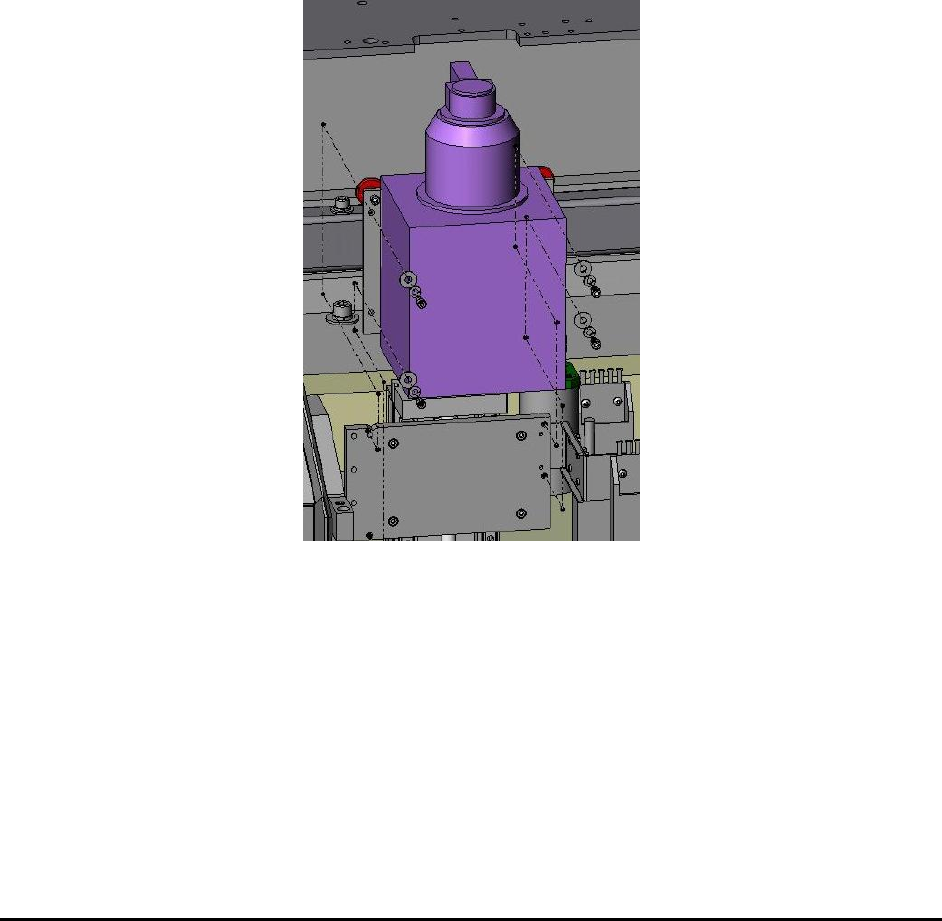
3.6 Install the X-ray Tube
To prevent damage during shipment, the X-ray tube is removed from the machine and shipped in
its own protective package. The X-ray tube needs to be installed into the machine during
installation. The X-ray tube is held by 4 (1 ½” length ¼ 20 thread) screws. A (3/16”) T-handle
Allen wrench is shipped with the system for those screws.
There is a protective stainless steel cover covering the X-ray emitting port. It needs to be
removed before operation.
Unpacking and Installation 3-3
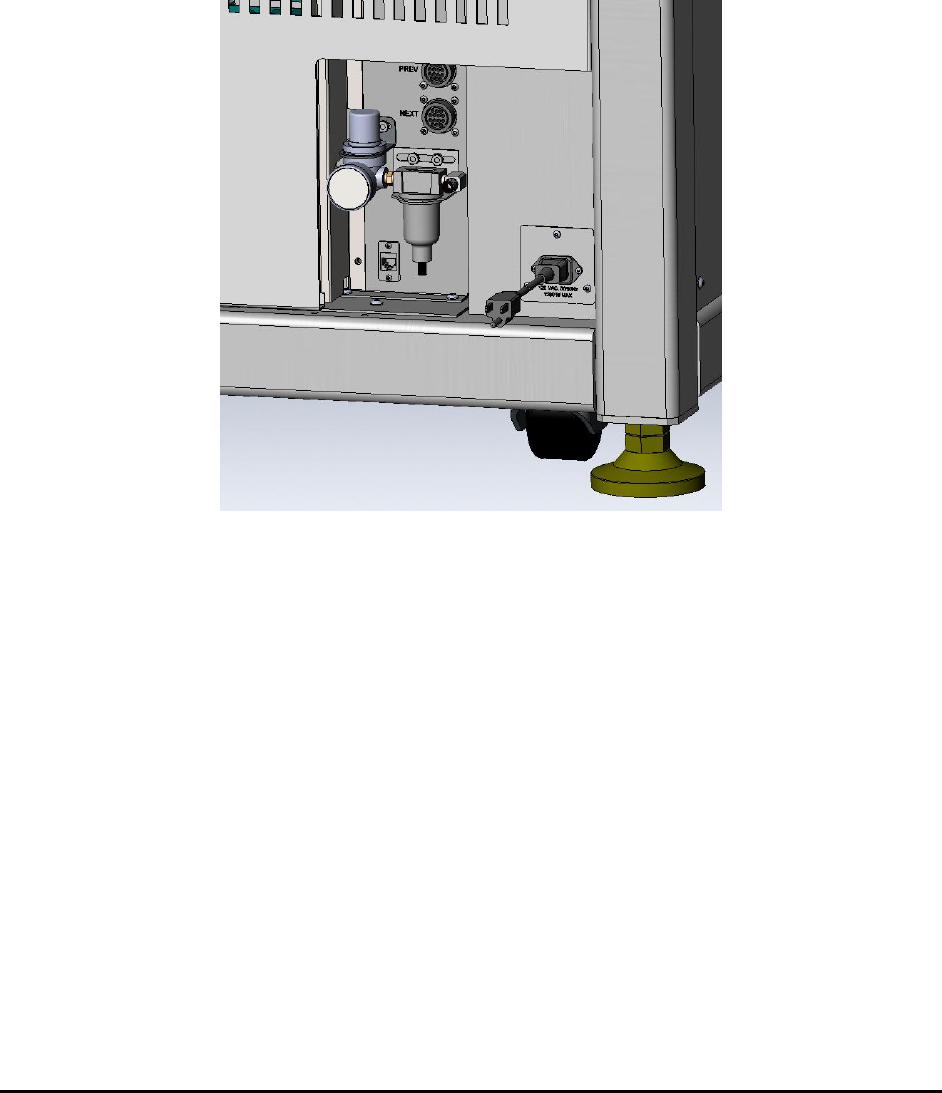
3.7 Connect the Machine
The X2/X3 AXI System requires 120V single phase AC power. It draws about 7 amps of
continuous current. Because of its low power consumption, it can be plugged into any common
electrical outlet. The system also needs compressed air to operate its pneumatics with 80 psi or
higher air pressure required. Air inlet requires ¼ inch OD tubing.
Although not necessary, it is a good idea to connect Ethernet to the machine’s computer. There is
an extension that extends the network socket from the back of the computer to the left side of the
machine. Plug the network cable into that extension.
3.8 Power On
The AC power first enters the machine via a circuit breaker which is mounted inside the base
cabinet. This circuit breaker is left in the ON position when the machine leaves the factory. Open
the lower back panel to access the main circuit breaker. After the circuit breaker the power then
reaches the emergency stop (E-Stop) switch and the power key, switch both in front of the
machine. To power-on, pull the E-Stop to its out position. The keys for the front power key
switch are tie-wrapped onto the red shipping bracket during shipment. Remove and insert the key
into the key switch and turn it clockwise to unlock the power.
The last step in the power-on process is to turn on the computer. Open the lower front cabinet
doors to gain access to the computer. The user may also need to turn on power to the LCD
monitor. The computer and the monitor get their power from a Un-Interruptible Power Supply
(UPS). There are times when the UPS needs to be reset. There is a red momentary push button
on the UPS, pushing it will reset the UPS. Open the lower back panel to access the reset button
on the UPS. In fact the reset button is located below the main circuit break mentioned earlier.