YesAX V3.1.2 - Software User Manual.pdf - 第4页
Manual Con ventions Bold Text AXI sy stem labels, buttons and sw itches, and so ftware m enu selections and commands appea r in this text style . [Bracketed Text] [Bracketed Text] indicates a single key or k ey com binat…

Txt. P/N 7256629, Rev 5 Original Instructions ©2013
NOTICE
This is a Nordson
®
YESTECH™ publication, which is protected by copyright. Original copyright date
2013. No part of this document may be photocopied, reproduced, or translated to another language
without the prior written consent of Nordson YESTECH. The information contained in this publication is
subject to change without notice.
Manuals on the Internet
For the convenience of Nordson YESTECH customers and field service representatives, copies of
Nordson YESTECH manuals can be downloaded from:
www.nordsonyestech.com
Contact Us
Nordson YESTECH welcomes requests for information, comments, and inquiries about its products.
Please contact us using the information below:
Headquarters
2762 Loker Avenue West
Carlsbad, CA 92010-6603
USA
Tel:
+1-760-918-8471
Fax:
+1-760-918-8472
E-mail:
info@nordsonayestech.com
Website:
www.nordsonyestech.com
Trademarks
Nordson
®
is a registered trademark of Nordson Corporation.
YESTECH™ is a trademark of Nordson Corporation.
Microsoft
®
and Windows
®
are registered trademarks of Microsoft Corporation.
Manual Conventions
Bold Text AXI system labels, buttons and switches, and software menu selections and
commands appear in this text style.
[Bracketed Text] [Bracketed Text] indicates a single key or key combination to press on a
computer keyboard, such as [Enter] or [Alt + Tab].
Text > Text Refers to a series of menu bar commands in the YesAX software.
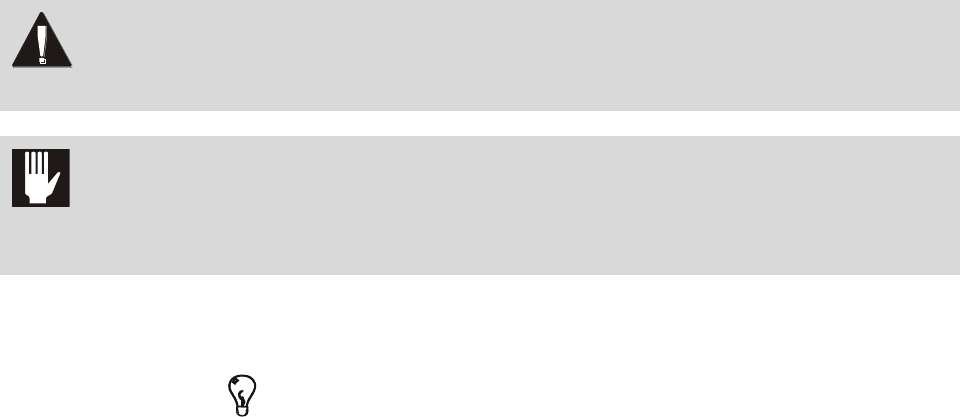
WARNING! Personnel Safety Warning. This symbol appears in a shaded text block to warn you
about actions that could cause personal injury or death.
CAUTION! Property Damage Caution. This symbol appears in a shaded text block to warn you
about actions that could cause serious damage to the machinery, software, parts
being processed, and facilities.
NOTE
This symbol appears next to helpful information relating to text that precedes it, or
information you must know before proceeding.
TIP
This symbol appears next to a timesaving or technique tip.

Table of Contents i
Table of Contents
1 - Introduction ............................................................................................................. 1-1
1.1 Automated 2D Inspection System –X2............................................................. 1-1
1.1.1 System Block Diagram for X2 AXI System ................................................ 1-2
1.2 Automated 3D Inspection System –X3............................................................. 1-3
1.3 System Software ............................................................................................... 1-4
2 - Safety ...................................................................................................................... 2-1
2.1 Overview ........................................................................................................... 2-1
2.2 Facility Requirements ....................................................................................... 2-1
2.3 Intended Use ..................................................................................................... 2-1
2.4 Safety Warning Labels ...................................................................................... 2-2
2.5 Basic Safety Precautions ................................................................................... 2-4
2.5.1 Safety of Personnel ...................................................................................... 2-4
2.5.2 Preventing AXI System and Workpiece Damage ........................................ 2-5
2.6 Lifting and Transport Precautions .................................................................... 2-5
2.6.1 Considerations.............................................................................................. 2-5
2.6.2 Precautions ................................................................................................... 2-5
2.7 Electrical Hazards ............................................................................................. 2-6
2.7.1 X-Ray Safety Warning ................................................................................. 2-6
2.7.2 Laser Radiation ............................................................................................ 2-6
2.8 Disposal............................................................................................................. 2-6
2.9 Decommissioning Procedures ........................................................................... 2-6
2.10 Emergency Shutdown ....................................................................................... 2-7
2.10.1 Emergency Shutdown Situations ............................................................. 2-8
2.10.2 Emergency Shutdown Recovery .............................................................. 2-8
2.10.3 Electromechanical Interlocks ................................................................... 2-8
2.11 Service Shutdown ............................................................................................. 2-9
2.12 Light Tower Status Lights .............................................................................. 2-11
3 - Unpacking and Installation ..................................................................................... 3-1
3.1 Safety First ........................................................................................................ 3-1
3.2 Facility Requirements ....................................................................................... 3-1
3.3 Unpack .............................................................................................................. 3-1
3.4 Remove Shipping Bracket ................................................................................ 3-1
3.5 Install the LCD Monitor.................................................................................... 3-2
3.6 Install the X-ray Tube ....................................................................................... 3-2
3.7 Connect the Machine ........................................................................................ 3-3
3.8 Power On .......................................................................................................... 3-3
3.9 Verify Calibration ............................................................................................. 3-4
3.10 Seismic Safety ................................................................................................... 3-4
3.10.1 Seismic Requirements .............................................................................. 3-5