YesAX V3.1.2 - Software User Manual.pdf - 第191页
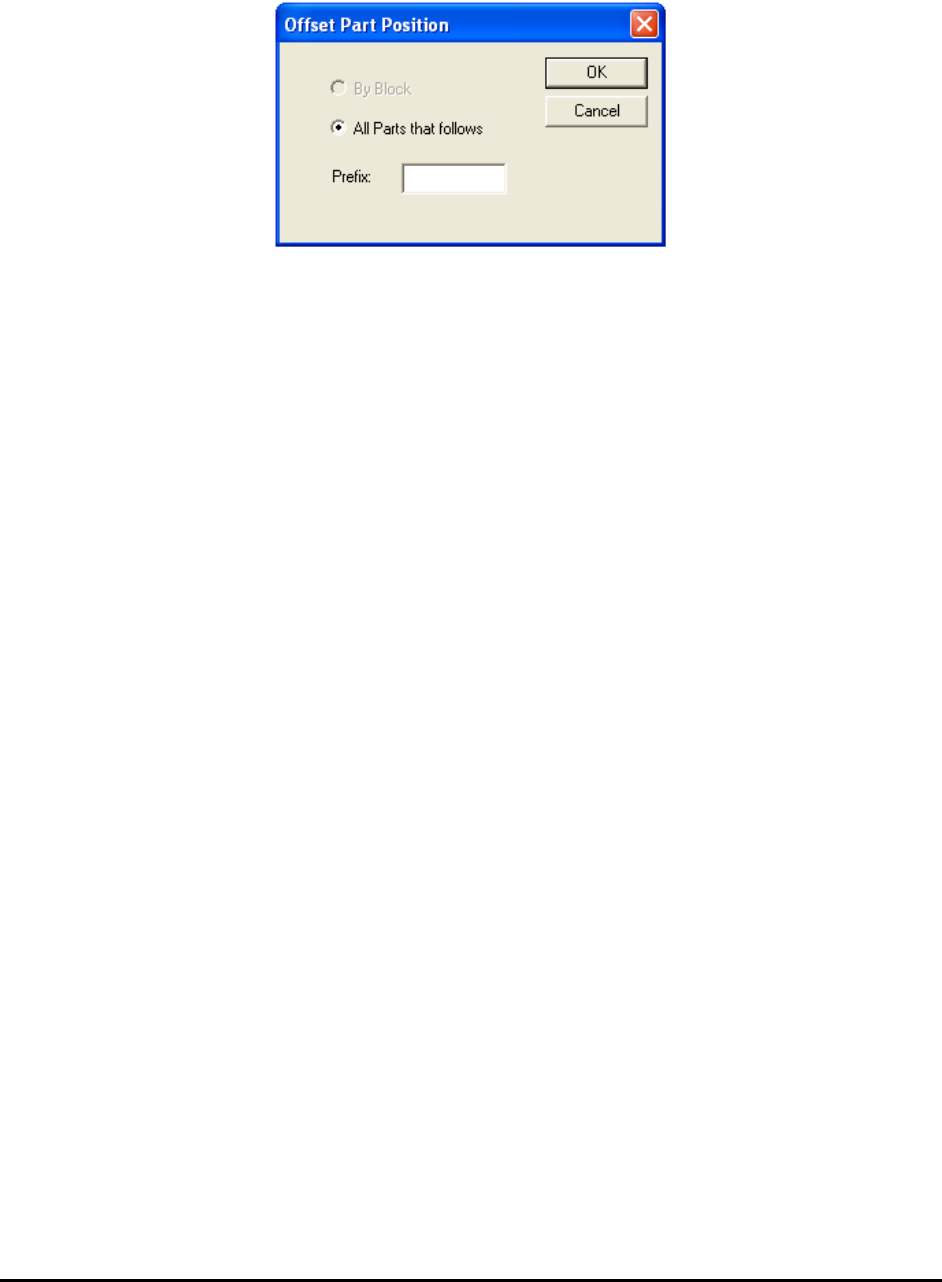
A dvance Inspection Features 14 -5 The Offset Part Position allows you to move a group of parts by the same amount that the current part is moved. This movement is accomplished by use of the arrow keys. The To Next Block…
14-4 Advance Inspection Features
14.3 Part Walk Through Process
Walk Through is the process of stepping through a list of parts one by one. The process is similar
to the Defect Review process. The Walk Through parts process can be started from a number of
places within the List View window based on different part selection criteria. You can walk
through all the locations of the particular part number; you can walk through all the parts with a
particular package, etc.
To launch a Walk Through dialog, right click on one of the List View pages and select Walk
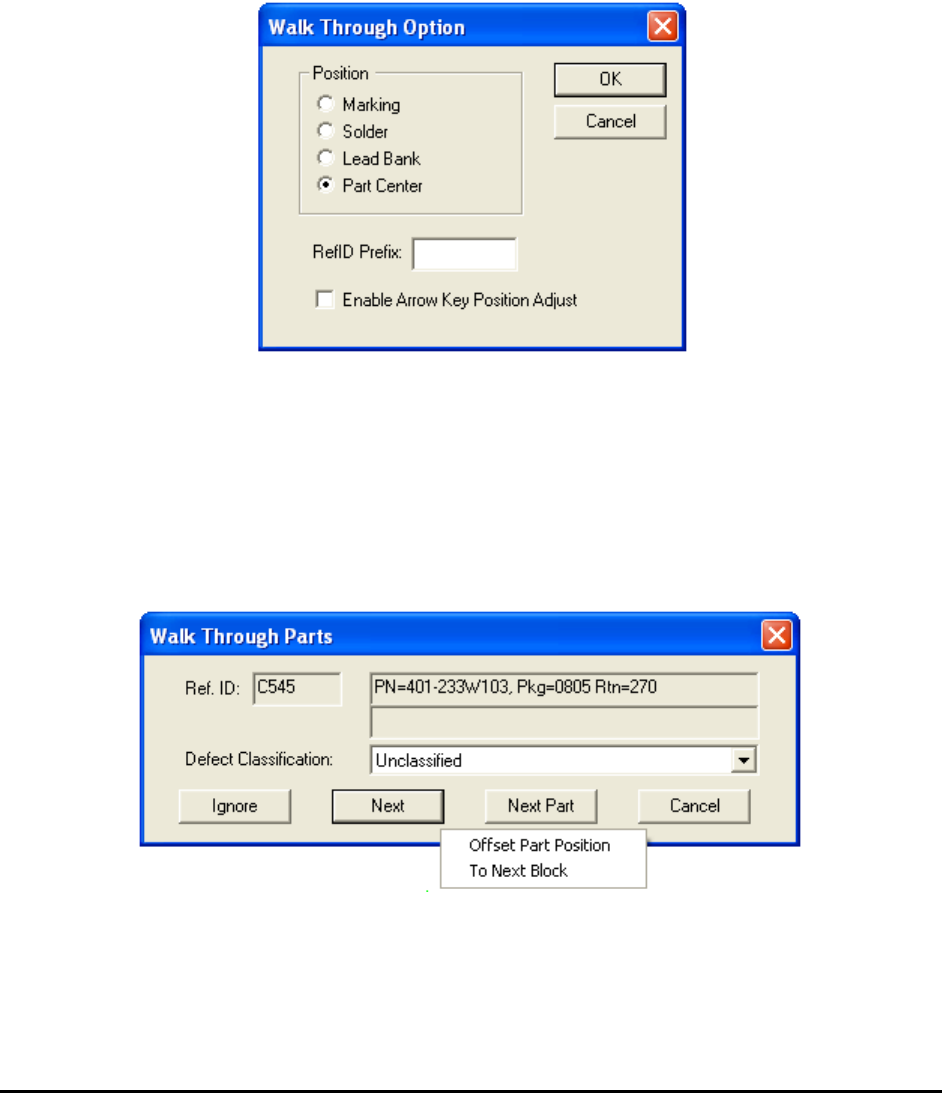
Through. The Walk Through dialog below selects the walk through options:
The Position group defines where the Walk Through process will begin.
The RefID Prefix field allows you to select a sub-set of the part in the list to walk through. For
example, if the RefID Prefix is “R”; only the parts with a reference ID starting with “R” will be
visited.
The Enable Arrow Key Position Adjust checkbox allows arrow keys on the keyboard to adjust
a part’s position during the walk through.
The Walk Through Parts dialog is similar to the Review dialog.
The local pop-up menu on the Walk Through dialog has two selections: Offset Part Position
and To Next Block.
Advance Inspection Features 14-5
The Offset Part Position allows you to move a group of parts by the same amount that the
current part is moved. This movement is accomplished by use of the arrow keys.
The To Next Block selection skips the parts that belong to the same block number and moves to
the first part of a different block number.
14-6 Advance Inspection Features
14.4 Anchor Block Fiducial and Local Fiducial
Anchor Block Fiducial and Local Fiducial are run-time position compensation features that
operate based on similar principles. They utilize the position measurement capability of the
marking inspection to compensate for positional offset of other inspection boxes and parts. By
utilizing them, you can achieve higher inspection precision than the mechanical accuracy and
repeatability of the XY stage.
Anchor Block Fiducial and Local Fiducial have different scope of effectiveness. Mark anchor
has the shortest scope; it adjusts positions of inspection boxes within a part. For example, you
can use it to have the solder inspection boxes (and/or lead inspection boxes) to follow the
marking inspection boxes. This is useful to inspect solder for parts that are allowed to shift
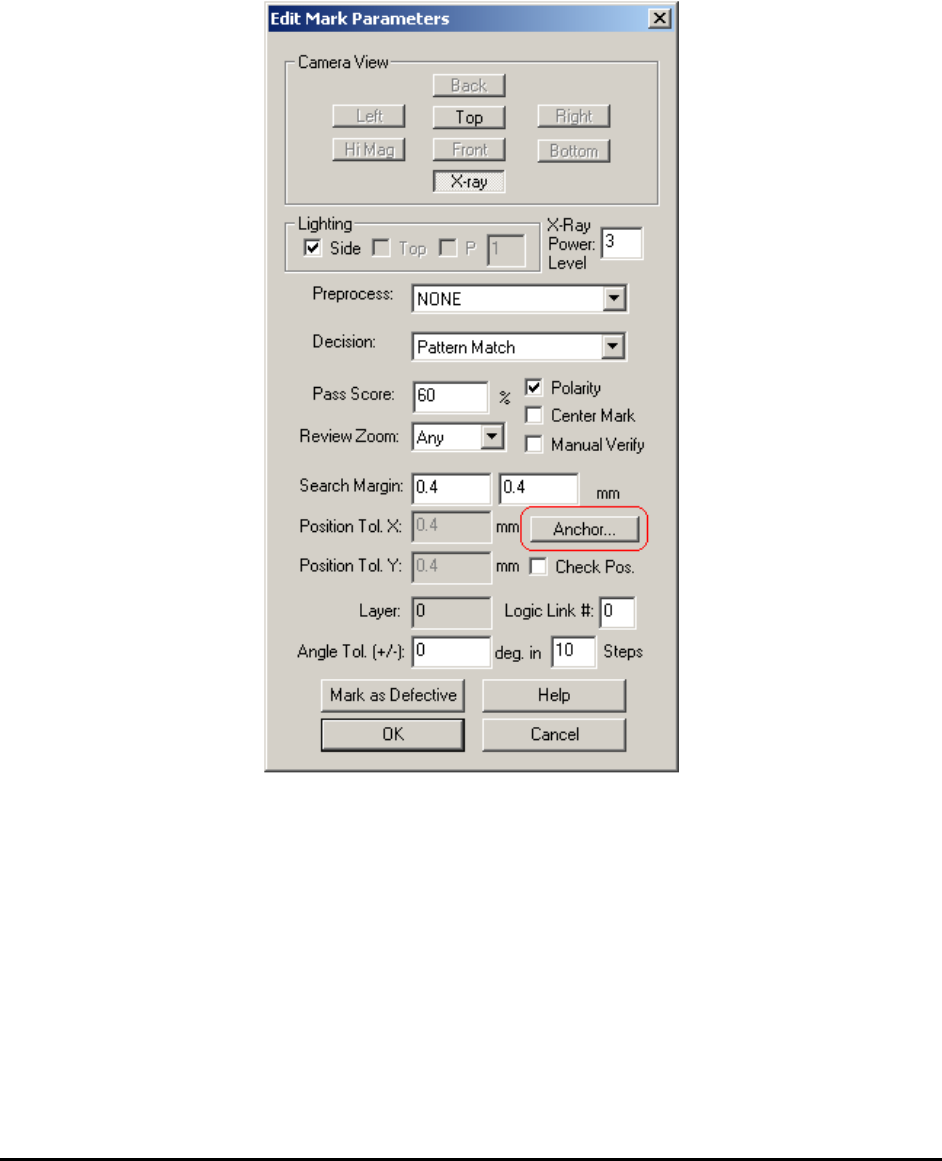
within a certain range. Multiple anchors can be deployed within one part. The Anchor Number
parameter is used to differentiate the anchors.
Here is a description for anchor number:
0 – Means anchor feature is disabled
1-6 - Used for inspection box anchors
7-8 - Used for part anchors.