YesAX V3.1.2 - Software User Manual.pdf - 第110页
10 - 16 General Inspecti on Methodolo gy The result dialog and the inspection scree nshot are shown below: The Bond Radius field is used to specify the size of wire bond joints attached to the die. By default the bond wi…
General Inspection Methodology 10-15
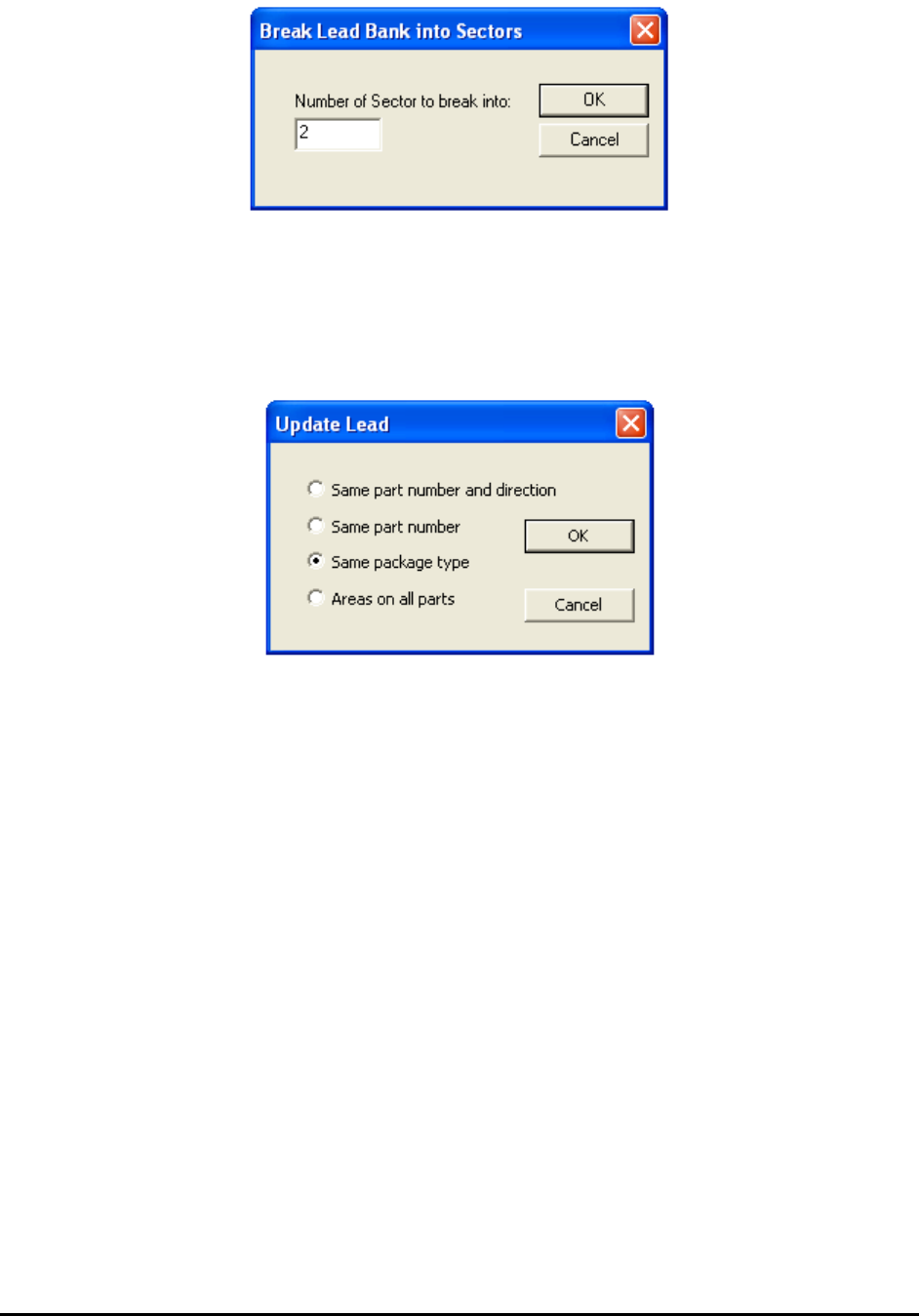
When reviewing a defect that is on the edge of a long lead bank, depending on the viewing zoom
level, the defect could be outside the video view window. Breaking the lead bank into smaller
sectors ensures the lead defect be shown on the screen during review.
10.3.5 Update Lead
Select Update from the Lead Bank pop-up menu to open the Update Lead dialog.
10.3.6 Bond Wire Params..
The Bond Wire Sweep algorithm is exclusively designed for bond wire components. It can detect
wire bond locations, bond wire exit angles and bond wire displacement. To use this algorithm,
the Bond Wire Sweep needs to be selected as decision algorithm inside the Edit Lead Bank
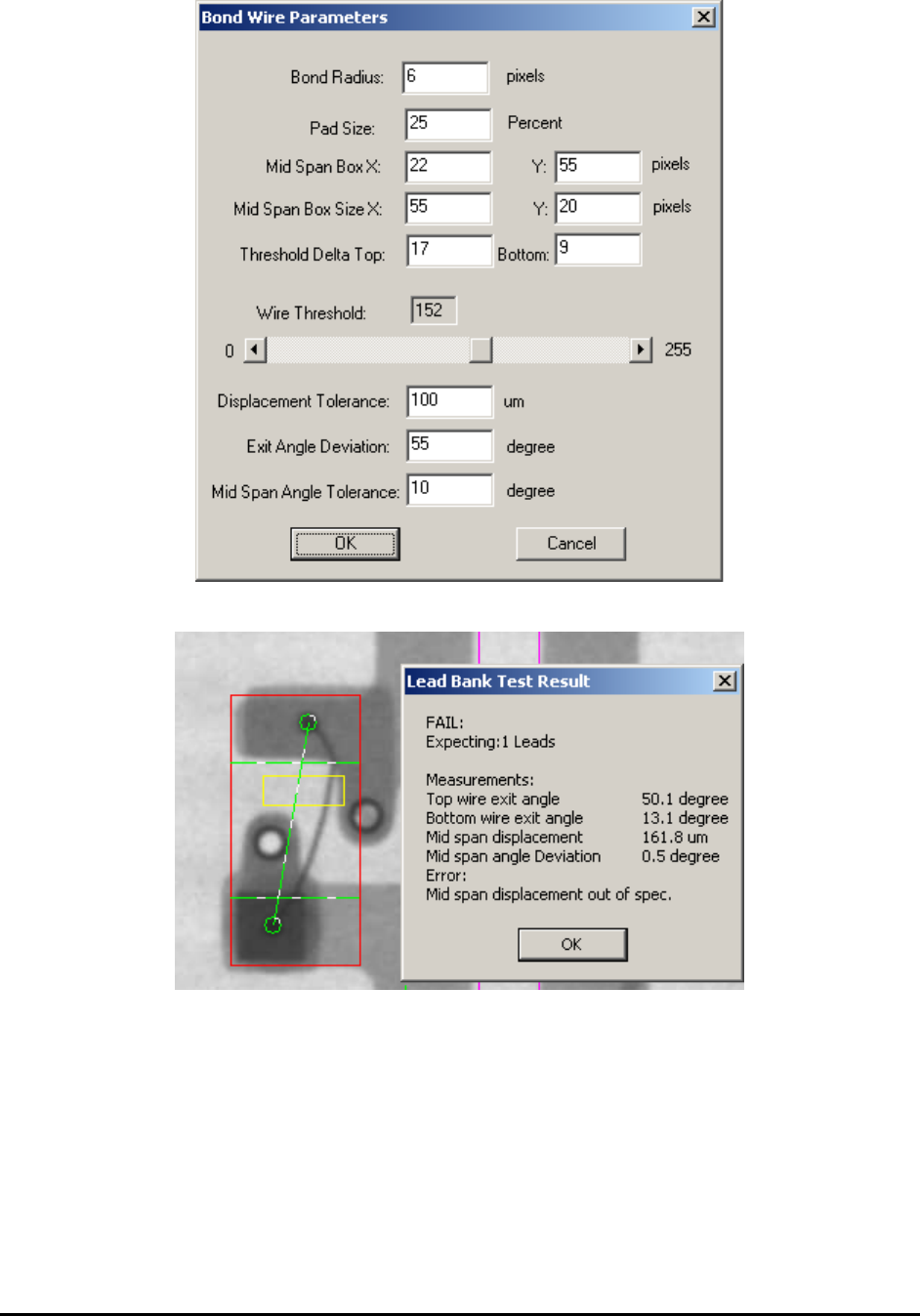
Parameters dialog. Also the number of lead needs to be set to 1. After that select the Bond Wire
Params.. menu item inside lead bank popup menu will launch the following dialog.
10-16 General Inspection Methodology
The result dialog and the inspection screenshot are shown below:
The Bond Radius field is used to specify the size of wire bond joints attached to the die. By
default the bond wire will attach to die at two different locations. These two are at the opposite
of the inspection box and suppose to be the darkest areas inside the whole lead box. During
inspection the first step is to locate the attached positions. If any joint cannot be detected the
inspection will fail automatically.
General Inspection Methodology 10-17
The Pad Size field specifies the size of inspection area used to detect bond attach joints. If it is
set to 25%, it means that software will look for the bond attach inside 25% of the total lead
inspection box. Inside the result screen the detected bond attach locations are circled in green.
The two horizontal green lines together with the lead box on top and bottom indicate the
inspection area for bond attach. These are also called pad areas.
The bond wire in between two attached joints is supposedly to be brighter than joints but darker
than the background. To detect the bond wire session close to the bond attach joint, the
difference of gray levels between bond wire and bond attach can be used as a reference to setup
the Threshold Delta parameter values. Since top session and bottom session can have different
background, the Threshold Delta for top and bottom session can be set separated.
The green line which connects two detected bond section inside the result diagram indicates the
ideal bond locations. In reality the bond wires are not always as straight. The actual bond wire
location and the ideal green line form the exit angle for current wire bond. A large exit angle
could indicate a defect. If either the top or bottom exit angle is greater than the number specified
in Exit Angle Deviation filed, the bond wire inspection will fail. If the bond wire is missing
around the bond joint or cannot be detected, the exit angle will be set to 0 and the inspection will
fail. Sometimes the background of bond attach joint is really dark and it is hard to distinguish the
bond wire from the background. To avoid any false calls the Threshold Delta parameter can be
set to 0 so software will not calculate the exit angle and no failure regarding the exit angle will
be reported.
Other than detecting bond wire sessions around bond joints, the Wire Bond inspection will also
look for bond wire sessions inside the inspection box, within a pre-defined area. The dimension
and location of this area can be set up via the Mid Span Box X, Y and Mid Span Box Size X, Y
fields inside the Bond Wire Parameters dialog box. The yellow box shown in result dialog
represents this mid span box. To better separate bond wire from the background, the Wire
Threshold can be setup by moving the slider bar underneath. Once the bond wire has been
detected inside the mid span box, the orientation and location of the bond wire will be compared
with the green line which indicates the ideal location. The displacement and angle deviation will
be calculated and compared with the threshold values set up in Displacement Tolerance and Mid
Span Angle Tolerance fields.
10.4 Solder Inspection
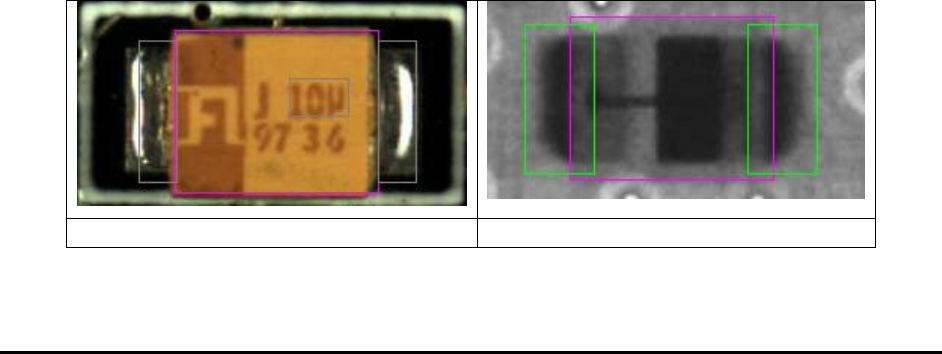
Solder inspection is designed to verify the solder quality on each individual pin of the component.
The default inspection uses histogram analysis to detect insufficient solder conditions.
Side light Top Camera Image
Same Part Top X-ray Image