YesAX V3.1.2 - Software User Manual.pdf - 第57页
Inspection and De fect Revie w Step by S tep 5- 11
5-10 Inspection and Defect Review Step by Step
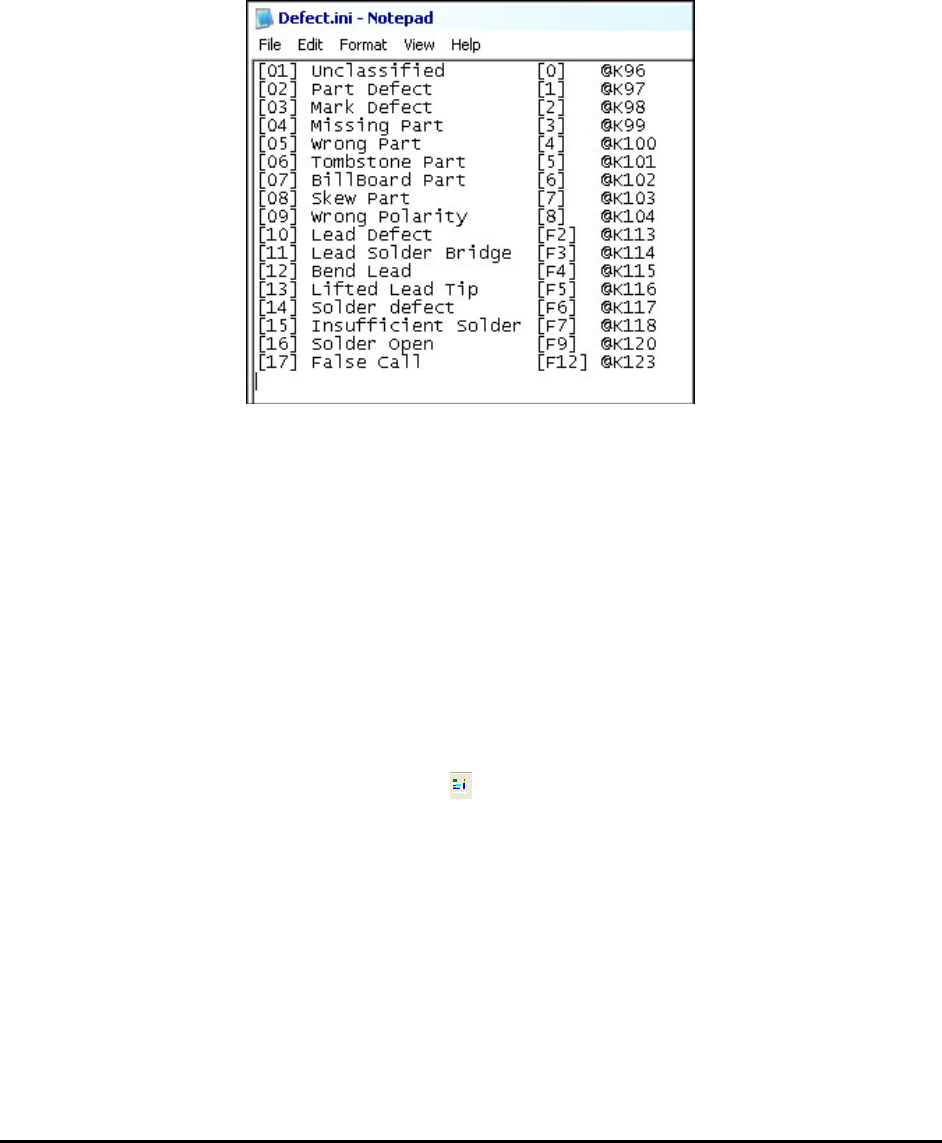
You can also assign a keyboard “shortcut” key to each classification. Compared to selecting the
defect classification from the pull down list box, pressing the short cut key is a lot faster. By
default the function keys and the keys on the numerical key pad are assigned to classification.
Pressing the shortcut key has the same effect as selecting a classification from the pull down list.
The @K symbol followed by the key code assigns a key to a defect line. The sample INI file
below assigns the first 9 defects to number keys 0-8, and the rest of the defects are assigned to
the Function keys.
5.4 Step4: Preview and Print out defect Report
If Preview or Print Report is selected in the Run Inspection dialog, the defect report will
preview or print after the review process.
After the defect report is generated, the Inspection Result dialog will reappear. Pressing the Next
button on it will start the inspection process for the next board.
5.5 User Practice
On the YesAX software installation DVD there are four inspection recipes; DEMO_X1.rcp,
demo_x3_1.rcp, demo_x3_2.rcp and demo_x3_3.rcp. You are encouraged to load them up and
practice the inspection and defect review process.
These recipes have corresponding ImageSets. You can run them in offline mode without the
actual PC board by pressing the online/offline button on the toolbar.
The demo recipes are not installed automatically by the installation program. They need to be
copied from the DVD to the computer’s hard disk before use. The folder where they can be
found is AOI_Data\Recipe.
5.6 Find Recipe
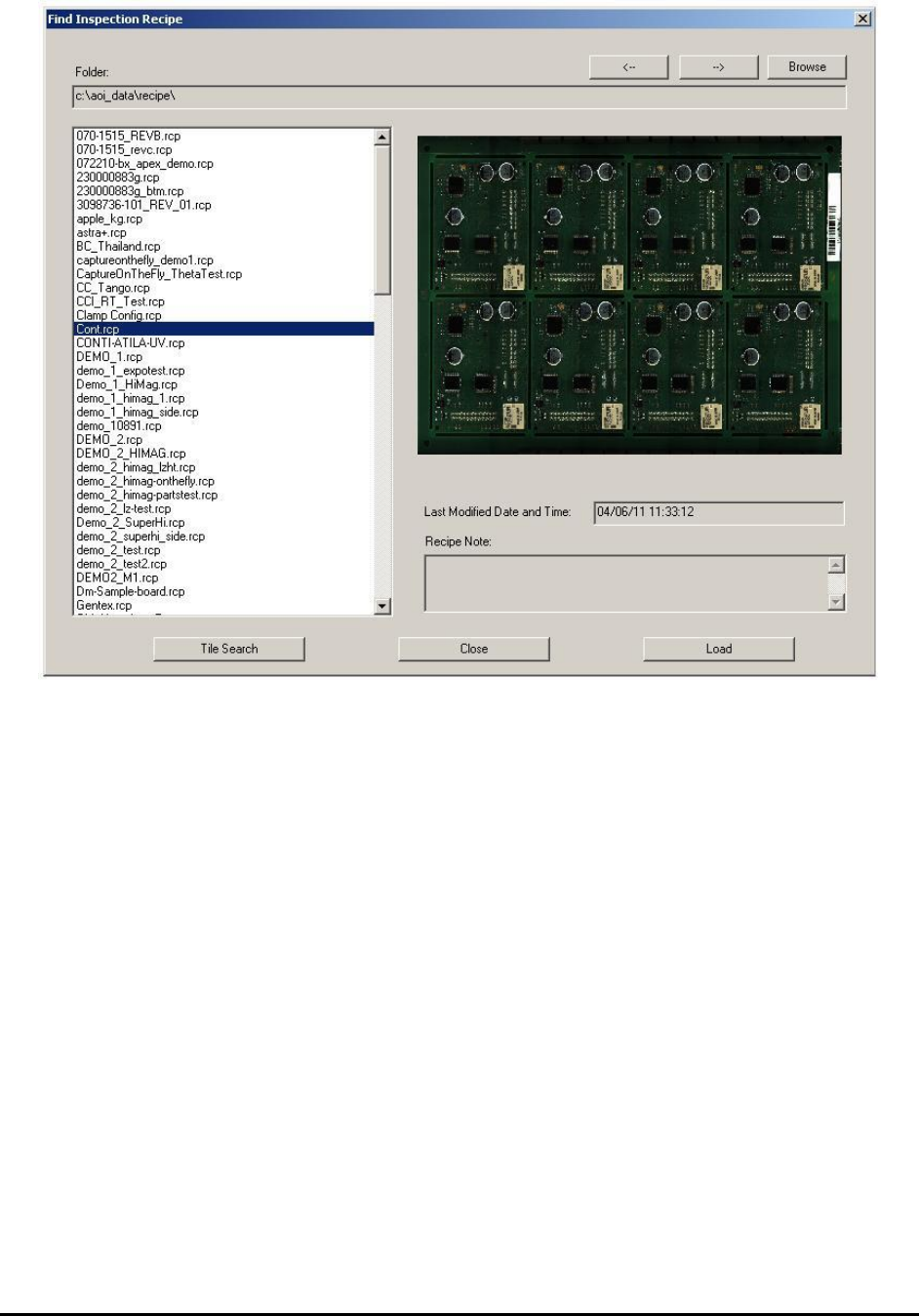
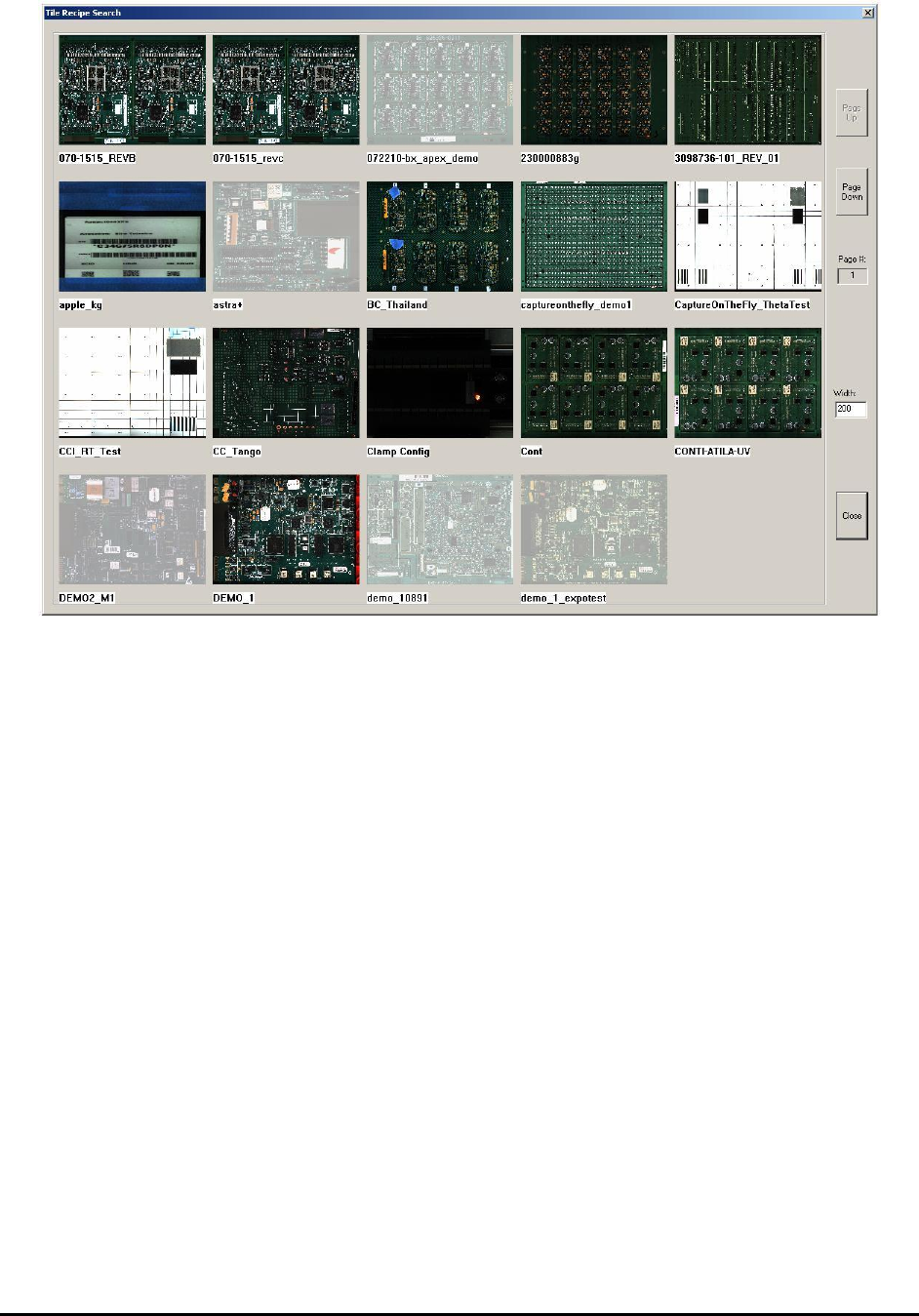
The Find Recipe feature was added to facilitate the finding of recipes in a high mix environment
where users have to select from a large pool of recipes. The feature presents user with a graphic
view of all the recipes in a user specified folder. User can then load the recipe by double clicking
its image.
Inspection and Defect Review Step by Step 5-11
5-12 Inspection and Defect Review Step by Step