YesAX V3.1.2 - Software User Manual.pdf - 第239页
Image Set and Image A rchive 21 -1 21 - Image Set and Image Archive The Image Set is a collection of images captured from one particular board. It is like an electronic copy of the board. The software can run an inspecti…
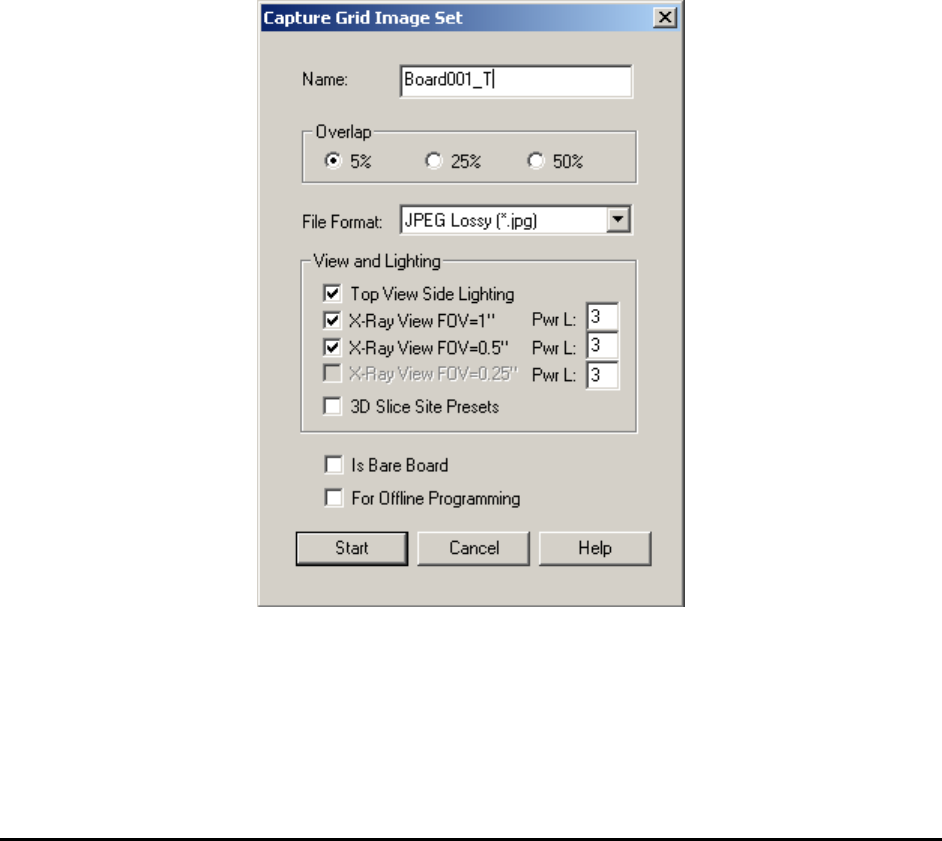
Image Set and Image Archive 21-1
21 - Image Set and Image Archive
The Image Set is a collection of images captured from one particular board. It is like an
electronic copy of the board. The software can run an inspection on the Image Set of the board
as if it were running a live mode inspection. The Image Archive is a collection of Image Sets
organized according to the inspection recipe. Offline programming and offline defect review
features are made possible by using Image Sets.
YesAX supports five image formats for an Image Set: TIFF, bitmap, JPEG, JPEG 2000 and Raw
Bayer. An Image Set can be captured in 2 ways; grid or inspection paths. The Grid Image Set is
captured by moving the camera in a grid pattern over the board. Inspection path Image Set is
captured during board inspection by selecting one of the Image Archive options in the Run
Inspection dialog. Comparatively, the Grid Image set captures more information of the board and
it can be captured before the creation of the inspection recipe. The disadvantage of the Grid
Image Set is that it is larger and takes more time to capture.
To capture the Grid Image Set, select Image Set>Capture Image Set from the File menu. The
Capture Grid Image Set dialog displays.
Select an overlap value, image file format, camera view and lighting for the Image Set to be
captured. For X3 AXI systems, if there are 3D sites defined for the current recipe, you can also
enable the 3D Slice Site Presets option and capture a full image set for all 3D sites.
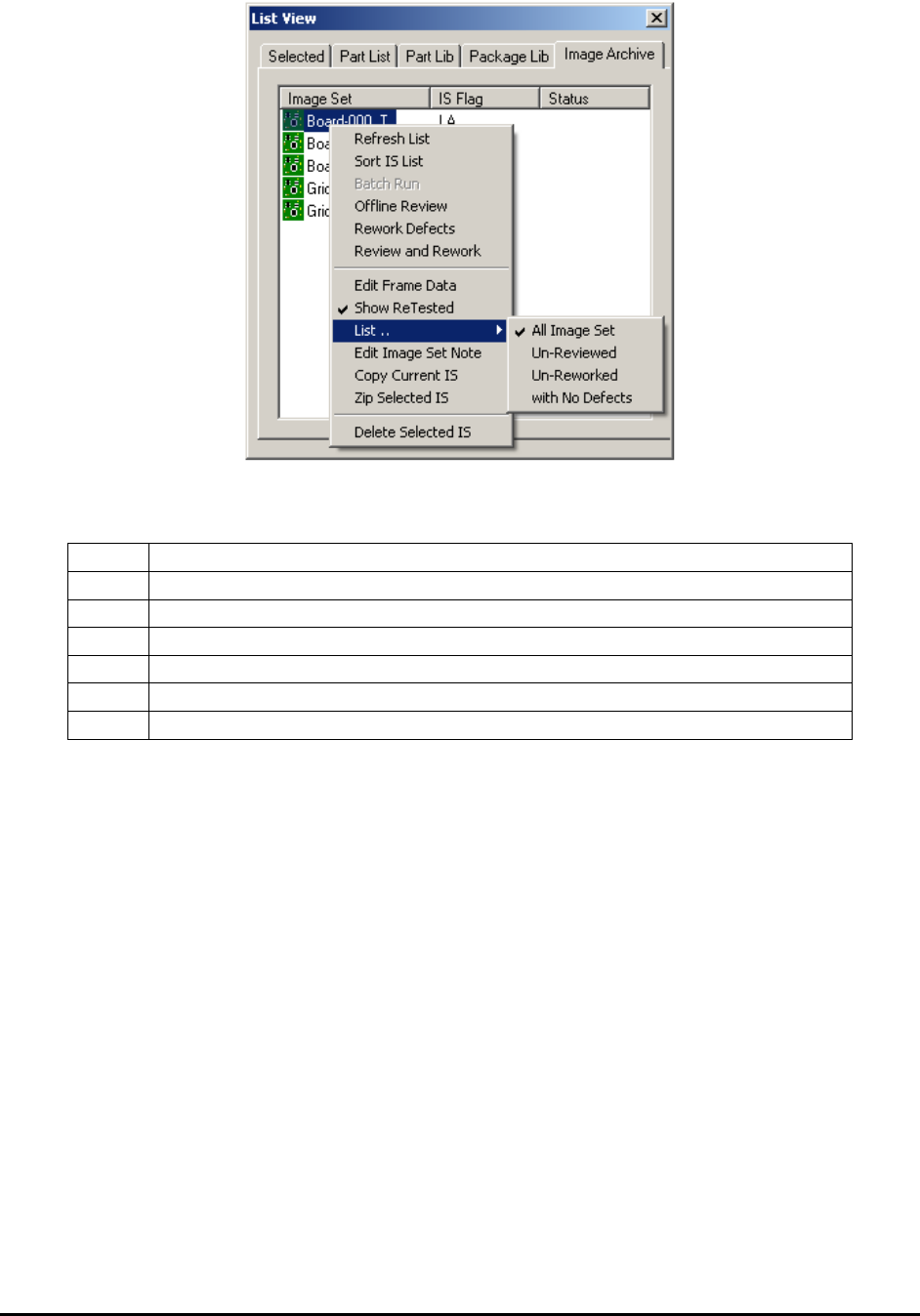
When an inspection recipe is loaded, its associated Image Set is listed in the Image Archive
window of the List View.
21-2 Image Set and Image Archive
On this tab the name of the Image Set is listed on the left, followed by IS Flag. IS Flag may be
one or more of the following letters:
I
Inspection Path Image Set
G
Grid Image Set
A
Full Image Set
D
Defect Only Image Set
RV
The Image Set had been reviewed.
RW
The Image Set had been reworked.
RD
The Image Set had been reviewed and a real defect is found on it.
Double clicking on the selected Image Set will load it into program memory.
This page also has a pop-up menu which will display when the user clicks the right mouse button
inside the Image Archive window (see 21.6 Pop-up Menu for Image Archive).
21.1 Offline Programming
The offline software (PN: AXI-OLS) is a software option that AXI users can purchase separately
at an additional cost. The software can perform three main functions: offline programming (i.e.
offline inspection recipe creation), offline defect review, and defective board rework. AXI-OLS
can be installed on any computer running Windows 2000 or XP. This section describes the
offline programming feature. Offline review and rework is documented in the next section.
You can create inspection recipes offline from an Image set captured on an X2/X3 AXI system.
Programming offline allows the AXI machine to continue with inspection work, which
eliminates delays in the manufacturing process. It also allows the user to create inspection
recipes in the comfort of his or her office.