YesAX V3.1.2 - Software User Manual.pdf - 第253页
Recipe Data Stora ge 22 -3 To back up any previously created recipes, you can copy all the contents of the C: \Aoi_data\Recipe folder and paste it into the network backup location. With the Backup Folder specified, every…
22-2 Recipe Data Storage
22.2.1 YesBackup
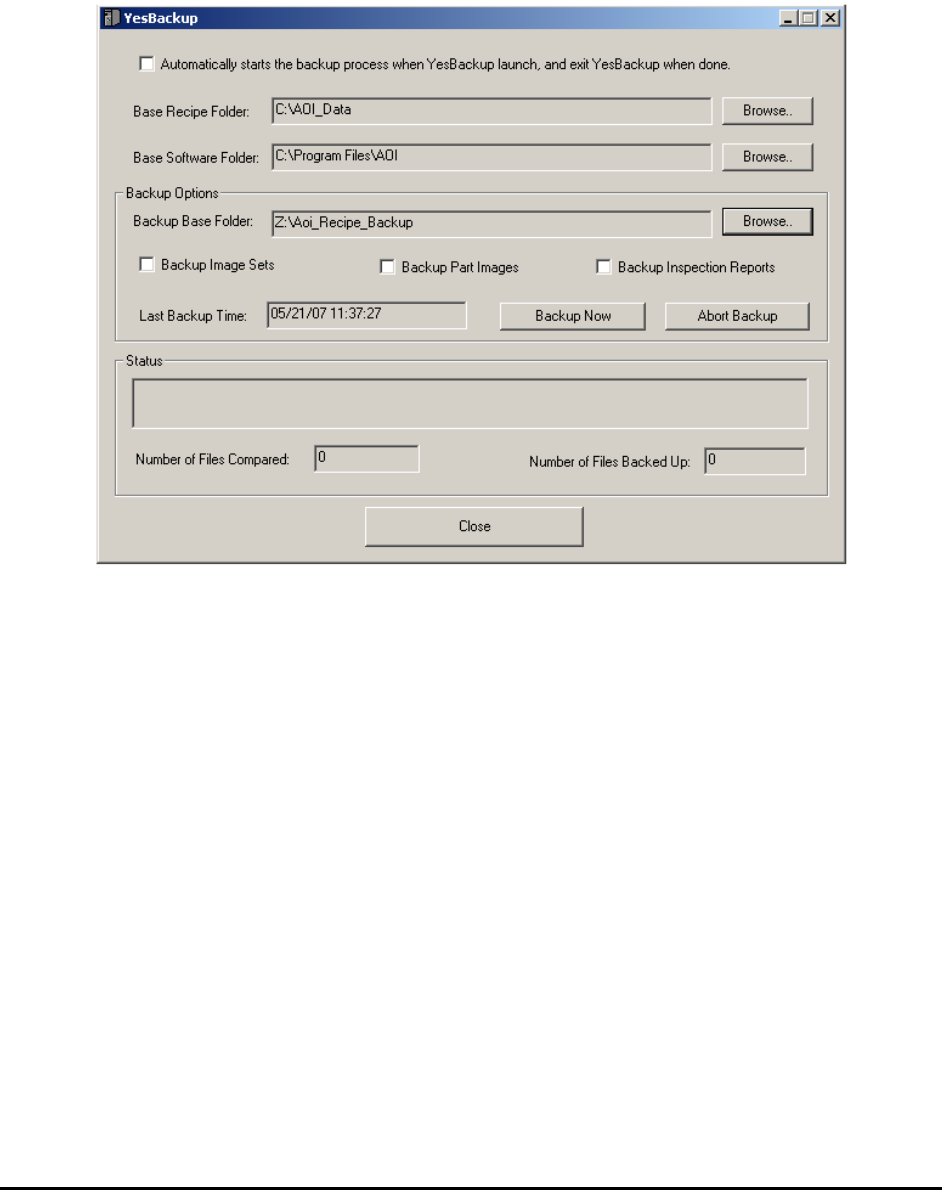
YesBackup is software utility that backs up the inspection recipes and software programs and
configurations from a Nordson YESTECH AXI machine. It is provided free of charge to all
Nordson YESTECH customers. The software will “crawl” the folders and backup any new data
it contains.
The software user interface is self explanatory. Select the Automatically starts the backup
process when YesBackup launch, and exit when done checkbox to use Windows’ scheduler to
launch this program and perform periodic backups.
22.2.2 Internal Backup Feature
The YesBackup program described in 22.2.1 YesBackup above is the recommended backup
mechanism for all YesAX users. The description for the internal backup feature here is only for
the purpose of backward compatibility.
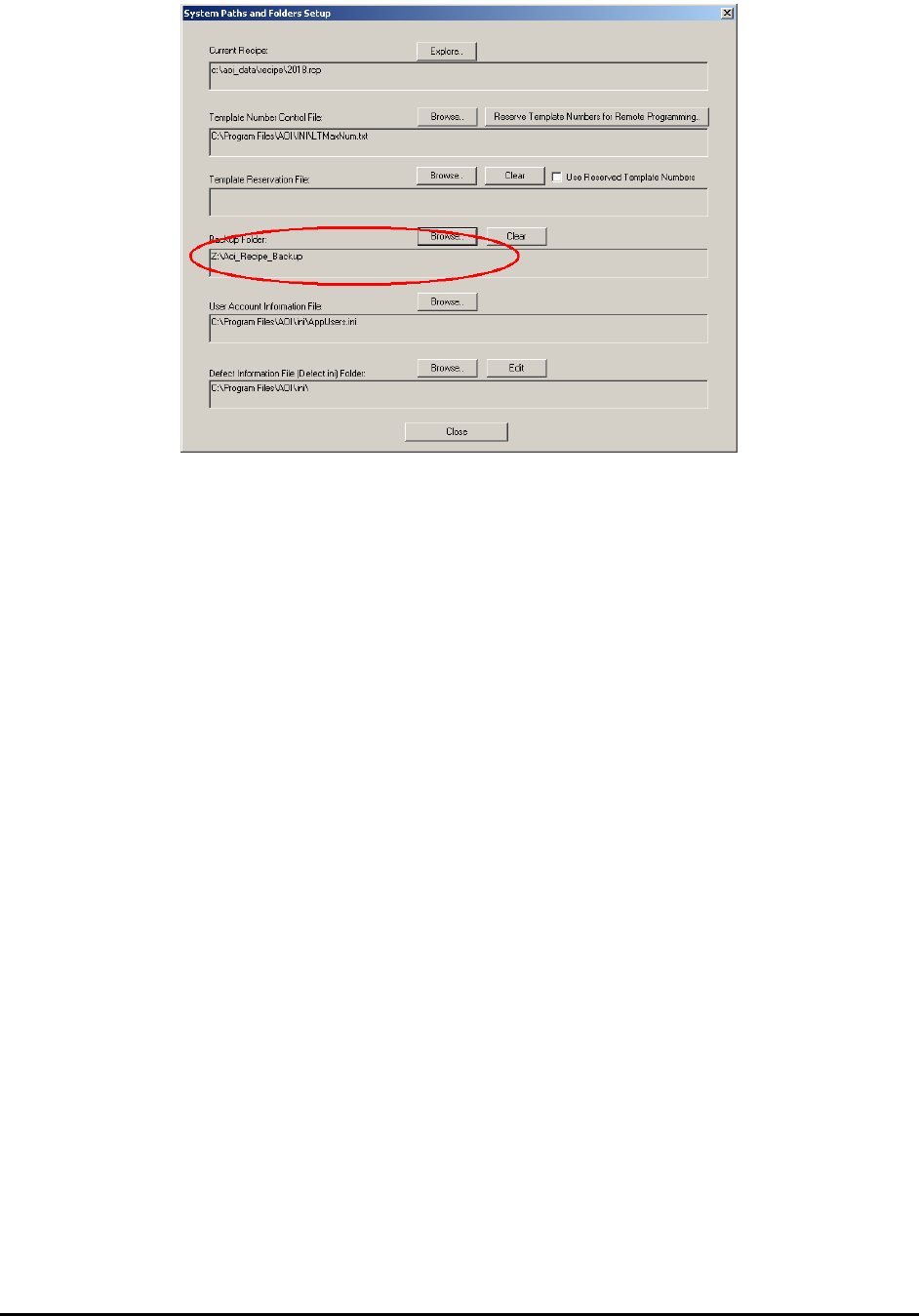
To facilitate the backup activity the YesAX software offers a feature to automatically create a
backup copy of the recipe at a user specified location. To enable this feature, open the System
Options dialog and specify the folder location to save the backups.
Recipe Data Storage 22-3
To back up any previously created recipes, you can copy all the contents of the
C:\Aoi_data\Recipe folder and paste it into the network backup location.
With the Backup Folder specified, every time the software saves the recipe it will save in both
locations.