YesAX V3.1.2 - Software User Manual.pdf - 第63页
Recipe Creation Step by Step for 2D Re cipes 6-5 6.2 Step2: Define New Board Pa rameters After the YCD file is created, press the New Board button to start creating a new inspe ction recipe. The Create New Inspection Rec…
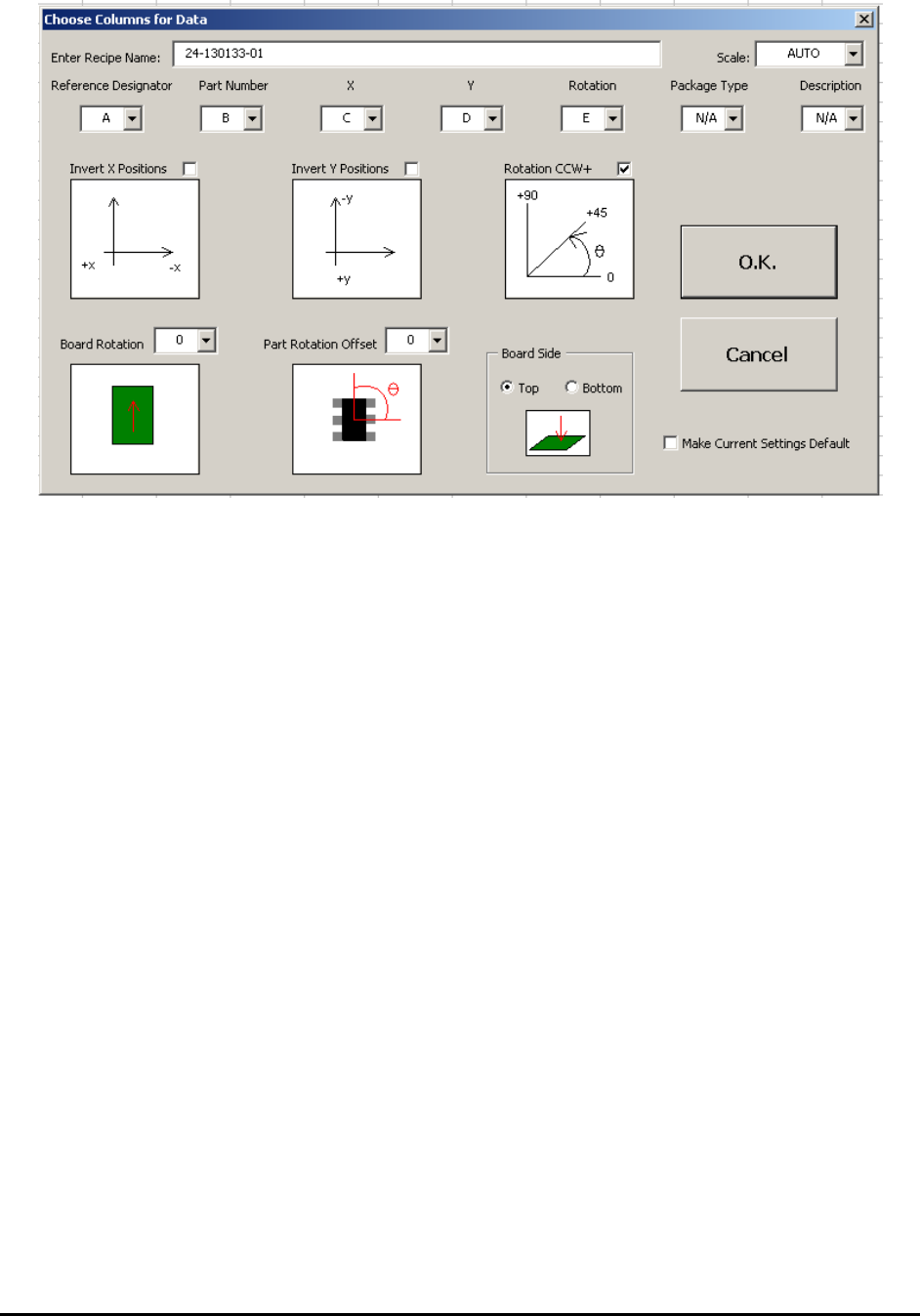
6-4 Recipe Creation Step by Step for 2D Recipes
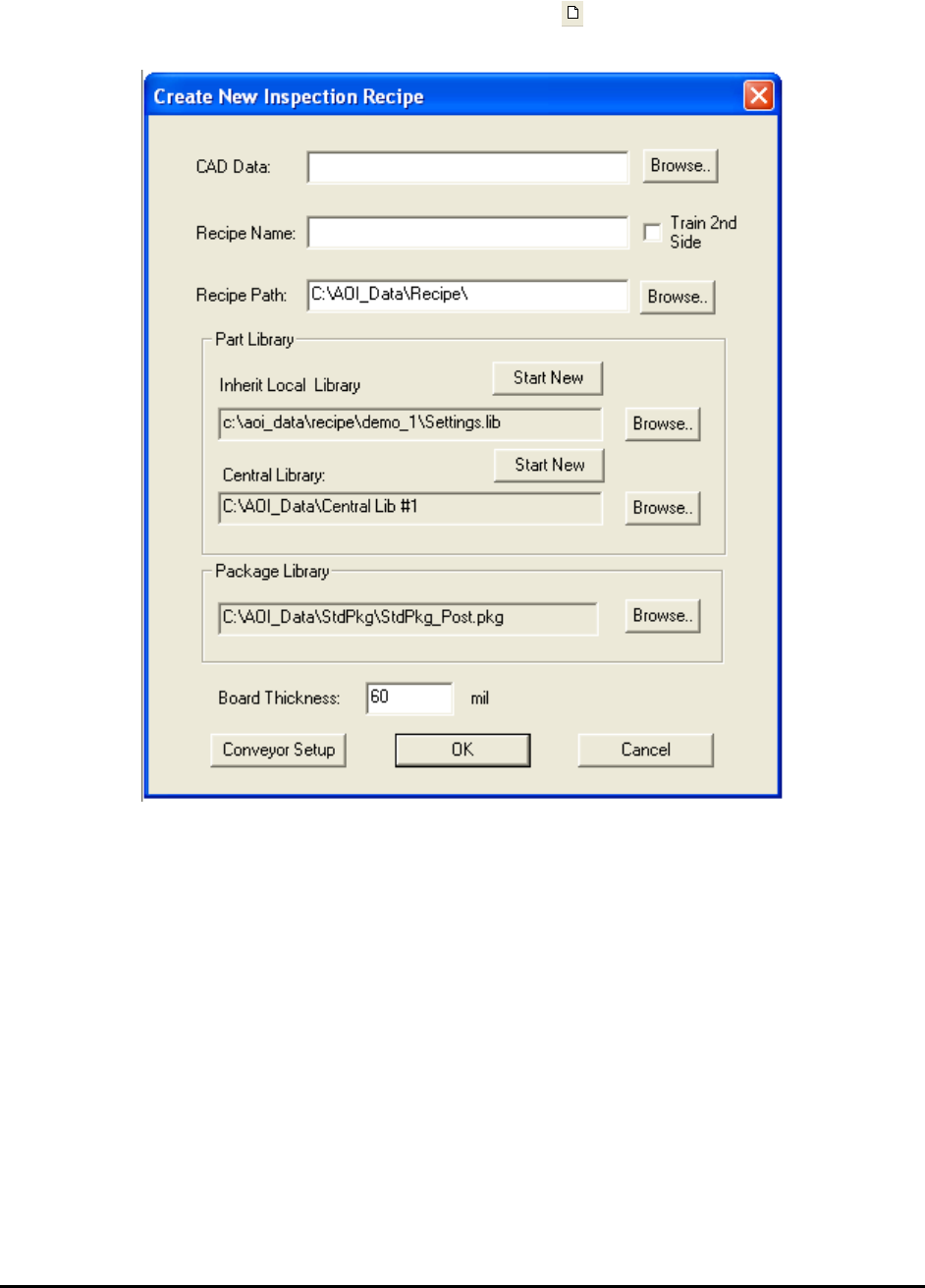
Recipe Creation Step by Step for 2D Recipes 6-5
6.2 Step2: Define New Board Parameters
After the YCD file is created, press the New Board button to start creating a new inspection
recipe. The Create New Inspection Recipe dialog displays.
Press the Browse button on the right of the CAD data box to load the corresponding CAD data
file (.YCD). With the exception of the Recipe Path box, the information from the Header section
of the CAD data automatically populates the other text boxes in the dialog.
Press Ok on the Create New Inspection Recipe dialog to start the interactive process of defining
board size, defining alignment marks, and capturing the board image. Depending on the
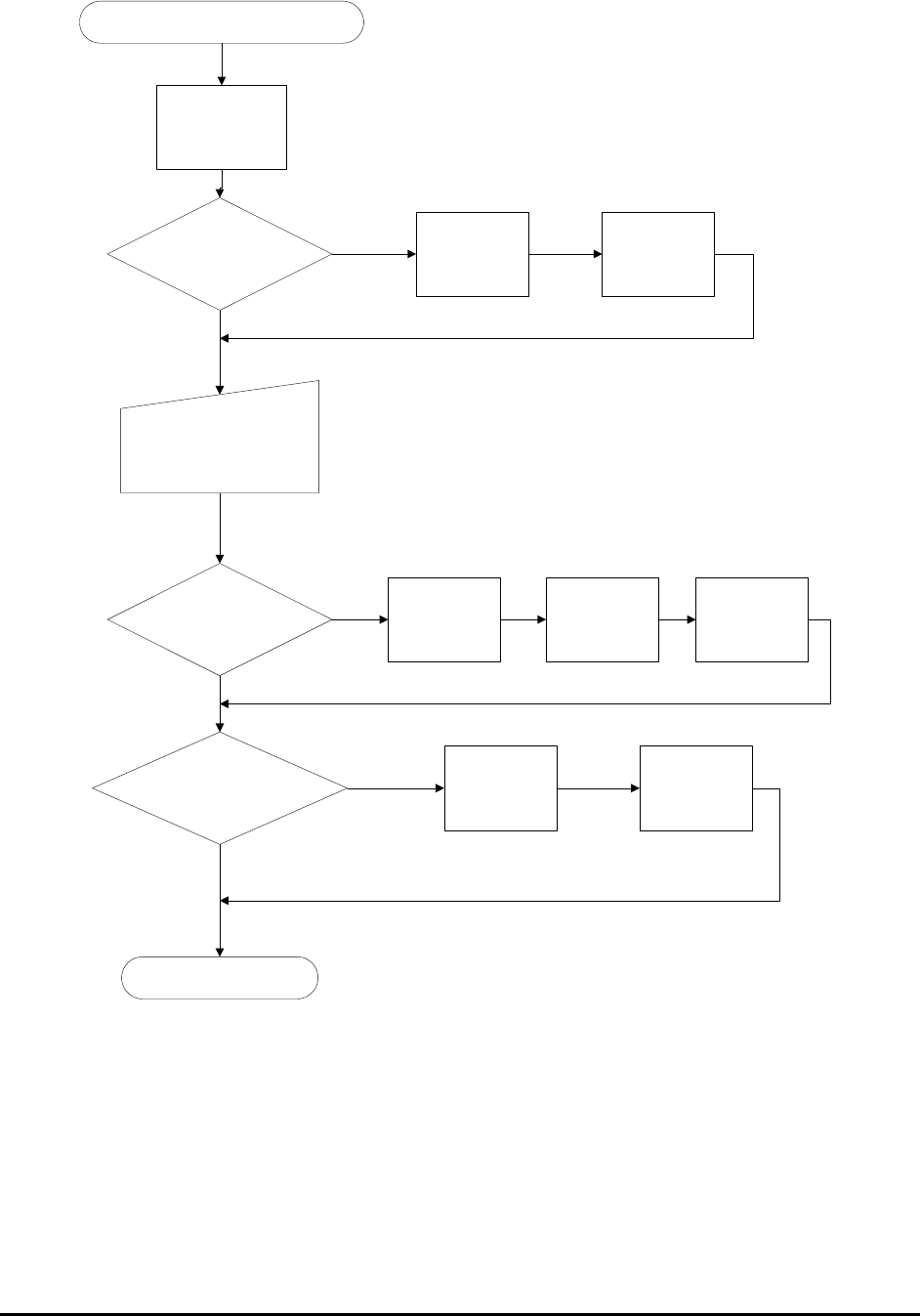
information provided in the CAD data some of the steps may be skipped. Here is a flow chart of
the process:
6-6 Recipe Creation Step by Step for 2D Recipes
New Board Dialog Close
Define the Bottom
Left Corner
Board Size Info in CAD data?
User Want to Capture?
Prompt User to Capture board
Image Set
Launch the Grid
Image Set Dialog
Alignment Mark Info. in the CAD
Data ?
Capture Board
Image Set
Create Map
Background
Define bottom
right corner
Define top left
corner
Define Left
Alignment Mark
Define Right
Alignment Mark
Proceed to CAD Import
Yes
No
Yes
No
Yes
No
6.3 Step3: Import CAD data
The software analyzes the part position information from the CAD data and sequentially
positions the camera over three parts on the board. The objective is to verify the position of that
part. The first part selected by the system is the one closest to the bottom left corner of the board
(the systems origin) interpreted from the CAD data. Next is the part closest to the bottom right
corner of the board and finally the part at the top left corner of the board. For each part, the
camera will focus over the corresponding corner it thinks the part should be in.