YesAX V3.1.2 - Software User Manual.pdf - 第35页
Unpacking and Installation 3-5 3.10.1 Seismic Requirem ents Refer to Nordson Y ESTECH conf iguration-specific dr awings for weig ht distributi on and center of gravity attachment requ irements fo r your specific con figu…
3-4 Unpacking and Installation
3.9 Verify Calibration
After the computer boots up, double click on the YesAX software icon on the desktop to
launch the YesAX control software. The software will prompt the user to log in. Use the
following User Name and Password:
User Name: user
Password: user
This is the default account with all the privileges. Different accounts can be setup to
accommodate specific needs. Refer to Section 20 - User Administration for details.
As an optional final step, machine calibration can be verified using the “Machine Builder” mode .
The first step is to “Home the Conveyor”. Refer to Section 9 - SMEMA Conveyor Setup for
details. Afterward, run the Self Test to verify all the machine calibrations. Refer to Section 25 -
Calibration and Verification for details.
3.10 Seismic Safety
The AXI system is structurally designed to withstand seismic activity in accordance with industry
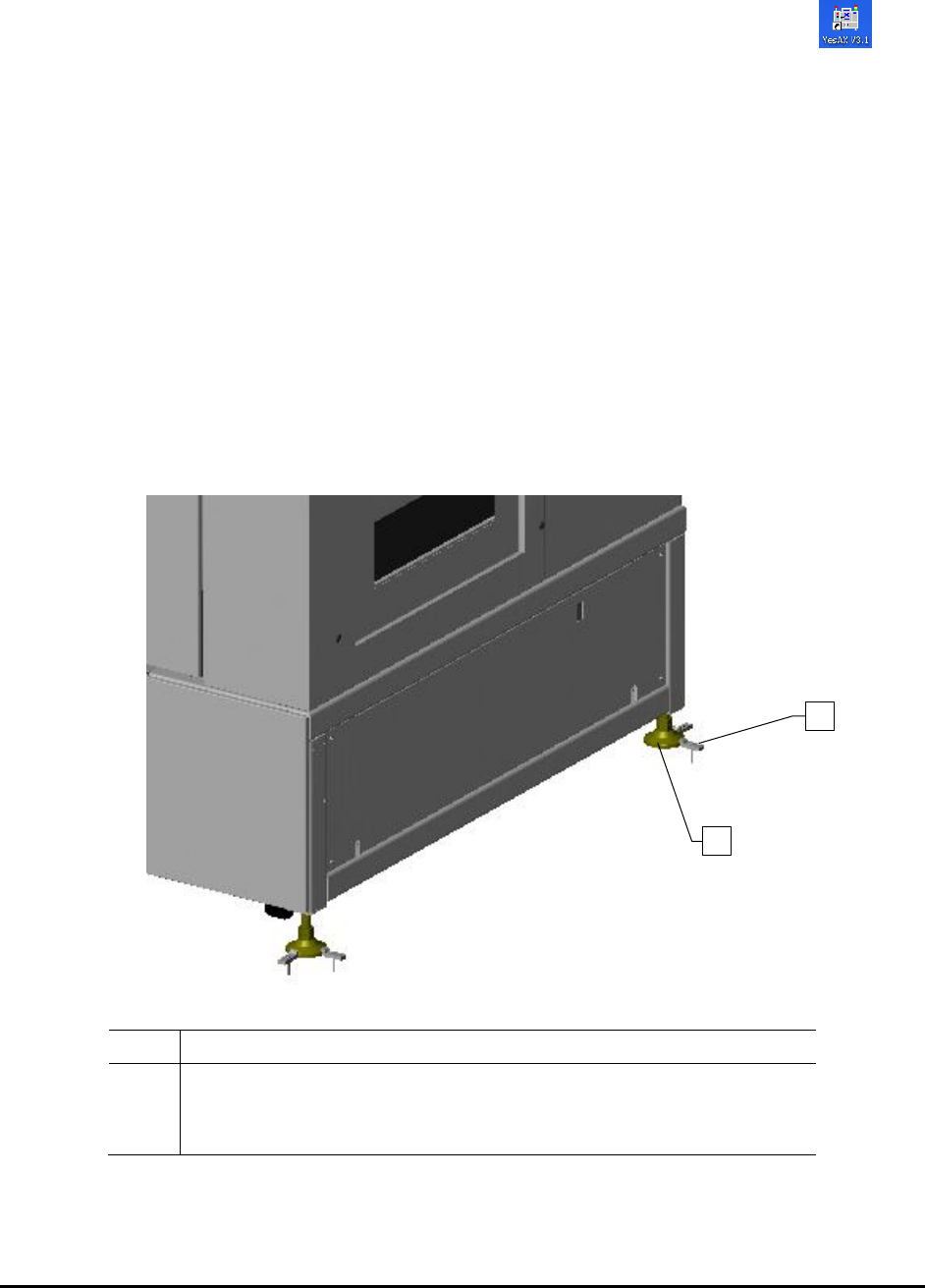
standards. Seismic brackets (Figure 3-1) should be installed on each footpad to anchor the system to the
floor per facility requirements.
Item
Description
1
Seismic Brackets (Two per corner)
Nordson YESTECH recommends JW WINCO Part#A71027
2
Leveling Pad
Figure 3-1 Seismic Brackets
1
2
Unpacking and Installation 3-5
3.10.1 Seismic Requirements
Refer to Nordson YESTECH configuration-specific drawings for weight distribution and center of gravity
attachment requirements for your specific configuration.
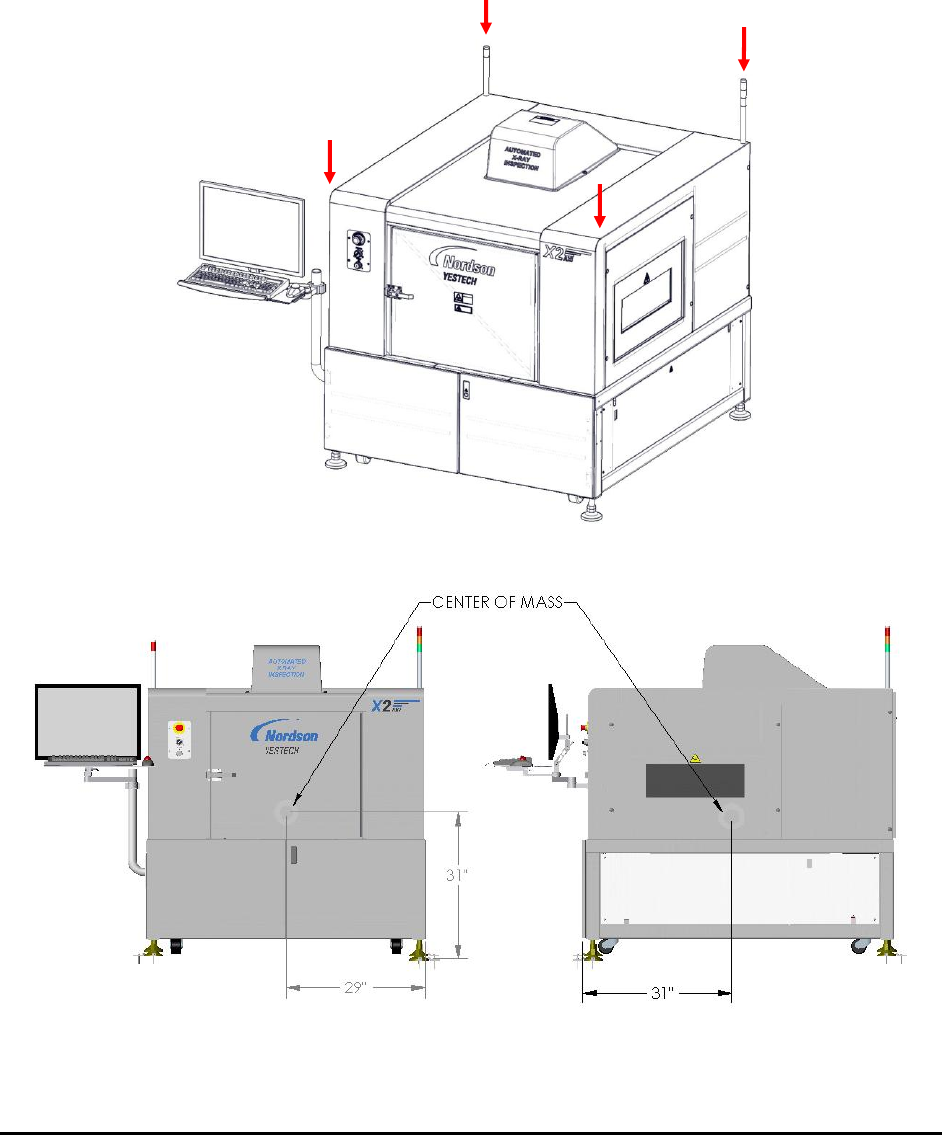
Figure 3-2 and Figure 3-3 show the weight distribution and center of mass of the AXI Systems.
Figure 3-2 Weight Distribution (approximate)
Figure 3-3 Center of Mass
560kg (1210 lbs)
560kg (1210 lbs)
560kg (1210 lbs)
561kg (1212 lbs)