CP-6-series Mechanical Reference.pdf - 第168页
Installation Install the nozzles such that the nozzle numbers match the seal numbers affixed to the aluminum drums. The seal attached to the aluminum drum indicates the placing head facing to the right so be sure not to …
1.2 Nozzle Holder
Before removing the holder, the user must do the following things:
• Inch the holder to be removed to station 11.
• Move the XY-table away from station 11 by hand. The holder is very difficult to
remove if the XY-table is underneath.
• Turn off the machine power.
WARNING
• Turn off the 200 V servo power before carrying out this work.
• Exercise extreme caution when working on the machine if the cam is
not at its origin (0 deg.). Recoil of the cam axis can endanger the
operator.
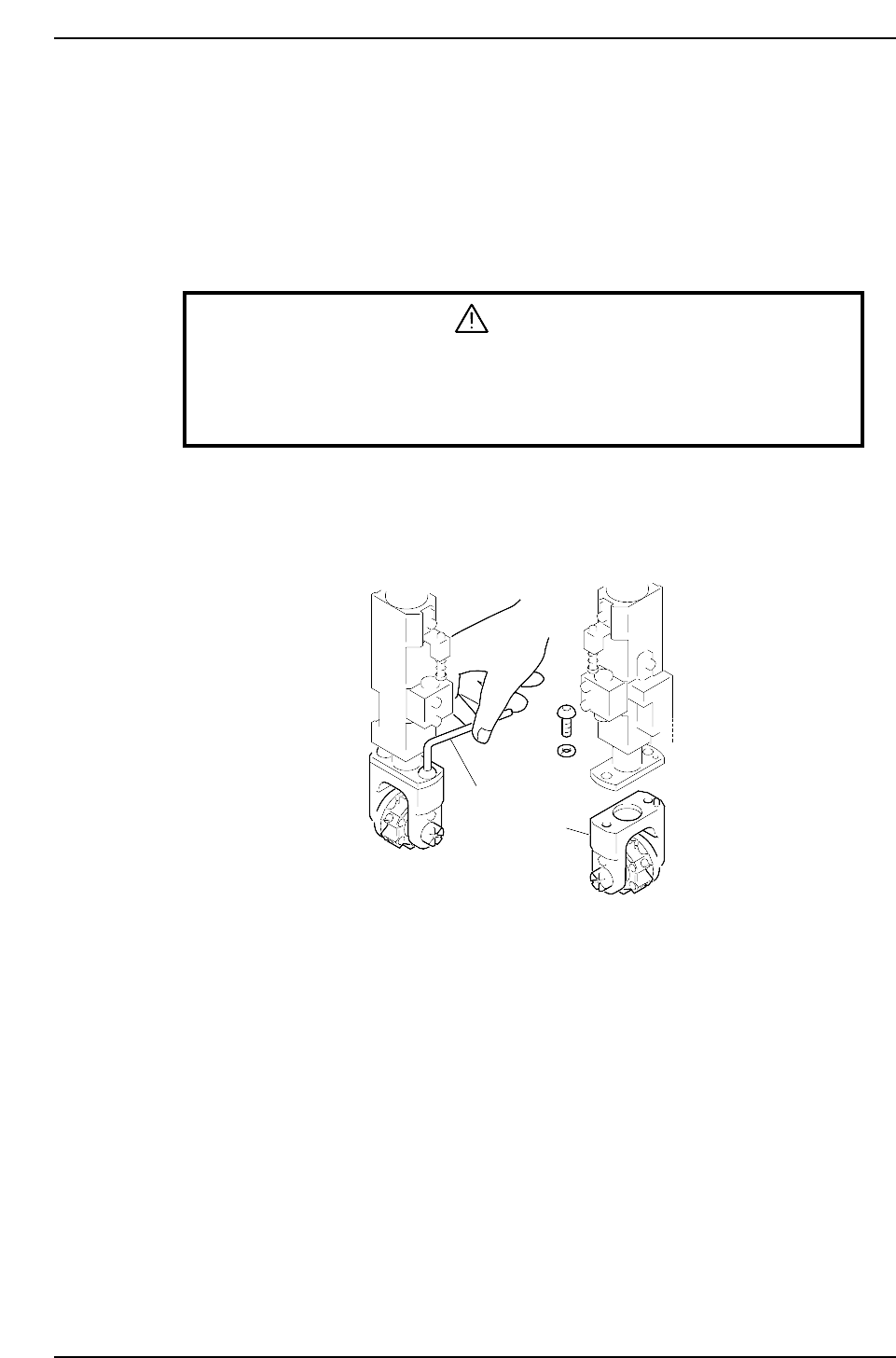
Removal
1. Use the hex wrench to loosen the M5 bolt on top of the holder.
2. After removing the nut, slide the holder down to remove it.
Hex Wrench
Holder
CP6M5002
Part 5 Chapter 1 Placing Head
Edition 1.0 5-1-2 CP-6-series Mechanical Reference
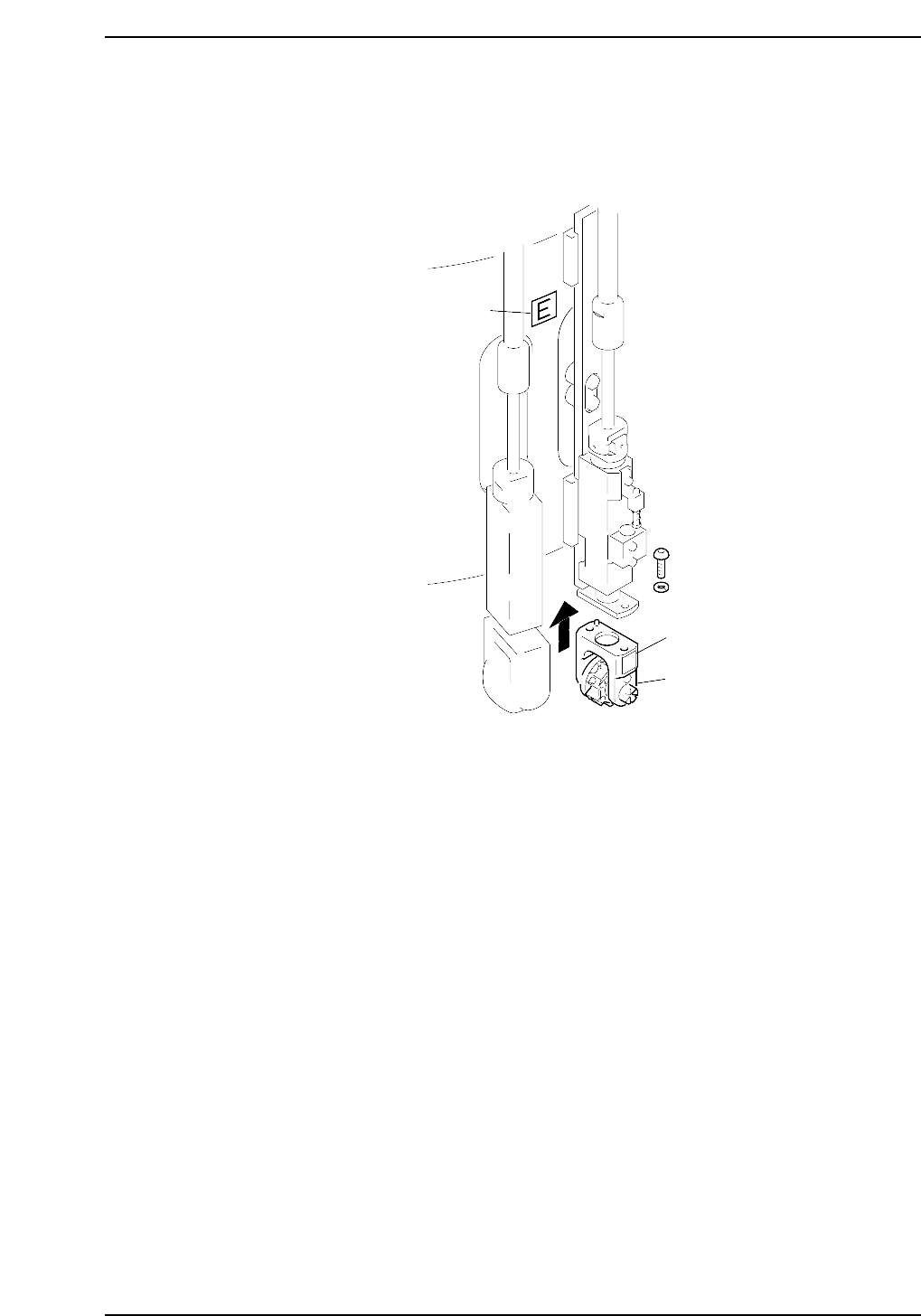
Installation
Install the nozzles such that the nozzle numbers match the seal numbers affixed to the
aluminum drums. The seal attached to the aluminum drum indicates the placing head
facing to the right so be sure not to install the wrong placing head.
Sticker
Sticker
E
Holder
CP6M5003
Part 5 Chapter 1 Placing Head
Edition 1.0 5-1-3 CP-6-series Mechanical Reference

Notes:
Part 5 Chapter 1 Placing Head
Edition 1.0 5-1-4 CP-6-series Mechanical Reference