CP-6-series Mechanical Reference.pdf - 第57页
2.5.2 Servo Boxes The servo amplifiers for each axis can be found inside the servo boxes. Details of each servo amplifier is given below. <CP-6/6E, CP-6M/6ME, CP-642/642E, CP-642M/642ME, CP-643E/643ME, CP-65/65E> &…
2.5 Electrical Control System
2.5.1Operation Panels
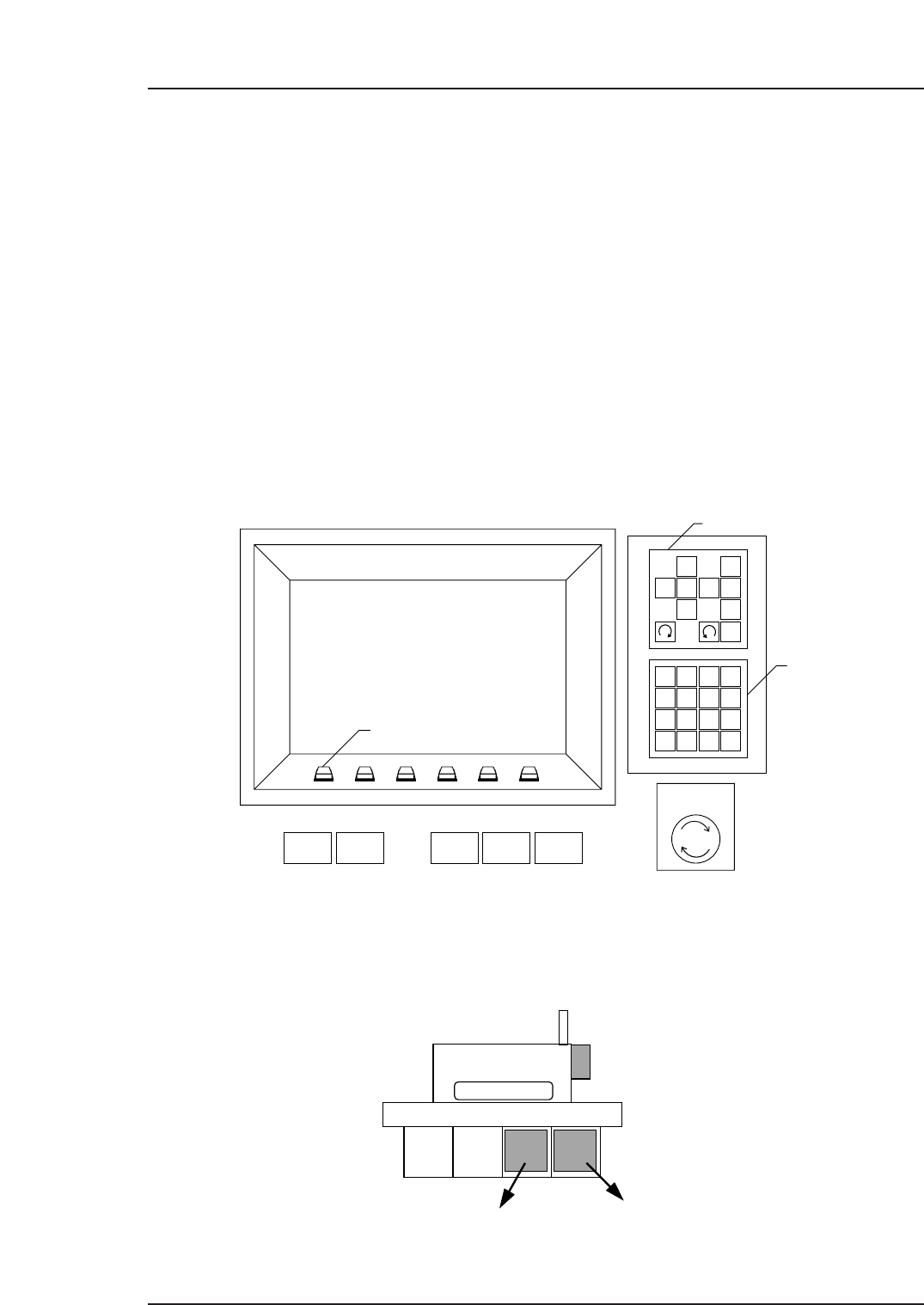
There are three operation panels on the machine. The controls needed to operate the
machine are installed on each of these.
Operation panel 1: Located on the front of the machine, this includes switches
necessary to operate the machine, an operation monitor and
a monitor for the vision processing carried out at station 6.
Operation panel 2: Located on the rear of the machine, this includes switches
necessary to operate the machine and an operation monitor.
Operation panel 3: Located on the central rear fence of the machine, this
(Models with fence) includes a front/rear panel operation selection key, a start
button, a CYCLE STOP button, a RESET button, and an
EMERGENCY STOP button.
Some machine types do not have this operation panel.
Control Boxes
The two control boxes, servo box and control box, are located on the lower front sides of
the machine. Also, there is a power box in the front upper left part of the machine.
CP-6
CP6M1030E
Control Box 1
Control Box 2
1
2
3
4
56
7
8
9
G
#
—
F
1
2
3
4
B
S
C
R
0
↑
←
↓
→
POWER
OFF
CYCLE
STOP
POWER
ON
START RESET
Inching Keys
Numerical
Keypad
EMERGENCY
STOP
Function Keys
✽
CP6M1029E
Part 1 Chapter 2 Functions of Each Component
Edition 1.1 1-2-17 CP-6-series Mechanical Reference
2.5.2Servo Boxes
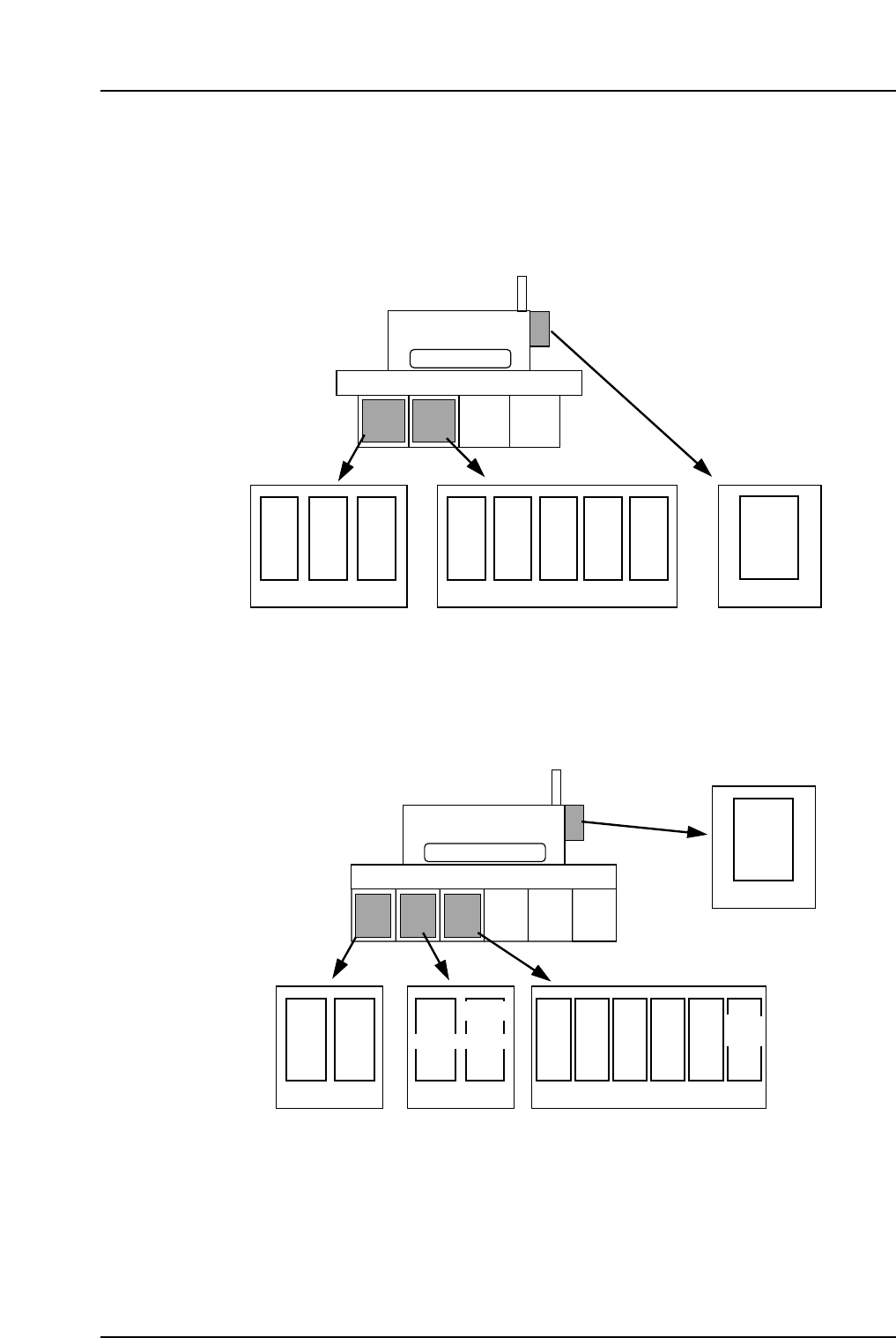
The servo amplifiers for each axis can be found inside the servo boxes. Details of each
servo amplifier is given below.
<CP-6/6E, CP-6M/6ME, CP-642/642E, CP-642M/642ME, CP-643E/643ME, CP-65/65E>
<CP-652C>
CP-652C
CAM
DF
DR
UP
DOWN
YZ
FR
F θ
θ
NC
X
Nozzle
change
Servo box 1 Servo box 2 Servo box 3
Operation box 1
elevator elevator
CP6M1032E
X
Y
CAM
D2
D1
Z
FR
F θ
CP-6
θ
NC
(X)(D2)
**
Nozzle
change
Servo box 1 Servo box 2
Operation box 1
* The symbol in the parentheses is applied to the CP-642/642E, CP-642M/642ME,
CP-643E/643ME and CP-65/65E.
CP6M1031E
Part 1 Chapter 2 Functions of Each Component
Edition 1.1 1-2-18 CP-6-series Mechanical Reference
2.6 The VME Rack
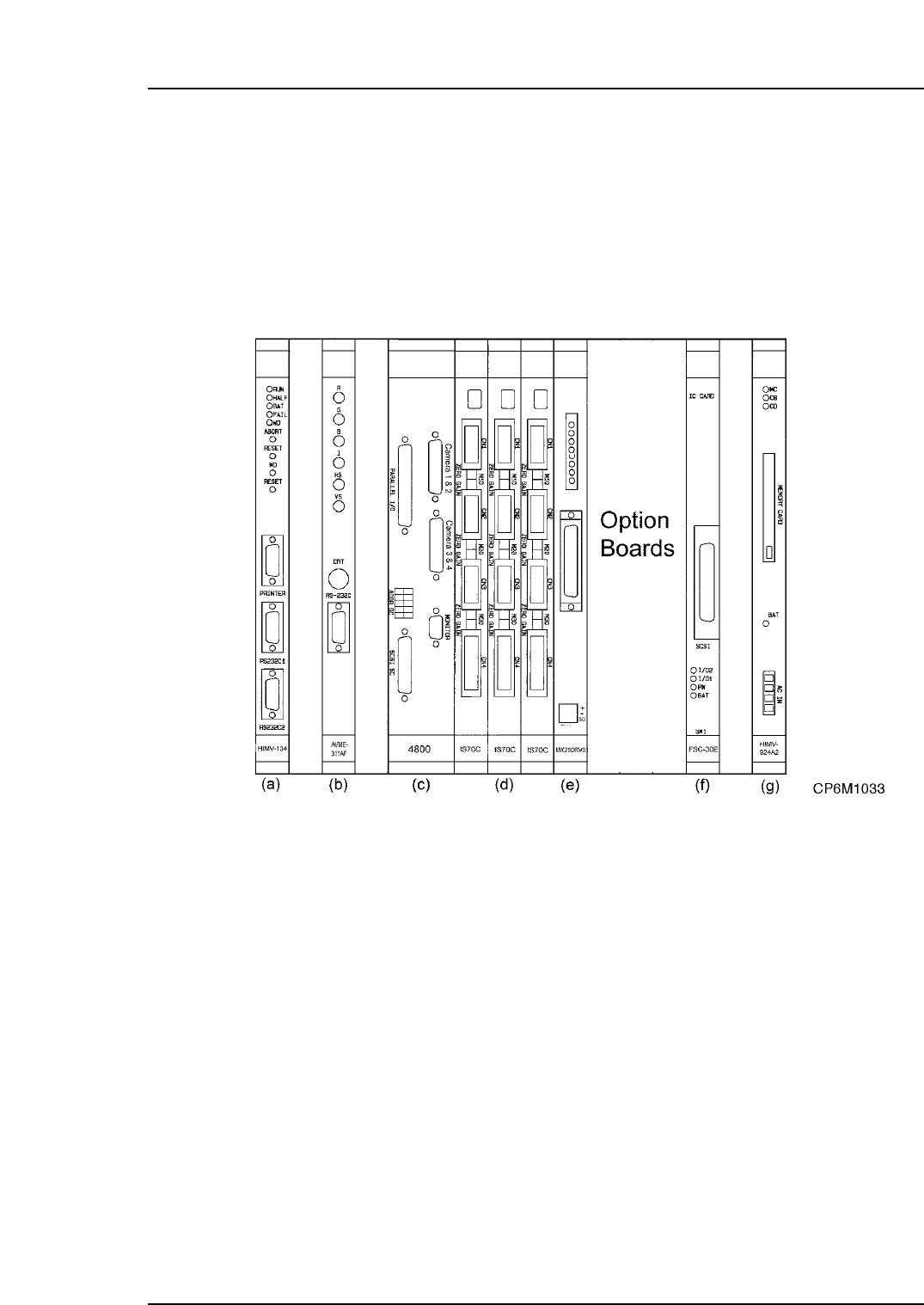
This section describes the functions of each of the boards in the VME rack. The VME
boards are installed in the VME rack located in control box 2. The VME rack is the nerve
center of the machine, where all decisions are made, and all processes are conducted.
The rack contains everything from the CPU to the Memory Board.
Excluding optional boards there are 9 boards in the rack, each with its own individual
and important function.
The functions of each board in the rack are detailed below.
a. CPU Board HIMV-134
Starting from the left of the rack, the first card is the CPU. All machine functional
decisions are made here. In addition, programs, part data, and also proper and status
data are stored in the CPU card’s onboard memory. Up to ten individual programs can
be stored in the CPU’s memory at the one time. This card controls all the other cards in
the rack.
b. Console Board AVME-311AF/FH1017A
The second card in the rack is the color video driver board, often commonly referred to
as the console board. This card receives the display data from the CPU card via the
mother board. The primary purpose of this board is to convert binary data from the CPU
board into CRT format to be displayed on the CRT monitor. The connectors on the front
of the card are: R (red), G (green), B (blue), H (horizontal), V (vertical) and I (intensity).
These connectors lead to the front and rear color monitors.
Note: This board does NOT drive the black and white parts display monitor.
Part 1 Chapter 2 Functions of Each Component
Edition 1.1 1-2-19 CP-6-series Mechanical Reference