CP-6-series Mechanical Reference.pdf - 第197页
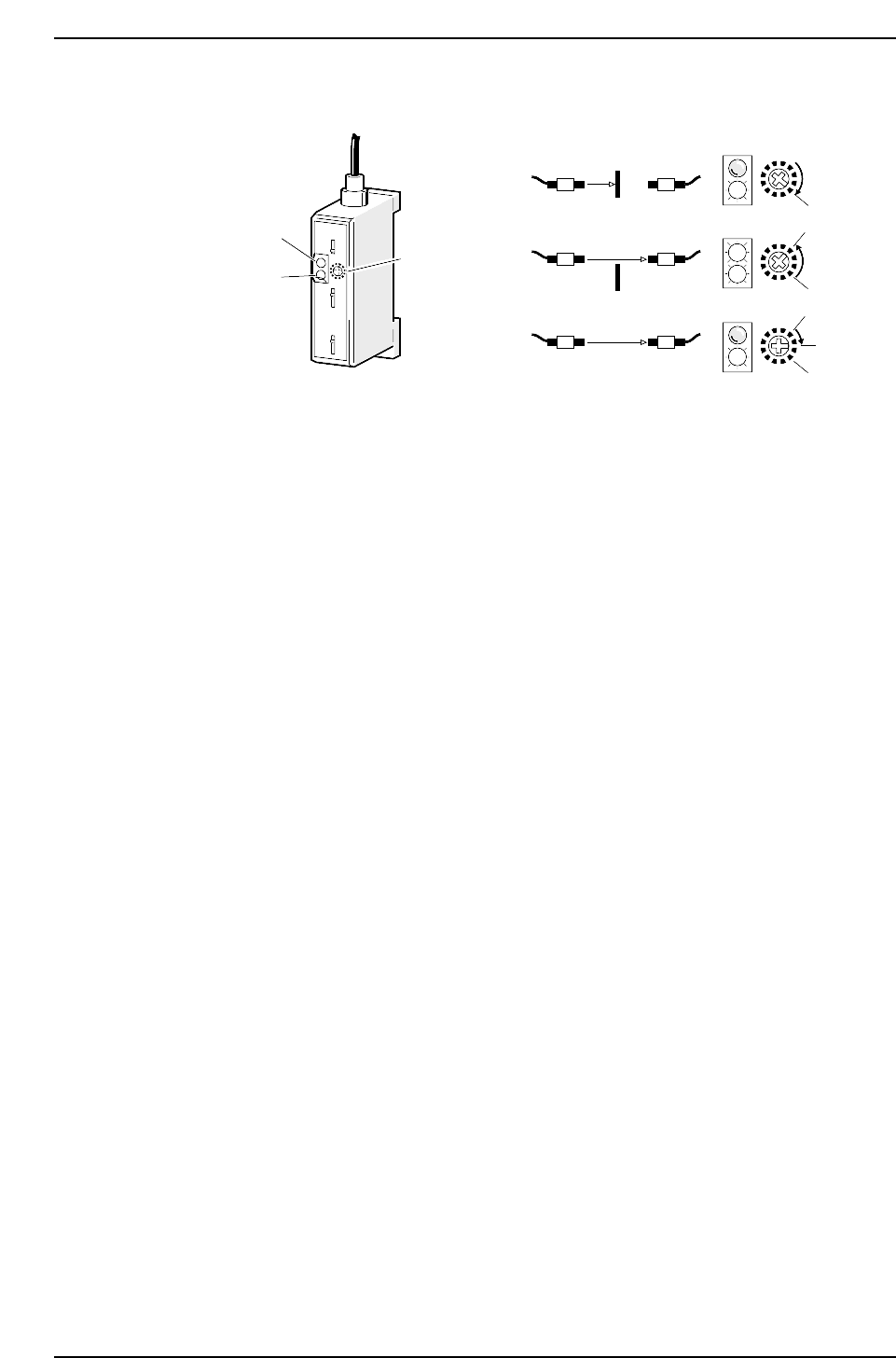
Sensor Sensitivity Adjustment 1. Break the light beam with a ruler (or something similar) and rotate the amplifier trimmer to the right until the red LED (A) goes out. 2. Remove the ruler and rotate the trimmer to the le…
3.2 Station 2
3.2.1 Large Parts Check Sensor
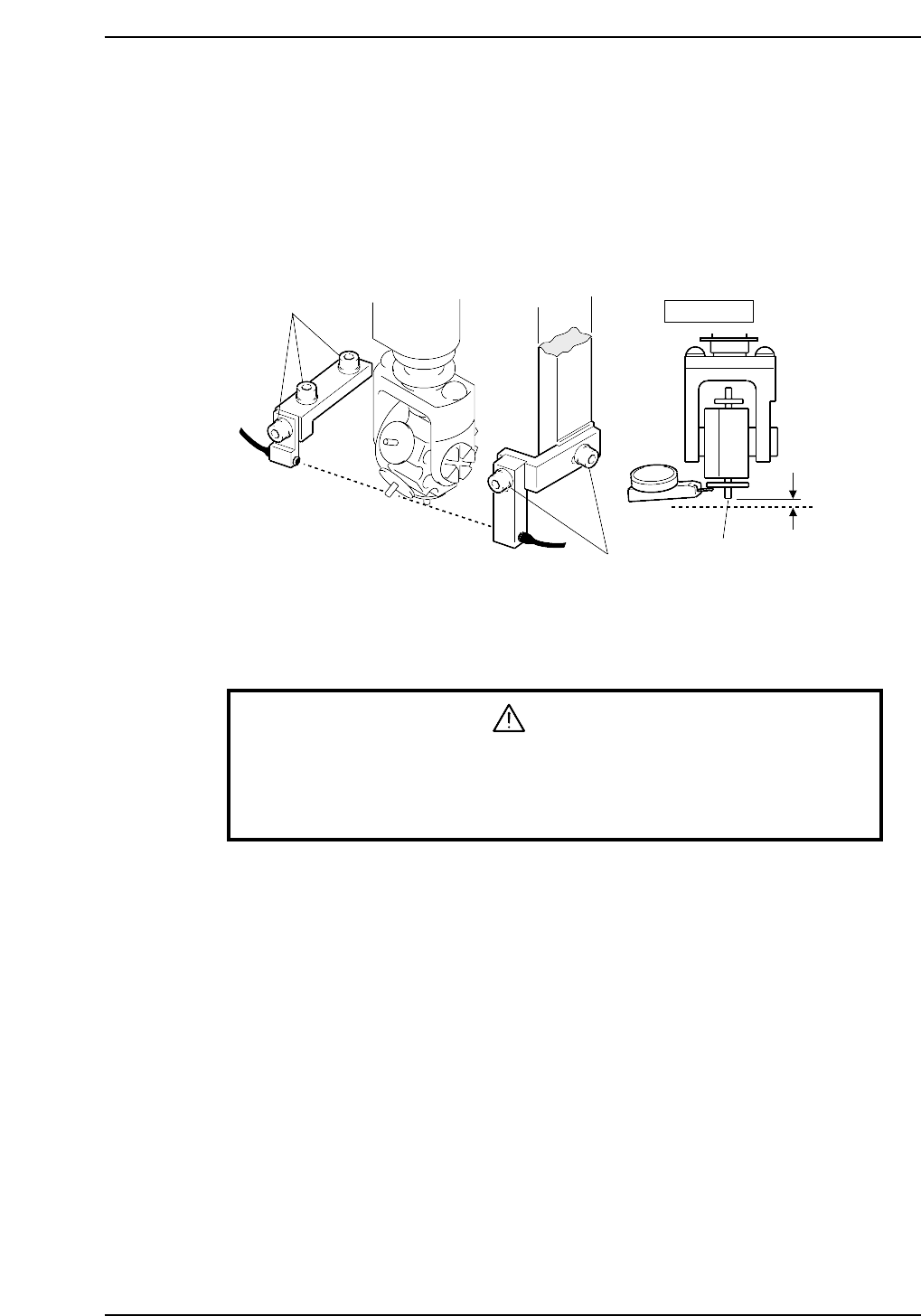
The machine has a sensor at station 2 that checks for large parts (1 mm or larger). The
machine stops immediately if no part is detected.
Sensor Position Adjustment
1. Press the EMERGENCY STOP button. This cuts the 200V servo power and leaves
on only the 100V power supply.
WARNING
• Turn off the 200 V servo power before carrying out this work.
• Exercise extreme caution when working on the machine if the cam is
not at its origin (0 deg.). Recoil of the cam axis can endanger the
operator.
2. Use the cam handle to rotate the cam to 200°.
3. Adjust the sensor so the light beam passes 0.7 to 0.8 mm below the tip of the
nozzle.
4. Actually pick up a part to check the sensor reaction.
Adjustment bolts
Adjustment bolts
Station 2
0.7
~ 0.8 mm
∅0.7 nozzle
Light
beam
CP6M5039
Part 5 Chapter 3 Station Adjustments
Edition 1.0 5-3-21 CP-6-series Mechanical Reference
Sensor Sensitivity Adjustment
1. Break the light beam with a ruler (or something similar) and rotate the amplifier
trimmer to the right until the red LED (A) goes out.
2. Remove the ruler and rotate the trimmer to the left until the red LED (B) lights up.
3. Return the trimmer to a location between (A) and (B).
Red LED
Green LED
Trimmer
(1)
(2)
(3)
SET
(A)
(B)
(B)
(A)
CP6M5040
Part 5 Chapter 3 Station Adjustments
Edition 1.0 5-3-22 CP-6-series Mechanical Reference
3.3 Station 3
Pre-theta
Station 3 rotates the nozzles with parts picked up at station 1 approximately -90°, 0° or
+90° depending on the settings in the placement program.
3.3.1 Clutch Meshing Check
WARNING
• Turn off the 200 V servo power before carrying out this work.
• Exercise extreme caution when working on the machine if the cam is
not at its origin (0 deg.). Recoil of the cam axis can endanger the
operator.
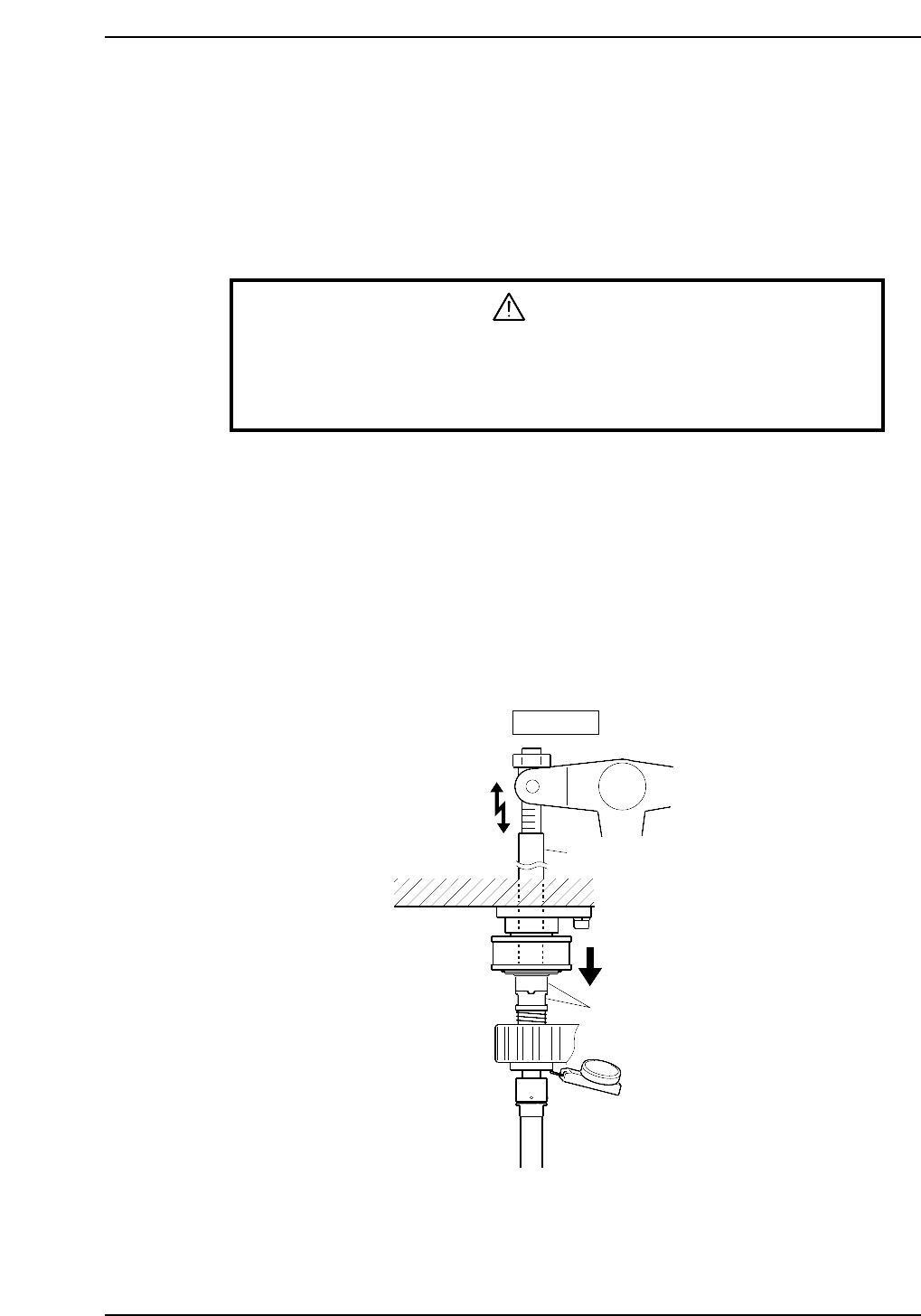
Perform this check on the low-pressure nozzle.
1. Rotate the cam to 0°, turn on the pre-rotation solenoid (Y022 PQ ROT SOL ON) for
station 3 to operate the lever.
2. Set the dial gauge to the bottom of the nozzle shaft brake.
3. Use the cam handle to rotate the cam to 200°.
4. Ensure that the clutches mesh properly and the nozzle shaft assembly deflects the
dial gauge 0.3 ~ 0.35 mm as illustrated below.
Note: The low-pressure nozzle refers to the nozzle axis (out of the 20) that receives the weakest
pushing pressure. Use the low-pressure nozzle for meshing checks at stations 3, 5, 10, 12
and 13.
Station 3
Rod
Clutches
0.30 ~ 0.35 mm
CP6M5041
Part 5 Chapter 3 Station Adjustments
Edition 1.0 5-3-23 CP-6-series Mechanical Reference