CP-6-series Mechanical Reference.pdf - 第214页
3.9 Station 17 Nozzle Detection Sensor Station 17 uses three nozzle detection sensors to detect which of the six nozzles is pointing straight down. The following illustration shows the location of each sensor. 3.9.1 Chec…
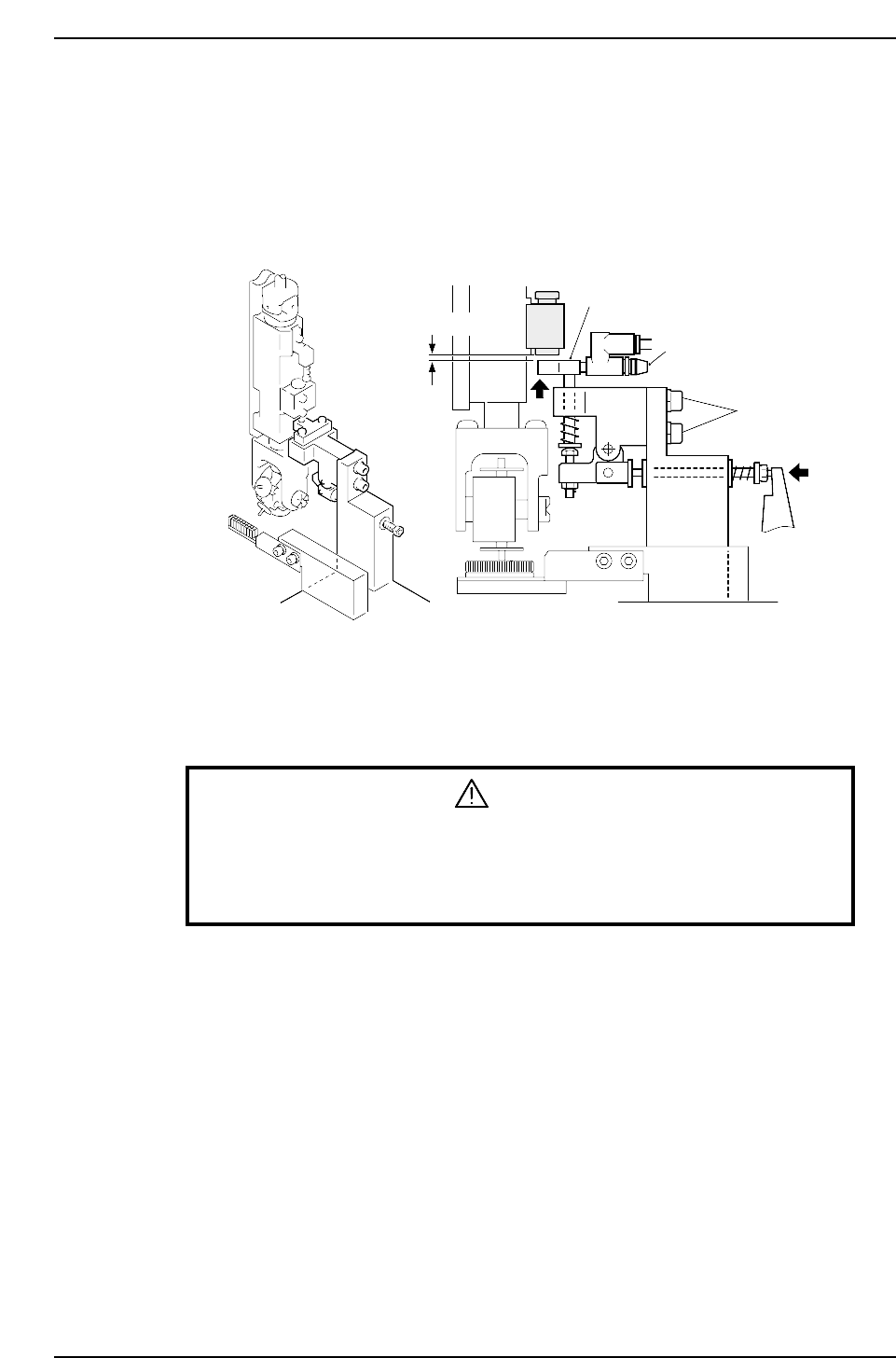
3.8 Station 16
Nozzle Vacuum Valve Off
Station 16 uses the mechanical valve to shut off the vacuum in the nozzle.
Nozzles can no longer hold parts once the vacuum is cut.
Ensure that station 16 discards the parts that fail vision processing.
3.8.1 Nozzle Vacuum Valve Lever Height Adjustment
1. Press the EMERGENCY STOP button to take the 200V down to 100V.
WARNING
• Turn off the 200 V servo power before carrying out this work.
• Exercise extreme caution when working on the machine if the cam is
not at its origin (0 deg.). Recoil of the cam axis can endanger the
operator.
2. Move the reference head to station 16.
3. Use the cam handle to rotate the cam to 203°.
4. Ensure that there is a 0.05 ~ 0.1 mm space under the nozzle vacuum valve.
0.05 ~ 0.1 mm
Adjustment bolts
Speed regulator
Lever
CP6M5059
Part 5 Chapter 3 Station Adjustments
Edition 1.0 5-3-38 CP-6-series Mechanical Reference
3.9 Station 17
Nozzle Detection Sensor
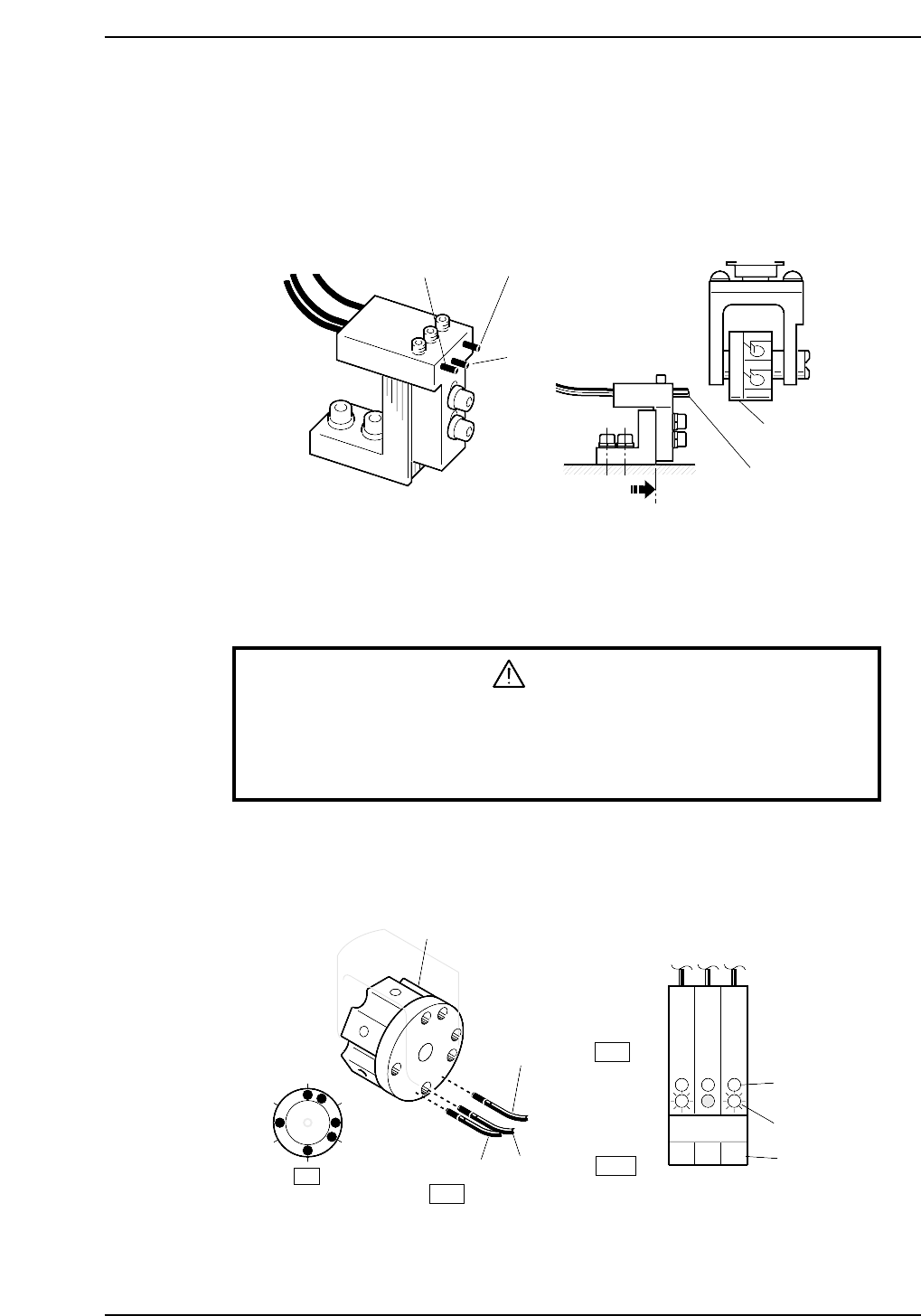
Station 17 uses three nozzle detection sensors to detect which of the six nozzles is
pointing straight down.
The following illustration shows the location of each sensor.
3.9.1 Checking Method
WARNING
• Turn off the 200 V servo power before carrying out this work.
• Exercise extreme caution when working on the machine if the cam is
not at its origin (0 deg.). Recoil of the cam axis can endanger the
operator.
1. Manually rotate the rotary holder to select nozzle No. 6.
The sensor reactions should be the same as shown below.
The LEDs should be red. Green LEDs are usually lit.
Rotary holder
Sensor 3
Sensor 2
Sensor 1
ON
OFF
1
2
3
4
5
6
Green LED
Red LED
Sensor No.
Front of amplifier
ON
17st
123
CP6M5061
Sensor 3
Sensor 2
Sensor 1
Flag
Sensor
To the end of
the oval hole
CP6M5060
Part 5 Chapter 3 Station Adjustments
Edition 1.0 5-3-39 CP-6-series Mechanical Reference
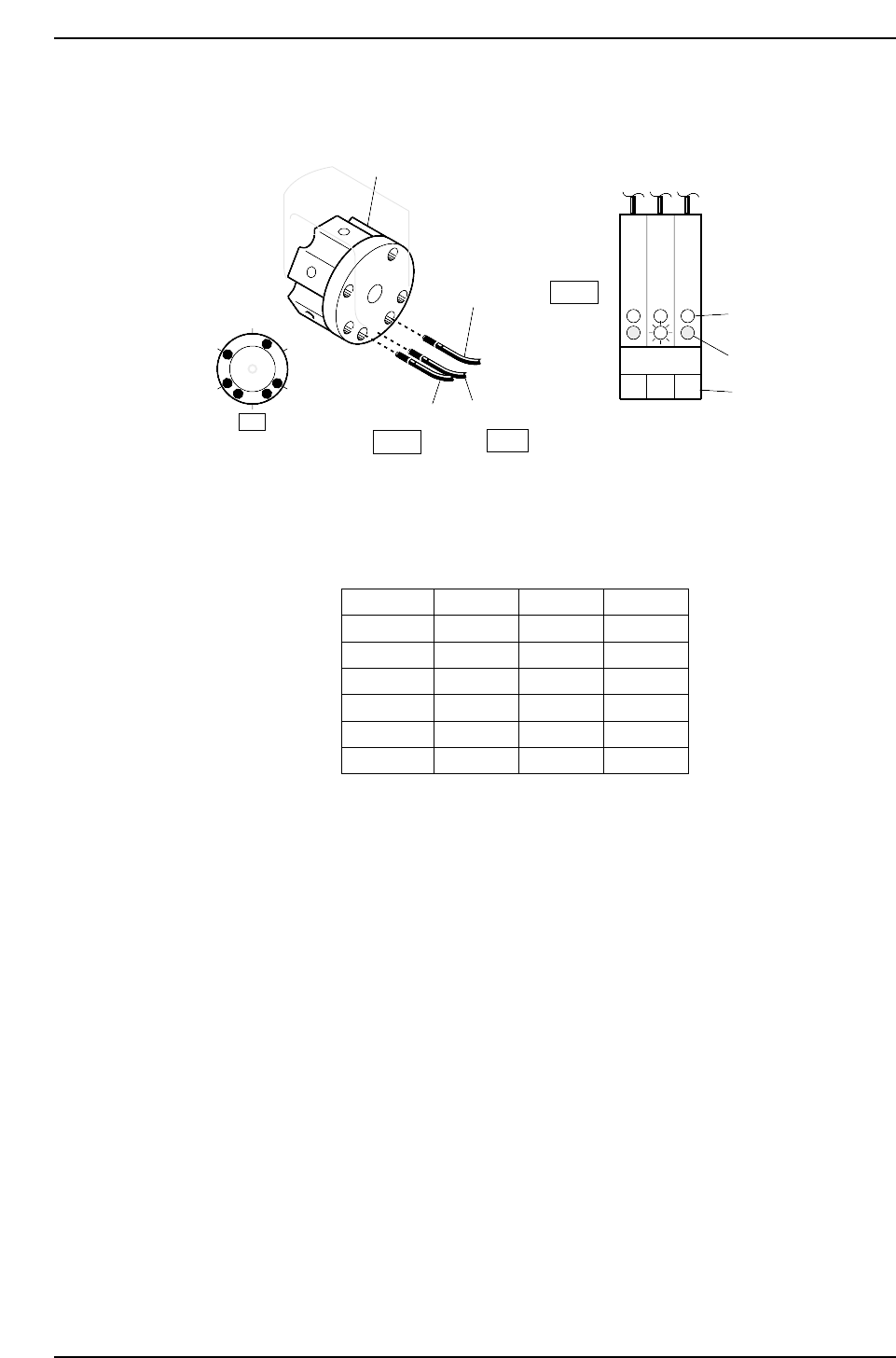
2. Rotate the rotary holder to select nozzle No. 2.
The sensor readings should be the same as shown below.
3. Ensure that the sensors display for the other nozzles as shown below.
Status of Red LED
Nozzle 1
Nozzle 2
Nozzle 3
Nozzle 4
Nozzle 5
Nozzle 6
Sensor 1
ON
OFF
OFF
ON
OFF
ON
Sensor 2
OFF
ON
OFF
ON
ON
OFF
Sensor 3
OFF
OFF
ON
OFF
ON
ON
CP6M5063
1
2
6
5
4
3
Rotary holder
Sensor 2
Sensor 1
Sensor 3
ON
OFF
Front of amplifier
Green LED
Red LED
Sensor No.
OFF
1
17st
3
2
CP6M5062
Part 5 Chapter 3 Station Adjustments
Edition 1.0 5-3-40 CP-6-series Mechanical Reference