CP-6-series Mechanical Reference.pdf - 第93页
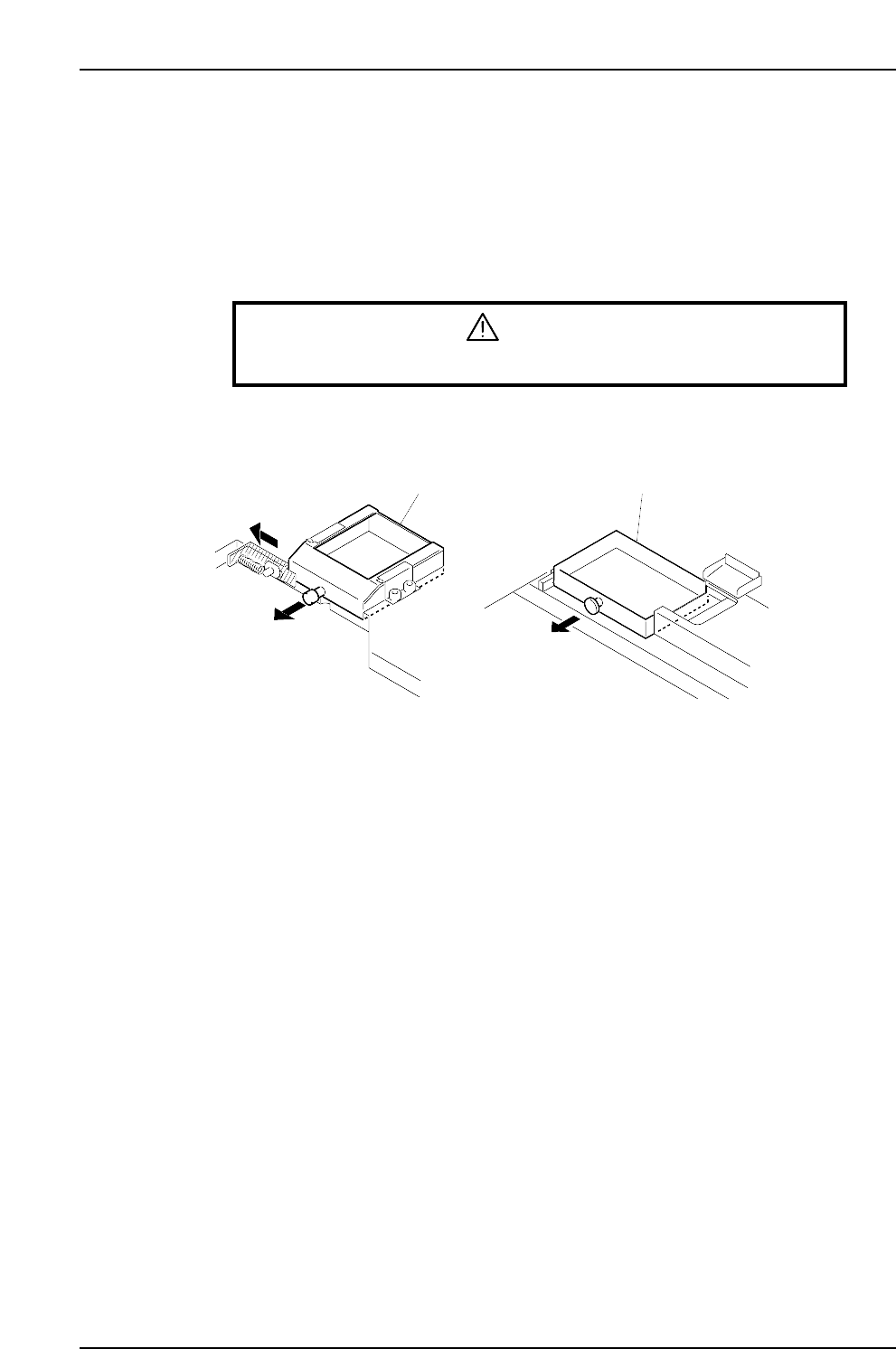
1.3 Cleaning the Parts Reject Box (Every 8 Hours) Point Parts deemed no good by vision processing or unplaced parts are rejected at station 10's parts reject box. Inspect this box and remove the rejected parts. Proc…
1. Cleaning
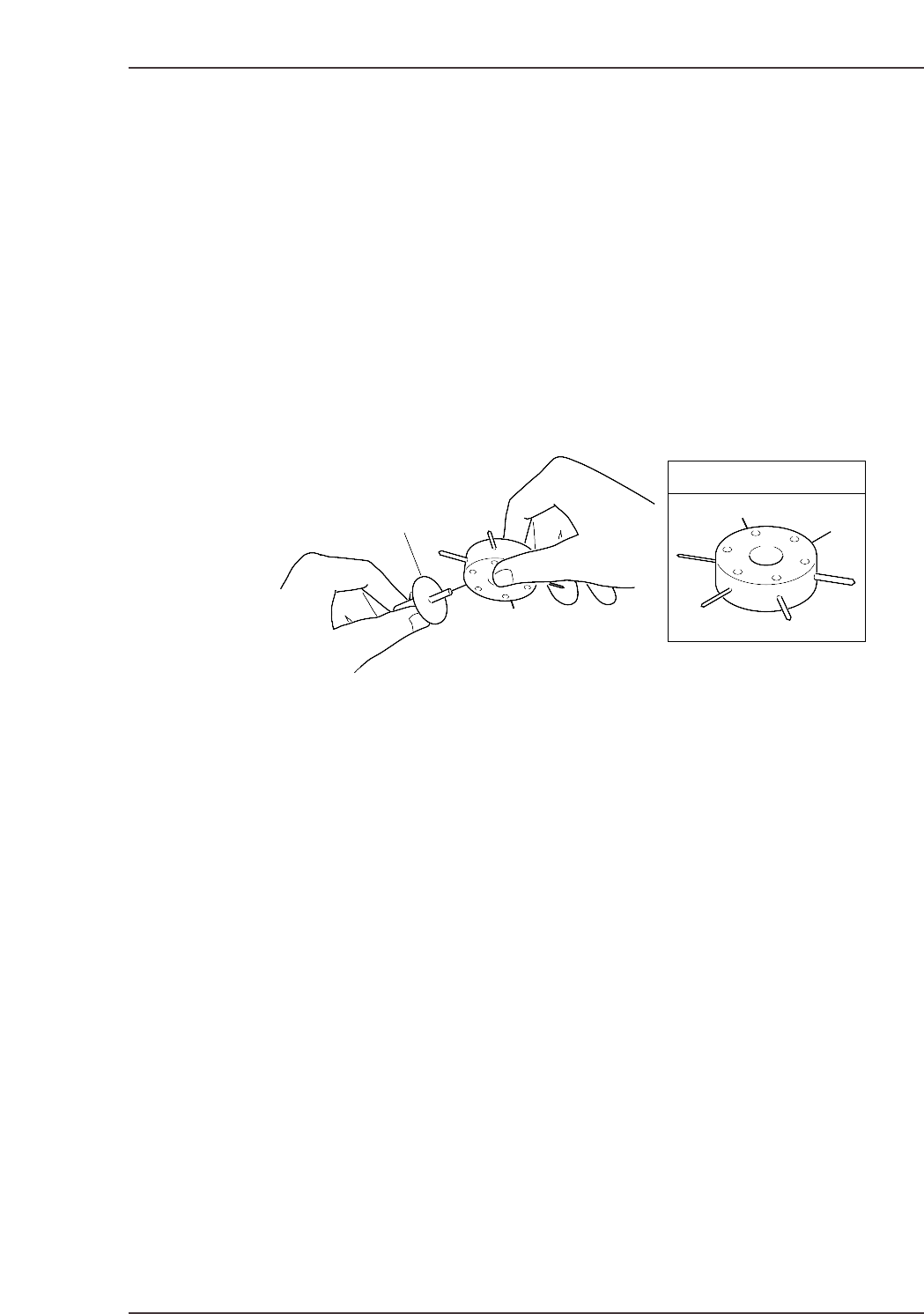
1.1 Cleaning the Nozzles
Point
Because the nozzles operate by vacuum pressure, sometimes foreign materials are drawn
in. Nozzle blockage occurs when particles of dust, glue, and solder paste are drawn in
and solidify. If this blockage is not corrected, pick-up errors will occur and placing
performance will drop.
Procedure
If a certain nozzle consistently causes pick-up errors, clean it out by inserting and turning
a drill bit as shown in the illustration below.
1.2 Cleaning the Fluorescent Disk (Every Month)
Point
If dust or other fine particles build up on the fluorescent disk, the percentage of UV light
reflection from the station 6 UV lamp will be reduced. If this reflected light is
insufficient, a proper image can not be captured during vision processing. Vision
processing errors thus occur and placing performance drops.
Procedure
If a certain nozzle consistently causes pickup errors, clean its fluorescent disk with a soft
brush (the type of brush used for cleaning a camera lens is best).
Note : Do not rub the fluorescent disk with a rag. Rubbing the fluorescent disk makes grime
adhere to the disk, which causes vision processing problems. If grime cannot be removed,
replace the fluorescent disk.
Nozzle
JIG No. AWPJ810✽
CP6M3001Ea
Part 3 Chapter 1 Cleaning
Edition 1.6 3-1-1 CP-6-series Mechanical Reference
1.3 Cleaning the Parts Reject Box (Every 8 Hours)
Point
Parts deemed no good by vision processing or unplaced parts are rejected at station 10's
parts reject box. Inspect this box and remove the rejected parts.
Procedure
WARNING
Turn off the 200 V servo power before carrying out this work.
Dump parts box
Dump parts box
<4000 type> <5000 type>
CP6M3002
Part 3 Chapter 1 Cleaning
Edition 1.6 3-1-2 CP-6-series Mechanical Reference
1.4 Cleaning the Waste Tape Box (Every 8 Hours)
Point
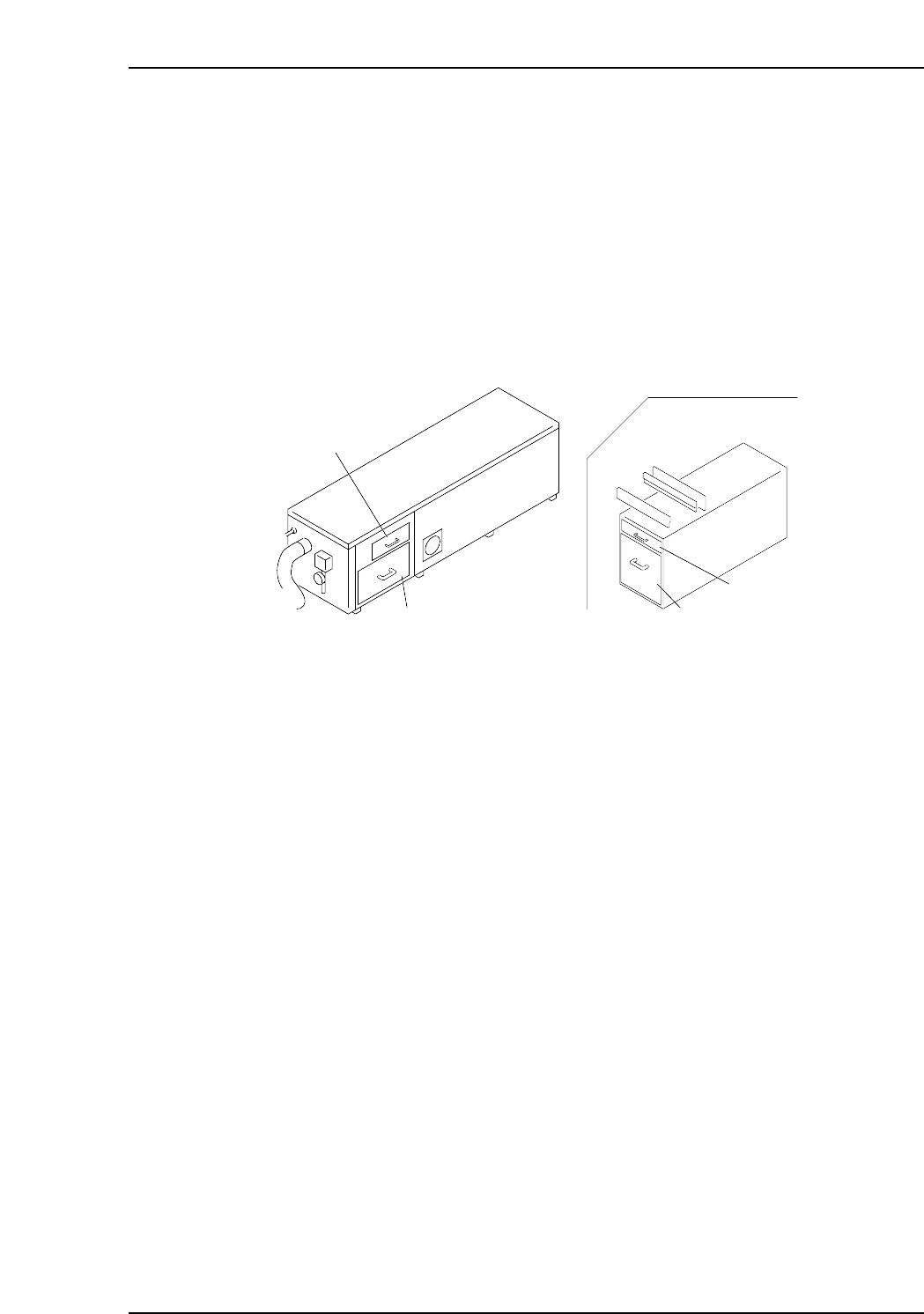
Tape cut by the waste tape cutter travels through a tube to the waste tape box. Empty
the waste tape box every eight hours, as a large amount of waste tape collects after eight
hours of production.
Procedure
When cleaning out the waste tape box, check the filter above it, and if necessary, clean
the filter with a vacuum cleaner.
Filter
Filter
Waste tape box
Waste tape box
CP6M3003
CP-652C
Part 3 Chapter 1 Cleaning
Edition 1.6 3-1-3 CP-6-series Mechanical Reference