CP-6-series Mechanical Reference.pdf - 第293页
Notes: Part 9 Chapter 2 In-Conveyor Edition 1.0 9-2-6 CP-6-series Mechanical Reference
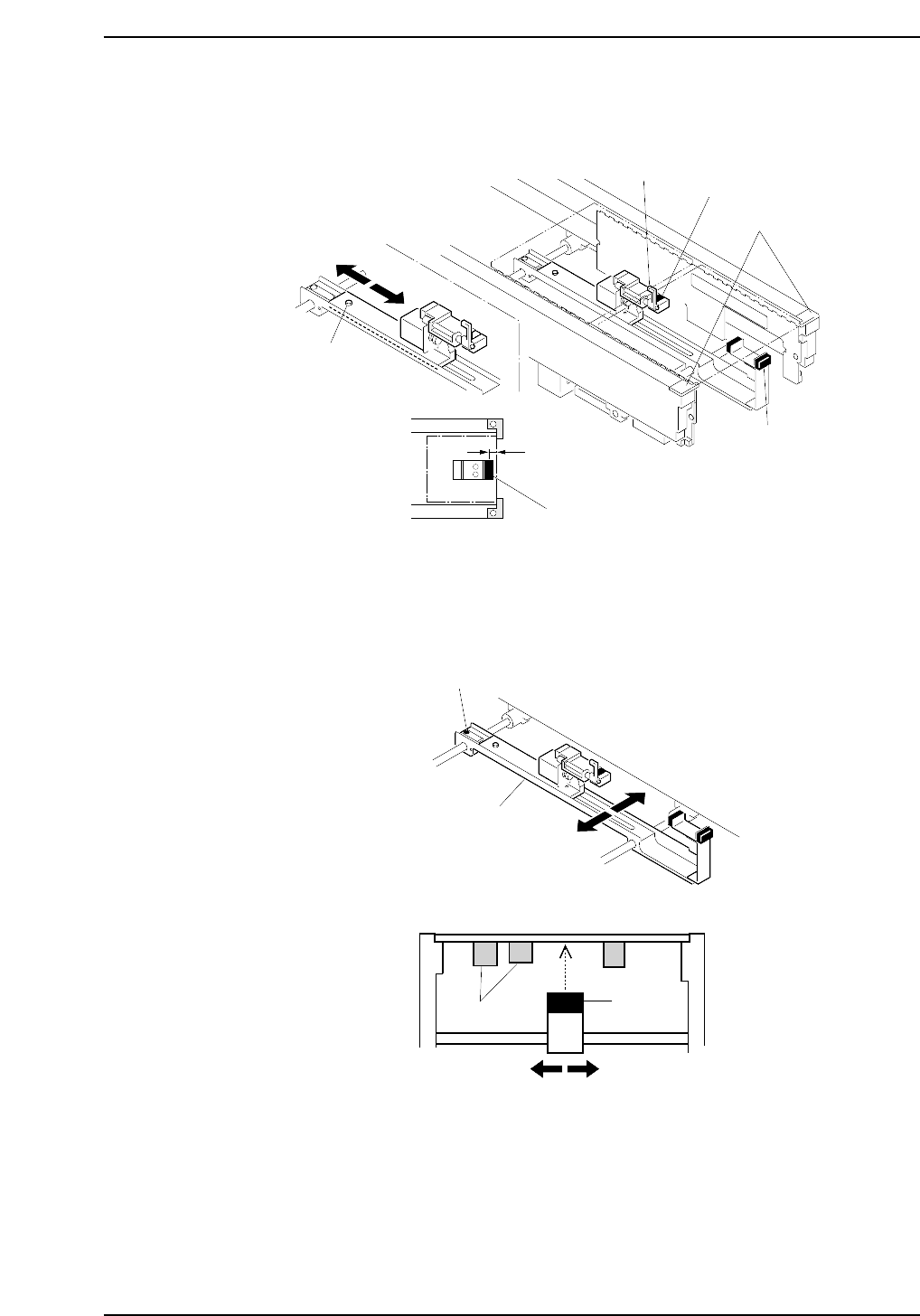
7. Advance the second board and verify that the second board check sensor switches
ON when the board makes contact with the mid-stopper.
8. Check the positions of premounted parts on the lower surface of the board.
Set the sensor avoiding the premounted part positions. Loosen the adjusting bolt
shown below and move the slider in the Y-direction to adjust the sensor position.
CP6M10009
Adjusting bolt
Slider
Y-direction
Premounted
parts
Sensor
CP6M10008
Mid-stopper
Adjustment bolt
Board stopper
5.0 mm
Second board check sensor
First board check sensor
First board check sensor
Part 9 Chapter 2 In-Conveyor
Edition 1.0 9-2-5 CP-6-series Mechanical Reference

Notes:
Part 9 Chapter 2 In-Conveyor
Edition 1.0 9-2-6 CP-6-series Mechanical Reference
3. In-Carrier
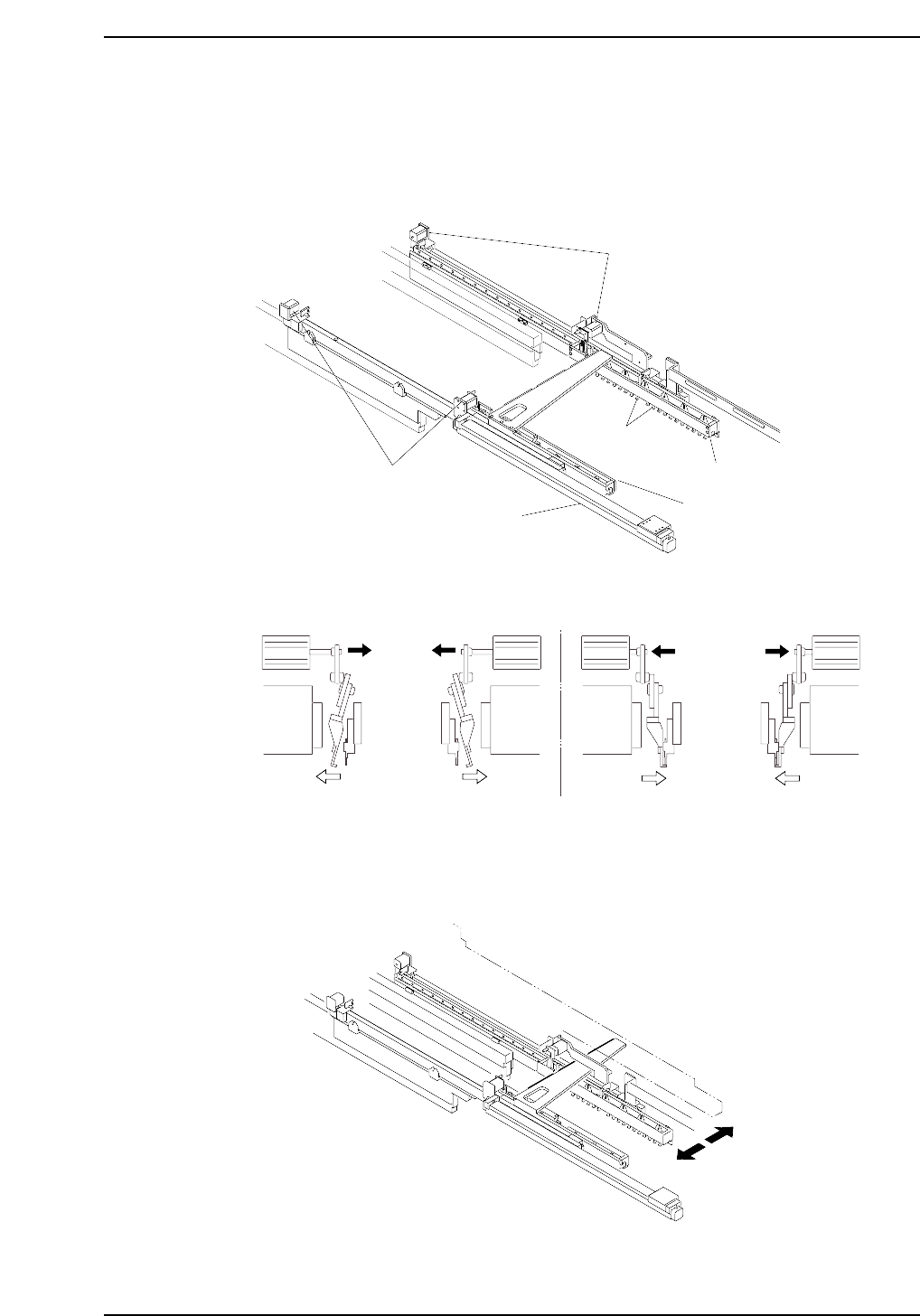
The in-carrier advances forward with boards received from the in-conveyor and transfers
the boards to the main conveyor. The claws used to clamp the boards are opened and
closed by means of an air cylinder drive mechanism.
The board clamping claws are opened and closed using an air cylinder drive mechanism.
In addition, note that the carrier width changes in line with the changes made to the
conveyor width.
CP6M10012
CP6M10011
Carrier opened
Carrier closed
CP6M10010
Carrier (fixed rail)
Carrier (adjustable rail)
Claws
Carrier open/close cylinder
Carrier open/close cylinder
Carrier advance/retract cylinder
Part 9 Chapter 3 In-Carrier
Edition 1.4 9-3-1 CP-6-series Mechanical Reference