X7056_Operating manual_en.pdf - 第112页
Software Viscom Vision Pilot 112 Inspection system X7056 | Operating manual | Version 3.1 Rev.006| 2016-01-06 | 30.009.1930a Navigation The navigation buttons are explained in the following. Unified user in terface VV P …
Software
Viscom Vision Pilot
111
Inspection system X7056 | Operating manual |
Version 3.1 Rev.006| 2016-01-06 | 30.009.1930a
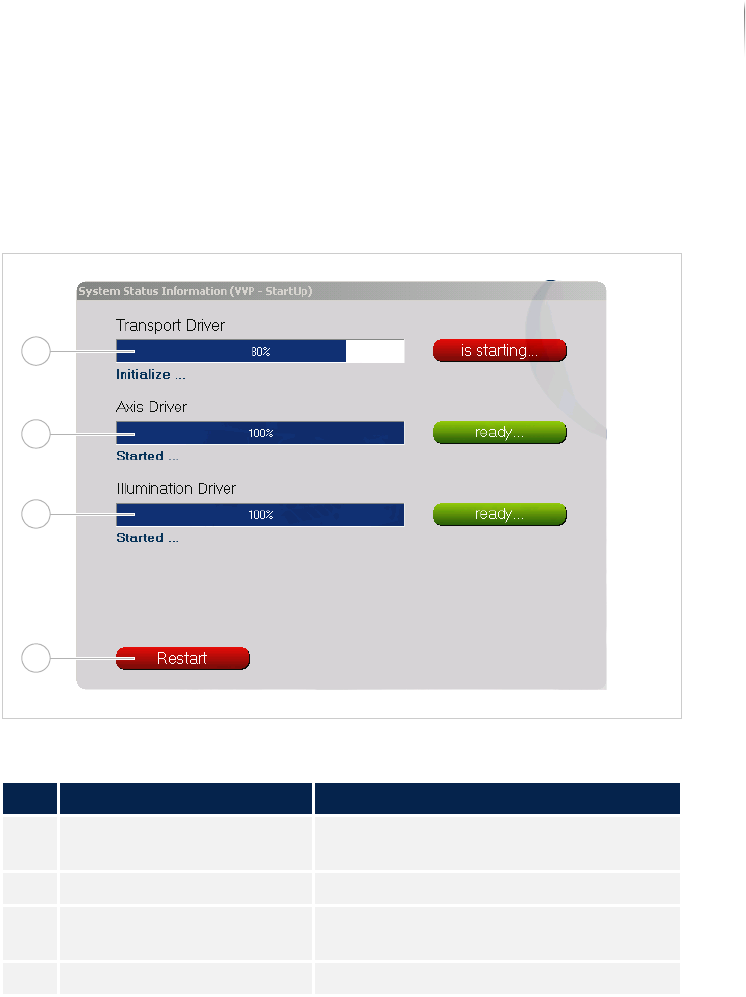
System status information
The SYSTEM STATUS INFORMATION window contains information about
the status of the transport, axes and illumination drivers.
SYSTEM STATUS INFORMATION window
Window description
No. Name Description
1 TRANSPORT Displays the progress of the transport
start.
2 AXES Displays the progress of the axes start.
3 ILLUMINATION Displays the progress of the illumina-
tion start.
4 RESTART Restarts the Viscom software.
1
2
3
4
Software
Viscom Vision Pilot
112
Inspection system X7056 | Operating manual |
Version 3.1 Rev.006| 2016-01-06 | 30.009.1930a
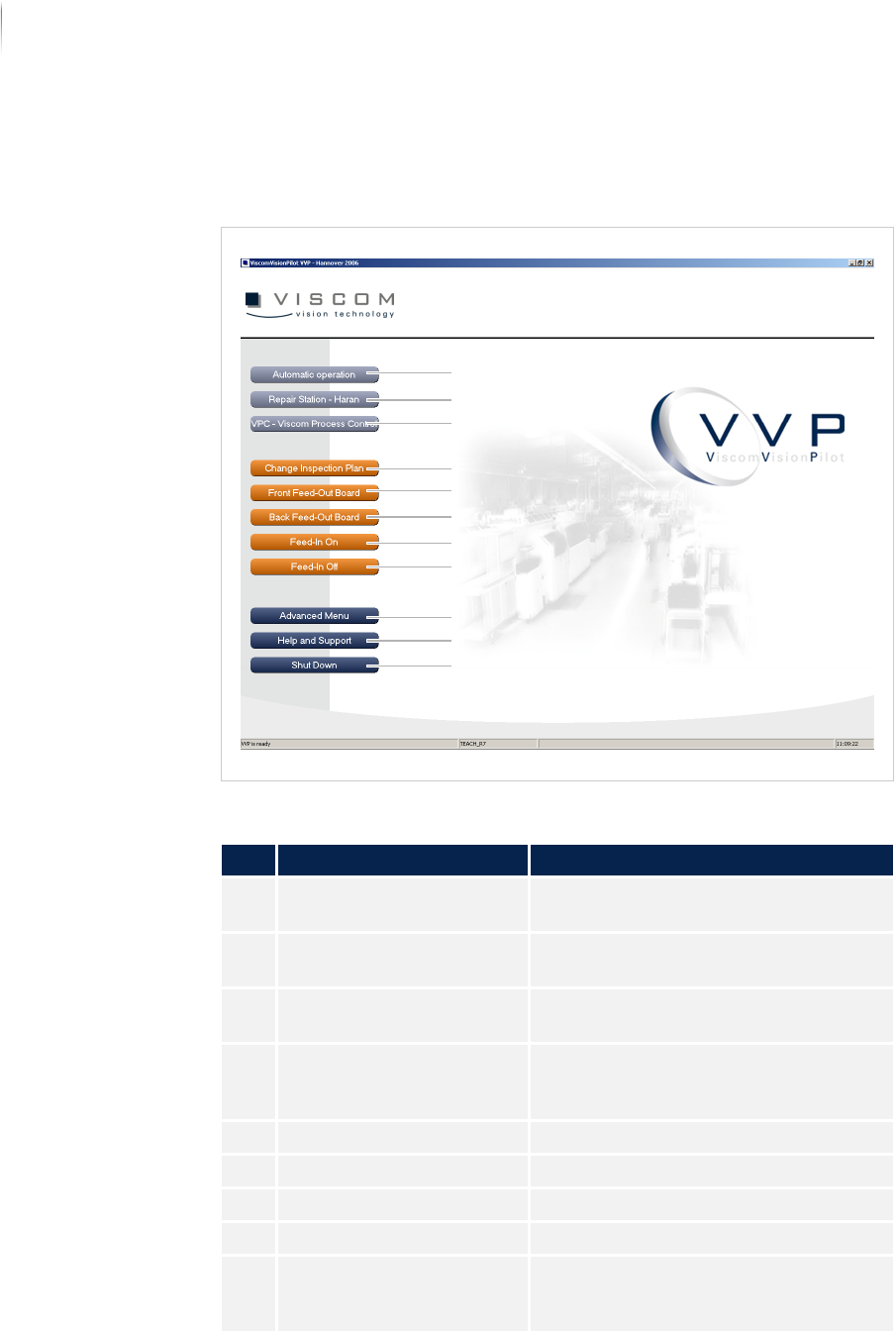
Navigation
The navigation buttons are explained in the following.
Unified user interface VVP
Description of the buttons
No. Name Description
1 AUTOMATIC OPERATION Starts the inspection in „Automatic
mode“ (Page 114).
2 REPAIR STATION -
HARAN (
OPTIONAL)
Starts the verification software.
3 VPC - VISCOM PROCESS
C
ONTROL (OPTIONAL)
Starts the SPC software.
4 CHANGE INSPECTION PLAN Opens the dialog window CHANGING
INSPECTION PLANS. See „Changing
inspection plans“ (Page 141)
5 FRONT FEED-OUT BOARD Outfeeds the PCB from the front track.
6 BACK FEED-OUT BOARD Outfeeds the PCB from the rear track.
7 FEED-IN ON Switches on the automatic PCB infeed.
8 FEED-IN OFF Switches off the automatic PCB infeed.
9 ADVANCED MENU Changes to the ADVANCED MENU of the
Viscom software. See „Advanced
menu“ (Page 142)
4
5
6
7
8
9
10
11
3
2
1