X7056_Operating manual_en.pdf - 第213页
Maintenanc e Exchanging the AXI transport belts 213 Inspection system X7056 | Operating manual | Version 3.1 Rev.006| 2016-01-06 | 30.009.1930a 11. Use the socket wrench (3 mm Allen socket) to remov e the 8 screws from t…
Maintenance
Exchanging the AXI transport belts
212
Inspection system X7056 | Operating manual |
Version 3.1 Rev.006| 2016-01-06 | 30.009.1930a
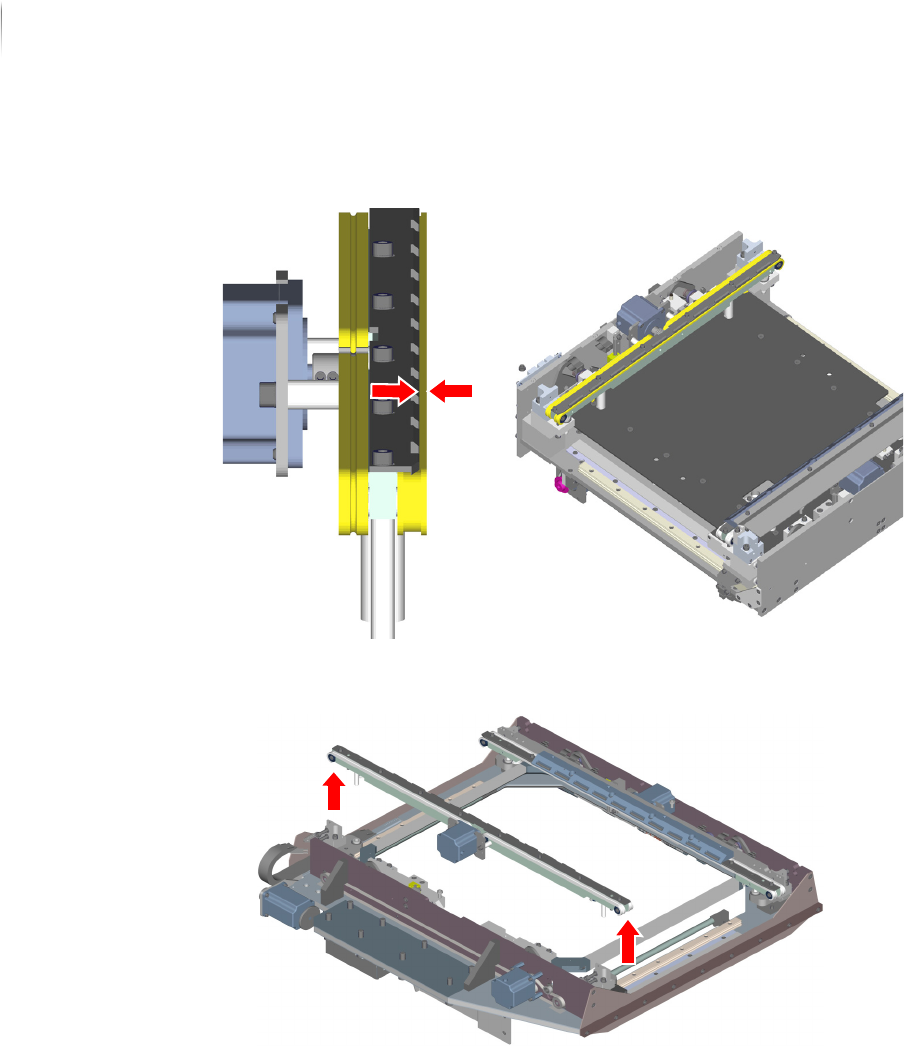
9. Measure the PCB overlap width and note down the value for
installing the new transport belt.
10.Evenly remove the clamping unit without tilting or bending it;
carefully set it on the transport track.
Maintenance
Exchanging the AXI transport belts
213
Inspection system X7056 | Operating manual |
Version 3.1 Rev.006| 2016-01-06 | 30.009.1930a
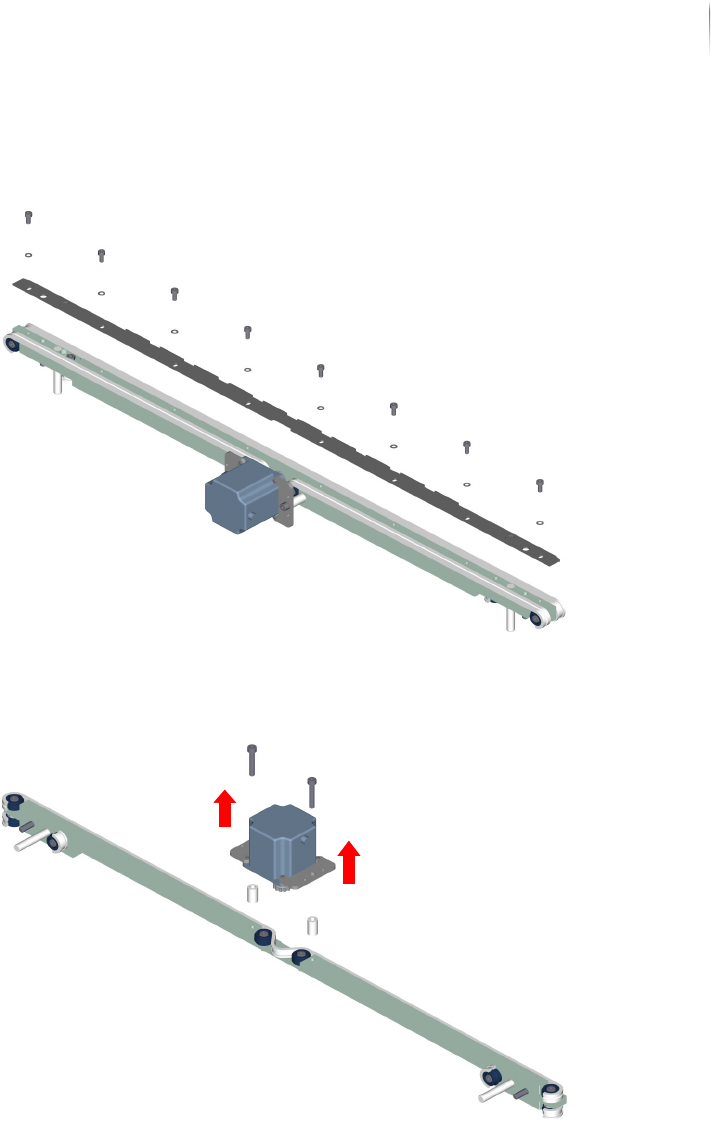
11.Use the socket wrench (3 mm Allen socket) to remove the 8
screws from the end stop guide rail.
Now remove the end stop guide rail and put it aside.
12.Use the socket wrench (4 mm Allen socket) to remove the
drive motor (2 screws).
Remove the transport belt.
13.Repeat steps 1 to 12 for the transport belt on the fixed trans-
port side plate. To do so, pull the transport track to the front of
the AOI section.
The transport belts are removed.
Maintenance
Exchanging the AXI transport belts
214
Inspection system X7056 | Operating manual |
Version 3.1 Rev.006| 2016-01-06 | 30.009.1930a
Installing the
transport belts
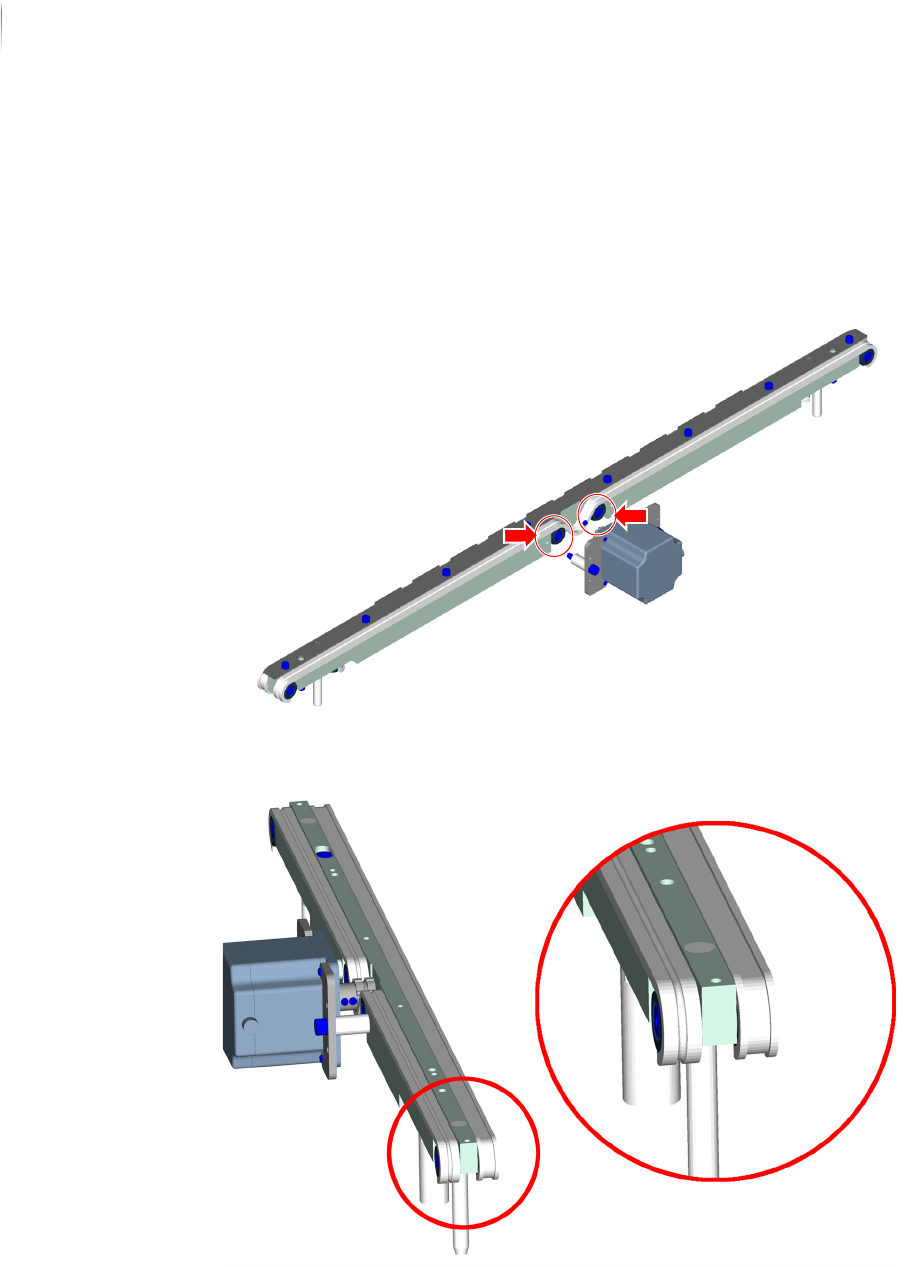
Perform the following work steps:
1. Install the transport belt; start from the guide rollers on the left
and right sides of the motor for the movable transport side
plate.
Pay careful attention to the correct installation position of the
transport belt.