X7056_Operating manual_en.pdf - 第161页
Malfunct ions 161 Inspection system X7056 | Operating manual | Version 3.1 Rev.006| 2016-01-06 | 30.009.1930a Malfunctions This chapter provides a troubles hooting guide. It contains the fol lowing sections: Safety (Pa…
Operation
Switching off the inspection system
160
Inspection system X7056 | Operating manual |
Version 3.1 Rev.006| 2016-01-06 | 30.009.1930a
2. Enter the IP address of the AXI system computer (192.168.1.2)
and click OK.
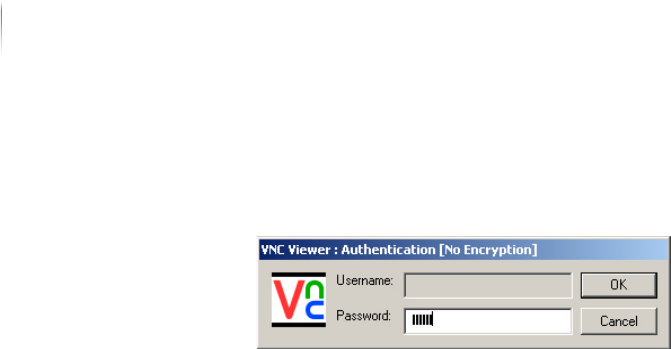
The monitor displays the AXI system computer log on window.
3. Enter the password
viscom.
The AXI computer user interface appears.
4. Click S
HUT DOWN in the AI computer's Windows start menu.
The monitor displays the Windows LOG OFF window.
5. Select S
HUT DOWN from the drop-down list.
6. Click OK.
The AXI system computer is shut down.
Shutting down
the AOI system
computer.
Perform the following work steps:
1. Click S
HUT DOWN in the Windows start menu.
The monitor displays the Windows LOG OFF window.
2. Select S
HUT DOWN from the drop-down list.
3. Click OK.
The AOI system computer is shut down.
The operating system is shut down.
Switching off the inspection system
Perform the following work steps:
1. Turn the main switch to OFF.
2. Turn the key switch to
OFF and remove the key.
3. Turn off the UPS devices.
4. Switch off the monitor.
The system is switched off.


Malfunctions
Safety
162
Inspection system X7056 | Operating manual |
Version 3.1 Rev.006| 2016-01-06 | 30.009.1930a
Safety
This chapter contains warnings of particular risks that may occur
during troubleshooting.
Follow these safety requirements:
Promptly report and correct all malfunctions and damage
displayed by the system or noted in any other way.
During the STOP mode, some system components still carry
current; these are indicated by warning signs.
High voltage in exposed places. To avoid high voltage, turn off
the X-ray tube through the key switch and set the main switch
to the position OFF.
Before the system is started after maintenance work or trouble-
shooting, make sure the AXI track is not under the open lift
gate. Closing the lift gate then can cause serious damage to the
system.
Each time before the system is switched on, check all safety
features.
Even when the system is switched off, the high voltage power
line may still remain charged (capacitive load).
The UPS can still supply a voltage of 230 V; take appropriate
protective measures.