X7056_Operating manual_en.pdf - 第124页
Software Automatic mo de 124 Inspection system X7056 | Operating manual | Version 3.1 Rev.006| 2016-01-06 | 30.009.1930a Overview File tab D EFEC T STATISTIC Description of the fields No. Name Description 1 T EST H ISTOR…
Software
Automatic mode
123
Inspection system X7056 | Operating manual |
Version 3.1 Rev.006| 2016-01-06 | 30.009.1930a
Defect statistics
The file tab DEFECT STATISTIC displays the inspection defect statis-
tics.
The following elements are described:
T
EST HISTORY (Page 125)
S
ERIAL DEFECT (Page 126)
D
EFECT DISTRIBUTION (Page 127)
P
ARETO DISPLAY (Page 128)
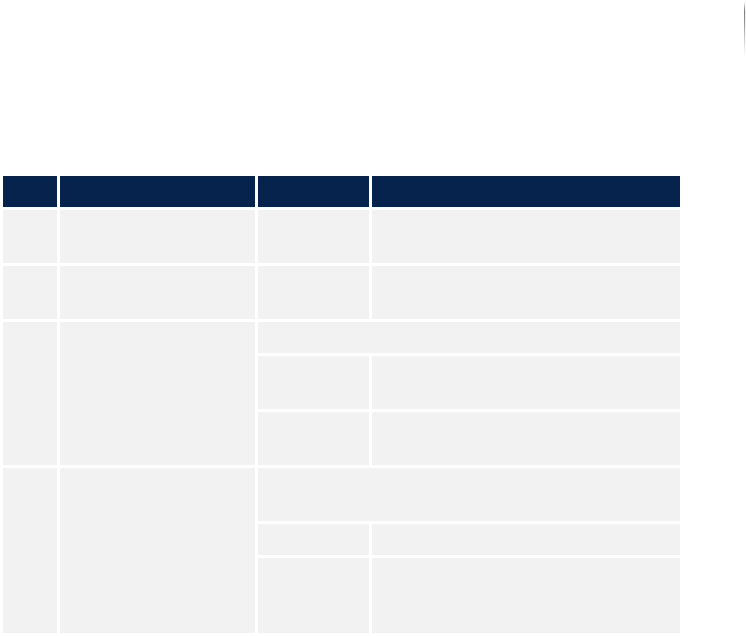
Description of the field "Analysis pictures"
No. Name Value Description
1 ANALYSIS PICTURES - Displays all the individual anal-
ysis images.
2 FREEZE - Holds the current captured
image. The inspection continues.
3 SPEED (configu-rable) Selects the speed for the display.
Every
image
Displays every analysis image.
Every 5th
image...
Displays every 5th analysis
image.
4 MACRO (configu--
rable)
Displays only the images that are inspected
with the selected macro.
All Displays all the analysis images.
c0805_me
ni_9_0...
Displays only the analysis
images that are inspected with
the selected macro.
Software
Automatic mode
124
Inspection system X7056 | Operating manual |
Version 3.1 Rev.006| 2016-01-06 | 30.009.1930a
Overview
File tabDEFECT STATISTIC
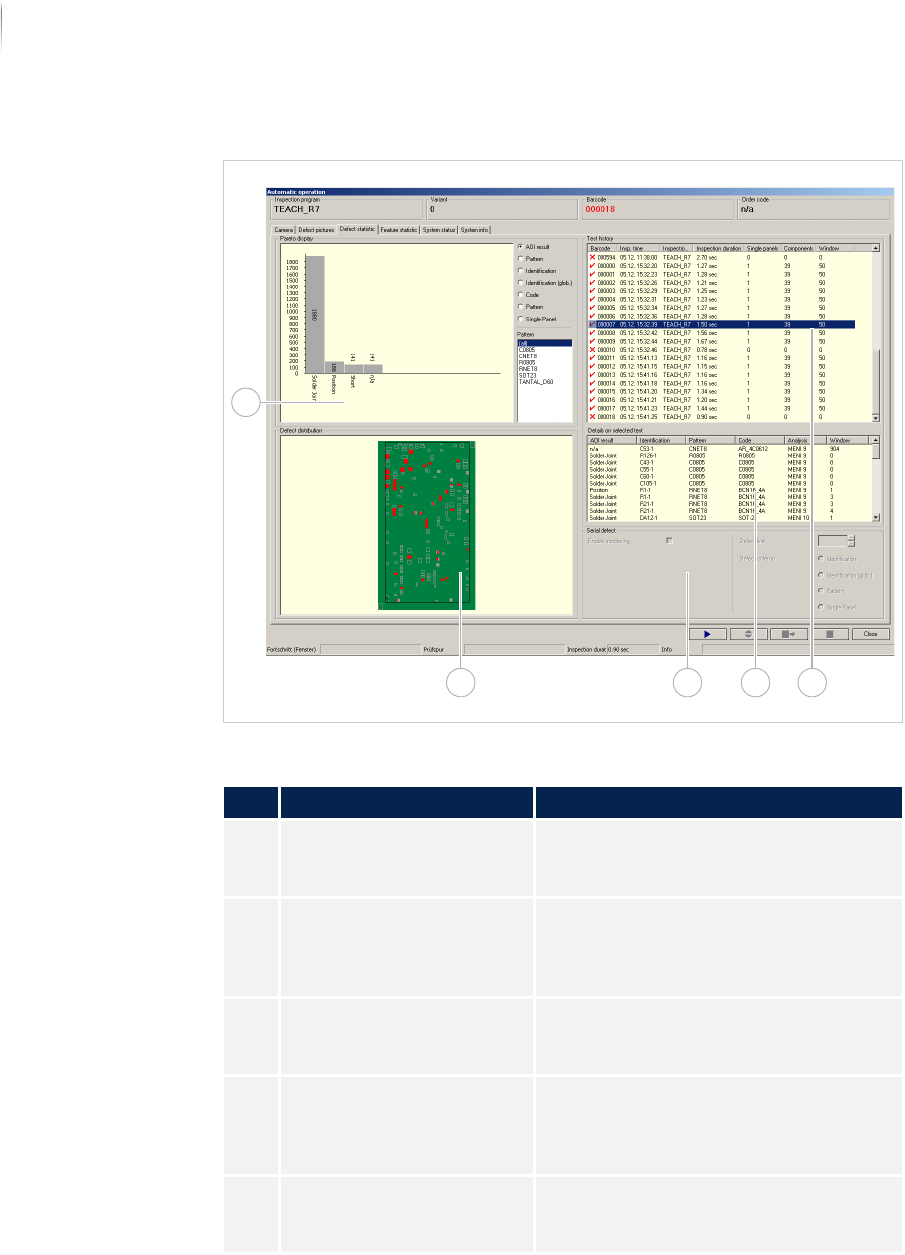
Description of the fields
No. Name Description
1 TEST HISTORY Displays the last 50 inspected PCBs
(can be configured). See „Test history“
(Page 125)
2 INSPECTION DETAILS Displays the details for the inspection
history selected in the field "Test
history". See „Inspection details“
(Page 126)
3 SERIAL DEFECT This field is first available as of soft-
ware version 7.38. See „Serial defect“
(Page 126)
4 DEFECT DISTRIBUTION Displays the entire PCB, all compo-
nents, the cameras and the defect
frequency. See „Defect distribution“
(Page 127)
5 PARETO DISPLAY Displays a configurable Top Ten
Statistic. See „Pareto display“ (Page
128)
134
5
2
Software
Automatic mode
125
Inspection system X7056 | Operating manual |
Version 3.1 Rev.006| 2016-01-06 | 30.009.1930a
Test history
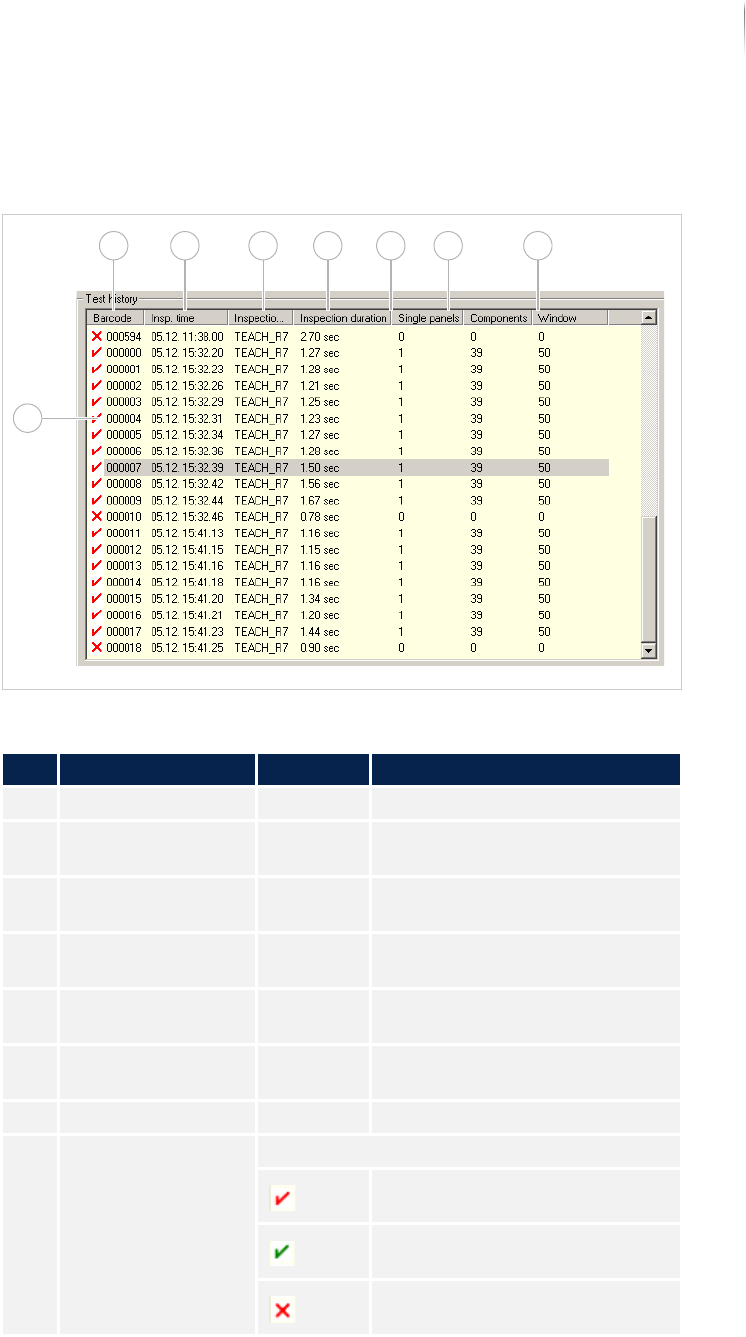
In the field TEST HISTORY, the last 50 inspected PCBs are displayed
in chronological order.
Field TEST HISTORY
Description of the field test history
No. Name Value Description
1 BARCODE - Displays the barcode of the PCB.
2 INSPECTION TIME - Displays the time the PCB was
inspected.
3 INSPECTION PLAN - Displays the inspection plan
names.
4 INSPECTION DURA-
TION
- Displays the analysis time
required.
5 SINGLE PANEL - Displays how many single panels
have defects.
6 COMPONENTS - Displays how many components
were inspected with defects.
7 WINDOW -
8 Inspection status Displays the result of the inspection.
PCB with defects.
PCB without defects.
Inspection aborted by user or
inspection system.
8
1 2 3 4 5 6 7