X7056_Operating manual_en.pdf - 第224页
Maintena nce Exchanging filter mat on AOI system computer 224 Inspection system X7056 | Operating manual | Version 3.1 Rev.006| 2016-01-06 | 30.009.1930a 5. T ake out the filter mat and ev aluate it: For minimal contam…
Maintenance
Exchanging filter mat on AOI system computer
223
Inspection system X7056 | Operating manual |
Version 3.1 Rev.006| 2016-01-06 | 30.009.1930a
Exchanging filter mat on AOI system
computer
In the ventilators on the system computer, there are filter mats to
filter the air that comes into the system computer. These filter
mats must be exchanged yearly; if there is heavy contamination,
every three months.
Required: Cross-tip screwdriver
Allen (hex) key 3 mm
Filter mat
Perform the following work steps:
1. Open the front lift door of the inspection system.
You have free access to the system computer.
2. Remove system computer; if necessary, detach cable.
The rear side of the system computer is open.
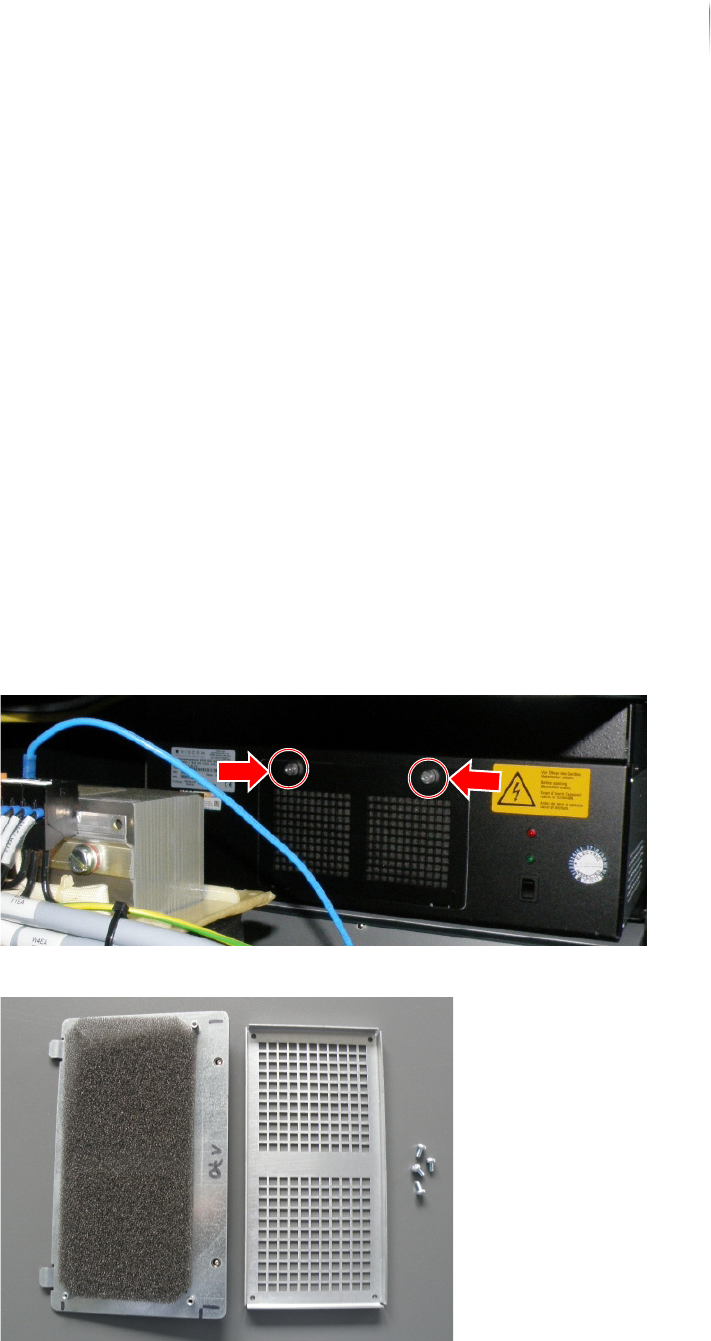
3. Loosen the knurled screws of the ventilator housing and
remove them.
4. Remove the 4 screws from the rear side of the housing.

Maintenance
Exchanging filter mat on AOI system computer
224
Inspection system X7056 | Operating manual |
Version 3.1 Rev.006| 2016-01-06 | 30.009.1930a
5. Take out the filter mat and evaluate it:
For minimal contamination, blow out filter mat with
compressed air.
For heavier contamination and yearly, exchange filter mat.
6. Reinstall filter mat.
7. Reinstall system computer and connect cable according to
circuit diagram.
Filter mat on AOI system computer is exchanged.
Maintenance
Exchanging filter mat on AXI system computer
225
Inspection system X7056 | Operating manual |
Version 3.1 Rev.006| 2016-01-06 | 30.009.1930a
Exchanging filter mat on AXI system
computer
In the ventilators on the system computer, there are filter mats to
filter the air that comes into the system computer. These filter
mats must be exchanged yearly; if there is heavy contamination,
every three months.
Required: Cross-tip screwdriver
Allen (hex) key 3 mm
Filter mat
Perform the following work steps:
1. Open the front door of the inspection system.
2. Opening the pivoting frame.
You have free access to the system computer.
3. Remove system computer; if necessary, detach cable.
The rear side of the system computer is open.
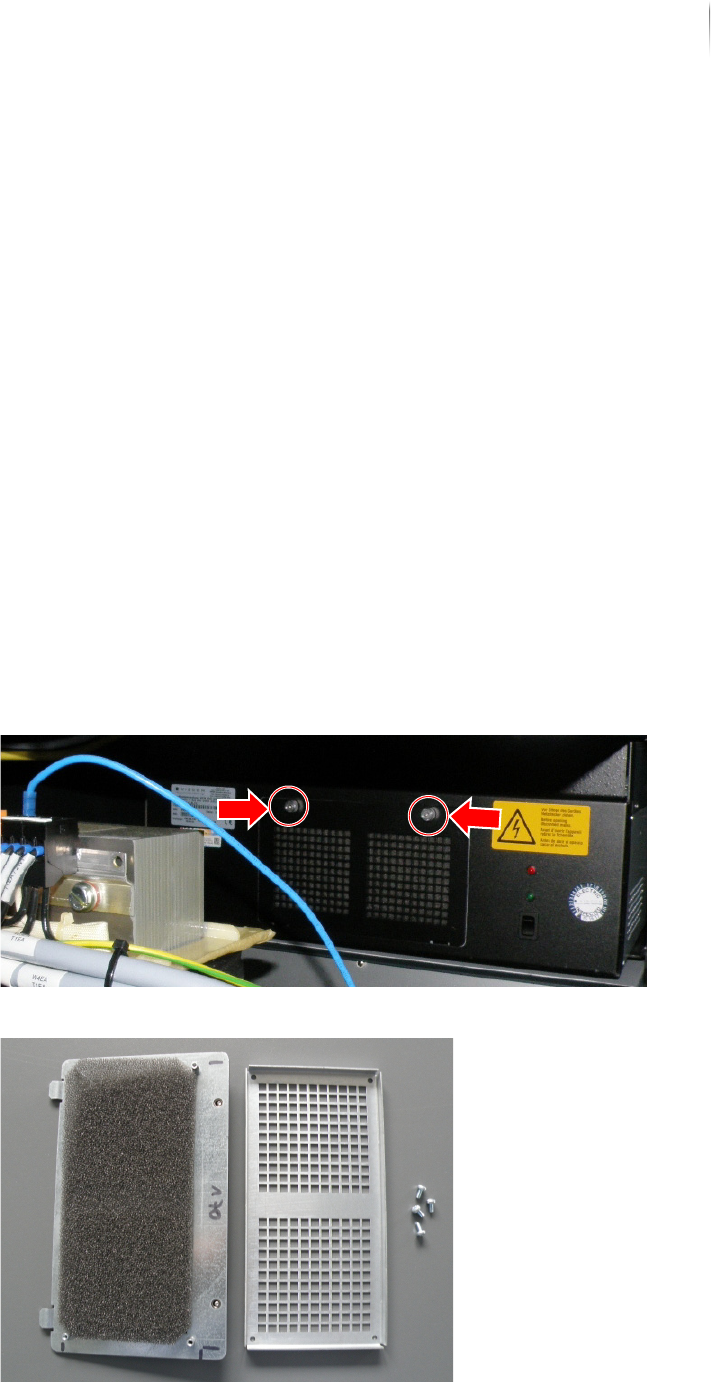
4. Loosen the knurled screws of the ventilator housing and
remove them.
5. Remove the 4 screws from the rear side of the housing.