X7056_Operating manual_en.pdf - 第52页
Product description Safety Features 52 Inspection system X7056 | Operating manual | Version 3.1 Rev.006| 2016-01-06 | 30.009.1930a EMERGENCY STOP button The EMERGENCY STOP button may only be actuated in emer- gencies. A …

Product description
Safety Features
51
Inspection system X7056 | Operating manual |
Version 3.1 Rev.006| 2016-01-06 | 30.009.1930a
Safety Features
This section explains the inspection system's safety features.
The following safety features are described:
STOP mode (Page 51)
EMERGENCY STOP (Page 51)
X-ray system (Page 52)
Safety features (Page 53)
STOP mode
The STOP mode switches off the current to the system drive
elements. This deactivates all hazardous movements of the axes
and the transport system and switches off the X-ray tube. The
system computers remain ready for operation.
During STOP mode, some system components still carry current.
These components are indicated by safety and warning labels.
The STOP mode is actuated when
the front lift door
or the front door
or the rear swing doors are opened
To allow safe access into the inspection system for setup, mainte-
nance, or troubleshooting, actuate the STOP mode.
EMERGENCY STOP
The EMERGENCY STOP button switches off all the energy and
potential risks in the system.
power to the inspection system is switched off,
the PCB clamping opens.
The monitor is switched off.
The UPS ensures the regulated shutdown of the system
computer.
The UPS maintains a power supply of 230 V to the system
computer, take appropriate measures.
Product description
Safety Features
52
Inspection system X7056 | Operating manual |
Version 3.1 Rev.006| 2016-01-06 | 30.009.1930a
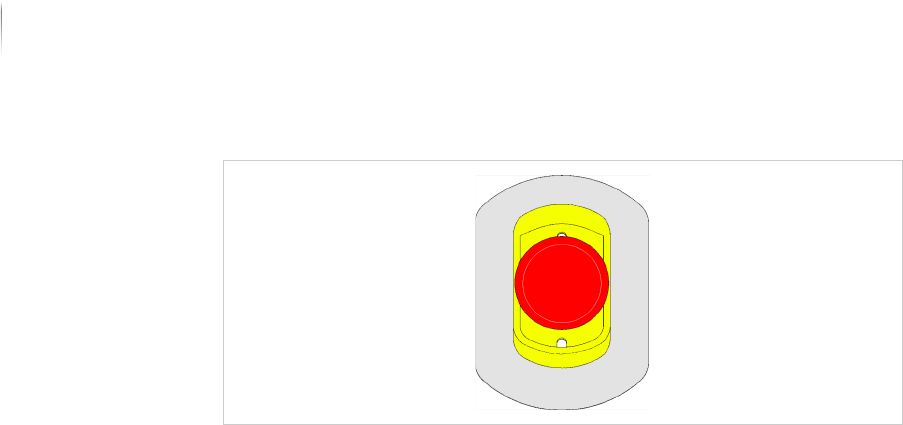
EMERGENCY STOP button
The EMERGENCY STOP button may only be actuated in emer-
gencies. A protective shroud around the button ensures that it is
not accidentally actuated.
Turn the EMERGENCY STOP button clockwise to unlock it.
X-ray system
The X-ray device is provided with special safety features.
The following safety features are described:
Safety circuits
Safety Contact Switch
Safety Circuits
Safety circuits
Two independent circuits are integrated into the control of the X-
ray device. The safety circuits reliably prevent radiation exposure
to persons.
Safety
Contact
Switch
Access to the radiation protection cabinet is protected by safety
contact switches, which stop radiation by switching off the high
voltage and current to the X-ray tube current when the doors are
opened, or if the X-ray system safety switches are defective.
Function of the safety switches:
Both Interlock circuits independently interrupt the internal 24 V
power supply of the X-ray tube.
Safety Circuits
Operation of the system outside of the parameters stated in the
construction data is prevented by safety circuits in the high voltage
generator.
Exceeding the high voltage and/or X-ray current limit values shuts
off the generator and delivers the control device a signal to return
to preset nominal values. This prevents independent system
restart.

Product description
Safety Features
53
Inspection system X7056 | Operating manual |
Version 3.1 Rev.006| 2016-01-06 | 30.009.1930a
Safety features
The inspection system is equipped with special protective and
warning features.
The following protective and warning features are described:
Protective barrier safety features (Page 53)
Key switch (Page 53)
Motor overload switch (Page 53)
Automatic cutout (Page 54)
Protective
barrier safety
features
The inspection system is equipped with the following protective
barrier safety features:
Front swing door
Front door
Rear swing doors
Lift gate
Shutter
Side panel
Opening any of the doors, the lift gate or the shutter during opera-
tion actuates the STOP mode.
Key switch
The key switch allows the operator to choose between two opera-
tion modes of the X-ray system.
The key switch prevents operation of the X-ray system by unau-
thorized personnel. The key must be kept secure by authorized
personnel.
The key can be removed in the
OFF position. The key can not be
removed in the ON position.
Motor over-
load switch
The motor overload switch protects the system from overheating,
overload and short circuit.
Key switch positions
Position Description
OFF The X-ray tube, the X-ray controller, and the vacuum
system are switched off. No X-ray radiation can be
generated.
ON The system is full functional. X-ray radiation can be
generated.