X7056_Operating manual_en.pdf - 第77页
Installation Mechanical installation 77 Inspection system X7056 | Operating manual | Version 3.1 Rev.006| 2016-01-06 | 30.009.1930a 4. Set the level on the upper side of the housing in the x -direc- tion. 5. Set the insp…
Installation
Mechanical installation
76
Inspection system X7056 | Operating manual |
Version 3.1 Rev.006| 2016-01-06 | 30.009.1930a
Level the housing to horizontal
Required: Carpenter's level
Two 24mm open end wrench
NOTICE
It is also possible to work with two levels at the same time. Set
one level on the upper side of the housing in the X-direction and
the other in the Y-direction and level the system.
Perform the following work steps:
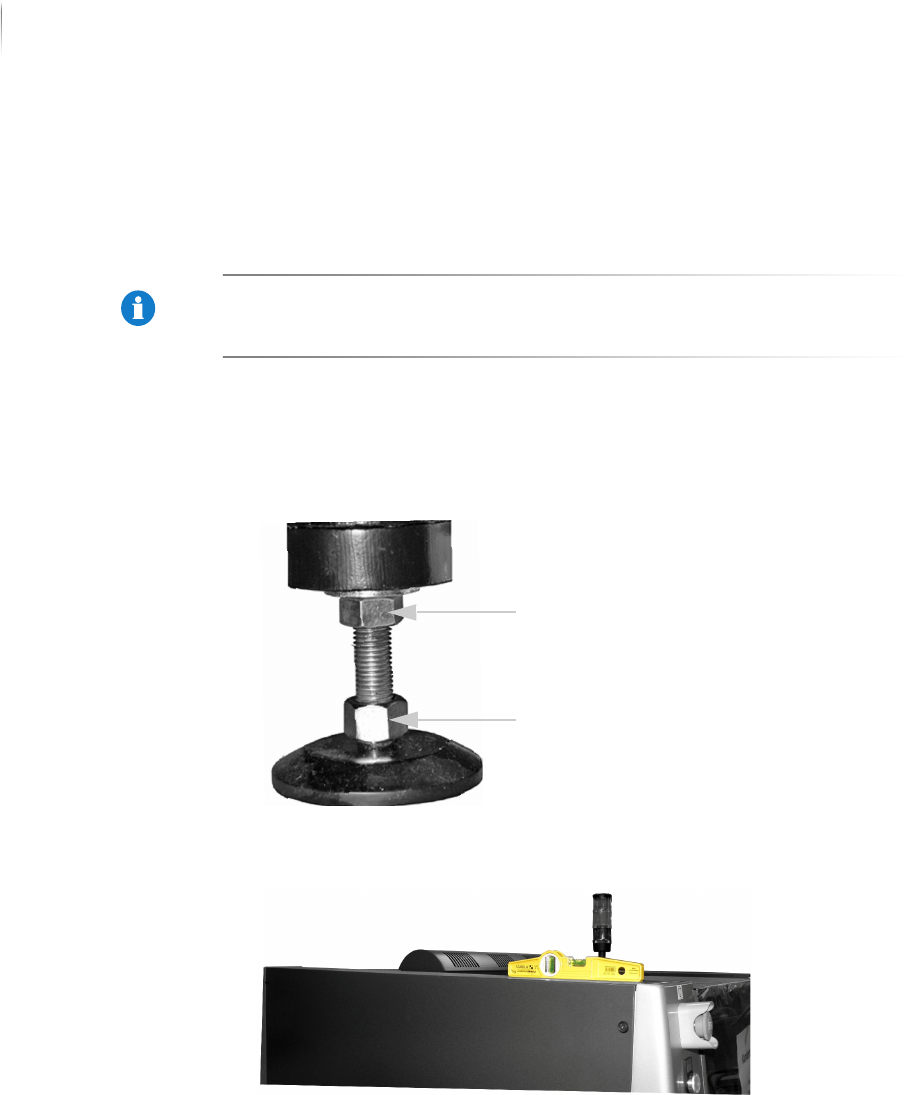
1. Loosen the lock nuts on the housing feet.
The housing feet can now be turned in or out by their lower
bolts.
2. Set the level on the upper side of the housing in the y-direc-
tion.
3. Set the inspection system in a horizontal position as indicated
by the level by turning in or out the housing feet.
The level indicates whether the system is horizontally level.
Lock nut
Screw
Installation
Mechanical installation
77
Inspection system X7056 | Operating manual |
Version 3.1 Rev.006| 2016-01-06 | 30.009.1930a
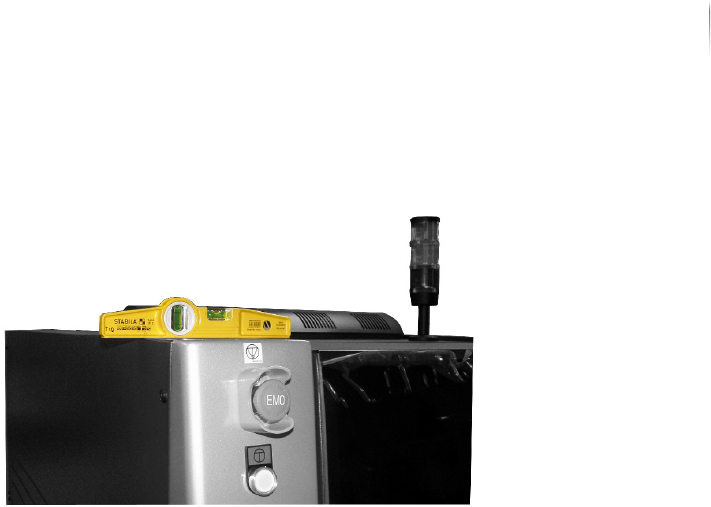
4. Set the level on the upper side of the housing in the x-direc-
tion.
5. Set the inspection system in a horizontal position as indicated
by the level by turning in or out the housing feet.
The level indicates whether the system is horizontally level.
6. Repeat steps 1 to 5 for all four edges of the upper side of the
housing.
7. Check if the sensor head collides with the housing by moving it
to all end positions.
? Does the sensor head collide with the housing?
Adjust the system feets until the sensor head does not collide
with the housing any more.
8. Fasten the lock nuts of the housing feet with an open-end
wrench while re-tightening the screws with a second open-end
wrench.
The housing of the inspection system is levelled to horizontal.
Installation
Electrical installation
78
Inspection system X7056 | Operating manual |
Version 3.1 Rev.006| 2016-01-06 | 30.009.1930a
Electrical installation
This section describes the proper electrical installation of the
inspection system.
The following steps are described:
Electrical specifications (Page 78)
Providing a standard connection (Page 78)
Checking the safety conductor PE (Page 80)
Connecting FE (TE) (Page 80)
Check motor overload switch settings (Q1EA) (Page 81)
Electrical specifications
NOTICE
The system can optionally be equipped with a network trans-
former, see „Product description“ > „Network transformer“
(Page 37).
Providing a standard connection
Precondition: The inspection system is connected to the power supply with a
16A/6 h CEE plug.
The inspection system requires the following electrical connec-
tion: 230/400 V AC, 50/60 Hz, 3 phase, N, PE
The main switch is set to OFF.
The connection requirements are met, see section „Electrical
specifications“ (Page 78).
Electrical specifications
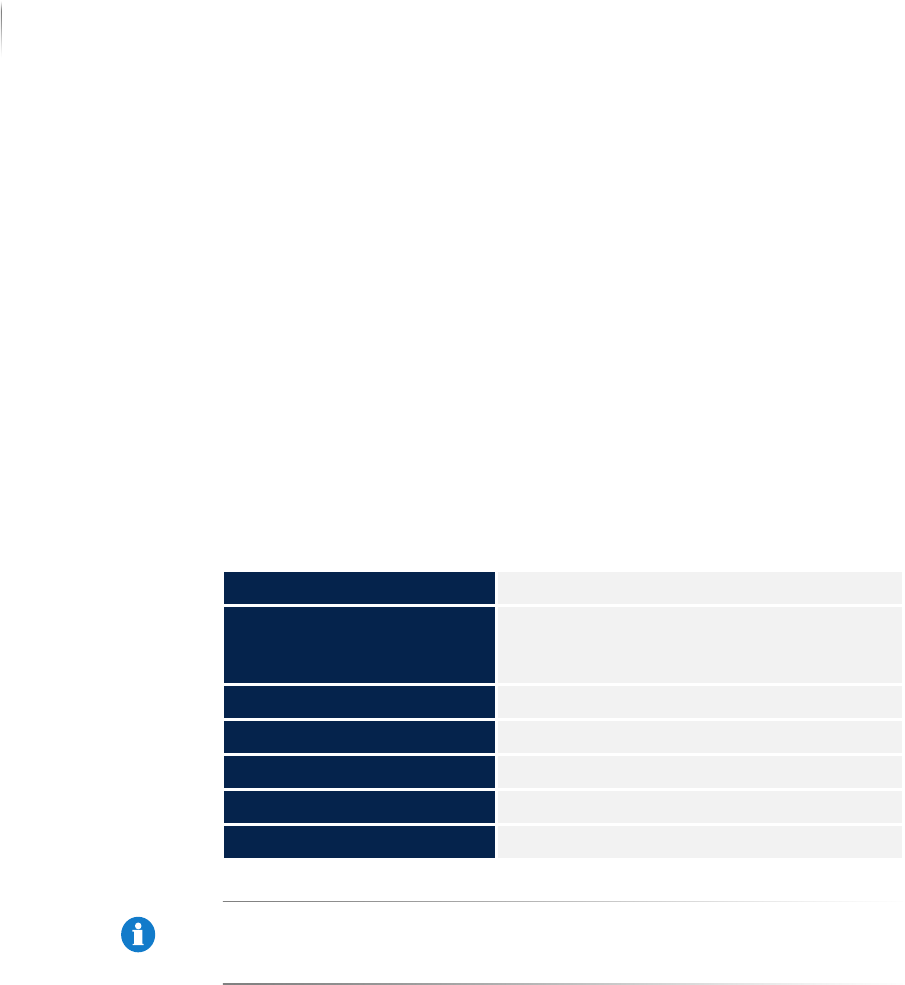
Power supply 230/400 VAC, 50/60 Hz, 3 phase, N, PE
Power supply with internal
transformer for main power
adaptation
190 V - 600 VAC, 50/60 Hz, 3 P/N/PE
Average power consumption 0.78 kW/h
Max. Power 1.5 kW
Min. Power 0.62 kW
Motor overload switch See current circuit diagram
Automatic cutout 8 A characteristic "C"